 Mineforgian
Desolate Planet - A Crash Landing Remake
Survive on a desolate planet while managing heat and thirst. Progress through the quest tree, learn the secrets of the planet, and build up technology to escape!
- Загрузки
- 64K
- Подписчики
- 107
- Обновлён
- 17 июня 2026 г.
- Лицензия
- CC-BY-NC-SA-4.0
Опубликован 30 ноября 2024 г.
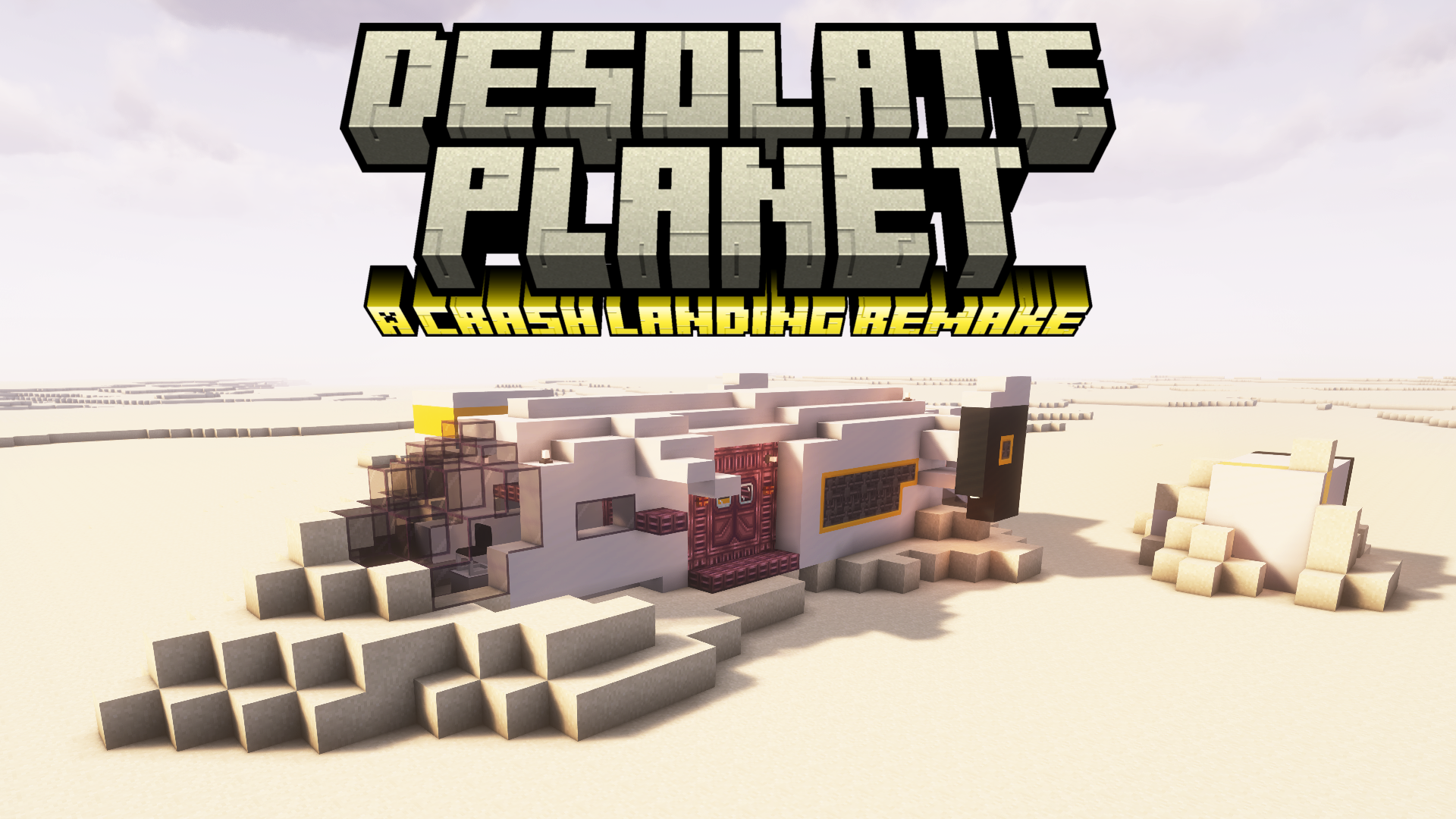


You have survived a crash landing on Planet T4L0S, an uncharted planet in the Varkin system. Preliminary scans indicate an arid environment with pockets of elevated radiation, high mineral content, and subterranean hydrocarbon reservoirs.
You will need to brave the blazing heat, find sources of food and water, scour the planet for resources, build up technology, and search for a way to escape the planet.
Desolate Planet is a challenging, quest-based modpack where you must struggle for survival on a dust planet with limited resources. The map is set to hardcore, you must use the Sync mod to build yourself more lives.
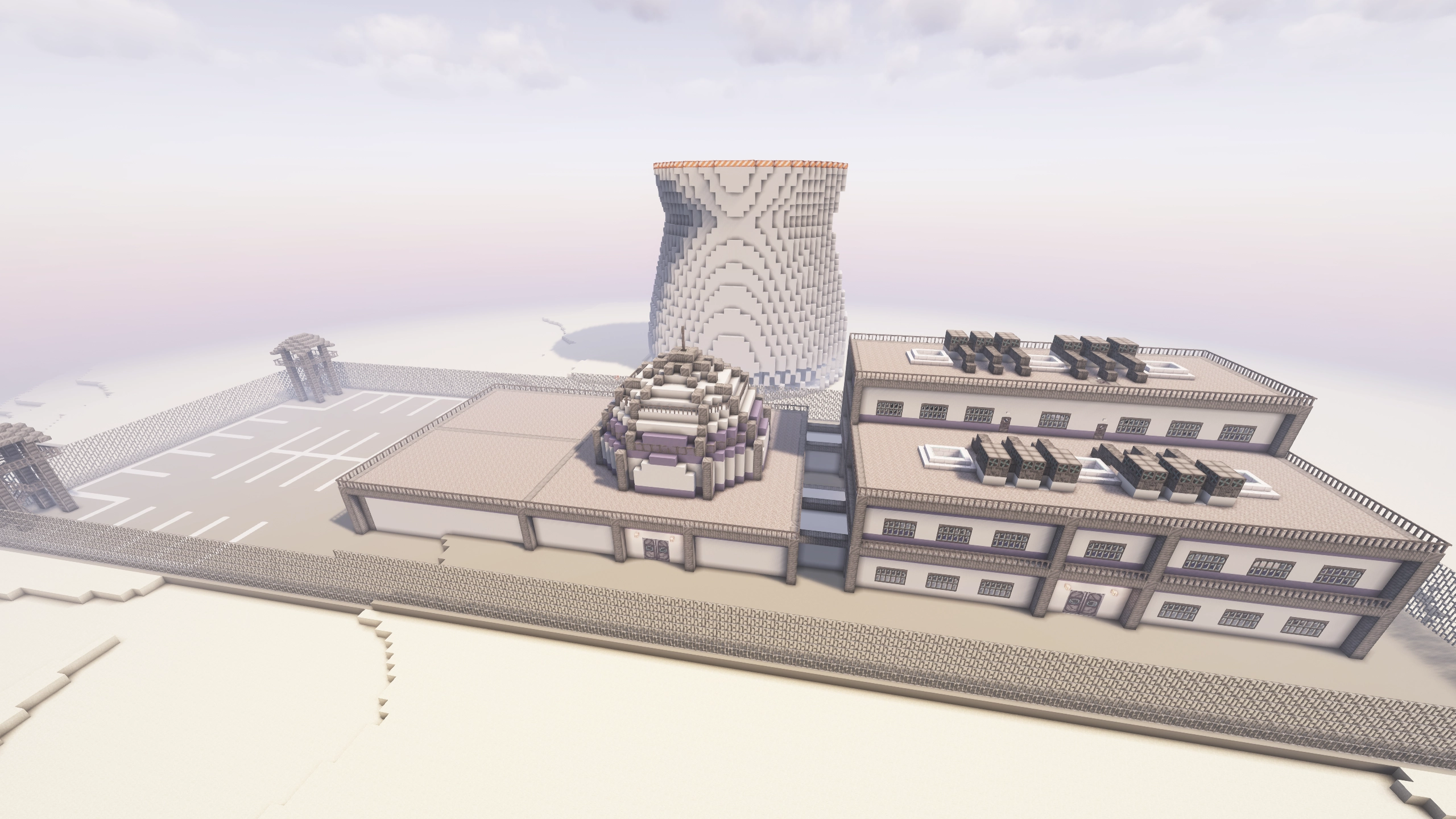


This pack is still under development. This version will still have bugs, and feedback is welcome.
Reach us directly on the Discord server: https://discord.gg/4en3SpWtJg
Or through the Subreddit: https://www.reddit.com/r/CrashLanding2Modpack
FAQ
Q: How do I install the modpack?
A: Download the Modrinth or Curseforge app, search for the name of the pack, and click install. Make sure you are using 6-8 GB of RAM in the modpack or launcher's settings.
Q: How can I play multiplayer?
A: The e4mc mod is installed. To play multiplayer, simply open your world to LAN, and it will print an address in chat that other players can join with.
Q: How do I set up a server? Do you have a server pack?
A: If you aren't experienced with server hosting, see the answer above. If you are experienced with server hosting, server packs are available alongside most Curseforge releases (Modrinth no longer allows server pack publishing). To download the server pack, visit Curseforge's project files page, select the most recent one, go to the "Additional Files" tab, select the server pack, and click Download.
Once downloaded, unzip the file and run it locally via the run.bat (Windows) or run.sh (Linux/Mac) files. If you use a server hosting provider, upload all the contents of the server pack to your host and find instructions for how to set up a Forge server on that host. These instructions are different for each server host, so find instructions specific to the one you are using.
Q: Why does my game/world gets stuck while loading in?
A: Make sure you have allocated at least 6 GB of RAM to the modpack. I usually recommend 8 GB if your computer has enough.
Q: How can I disable hardcore?
A: I strongly recommend learning to use the sync shells for extra lives, it's what the game was balanced around. If you select the easy route, you'll start with enough power for 3 shells. Follow the steps in the Sync quest for a detailed guide.
However, if you've tried that and still want to disable hardcore, you can edit the hardcore setting in config/globalgamerules-common.toml. On a server, the steps are slightly different. Download this file and replace the files on the server with the files in that zip. I recommend backing up the target files before replacing them.
Q: Why do I have debuffs like weakness, mining fatigue, or hunger?
A: You are likely malnourished. Check your nutrition by clicking the Diet button in your inventory. Aim to get a balanced diet by keeping the four main food groups above 50%. Higher values will give buffs, lower ones will give debuffs. The one exception is the sugars group, which isn't necessary to maintain. The sugars group will give speed buffs at moderate levels, but be careful because you will get debuffs if your meter goes over 80%. Read about the specific buffs and debuffs from the Diet mod on the wiki page here.
Q: How do I update the modpack?
A: In most launchers, open the modpack from your library and click the “Change Version” or “Update” button in the top-right.
Q: Will updating to a new version break my world?
A: Generally no, you won't have any issues. Only major releases break anything and there will be a description of exactly what they break near the start of the changelog. However, it is always a good idea to frequently back up your world.
Q: What is the best power source?
A: The quests include 3 recommended energy sources. The first is the Pitiful Generator, which is powered by burnable fuel and very slow. Once you get oil refining set up, you can use the Compression Dynamo to burn various types of oils. Finally, you can get a Nuclear Reactor in the end-game, which is a highly effective generation method. The quests will guide you through these three recommended methods, but other generators can be built along the way.
Q: Why does the modpack use Hardcore Questing Mode (HQM) instead of FTB Quests?
A: HQM was initially chosen because it was used in the original Crash Landing modpack. We've stuck with the mod both because of that and because FTB quests is licensed in a restrictive way. Due to the FTB team's exclusivity with Curseforge, modpacks using their mods are not allowed on Modrinth. There are a few other quest mods available (Better Questing and Odyssey Quests), but I find the gameplay experience to be lacking a bit compared to HQM and FTB Quests.
Q: How do I get seared bricks/grout for a smeltery?
A: There is a Tinker's Construct smeltery building in the cities, containing crumbling seared brick blocks. Break those with a hammer or pulverize them to get seared bricks.
Q: How can I change the thermometer to Celsius?
A: Go to the Options menu, click the Cold Sweat button on the left, and change the units option in the top-left.
Q: Why do structures generate in the same spot on every world?
A: All worlds currently use the same seed, which allows gameplay to be balanced more tightly. This way, we can ensure players spawn in the right biome and that the late-game structures are further from spawn than the early-game ones. Soon we will switch to a different world generation system which allows greater control over biome and structure placement. After that update, a preset seed will still be used, but manually setting a custom seed will no longer completely break the balance of the world.
Q: Can I help develop/contribute to the modpack?
A: Absolutely!
- For simple suggestions, create an issue or let us know on the Discord.
- For simpler submissions like textures, models, buildings, or other small files, you can send those to us and we can do the implementation work for you (if approved).
- For anything more complicated like full game mechanics, complex scripts, or large-scale config adjustments, you can submit a pull request on GitHub. See our Contributing Guide for information about setting up the modpack dev environment on your computer.
Q: Can I help translate the modpack?
A: Absolutely!
- I have done my best to make all text in the modpack translatable through Minecraft's localization files and the modpack was recently translated into Portuguese.
- If you want to translate anything into your language (or correct any existing translations), feel free to send me them via Discord or by submitting a pull request on our Github.
- The following files are available to translate:
Q: Do you have a roadmap/list of planned updates?
A: Yes, the most up-to-date roadmap is in our discord. I have many plans for the future of this modpack and the roadmap details the next 6-8 major updates. Feel free to let me know what you think and what you think the future of this modpack should include.
Credits
Developed by:
Other contributers:
- Nagasakii (Early development work and initial quests)
- QinlingP (Packwiz setup and preset seed mod)
- herobrian903 (Create quest line prototyping)
- Kilometers (Early development work)
- Mei-Nanita (Early recipe work)
- Pand1024 (Early github maintenance)
Original pack developer:
All proceeds from this modpack will be donated to GiveWell.
Ченджлог
1.8.6.0Бета1.20.1 · 17 июня 2026 г.
1.8.6.0 includes a new set of plasteel building blocks, Spanish/Korean translations, and fixes some issues with mob spawning and thirst.
Highlights
- Added new plasteel blocks
- Now available the full spectrum of dye colors (happy pride month!)
- Now available in slabs and stairs
- New plasteel chairs, cabinets, and bookshelves
- Added full Spanish translation and partial Korean translation
- Adjusted light-based spawning rules, which should fix some mobs not spawning when they should have
- Fixed some issues that would drain thirst too rapidly
- Liquid blaze burners can now provide heat to PneumaticCraft machines
Full Changelog
Mod Changes:
- Added The Varkin System, a custom mod for this modpack. It will eventually add endgame Ad Astra features but currently just adds some supporting features for building:
- Plasteel block suite, now with new block options
- Plasteel blocks, available in all 16 dye colors
- Plasteel stairs
- Plasteel slabs (can be placed vertically)
- Plasteel bookshelves
- Plasteel cabinets (including Sophisticated Storage integration)
- Spaceship chairs
- Custom sliding doors made from Ad Astra materials
- The new Ostrum sliding doors can replace the current ship doors
- Removed old registrations for plasteel blocks and ship chairs
- The new blocks will automatically replace existing ones when loading existing worlds
- In new worlds, the starting ship has been changed to use new blocks:
- Varkin System plasteel blocks and slabs are used instead of the old KubeJS plasteel and copycat plasteel slabs
- Varkin system ostrum sliding doors are used instead of copycat doors
- Varkin System ship chair is used instead of the old NFM modern chair
- Varkin System plasteel cabinet is used instead of the old NFM cabinet
- Varkin System plasteel bookshelves are used instead of the old framed block bookshelves
- Plasteel block suite, now with new block options
- Updated Ex Deorum
- Fixed an issue where the crucible would convert one fluid into another
- Updated ~22 additional mods
Informational Changes:
- Full Spanish translation thanks to Almfe7
- Partial Korean translation thanks to Necroyal
Recipe Changes:
- Liquid blaze burners can now provide heat to PneumaticCraft machines Tinkers daggers now work in Farmer’s Delight cutting boards
- Tinkers copper ore chunk melting now correctly gives triple the amount of a normal ore
- Fixed paste recipes in Create’s mixer having no output
- Paste can now be crafted with PneumaticCraft water tanks, allowing it to be bulk-crafted more easily
- Updated ship chair recipes
Misc Changes:
- Reworked mob spawning rules for piglins, blazes, slimes, and magma cubes
- These mobs can no longer spawn in the daytime except within structures
- Block light (light from torches, etc) should now correctly prevent them from spawning in all locations
- Piglins that spawn outside of structures for various reasons will now lose fire immunity and burn in the daylight
- Last update’s changes accidentally made mob spawning too restrictive and stopped some mob spawner spawning in certain conditions, this should correct those
- Disabled passive temperature based thirst drain as it was overflowing and causing rapid thirst loss without explanation
- Fixed some improperly categorized foods (minced beef should not be a vegetable)
- Reduced FE generation from SU with an alternator
1.8.5.1Бета1.20.1 · 18 мая 2026 г.
- Updated A Balanced Diet to fix a crash when joining servers
- Fixed missing ore melting recipes
- Fixed some Create recipes using kelp instead of rubber
1.8.5.0Бета1.20.1 · 17 мая 2026 г.
1.8.5.0 includes a rework of the diet system, a Portuguese translation, some suggested mods, and many more small improvements.
Highlights
- Translations
- Added translations for Brazilian Portuguese
- The modpack is now fully translatable, see the FAQ entry for more details if you want to contribute
- Switched to a custom version of the Diet mod
- Reworked nutrient values on every food in the game
- Crossing most diet thresholds now shows an alert in chat (mutable)
- The diet screen now has a custom status overlay and more detailed tooltips
- Added in-world fluid generators for all extruder recipes
- Added many community-suggested mods
- Fixed blast chiller recipes not working with purified water
- Disabled Immersive Weathering’s sand accumulation on blocks
- Nether mobs should no longer ignore block light level when spawning
Full Changelog
Informational Changes:
- Translations
- The modpack should now be fully translatable, with quest text, item names, tooltips, etc. all using translation keys.
- If you’d like to submit translations or corrections, feel free to send me them on our Discord or submit a pull request on our Github the following files are available to translate:
- So far, the modpack is translated to the following languages:
- US English (default)
- Brazilian Portuguese (thanks to Booro on our Discord)
- UK English
- Australian English
- Fret not, me hearties! Pirate Speak translations be comin’ yer way!
- Highlighted some of the most important and frequently missed quest text with different formatting
- Renamed a few quests
- Fixed some typos in various quests
- Fixed some outdated information in Green Thumb and Assembly Line quests
- Updated JEI description of witch water to remove reference to netherrack generation (witch water netherrack gen is bugged and didn’t work, and would be disabled in favor of the redstone method even if it was enabled)
- Added informational tooltips to the controller frame, nullifier, sieve, and mechanical hammer
Mod Changes:
- Switched to my own fork of the Diet mod called A Balanced Diet. This allows a variety of new quality of life and balance features.
- Quality View: A new toggle on the diet screen enters "Quality View", which shows what thresholds of each diet bar start to provide positive or negative effects.
- Tooltip Tweaks: Each diet group now has a tooltip showing the effects that come from it, in addition to the aggregate tooltip at the top of the screen.
- Precise Nutrient Values: Nutrition values are now precisely set per-food instead of generated automatically based on tags.
- Previously, foods had an equal distribution of nutrition values for each of the food groups they belonged to (scaled based on hunger restoration and per-group gain multipliers). This means a food couldn't have just "a little" of a group, it either was part of that group or it wasn't. Fruit salad, for example, was equal parts fruits and vegetables even though it was crafted with 5 fruits and 1 vegetable.
- Other benefits of the new system:
- Foods with small amounts of sugar like Baked Beans are no longer completely unviable due to giving way too much sugar.
- More base foods can contain multiple food groups without affecting everything crafted from them. For now, the following foods have been changed to provide mixed groups:
- Potatoes grant 40% grains and 60% vegetables
- Tomatoes grant 33% fruits and 67% vegetables
- Foods no longer give significantly less food when crafted into other food items with mediocre hunger values. (For example, a Fruit Salad gave 2% fruits and 2% vegetables when the ingredients to make it gave 9% fruits and 3% vegetables.)
- Drinks (like milk bottles, hot cocoa, apple cider, melon juice, etc.) can provide nutrients even if they don't provide a hunger value.
- Notification System: Players will now get notified when they cross certain nutrition thresholds.
- Negative effects will notify the player every time you gain an effect and every time the effect worsens.
- Positive effects will notify the player the first time they gain an effect and will not notify again.
- All notifications settings can be changed with the
/diet notificationcommand. The command options are:/diet notifications list, which will list the notification defaults and current settings for each individual message ID/diet notifications all, which will change notification frequency for all notifications/diet notifications group <group_id>, which will change notification frequency for everything with the specified group ID/diet notifications set <set_id>, which will change notification frequency for everything with specified set ID/diet notifications message <message_id>, which will change notification frequency for the specified message ID/diet notifications options <message_id>, which will show the mute menu for the specified message ID/diet notifications reset, which will reset all notifications to their configured defaults (this will causeoncenotifications to re-trigger)
- Updated Scarcity
- Fixed more waterloggable blocks converting flowing water into source blocks when placed
- Using bottles on waterlogged plants no longer creates infinite water
- The Blast Chiller now works with any water purification state
- Thermal machines no longer duplicate smelted buckets
- Updated Farmer’s Delight and Legume Delight
- New foods:
- Gleaming salad
- Onion soup
- The Nourishment replaces all instances of the Comfort effect and has been updated:
- Nourishment now pauses saturation consumption but not hunger
- Players can now always eat when the Nourishment effect is active
- Added missing recipes to turn bean and peanut sacks back into beans and peanuts
- Pie crusts no longer cost sugar
- Cutting board can now take a full stack of items
- Tomatoes and Beans now use a separate block when growing on ropes (these will be automatically updated in the world next time they tick)
- New foods:
- Added Extreme Sound Muffler
- ESM button is only visible in Creative mode, this can be changed in the configs if you'd like
- Set some default reduced volume sounds based on community request
- Added AdvancedBackups
- The world will now automatically back up every 15 minutes
- These backups are incremental and only include the differences since the last backup
- Use the scripts in
/backupsto restore a backu
- Added SuperFactoryManager
- Modern remake of Steve’s Factory Manager, which allows advanced automation tools through a scripting language
- Added Compressed Creativity
- Adds integration between Create and PneumaticCraft
- Added Not Enough Recipe Book
- Removes the vanilla recipe book for some performance improvement
- Switched from LaserIO to LaserIO UEL for more support
- Adds many more QOL and compatibility features to LaserIO
- Added Tinker’s Planner
- Adds a button to the Tinker’s Station and Anvil that lets you simulate tool building to see what your tools’ stats will be
- Added AE2 Network Analyzer
- Adds an item that lets you visually see your AE2 network status
- Removed e4mc from server packs to prevent conflicts, it will now only install on the client
- Updated to Forge 47.4.20
- Updated ~40 additional mods
Recipe Changes:
- Added missing recipes to turn bean and peanut sacks back into beans and peanuts (Legume Delight update)
- Pie crusts no longer cost sugar (Legume Delight update)
- All cookies now cost sugar
- Added Phytogenic Insolator recipes for beans and peanuts
- The Blast Chiller now works with any water purification state (Scarcity mod update)
- Thermal machines no longer duplicate smelted buckets (Scarcity mod update)
- Added Tinkers melting recipes for ore chunks
- 6 chunks makes 3 ingots in the melter, 4 ingots in the smeltery, and 5 ingots (plus byproduct) in the foundry
- Added seared stone casting recipe back
- Added Tinkers melting recipes for crumbling seared and scorched bricks
- Smelting copper ore in a furnace now returns 3 copper ingots to match how many you normally get when breaking it
- Made tinted glass costs less amethyst
- Added recipes for armor trims
- Mekanism Crusher changes
- Crushed deepslate now has an input of cobbled deepslate to avoid a conflict with other recipes
- Sulfur and niter can now be crushed into their respective dusts in a crusher
Custom Item Changes:
- The camel pack will now drink all remaining water in the tank, even if it is less than 100mb. Due to rounding down, these “sips” will be less efficient than drinking 100mb at a time.
- For the normal camel pack, water values under 50 will not return thirst and values under 32 will not return quenchness
- For the advanced camel pack, water values under 40 will not return thirst and values under 25 will not return quenchness
- Added the Blazing Block, formed when water (and some other liquids) comes into contact with a Blazing Blood source block
- Changed some blocks to use the "Damaged" prefix instead of "Crashed”
- Shell constructors and shell storages are now resistant to explosions
Misc Changes:
- Added some Immersive Weathering fluid generators
- All extruder recipes can now be made in-world
- Netherrack from flowing lava touching destabilized redstone
- Endstone from flowing lava touching resonant ender
- Blackstone from flowing lava touching blue ice
- Basalt from flowing lava touching blue ice and over soul soil
- Cobbled deepslate from flowing lava touching packed ice
- Deepslate from flowing lava touching packed ice and magma
- Scoria from flowing lava touching packed ice and over soul soil
- Blazing blood recipes
- Blazing blood will now convert adjacent sand and dust into glass
- All flowing lava recipes listed above also work with Blazing Blood instead of the lava
- A blazing block now forms when cool liquids touch still blazing blood
- Obsidian now forms from more liquids touching still lava
- Disabled some old fluid generators that require different recipes (calcite, diorite, granite, and tuff should now be crafted instead of casted in-world)
- All extruder recipes can now be made in-world
- Disabled some Immersive Weathering features
- Sand seeping through blocks
- Sand accumulation during storms
- Sandstone erosion
- Weeds replacing old crops
- Saplings turning into dead bushes
- Rooted dirt/grass when trees grow
- Leaf piles from Ex Deorum infested leaves
- Icicles granting fire resistance
- Adjusted light spawning rules for certain mobs. The following changes affect all variations of blazes, piglins, magma cubes, and holy ghasts:
- Block light can now disable spawning of these mobs
- Daylight now disabled spawning of these mobs when outside structures
- Overheating now causes some passive thirst drain
- This scales up to 1 thirst drain every 12 seconds when body temperature reaches 100
- Since this only applies to body temperature (not world temperature), insulation will mostly prevent this drain from occuring
- The RAM warning is now a bit “fuzzier” and only appears if you are not within 5% of the checked value
- Changed a Mantle setting that should fix Tinker’s fluid rendering with shaders on but will make fluids glow more than they should
- Increased max stored power of dissolution chamber
1.8.4.1Бета1.20.1 · 16 марта 2026 г.
- Updated Tinkers Tool Leveling 2
- Fixed a crash when viewing experience level in languages with "," as the decimal separator
- Minor tool level-up tweaks
- Reduced weight of the armor protection modifiers
- Removed fiery from armor modifiers since zombies would transfer it back to you
- Evened out mining tool modifier weights slightly
- Fixed some grammar errors (plurals) in the leggings and boots level-up description
- Added a tiny chance for a few melee weapon modifiers to appear on the handaxe, scythe, and broadaxe
- Small tweaks to the menu screen splash text
1.8.4.0Бета1.20.1 · 15 марта 2026 г.
1.8.4.0 adds new camel pack types, reworks the tool leveling system, and fixes a variety of bugs.
Highlights
- Added two new camel pack types
- Updated Tinker’s Tool Leveling, reworking the level-up modifier system completely
- The world will no longer crash when touching heat sinks while wearing Tinkers armor
- Added recipes to break down furniture into their base materials
- Added a band-aid fix to stop player temperature randomly dropping to freezing levels
- Reduced hunger loss from moving in water
Full Changelog
Mod Changes:
- Updated Scarcity
- Falling blocks with low hardness (falling leaves) no longer break the partial blocks they fall on
- Water-logged plants no longer create water source blocks
- Picking up water from a waterlogged block with a bottle no deletes the block
- Updated Tinker’s Tool Leveling 2, the new version is a complete mod rewrite that changes how tool leveling works
- The world will no longer crash when touching PneumaticCraft heat sinks
- The kama, hammer, and crook will now correctly gain experience
- “Disruptive” modifiers will no longer appear and all random modifiers should be entirely positive. For example, water-related modifiers, knockback, padded, and magnetic (on armor) no longer appear.
- Added many new modifiers that were previously only obtainable through specific tool materials. These modifiers are weighted lower than the standard ones and removing them does not grant an upgrade slot back.
- Updated EnderIO
Custom Items:
- Added two new types of camel packs
- Advanced Camel Pack
- Made from stillsuit materials like insulated hydraulic fabric and filtration pockets
- 5x the tank capacity of the normal Camel Pack
- Restores the same amount of thirst as the normal one
- Restores 33% more quenchness than the normal one
- Condensentrating Camel Pack
- Made from endgame materials including 2x 256k ME Storage Components
- No attached tank, will create infinite drinkable water from the air
- Restores 50% more thirst than the normal one
- Restores 60% more quenchness than the normal one
- Advanced Camel Pack
Recipe Changes:
- Added recipes to scavenge materials from furniture. Almost all furniture items found in cities can now be melted, sawed, or hammered to get pieces back from them. (ULSTICK)
- Changed stillsuit crafting recipe, now uses an advanced camel pack
- Recipes that required fluid conduits can now use other modded fluid transfer pipes
- Fixed some PneumaticCraft ice duplication recipes where packed/blue ice costed 4 blocks instead of 9
- Compressed moss is now sievable
- Removed all water bowl related recipes, they aren’t necessary when bottles exist and it added more overhead to support water duping with them
- Removed the netherite from melting diamond ore in a foundry, it now gives emerald instead
Informational Changes:
- Added tooltips to all sugar-based foods warning about the debuffs from having high sugars
- Changed text of the quest book’s “Infinite Lives” warning to clarify that hardcore mode is on and the sync shell gives more lives (this was a 1.8.1 change but it had not been properly activated)
Quest Changes:
- Camel pack quest now mentions the upgraded camel packs as an option
- Camel pack quest no longer gives leather as a reward, now gives a choice between water bottles and a fluid reservior
Misc Changes:
- Added a script to prevent against random temperature drops
- This was due to a bug where player’s temperature data was completely removed. The script detects the absence of the "biomes" modifier and adds all world-based temp modifiers back to the player if the biomes one is missing. This should hopefully stop the issue from happening until the bug is fixed.
- Slightly increased water temperature, it is now 5°F / 2.8°C colder than biome temperature (previously 10°F / 5.5°C colder)
- Reduced how much hunger is lost from moving in water
- Reduced swimming hunger loss from 0.075 to 0.05 (vanilla default: 0.01)
- Reduced underwater walking hunger loss from 0.075 to 0.05 (vanilla default: 0.01)
- Reduced over-water walking hunger loss from 0.075 to 0.025 (vanilla default: 0.01)
- Made trash piles mineable with shovels or hoes and slightly faster to mine
- Disabled all block interaction with sink items to prevent water dupe exploits
Background Structure Changes:
- Updated the information page about how to contribute to the modpack, it now includes more information about modpack file structure
- Removed some development files that substantially increased unpacked file size
1.8.3.0Бета1.20.1 · 8 марта 2026 г.
1.8.3.0 tweaks some Diet effects and fixes a variety of small bugs.
Highlights
- Made diet modifiers less punishing at low levels, but also less powerful at high levels
- The fruits meter now granularly adjusts regeneration speed instead of halting it at low levels
- Tomatoes now provide both fruits and vegetables
- Added recipe to transfer water from buckets to bottles
- Precise temperature will now display in the UI (if needed, you can change units to Celsius in Cold Sweat options)
Full Changelog
Misc Changes:
- The precise temperature now displays in the UI, even without wearing a thermometer
- The game will now show advice on launch if you are under or over memory recommendations
- Patched a bug where Thermal’s machines would consume entire stacks of bottles when they should have consumed just one
- Fixed camel pack being able to accept dirty water
- Fixed a bug where Sync shells in shell storage would not drop their Curios inventory when destroyed
- Fixed a bug where Diet attribute modifiers would not properly clear when syncing
- Disabled Create’s unlimited fluid extraction (only affects new worlds)
- Added a few more tips
- Added a few more item tooltips
Food/Diet Tweaks:
- Rebalanced Diet modifiers to make them less punishing at low levels, but less OP at high levels
- High/low fruit meters now slow or speed up regeneration speed instead of halting it at low levels and giving regeneration at high levels
- Tomatoes are now considered both fruits and vegetables for the diet mod
- If a food is made from tomatoes but does not prominently feature them, the fruit tag will not be carried through to it
- Updated staple fruit list to include tomatoes
- Tweaked properties of Enderios:
- Enderios now have a chance of providing a variety of different minor random effects when eaten. These effects are typically neutral to slightly positive, but there is a low chance to get very positive effects.
- Enderios now fill all four major diet categories
- Enderios now refill 8 saturation instead of 5
- Added tooltip for Enderios to mention the effects
- Low vegetables now give the Sundered debuff (reduces armor effectiveness) instead of the Vulnerability debuff (increases damage taken). This fixes a bug where health would be miscalculated after syncing and taking damage and the player would enter a half-death state.
- Diet’s Fruit category now starts at 60% instead of 70% when respawning
Recipe Changes:
- Added recipe to transfer water from buckets to bottles
- Create’s dough shows in all dough recipes instead of Farmer's Delight dough
- Removed an old Farmer's Delight dough recipe
- Removed a few wooden crucible recipes that were previously missed
Quest Changes:
- Fixed a few circular quest dependencies that caused some quests to be unlocked at the start when they shouldn't have been
- The Easy Route now provides nutrient bricks as well as sandwiches
- Changed what seeds are provided as rewards for some quests in The Food Pyramid
- Removed bread reward from wheat quest now that there is a separate bread quest
- Sapping the Saplings now just requires an acceptable water bottle instead of a bucket
- Cut and Paste now requires "Against the Grain" from the Food Pyramid quest tree to be completed first
- Fixed detection of advanced air compressor in "Raising the Bar"
- Clarified wording of bone weapon quest to mention it can be completed with any material and how to make bone parts
- Clarified wording of paste quest to state it is made from wheat, not just flour
- Added note to watering can quest that advanced watering cans no longer require water
Added Mods:
- Updated around a dozen mods
1.8.2.0Бета1.20.1 · 26 февраля 2026 г.
1.8.2.0 adds loading screen tips, adds a few requested mods, and fixes a few major bugs with Sync, Ex Deorum, and structure loot.
Highlights
- Added loading screen tips
- Sync changes:
- Sync should no longer fail to respawn when using shaders
- Sync is now compatible with Diet and Thirst Was Taken
- Shell storage no longer needs redstone or power to maintain a shell
- Fixed some issues with water in Ex Deorum barrels
- Fixed some bugs with the spawning of the Matter-Energy Research Lab
- Fixed chests in smeltery buildings being empty
Full Changelog
Added Mods:
- Updated Sync:
- Added compatibility with Thirst and Diet
- Fixed some bugs when respawning when using shaders
- The shell storage can now keep a shell alive when fully without power
- Updated Ex Deorum:
- Fixed an issue where filling a water bottle from a barrel would fill the bottle but not drain the barrel due to mismatched NBT values
- Fixed issues where the barrel would treat water from bottles and buckets as different types of water
- Set the map color of Dust, allowing it to display properly on maps
- Tips (see Informational Changes section)
- CFM Refurbished: Watt About Power
- Allows CFM Refurbished machines to use modded power sources
- LaserIO
- Crafting Tweaks
- Create: Connected
World Changes:
- Fixed issues that stopped the MER lab from spawning with loot correctly
- Fixed a typo that caused tinkers chests to spawn with no loot
- Monsters on the surface now spawn at the expected vanilla light levels instead of being allowed to spawn up to a light level of 5
Informational Changes:
- Added the Tips mod:
- Modpack tips will now appear on loading screens and in the game menu
- Updated some tooltips:
- Added detailed tooltips to Building Gadgets items
- Added tooltip to dragon scales
- Clarified location of seared and scorched bricks
- Updated tooltips to mention that diamonds can now be gained from gravel
- Removed warning about Sync breaking with shaders now that this bug has been fixed
Recipe Changes:
- Fixed recipes to convert crumbling seared bricks to seared bricks
- Changed UV Light Box recipe to reduce glowstone cost
- Fruits now provide 50 water per fruit instead of 100 (sorry)
- Disabled Sturdy Stone to allow crafting of Compressed Cobblestone
- Sifting Podzol now drops rubberwood seeds
Quest Changes:
- Clarified wording in some quests:
- Clarified that the crucible can accept ore blocks or chunks
- Clarified that casts should be made with wood, not stone, parts
- Removed the outdated number of simultaneous sieves from sieve quest
- Fixed missing space in bone tool quest
- Fixed typo in description of rose quartz
Misc Changes:
- Slightly reduced the thirst value gained from eating certain foods
Background Structure Changes:
- The Curseforge version of the modpack now includes a built-in RAM recommendation of 8GB
- Removed some old files
1.8.1.0Бета1.20.1 · 20 февраля 2026 г.
1.8.1.0 reworks loot tables, adds some more helpful information to item tooltips, and fixes some bugs.
Highlights
- Completely rebalanced most chest loot rewards
- Chest loot is now visible in JEI
- Added tooltips to a variety of items to clarify their source and some common bugs including:
- Syncing to a shell will sometimes fail when using shaders
- EnderIO fluid conduits will not properly transfer water with NBT data
- Taking damage from a heat sink while wearing Tinkers’ Construct armor will cause a crash
- Fixed bottles being able to pick up flowing water sources
- Removed amadrone tablet and changed recipes for PCB templates and assembly templates
- New modpack installations now have some default keybinds and a dark-mode loading screen
Full Changelog
World Changes:
- Many changes to loot tables:
- Chest loot is now visible as a recipe type in JEI
- Rebalanced most chest loot tables in the game for better organization and balance
- City map chests no longer contain maps to other cities, now always point to a different structure type
- Reorganized loot table file structure
- All chest loot tables now correctly have the “chest” type
- Removed some unused loot tables
- Removed wind witches from MER Lab structure spawn tables
Tooltip Changes:
- Added warning tooltip to the shell constructor to explain resyncing can fail when using shaders
- Added warning tooltip to the heat sink to explain taking damage from it with tinkers armor will cause a crash
- Added warning tooltip to EnderIO fluid conduits to explain they cannot transfer water with NBT data
- Added tooltips for desert and snow armor
- Added tooltips for crumbling seared and scorched bricks
- Added tooltips to cobalt ore to indicate it can be found in the foundry structure
- Added tooltips to netherite/debris to indicate they can only be found in the foundry structure
- Added tooltips for all scarcity mod seeds to indicate their use and their source
- Changed text of the quest book’s “Infinite Lives” warning to clarify that hardcore mode is on and the sync shell gives more lives
Recipe Changes:
- Added recipes to get scorched bricks from crumbling scorched bricks (scorched versions of the existing seared brick recipes)
- Reduced cost of crushing hammer, it is now made from an adze head instead of a hammer head
- Added renewable recipe for elytra, completable after you get dragon scales from questing
- Removed Amadron tablets and updated related recipes
- Removed all Amadron Tablet recipes.
- Changed recipe for PCB Blueprints; instead of a compressed iron and emeralds, it now costs a compressed iron, blue dye, and some already-etched PCB variant (this is kept after crafting). These etched PCB types can be other PCB blueprints, unassembled PCBs, failed PCBs, or finished PCBs.
- The empty PCB quest now provides a PCB blueprint as a reward instead of some plastic. PCB blueprints can also be found in chest loot.
- Added recipes for laser and drill assembly programs.
- Removed some more recipes for seared and scorched stone by pouring magma onto basalt or tool parts, it should now only be accessible from the Foundry structure
- Rotten tomatoes are now compostable
Added Mods:
- Advanced Loot Info (replaces Just Enough Resources)
- Added BetterBlockZ (for future use in structures)
- Added KubeJS Mekanism
- Updated ~25 mods
Removed Mods:
- Just Enough Resources (replaced with Advanced Loot Info)
Quest Changes:
- Fixed some item detection in Create quest lines:
- The water bucket in “Biggest Fan”
- The mechanical crafter in “Crafting Outside the Box”
- Added new quest to serve as a disclaimer for the incomplete integration of the space mods
- Clarified wording about the (currently incomplete) endgame
- Clarified wording in blazing blood quest
- Clarified foundry structure information
- Clarified/updated the source of cobalt and debris listed in the quests
- Added warning to the conduits quest to explain a bug prevents fluid conduits from transferring water
- Tweaked rewards for the placeholder quests in the final quest line
Visual Changes:
- The Mojang studios background on launch is now black instead of red (this will only take effect after the second game launch and only on a fresh installation with reset options.txt)
Misc Changes:
- Created custom JEI tabs using the Advanced Loot Info mod, recipes are now shown for all structure chest loot
- Fixed bottles being able to pick up flowing water sources
- Modpack now comes with default options, including preset keybinds, brightness, and skipped basic tutorials (this will only take effect upon a fresh installation or with a reset options.txt)
Background Structure Changes:
- All structures now use the desolate_planet namespace
- This means some errors will appear in the log on worlds generated before this update, but they can safely be ignored
- Old loot tables still exist, and redirect to new loot tables. These will be removed in a future update, so after around 1.9.0.0, structures generated in 1.8.0.1 will have empty loot
- Changed namespace of most recipes to desolate_planet instead of crash_landing or kubejs
- Removed some unused configs
Комментарии
Загружаем…