 Mineforgian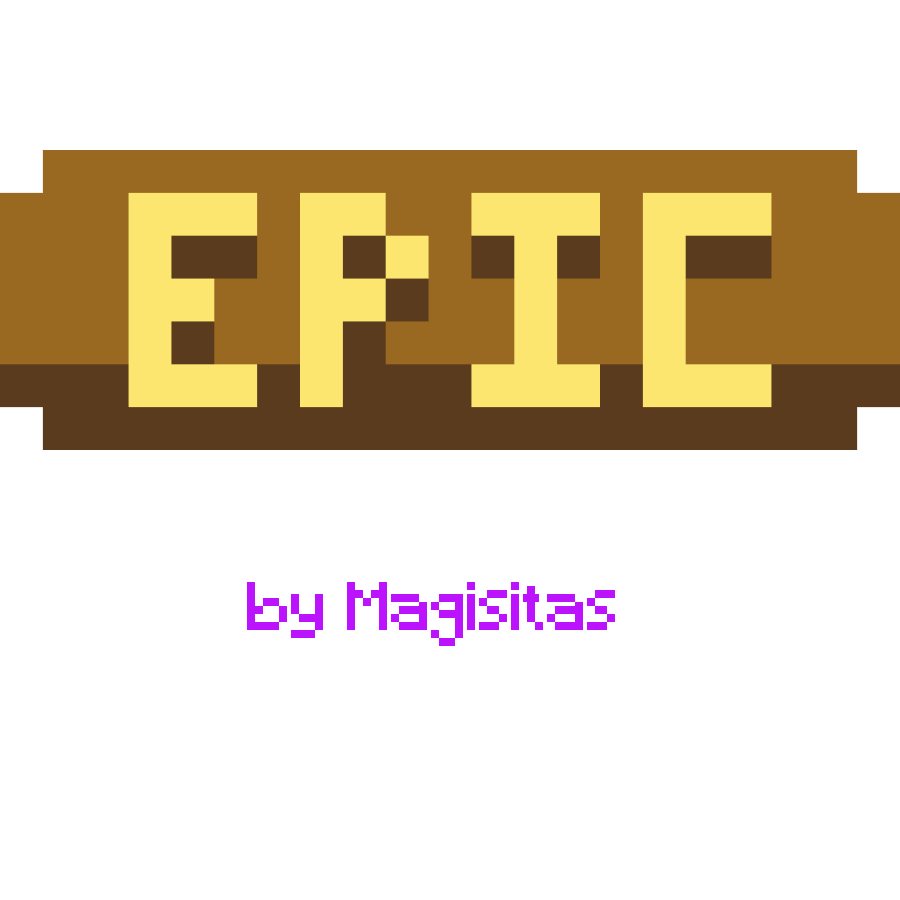
Magisitas Rarity Icons
Custom Rarities for each item ! Fully editable ! Eclectic Trove and Icons compatibility !!!
- Загрузки
- 4K
- Подписчики
- 56
- Обновлён
- 17 июня 2026 г.
- Лицензия
- Apache-2.0
Опубликован 30 ноября 2024 г.






1.21.1 REQUIRES ICONS TO WORK



If you need help, readme.txt is in the zip for this. @magisitas on Discord if that didn't help
Latest Update 1.0.4 by PlanetWaffle :
Added Golden Dandelion
Rarity change on Name Tag
Latest Update 1.0.3 by PlanetWaffle :

Added Command Rarity to items that are obtained with commands
Added to see how much food you can get with the food item you have
Added all of 1.21.11 items to the list of rarity
Latest Update 1.0.2 : Loot Beam Up Support !






Magisitas Rarity Icons
Featuring :
7 Unique Rarities :
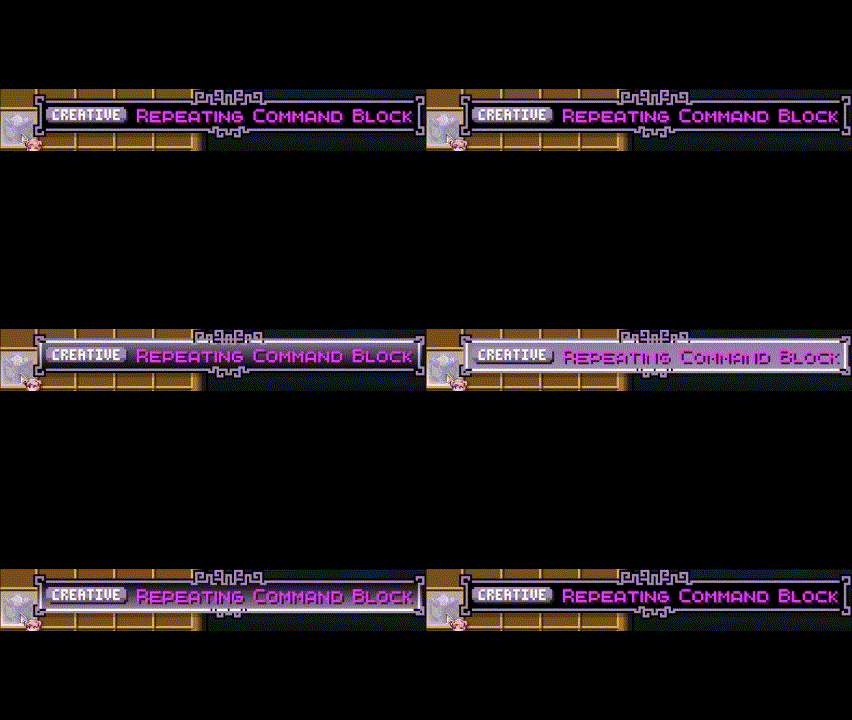
Creative Rarity :
- Only for Creative items !
- This includes all the items you cannot get in you inventory normaly in survival.
Unique Rarity :
- Only for Unique items !
- This includes only the Dragon Egg since it's the only item you cannot get multiple of
(without cheats) 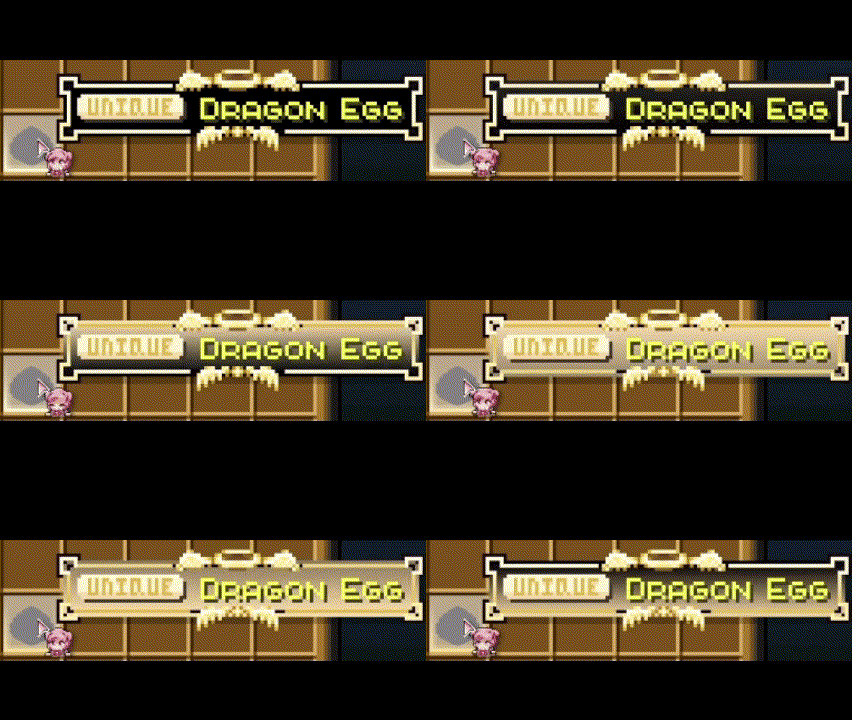
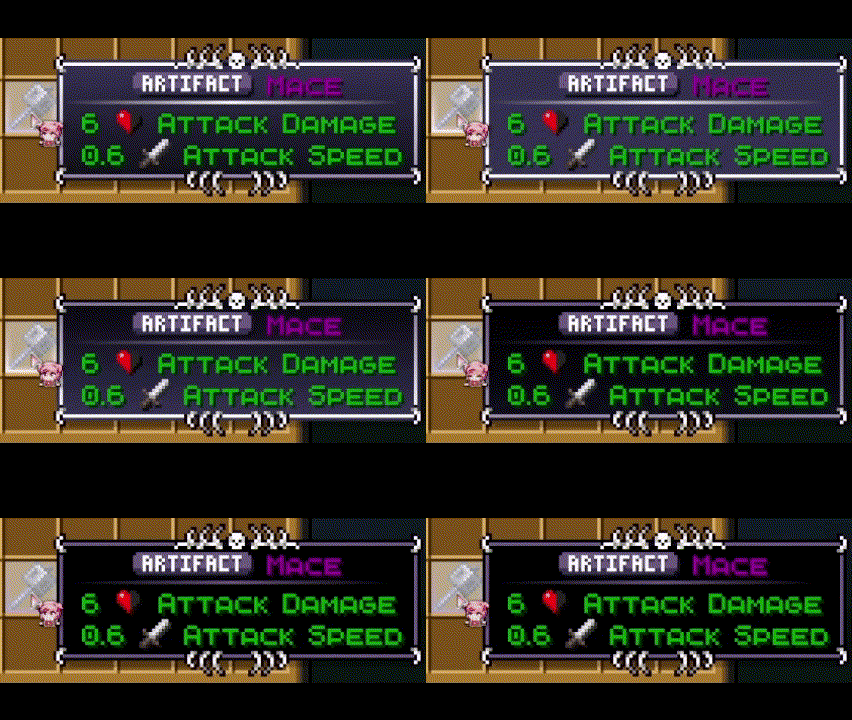
Artifact Rarity :
- This includes items that are very hard to get, usually the best reward of the most diffcult Regions of the game.
- Nether Star, Disc 5, Mace and even Elytras are here !
Trophee, Epic, Rare, Common and Trash Rarities :
- These items were given a rarity based on my personal feeling, feel free to give me feedback if you want some changes !
- Btw yes most items are in the common rarity, junk is only here for like dirt cobble etc
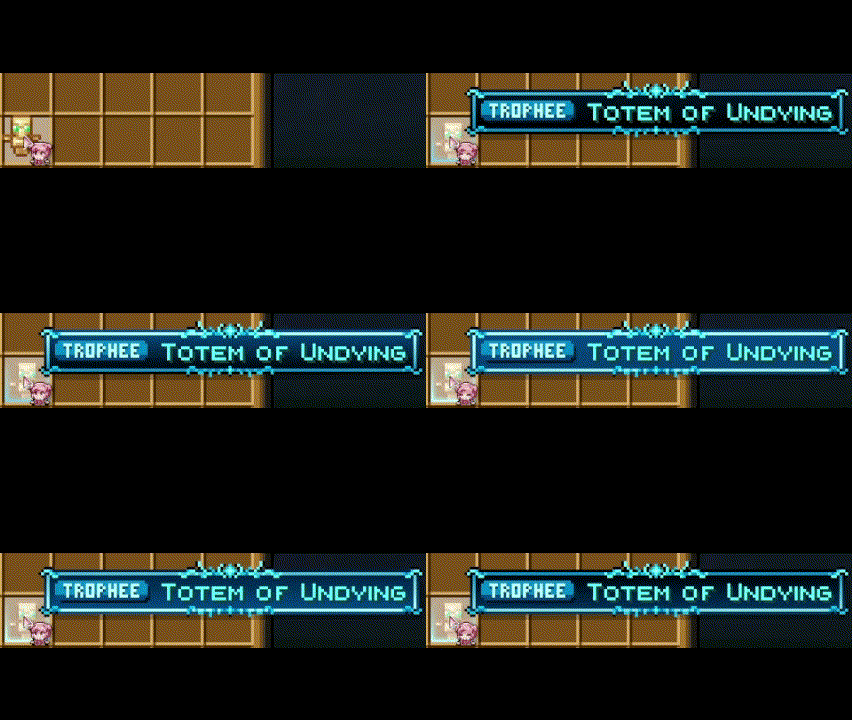
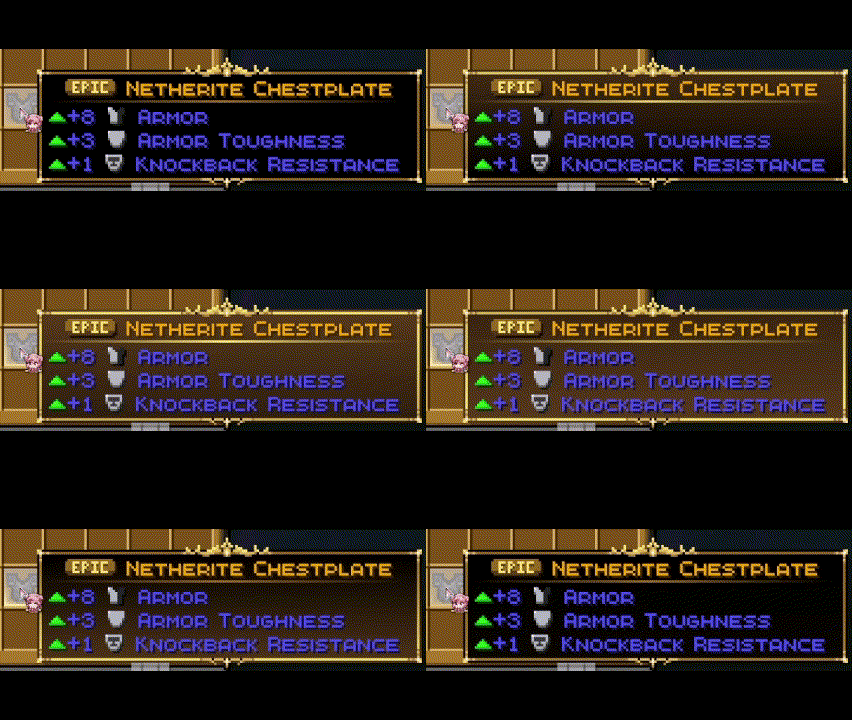
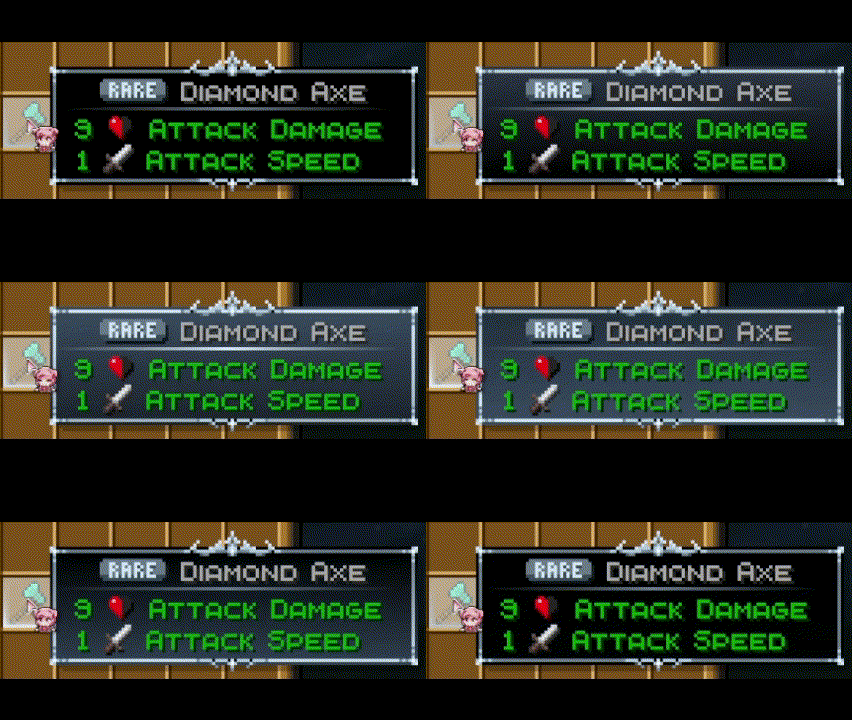
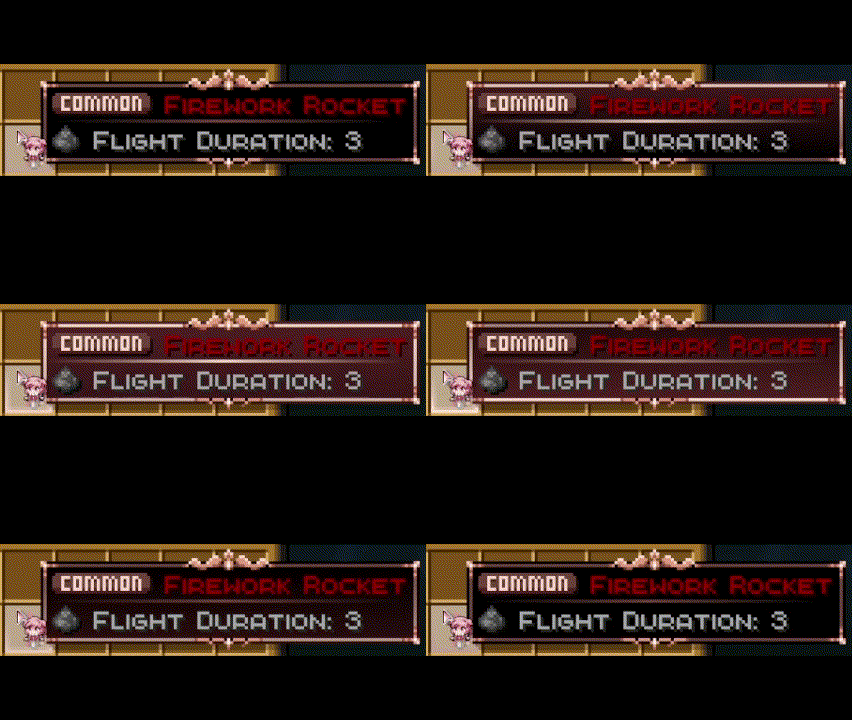
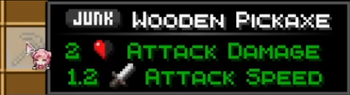
Eclectic Trove + Legendary Tooltips Support
Yes, you need the Legendary Tooltips mod to use all the features. It is needed for the Cool tooltip art and animations to work. Without this mod, you will only get Rarity Icons and Color text !












YOU NEED TO USE MY CUSTOM CONFIG FILE (in the zip) FOR THIS TO WORK (more info in the readme.txt)
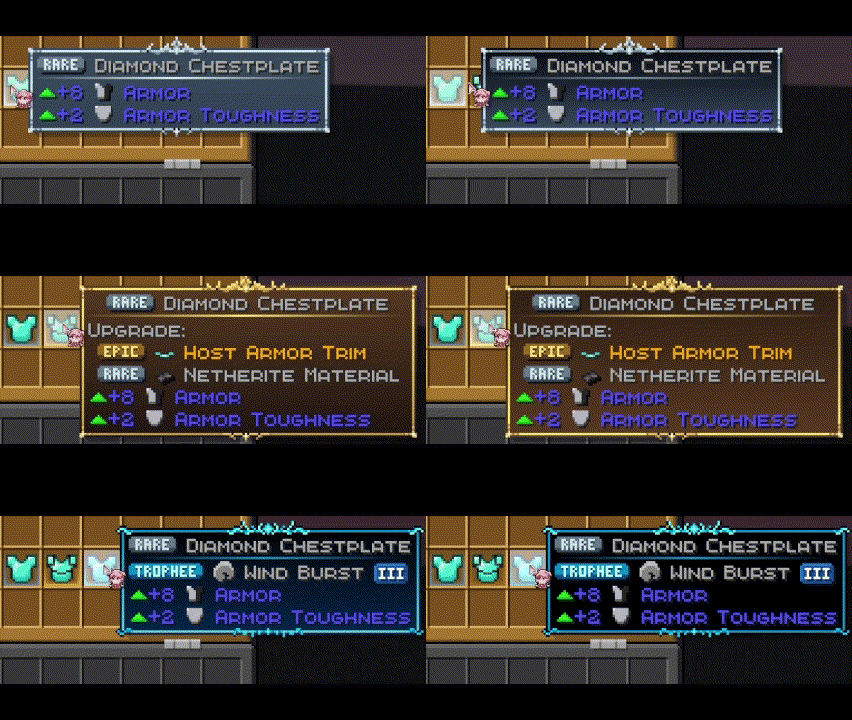
Enchant, Potions and Trims priority System
Enchants, Potions and Trims take the tooltip of the highest rarity they have. If you have mutiple enchants on a book for exemple, the tooltip will be the one of the best enchant ! This also works when equiped on armor as shown here :
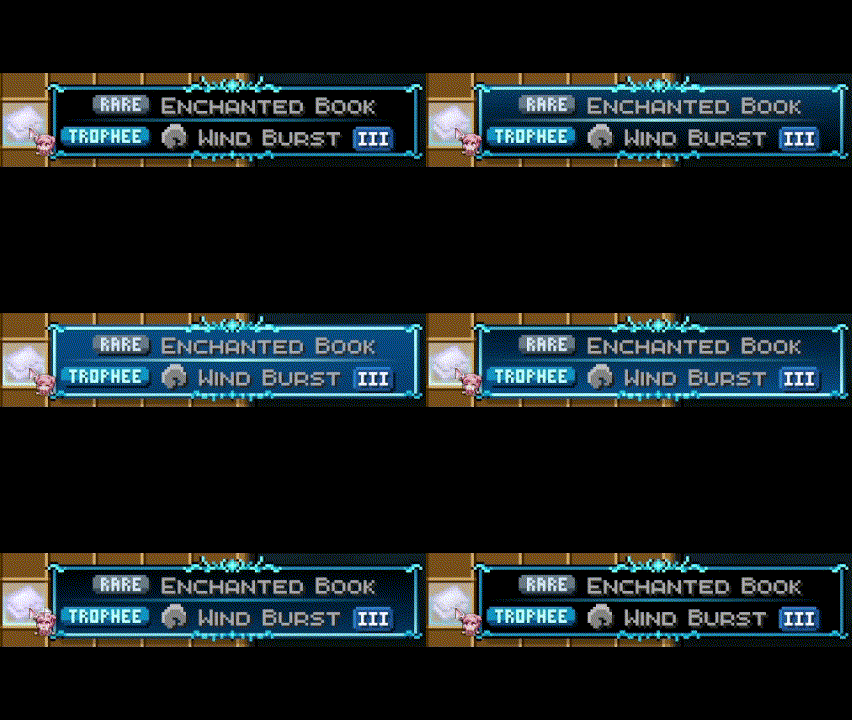
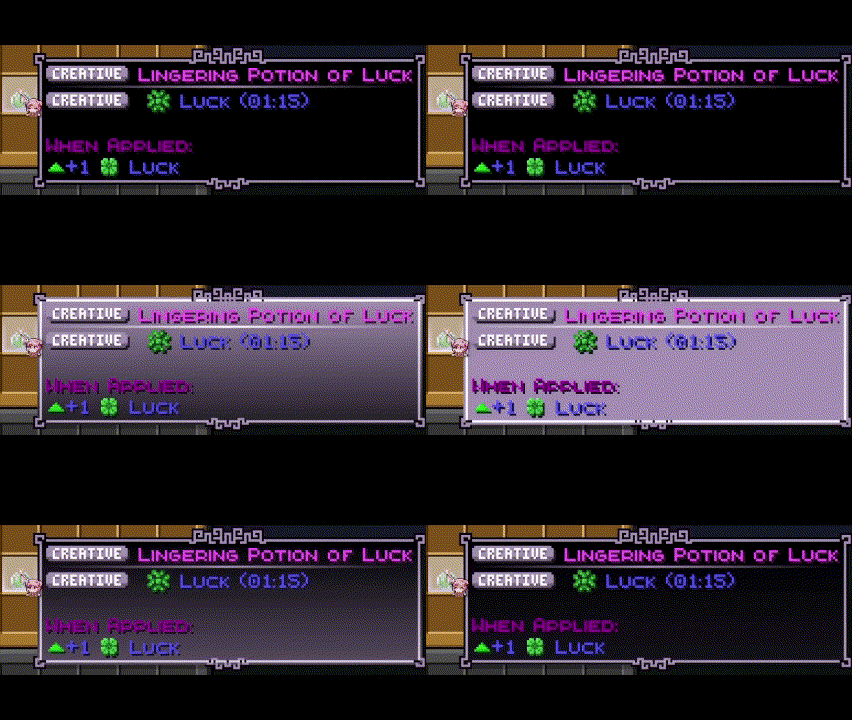
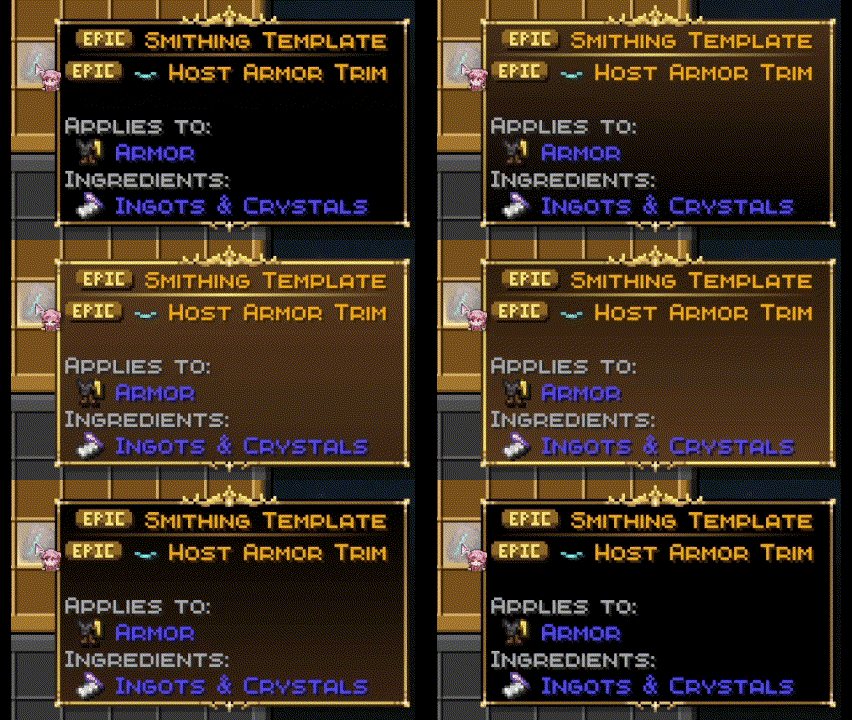
Item Borders Support
You will also need Items border to get the cool borders like here ! This will not work without Eclectic Trove + Legendary Tooltips









YOU NEED TO USE MY CUSTOM CONFIG FILE (in the zip) FOR THIS TO WORK (more info in the readme.txt)
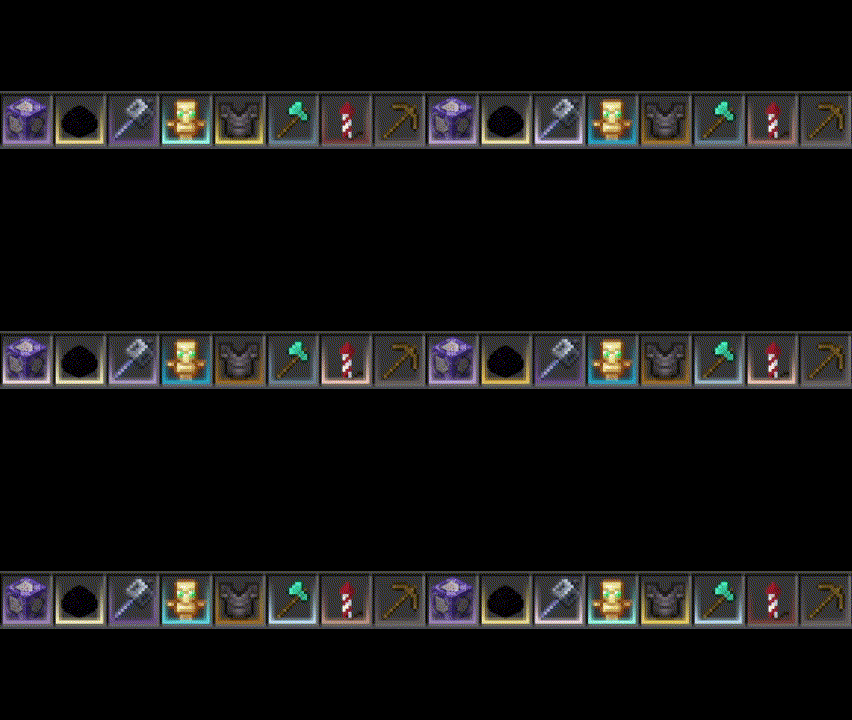
Fully Customisable !
You can customize the pack and the config files yourself ! I highly suggest doing it if you like coding things, its not hard I made it very explicit in the readme.txt, also you can change the rarity icons if you want
Have fun playing !
Ченджлог
1.0.5Релиз26.2 · 17 июня 2026 г.
1.0.5 has now added cinnerbar blocks and sulfur blocks, mobs and spikes to rarity.
1.0.4.1Релиз26.1 · 28 марта 2026 г.
Fix where now the texture pack no longer says broken when playing on 26.1
1.0.4Бета26.1 · 25 марта 2026 г.
Added 26.1 Golden Dandelion to Common rarity
Change Name Tag rarity to Common because you can now craft it on the Crafting Table
1.0.3Релиз1.21.11 · 7 марта 2026 г.
Added 1.21.11 stuff and Command Rarity
Added food count to food items
Update by PlanetWaffle
1.0.2Релиз1.21, 1.21.1 · 21 мая 2025 г.
Added Compatibility with Loot Beams Up !
1.0.0Релиз1.21, 1.21.1 · 30 ноября 2024 г.
Hi :3
////////////////////////////////////////////////////////////////////////////////////////////////////////
////////////////////////////////////////////////////////////////////////////////////////////////////////
//  __  __             _     _ _              _____            _ _           _____                    //
// |  \/  |           (_)   (_) |            |  __ \          (_) |         |_   _|                   //
// | \  / | __ _  __ _ _ ___ _| |_ __ _ ___  | |__) |__ _ _ __ _| |_ _   _    | |  ___ ___  _ __  ___ //
// | |\/| |/ _` |/ _` | / __| | __/ _` / __| |  _  // _` | '__| | __| | | |   | | / __/ _ \| '_ \/ __|//
// | |  | | (_| | (_| | \__ \ | || (_| \__ \ | | \ \ (_| | |  | | |_| |_| |  _| || (_| (_) | | | \__ \//
// |_|  |_|\__,_|\__, |_|___/_|\__\__,_|___/ |_|  \_\__,_|_|  |_|\__|\__, | |_____\___\___/|_| |_|___///
//                __/ |                                               __/ |                           //
//               |___/                                               |___/                            //
////////////////////////////////////////////////////////////////////////////////////////////////////////
////////////////////////////////////////////////////////////////////////////////////////////////////////

/-------------------\
|HOW TO USE THE PACK|
\-------------------/

Step 1: Put the .zip in the .minecraft/resourcepacks folder
Step 2: Enable via the Minecraft ingame menu !
Step 3: Enjoy !!

/------------------------\
|FULL ICONS COMPATIBILITY|
\------------------------/

You will need to use the Icons pack UNDER my pack for it to work. Also if you don't use it Rarity Icons will display but some items will display some weird white squares
Link : Icons :

/---------------------------------\
|FULL ECLECTIC TROVE COMPATIBILITY|
\---------------------------------/

Not mendatory at all, but if you want the same displays that I have, here are the steps :
Step 1: Install Legendary Tooltips Mod and Item Borders Mod on any loader (forge, fabric...)
Step 3: Go in .minecraft/config and overite default legendarytooltips.toml and itemborders.toml with both my configs in the zip (note : if there is nothing to overite just put them there anyway)
Step 2: Install Eclectic Trove pack UNDER my pack and UNDER Icons if you have it.
Step 4: Launch the game and enable the pack
Links : Legendary Tooltips : | Item Borders Mod : | Eclectic Trove :

/----------------------------\
|MAKE YOUR OWN CUSTOM VERSION|
\----------------------------/

Here is all the things you should edit to make your custom version:

Change what item is in which rarity :
-> .minecraft/resourcepacks/Magisitas_Rarity_Icons-*.*.*-*.*.*\assets\minecraft\lang\en_us.json
---> Moving items from categories has NO EFFECT, you need to change the little text before the display items.
---> You can change the text color and which Icon it's using.
---> By default it will auto update what Legendary Tooltip it's using if you change the rarity to another one !

Change the Rarity Icons Sprites :
-> .minecraft/resourcepacks/Magisitas_Rarity_Icons-*.*.*-*.*.*\assets\minecraft\textures\custom\labels
---> DO NOT DELETE OR ADD ANY FILE, THIS WILL BREAK THE PACK AND MAKE YOUR GAME CRASH
---> You can only edit the current textures.
---> If you really want to have more rarities without editing the current ones, ask me on Discord it's very hard.

Change the way the item tooltips and item slot glow look :
-> .minecraft/config/legendarytooltips.toml and itemborders.toml

Change the tooltip border sprites :
-> .minecraft/resourcepacks/EclecticTrove-*.*.*-*.*.*\assets\legendarytooltips\textures\gui\tooltip-borders.png

/-------\
|SUPPORT|
\-------/

If you need any help, please contact me on DISCORD : @magisitas

Have fun :3
Комментарии
Загружаем…