 Mineforgian
Loot Beams Up
Loot beams for items
- Загрузки
- 251K
- Подписчики
- 329
- Обновлён
- 16 марта 2025 г.
- Лицензия
- MIT
Опубликован 27 сентября 2024 г.
An Updated Fabric fork version of Loot Beams(for Forge)
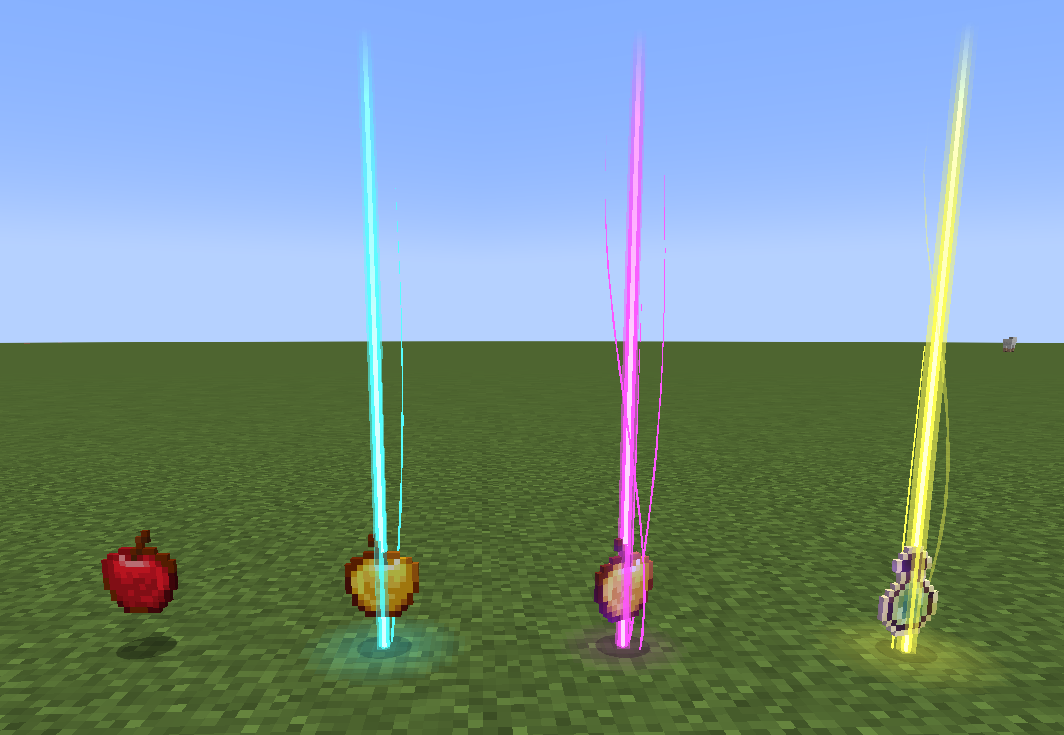
A 1.21 Fabric client-side Minecraft mod that adds colorful and customizable loot beams to dropped items!
Loot Beams are added to all items by default and they change colors depending on the items name. You can, however, specify a whitelist/blacklist for Beams, color overrides, and even NBT tags to change their color! (like "lootbeams.color:"0xFFFFFF").
Beams also have nametags that show up when looking at an item or crouching so you can see what an item is without even picking it up. This mod is client-side, meaning it will run on vanilla servers and forge servers that do not have this mod installed!
Also this version fixes many bugs of original version:
- Rendering dark beam colors
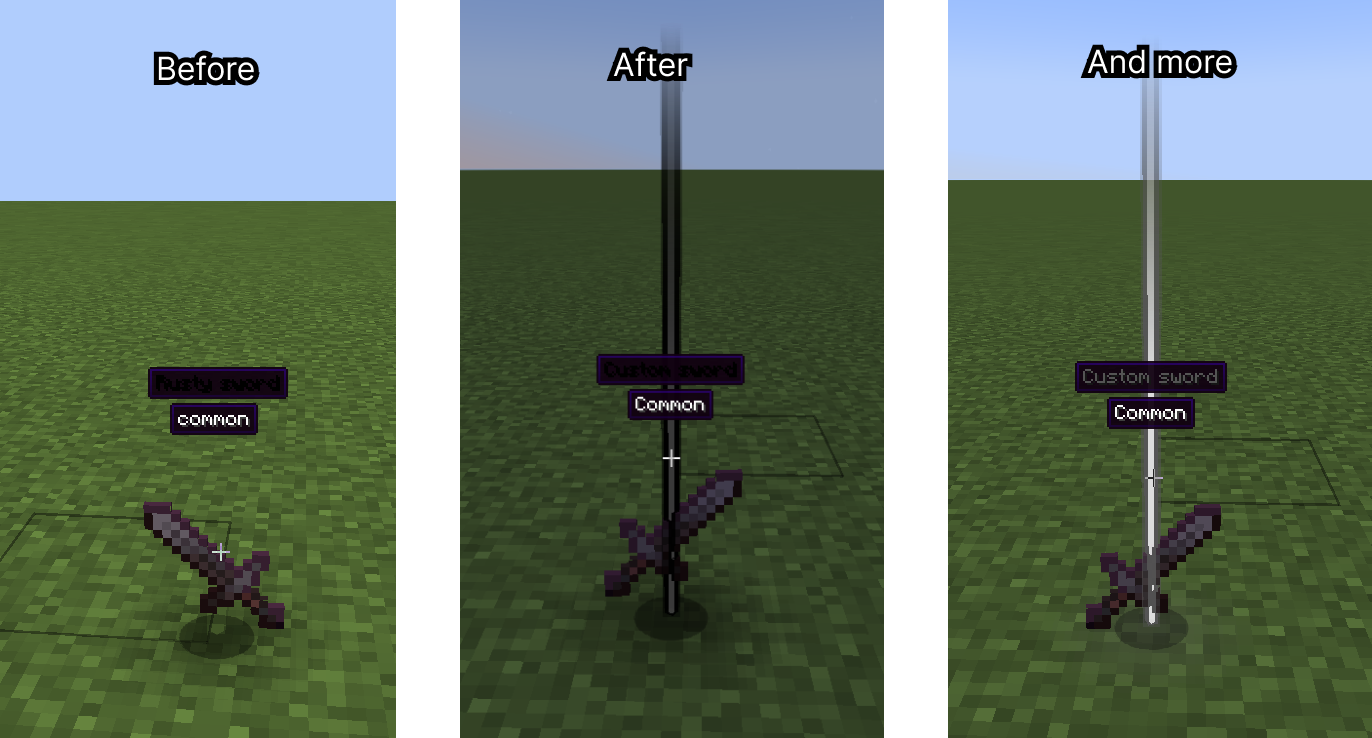
- Multiplied item glow
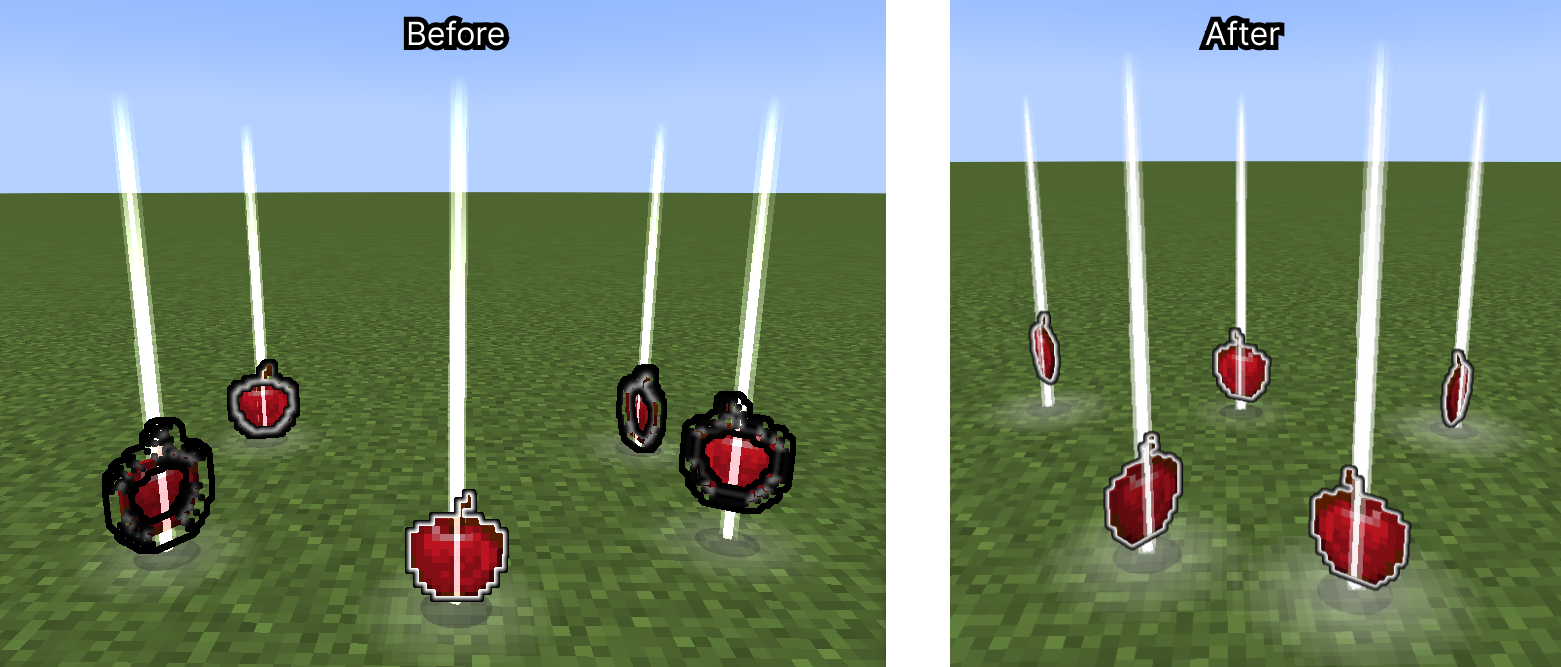
- Particle spawn rate on FPS
- More...
And implement new features:
- Beam fade/bright on approaching
- Preset manager screen (You can configure mod with Cloth config, and on this screen save your preset with name, or try default presets) (Numpad 5 key by default (can be changed in settings))
- Compatibility with Legendary Tooltips (thats so cool!)
- Custom rarities support (with minecraft:custom_data)
- Example:
{custom_rarity:{name:"Legendary",color:"#FF9900"}} - Also this supports translatable strings (with resource/data packs)
Example:
{custom_rarity:{name:"my.custom.rarity.legendary",color:"#FF9900"}} - For beam color same as rarity, need to set item custom name with same color.
- Example:
- Custom particle textures
- Custom ground glow effects
- Custom beam config with NBT and custom rarities
Huge Update #3
Animated beams
Shaders support - Loot beam mode
Shaders support - Droplight mode
Huge Update #2
New features:
- Full rendering revamp
- Added new beam render type
Droplight(like in Droplights mod)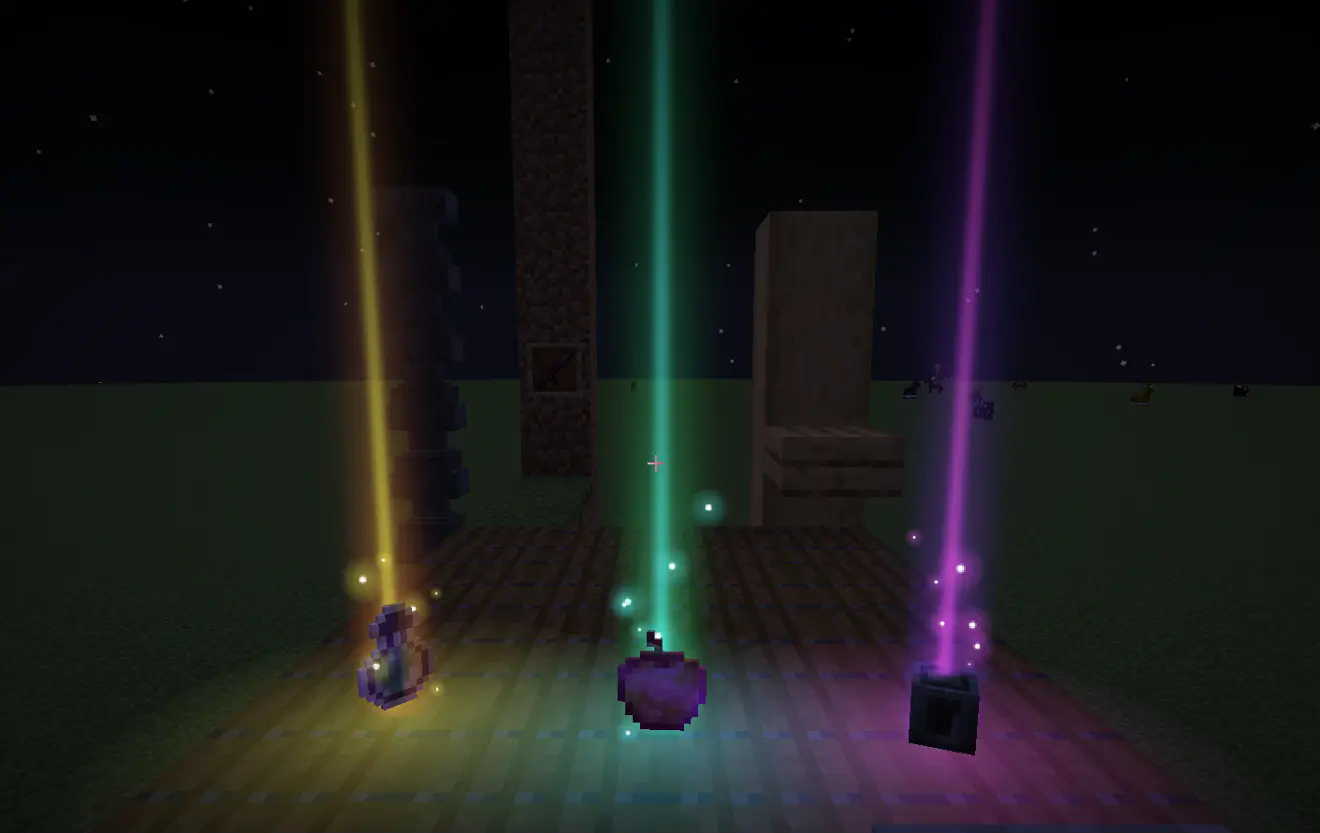
- Added new options to toggle smooth beam and ground glow size change (customizable)
- Added feature to use gradient color on beam (in droplight type) and ground glow effect (need to reset gradient modifiers in mod config. Go to modmenu -> LootBeams -> Main (Beam gradient modifiers -> Reset) -> Ground Glow (Glow gradient modifiers -> Reset)
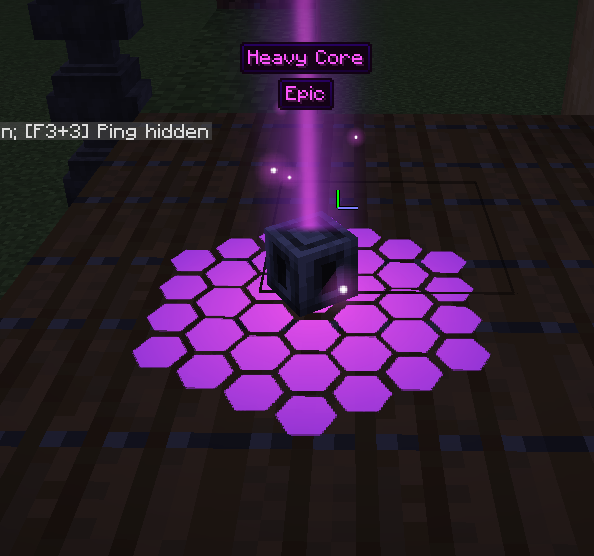
- Added feature to customize second gradient color for beam and ground glow effect
- Added more options to trails. Now they renders more correct and can be scaled by Y (customizable, if not scaled, follow particles)
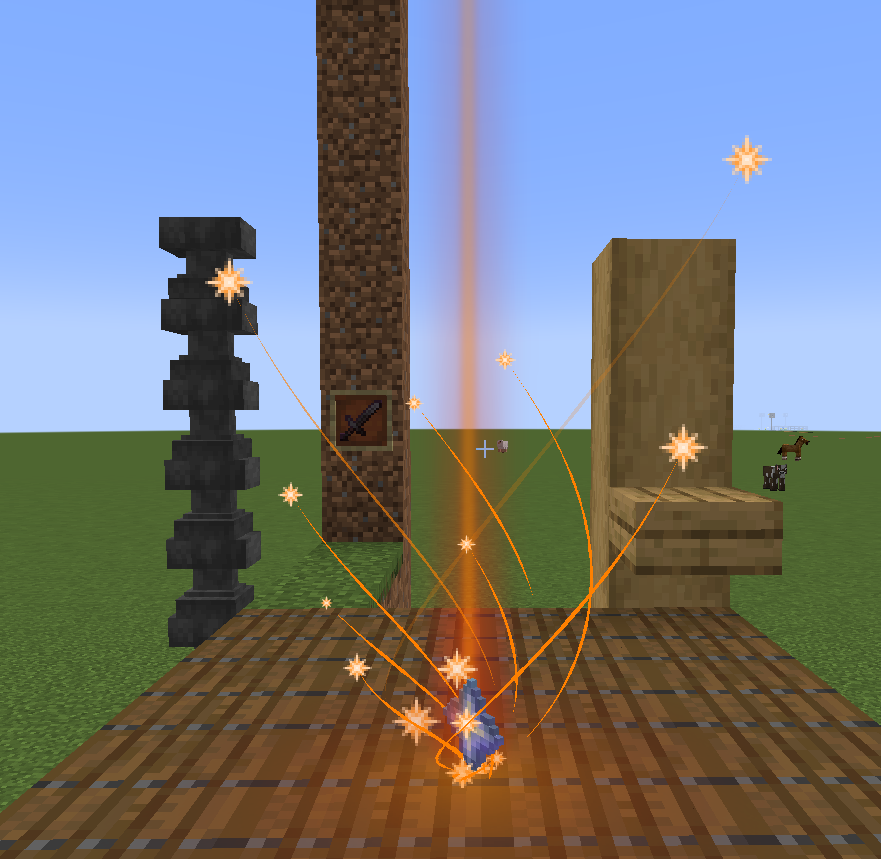
- Added feature to render tooltips on item frames (Legendary Tooltips supported) (only for items with custom name, default item frame logic) (on image below item frame is invisible)
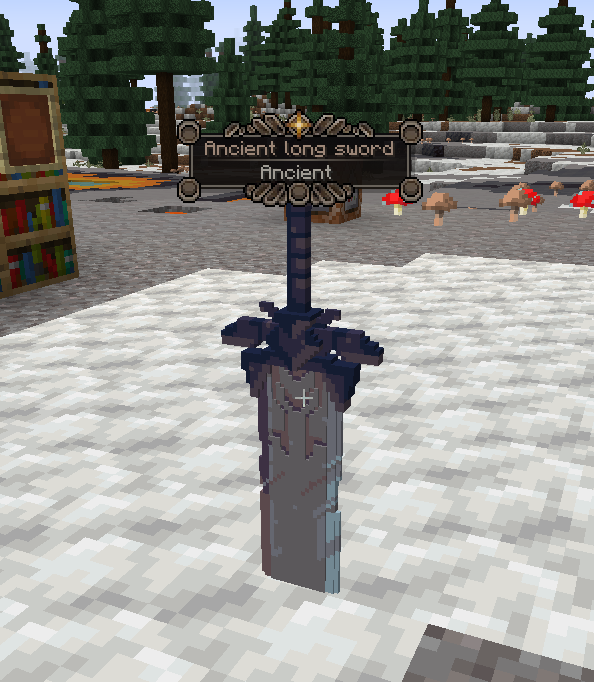
- Added feature to use colored particles and ground glow effects (just name it with
_coloredpostfix, example:cake_colored.png)
Update:
Added a resource pack example.
- Added ability to apply custom rarities to items by selectors
- Added ground glow effect texture feature
- Added gradient colors support when using with Prism
- Custom effects for ground glowing can be added with resource pack
assets/lootbeams/textures/ground_glow_effects/ - Ground effects supports animated sprites (.mcmeta)


Huge update
- Completely revamped settings
- Added the ability to set custom particle textures. Custom textures can be added with resource pack,
assets/lootbeams/textures/particle/. Particles can be animated with.mcmetafile.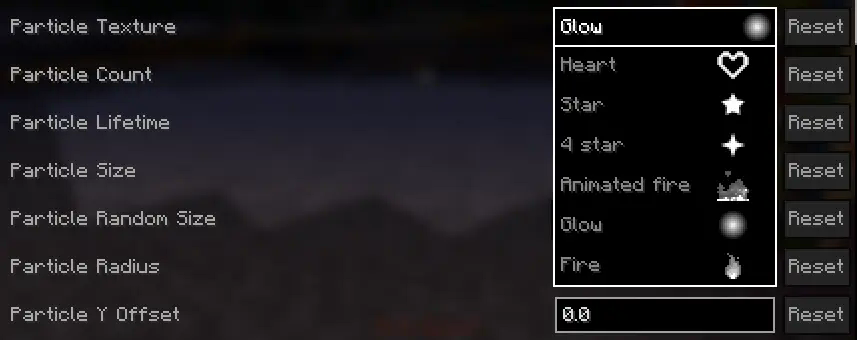
- Added the ability to set custom beam/particle display settings for each item via NBT
- Expanded support for custom item rarities. Now rarities can be defined through a resource pack in the file
assets/lootbeams/custom_rarities.json - For custom rarities through JSON, beam/particle display settings can be specified
- These rarities can be applied to an item by assigning it the NBT
custom_rarity_id(String) - If both
custom_rarity_idandcustom_rarityare set,custom_raritywill take priority - You can get available config options with command:
/lootbeams item-custom-config available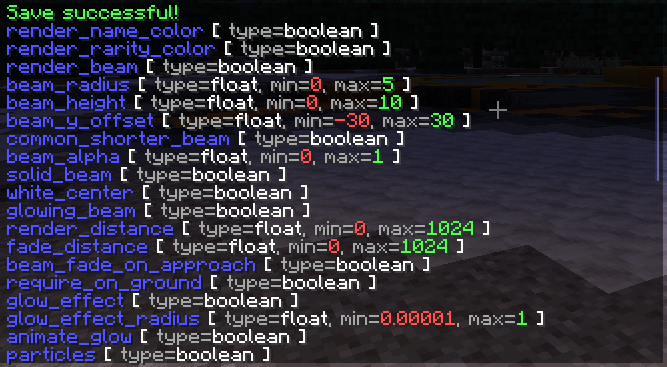
Below are some examples of beam configuration with the new features.
custom_rarities.json example:
{
    "custom_rarities": [
        {
            "id": "snowy",
            "name": "Snowy", // also may be a translation string
            "color": "#ddeeff",
            "config": {
                "trails": false,
                "particle_use_constant_vertical_speed": true,
                "render_name_color": false,
                "render_rarity_color": true,
                "particle_random_y": false,
                "particle_y_offset": 2,
                "particle_lifetime": 40,
                "particle_size": 0.5,
                "particle_speed": 0.00001,
                "particle_speed_x": 0.1,
                "particle_speed_y": -0.004,
                "particle_speed_z": 0.1,
                "particle_count": 10,
                "pulse_glow": false,
                "rotate_glow": false,
                "glow_effect_texture": "lootbeams:vortex_2", // For this effect you need resource pack example (listed below)
                "glow_effect_radius": 1,
                "glow_effect_alpha": 1
            },
            "selectors": [ // Applies this rarity to all items cantains "snow" in name
                "%Snow", "%snow"
            ]
        },
        {
            "id": "fire_infused",
            "name": "Fire infused", // also may be a translation string
            "color": "#ff4400",
            "animated_color": "2_#ff4400_#ff0000_#ffff00", // Can be used if Prism installed
            "config": {
                "trails": false,
                "render_name_color": false,
                "render_rarity_color": true,
                "particle_random_y": false,
                "spin_around_beam": false,
                "particle_texture": "lootbeams:animated_fire",
                "particle_size": 2,
                "particle_radius": 0.4,
                "particle_speed": 0.00001,
                "particle_speed_y": 0,
                "particle_count": 20,
                "pulse_glow": true,
                "rotate_glow": false,
                "glow_effect_texture": "lootbeams:glow",
                "pulse_glow_min_alpha": 0.6,
                "pulse_glow_max_alpha": 0.8,
                "pulse_glow_min_radius": 0.75,
                "pulse_glow_max_radius": 1
            },
            "selectors": [ // Applies this rarity to all items cantains "Nether" in name, and excludes "erite" (netherite), "Wart", "Sprouts", "Star" and "Quartz"
                "%ether+~%erite+~%Wart+~%Sprouts+~%Star+~%Quartz"
            ]
        },
        {
            "id": "love",
            "name": "Love", // also may be a translation string
            "color": "#ff6666",
            "config": {
                "beam_height": 3,
                "beam_alpha": 0.6,
                "trails": false,
                "render_name_color": false,
                "render_rarity_color": true,
                "particle_texture": "lootbeams:heart",
                "particle_size": 1,
                "particle_speed_y": 0.0003,
                "particle_count": 20
            },
            "selectors": [ // Applies this rarity to pink bed
                "minecraft:pink_bed"
            ]
        },
        {
            "id": "---emerald---",
            "name": "---emerald---",
            "color": "#40ff80",
            "config": {
                "render_item_rarity": false,
                "pulse_glow": false,
                "rotate_glow": false,
                "glow_effect_texture": "lootbeams:tech_1", // For this effect you need resource pack example (listed below)
                "glow_effect_radius": 1,
                "glow_effect_alpha": 1
            },
            "selectors": [ // Applies this rarity to emerald
                "minecraft:emerald"
            ]
        }
    ]
}
Snowy rarity effect:
minecraft:custom_data { // If version < 1.20.5 then "tag:"
  custom_rarity_id: "snowy"
}

Fire infused rarity effect:
minecraft:custom_data { // If version < 1.20.5 then "tag:"
  custom_rarity_id: "fire_infused"
}

Love rarity effect:
minecraft:custom_data { // If version < 1.20.5 then "tag:"
  custom_rarity_id: "love"
}

Smoke rarity effect:
minecraft:custom_data { // If version < 1.20.5 then "tag:"
  custom_rarity_id: "smoke"
}

Multiple configs at the same time:

Ченджлог
3.6.1-mc1.21.4Релиз1.21.4 · 16 марта 2025 г.
Feature: Beam size change on approach Reworked feature: Beam opacity change on approach
- fix ImmediatelyFast trails rendering issue
3.6.1-mc1.21.2-.3Релиз1.21.2, 1.21.3 · 16 марта 2025 г.
Feature: Beam size change on approach Reworked feature: Beam opacity change on approach
- fix ImmediatelyFast trails rendering issue
3.6.1-mc1.21-.1Релиз1.21, 1.21.1 · 16 марта 2025 г.
Feature: Beam size change on approach Reworked feature: Beam opacity change on approach
- fix ImmediatelyFast trails rendering issue
3.6.1-mc1.20.5-.6Релиз1.20.5, 1.20.6 · 16 марта 2025 г.
Feature: Beam size change on approach Reworked feature: Beam opacity change on approach
- fix ImmediatelyFast trails rendering issue
3.6.1-mc1.20-.4Релиз1.20.2, 1.20.3, 1.20.4 · 16 марта 2025 г.
Feature: Beam size change on approach Reworked feature: Beam opacity change on approach
- fix ImmediatelyFast trails rendering issue
3.5.1-mc1.20-.4Релиз1.20.2, 1.20.3, 1.20.4 · 16 марта 2025 г.
Fix trail render on item pick up
3.5.1-mc1.21.4Релиз1.21.4 · 16 марта 2025 г.
MAJOR UPDATE: Iris Shaders support
Feature: Animated droplight beam
- completely reworked droplight beam render
- fixed loot beam opacity issue (now values from 0.0 to 1.0 works correctly)
- changed shader custom data format
- fixed list option description
- fixed loading with Iris
- fixed lore and color selectors
- fixed preset loading overrides lists
- texture names in settings list now alphabetic sorted
- NOW IRIS SHADERS FULLY COMPATIBLE (but some shaders can cause errors, this relates to shader, not to mod)
3.5.1-mc1.21.2-.3Релиз1.21.2, 1.21.3 · 16 марта 2025 г.
MAJOR UPDATE: Iris Shaders support
Feature: Animated droplight beam
- completely reworked droplight beam render
- fixed loot beam opacity issue (now values from 0.0 to 1.0 works correctly)
- changed shader custom data format
- fixed list option description
- fixed loading with Iris
- fixed lore and color selectors
- fixed preset loading overrides lists
- texture names in settings list now alphabetic sorted
- NOW IRIS SHADERS FULLY COMPATIBLE (but some shaders can cause errors, this relates to shader, not to mod)
Комментарии
Загружаем…