 Mineforgian
Minecraft Rainbow
This modpack is a must-use modpack for playing with Rainbow's server, and it contains some mods with technical elements and better visuals mods.
- Загрузки
- 1K
- Подписчики
- 2
- Обновлён
- 1 августа 2024 г.
- Лицензия
- All-Rights-Reserved
Опубликован 30 июня 2024 г.
Minecraft Rainbow整合包
 描述
描述
此整合包是游玩Rainbow服务器必须使用的整合包,它在单人游戏中是可选的,所以您可根据个人喜好下载此整合包。
摘要
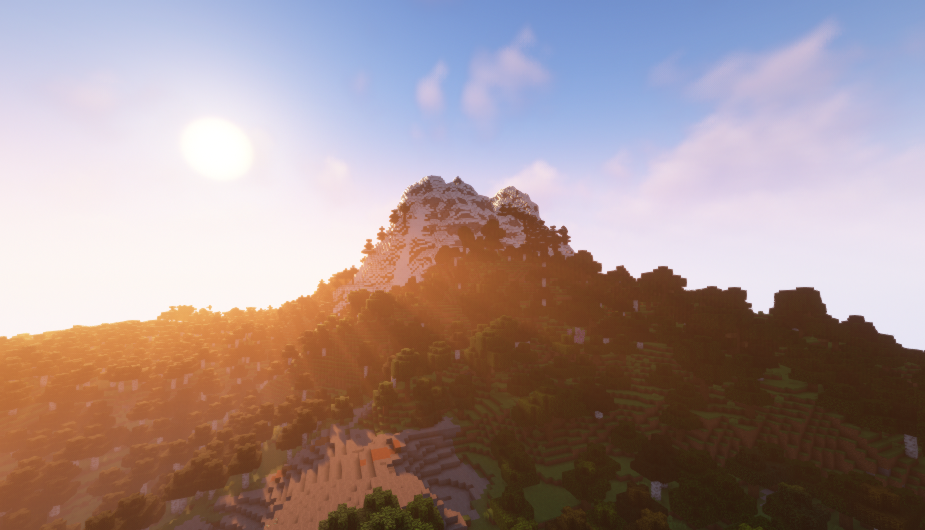
整合包中添加了一些可以提升画质的光影、一些使游戏体验增加的模组(详见最新版本中的模组列表)以及最主要的科技模组“机械动力”,关于“机械动力”模组,请看机械动力
如何安装?
您可以在此页面下载整合包并上传至我的世界启动器安装,也可以直接在第三方启动器上下载安装整合包。
启动器?
问题?
如果您有任何问题,请发送邮件到[email protected]或[email protected]!
关于Rainbow服务器?
抱歉,Rainbow服务器暂时不对外开放。
Description
This modpack is a must-use modpack for playing Rainbow's server and is optional for single player games, so you can download this modpack as you like.
The modpack adds some light and shaders to improve the picture quality, some mods to increase the game experience(See the list of mods in the latest version), and the main technology mod“Create”, about the “Create” mod, see Create
How To Install?
You can download the modpack and upload it to minecraft launcher installation from this page, or you can download and install the modpack directly from a third-party launcher.
Launcher?
Questions?
If you have any questions, please send an email to [email protected] and [email protected]!
About Rainbow's Server?
Sorry,The Rainbow's server is Closed to the public for the time being.
Ченджлог
1.1.0Релиз1.20.1 · 1 августа 2024 г.
Added the JourneyMap mod...
1.0.9Релиз1.20.1 · 26 июля 2024 г.
Added some resource packs...
1.0.8Релиз1.20.1 · 19 июля 2024 г.
Added something...
1.0.7Релиз1.20.1 · 17 июля 2024 г.
更改
在1.0.6版本的基础上增加了一些材质包和光影。
Some Resource Packs and Shaders have been added to version 1.0.6.
1.0.6Релиз1.20.1 · 6 июля 2024 г.
更改
在1.0.5版本的基础上增加了IMBlocker模组。
The IMBlocker mod was added to version 1.0.5.
1.0.5Релиз1.20.1 · 4 июля 2024 г.
介绍
此整合包是游玩Rainbow服务器必须使用的整合包,它在单人游戏中是可选的,所以您可根据个人喜好下载此整合包。
如何安装?
您可以在此页面下载整合包并上传至我的世界启动器安装,也可以直接在第三方启动器上下载安装整合包。
疑问?
画面太卡,无法正常游玩?
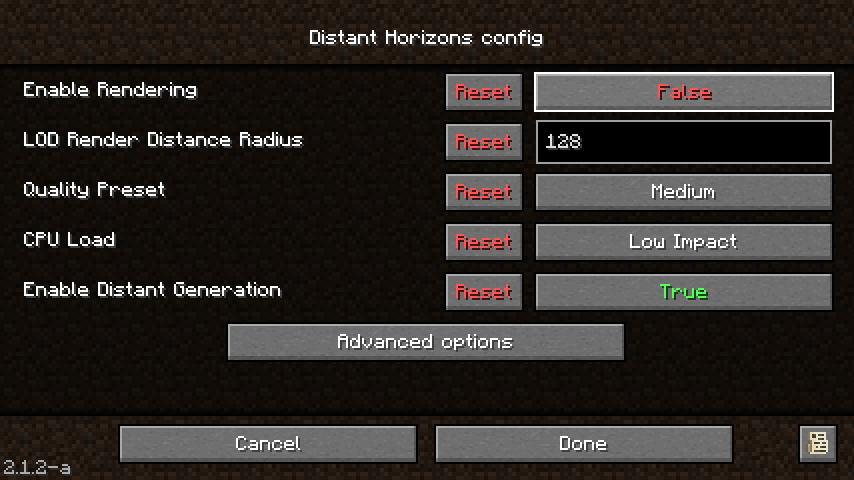
这是“遥远的地平线”模组以及光影造成的,“遥远的地平线”模组是默认打开的,在选项-左上角图标-Enable Rendering中将True改为False即可解决问题。
Introduction
This package is a must-use package for playing Rainbow's server and is optional for single player games, so you can download this package as you like.
How To Install?
You can download the package and upload it to my world launcher installation from this page, or you can download and install the package directly from a third-party launcher.
Questions?
The picture is too much, can't play normally?
This is caused by the“Distant Horizon” mod and shaders, which is turned on by default, and by changing True to False in the option-upper left icon-Enable Rendering.
Комментарии
Загружаем…