 Mineforgian
Insanity Shader
A stylized, horror themed Iris shaderpack with high customizability and performance.
- Загрузки
- 6.9M
- Подписчики
- 1K
- Обновлён
- 13 июня 2024 г.
- Лицензия
- AGNYA-License
Опубликован 25 апреля 2023 г.






A stylized, horror themed Iris shaderpack with high customizability and performance.
Check out Fear Nightfall, the official modpack that Insanity was made for.
Insanity is based from BSL Shaders by Capt Tatsu! With expanded customizability, new clouds, and a unique scary atmosphere


- 🧟 Horror styled gameplay. Great for horror modpacks!
- 📓 Highly customizable shader configuration. Expanded from BSL's limits.
- ⛈️ Immersive weather. From foggy mornings to torrential rains.
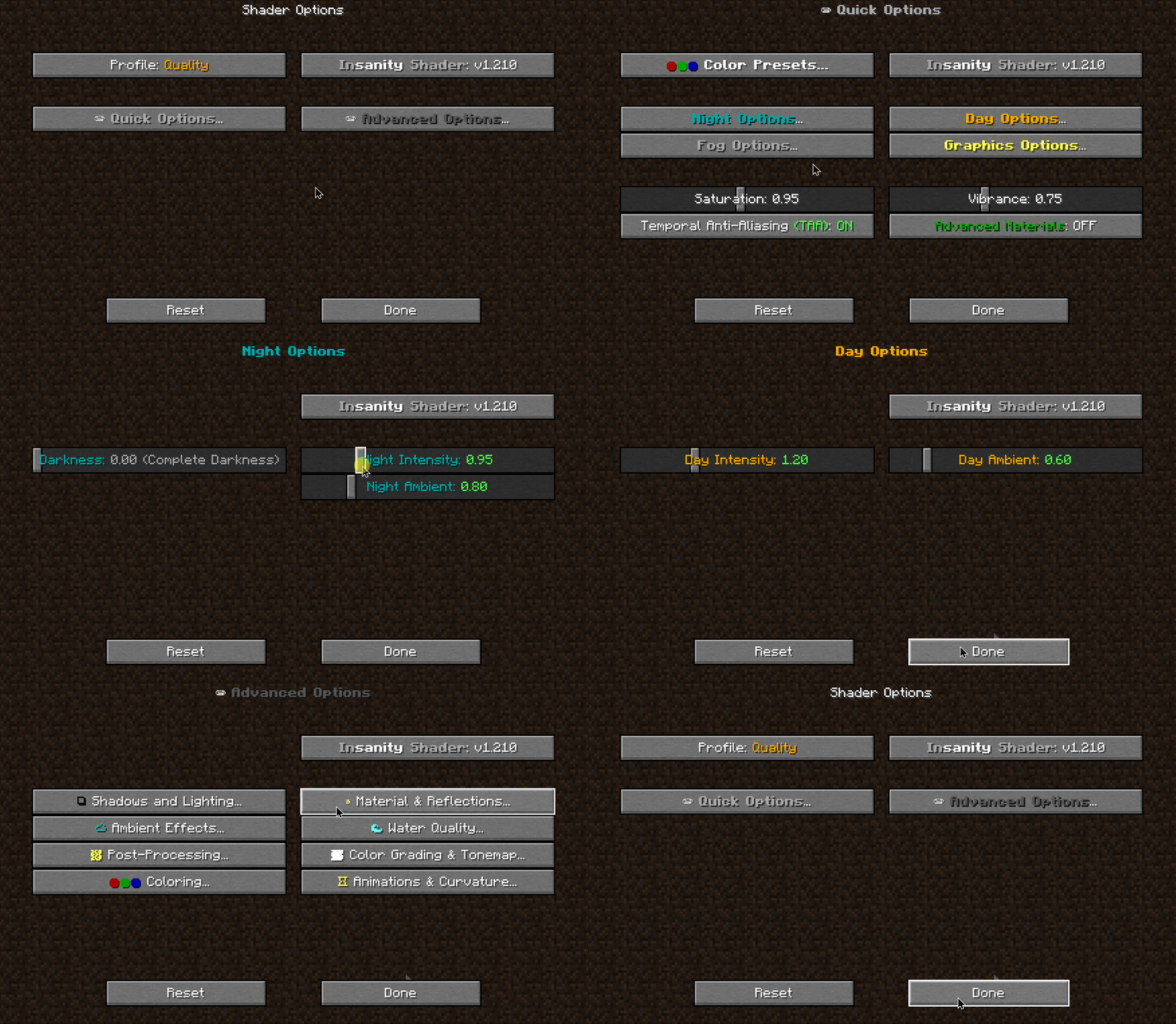
- 📝 User-friendly menu. Including a quick options menu with easy to configure settings.
- 💻 Runs on most modern PC's! Optimized even for modern low end GPUs.
- 🔦 Always bring some torches. Not only the night is dark, the Nether and End are even worse!
- 🌎 Wide compatibility across versions. Supports all newer MC versions, even 1.19 using Iris!
- ☀️ Support for "realistic" texture packs*
* Please enable "Advanced Materials" on the Materials and Reflections settings
Can I share the shader with my friends/community/followers?
Yes, of course. Just don't distribute the files. If you want to share the shader, send the link to this modrinth page.
Can I make a video using this shader? Feel free to make any video with the shader, crediting would be appreciated, but it's not necessary :) If you plan on making a review, don't forget to share it in the comments of this page so we can see it! How do I install the shader? (Iris) The recommended way to use Insanity is through Iris Shaders, an alternative to OptiFine Made with 🖤 by ElocinDev Special thanks to Capt Tatsu for making BSL
Ченджлог
1.650Релиз1.21.1, 1.21.2, 1.21.3 · 13 июня 2024 г.
- Fixed loading issue with Iris 1.7 on Minecraft 1.21
1.600Релиз1.20.5, 1.20.6, 1.21 · 22 апреля 2024 г.
Insanity Shader v1.600 April 2024
- Fixed macOS Apple Sillicon crash (Experimental)
- Please report any bugs or issues with Apple Sillicon macOS, I do not have the hardware to test this.
1.500Релиз1.20.2, 1.20.3, 1.20.4 · 12 октября 2023 г.
- Added fog options screen to the atmospherics screen
- Added Overworld fog slider
- Added Nether fog slider
- Added End fog slider
- Added reflective surfaces (adv materials) option to the main screen
- Moved cloud type config to the clouds screen
- Changed "Cloud" config to "Cloud Type"
1.410Релиз1.19.2, 1.19.3, 1.19.4 · 29 апреля 2023 г.
- Clouds now look dimmer while in night time, light pollution is no more!
- Revamped the menu a bit, now the quick options menu is the main one, with the advanced options being at the bottom of it.
- Wind effect is higher on leaves.
- Now "Balanced" is the new default profile. Before it wasn't properly set.
1.400Релиз1.19.2, 1.19.3, 1.19.4 · 26 апреля 2023 г.
- Better clouds
- Balanced Day-time Colors
- Improved Night Visibility
- Improved Water
- Improved Cloud Performance
- Improved Sky look
- The Moon is now brighter
- Better Wind Grass interactions
- Added Darkness Effect
Комментарии
Загружаем…