 Mineforgian
Description
Gear up for the mission.
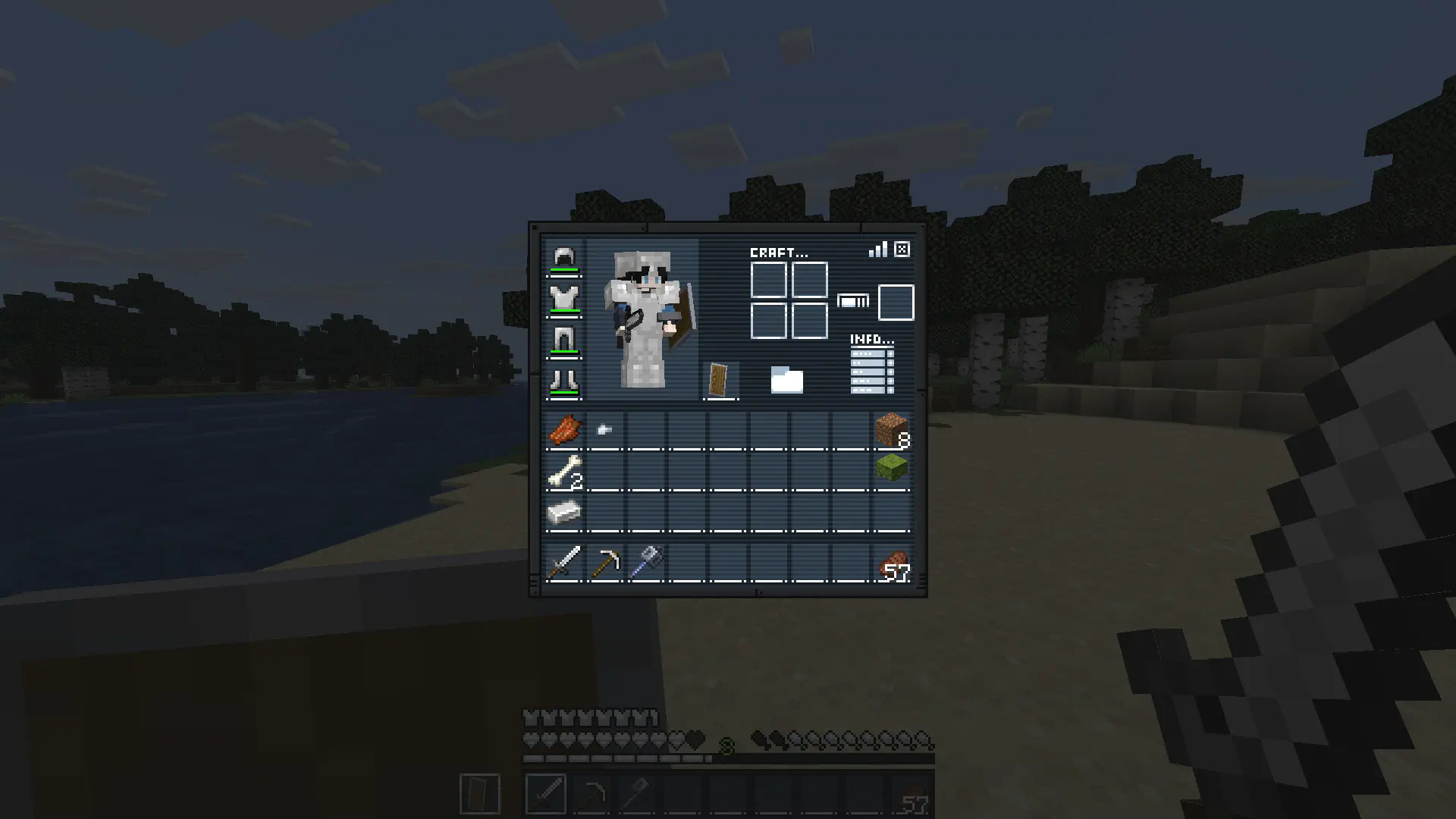
Mission: Bingo GUI transforms Minecraft’s interface with a complete mission-themed redesign, replacing the inventory, recipe book, hotbar, hearts, and armor icons for a sleek tactical look.
Perfect for players who want a more immersive and stylized HUD experience.
Ready for the mission?
How It Works
This resource pack replaces several default GUI and HUD textures with a custom mission-inspired design.
Installation / Usage
- Download and install the resource pack
- Enable it in Minecraft’s Resource Packs menu
- Open your inventory or enter gameplay
- Enjoy the new mission-style interface
Included Changes
- Custom inventory redesign
- Replaced recipe book interface
- New hotbar textures
- Custom heart icons
- Custom armor icons
- Full mission-themed HUD aesthetic
In-Game Preview
Ченджлог
1.2Релиз26.1.1, 26.1.2, 26.2 · 10 апреля 2026 г.
- Port 26.1.X
1.1Релиз1.21.9, 1.21.10, 1.21.11 · 31 декабря 2025 г.
- Port 1.21.X
1.0Релиз1.21.5, 1.21.6, 1.21.7 · 16 июля 2025 г.
- Replaces inventory, recipe book, changes hotbar, hearts and armor icons.
Комментарии
Загружаем…