 Mineforgian
Custom Player Totems
Converting your Totem of Undying into a 2d/3d variation of your Player skin, with up to 100 custom skin slots
- Загрузки
- 19
- Подписчики
- 0
- Обновлён
- 19 августа 2026 г.
- Лицензия
- All-Rights-Reserved
Опубликован 16 августа 2026 г.
This resource pack will turn your Totem of Undying into a different customized player skin by renaming it with an anvil.
Features:
- This Resource pack works on 100% Vanilla.
- You can put multiple customized skins in a pack, up to 100.
- Supports Wide and Slim Player Skin Types.
- It has different models for your player skin.
- It has a Totem Name and Skin List in-game by renaming a PAPER so you don't need to open the file to find your skin.
FEATURED Images
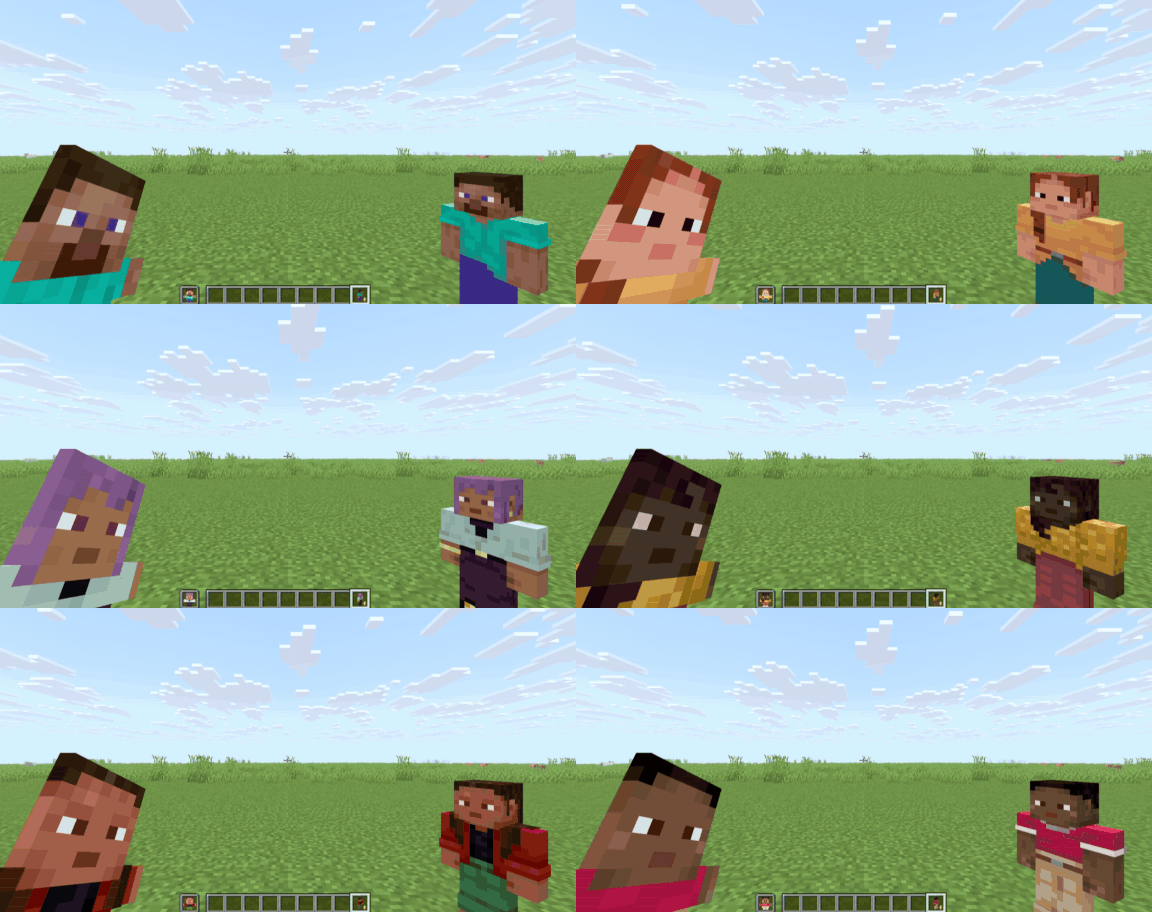
You can find more in the Gallery.
How to Use:
- Use an Anvil to rename the Totem of Undying to Whatever Customized Player Totems you want.
- To rename, it depends on what model you want and what skin you apply; for example, you can rename the Totem of Undying to
player 1to change the totem into a Steve standing model orplayer 2if you want the Alex skin (the number on the name1and2represents the skin slot on the pack, which are Steve and Alex by default). - You can change the model by renaming the Totem of Undying to
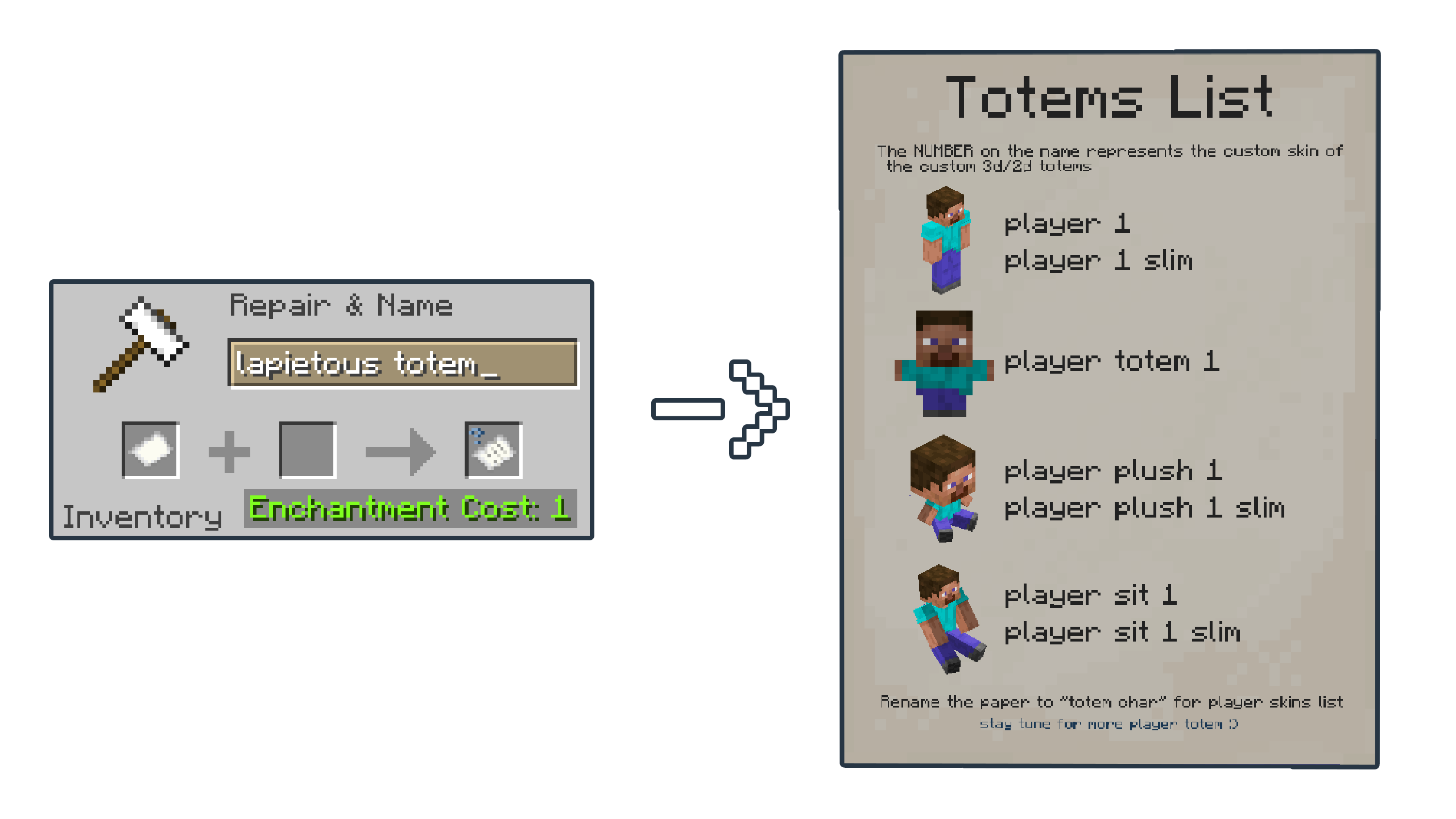
player plush 3to turn into an Ari plush model,player totem 1for the Steve 2D totem model, andplayer sit 8for the Sunny Sitting model (the numbers3and8on the name are for Ari and Sunny skin by default). - If the skin is built for a slim type model, you can add
slimto the name, for example,player 5 slim,player sit 4 slim, andplayer plush 7 slim(the number5,4, and7on the name are for Kai, Efe, and Noor skin by default).
| Totem Names | Sample Item | Has Slim Variant? |
|---|---|---|
player 1 |
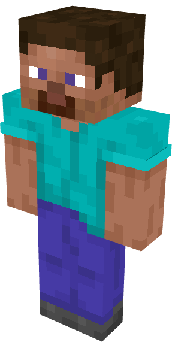 |
YES |
player totem 1 |
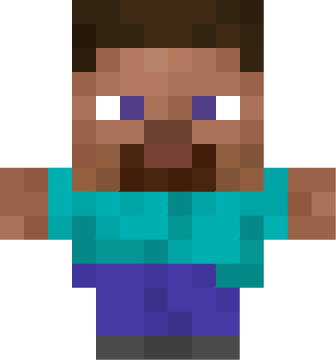 |
NO |
player plush 1 |
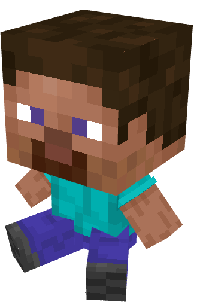 |
YES |
player sit 1 |
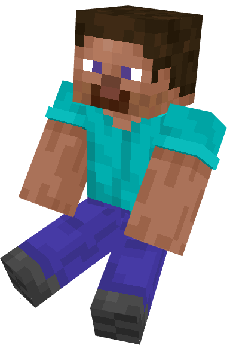 |
YES |
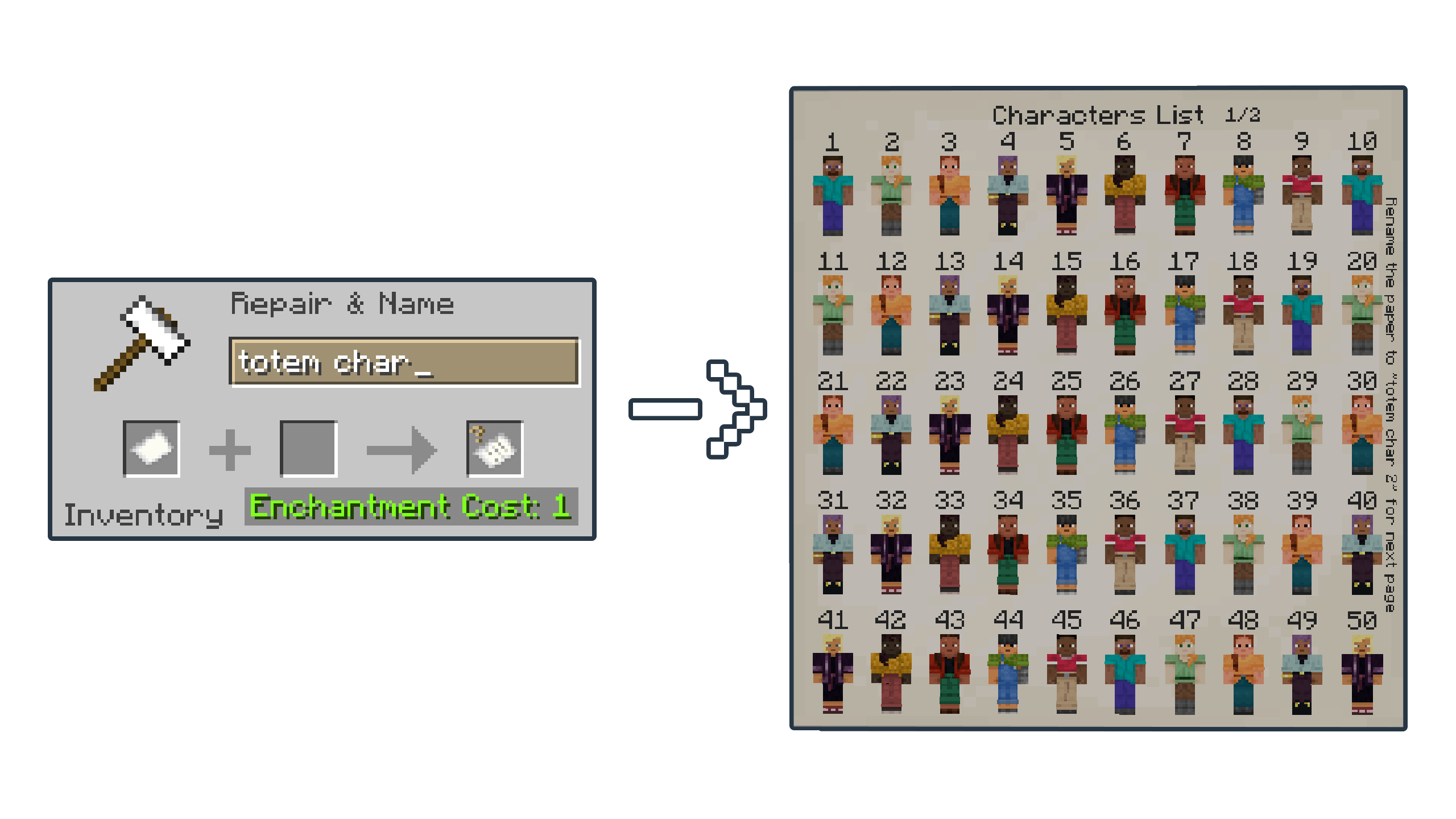
- If you forgot the Totem's names or if you want to see the Skin list, you can rename the Paper to
lapietous totemfor the Totem's name andtotem charfor the skins list (the skin list has two pages, so add a number like thistotem char 2for the second page).
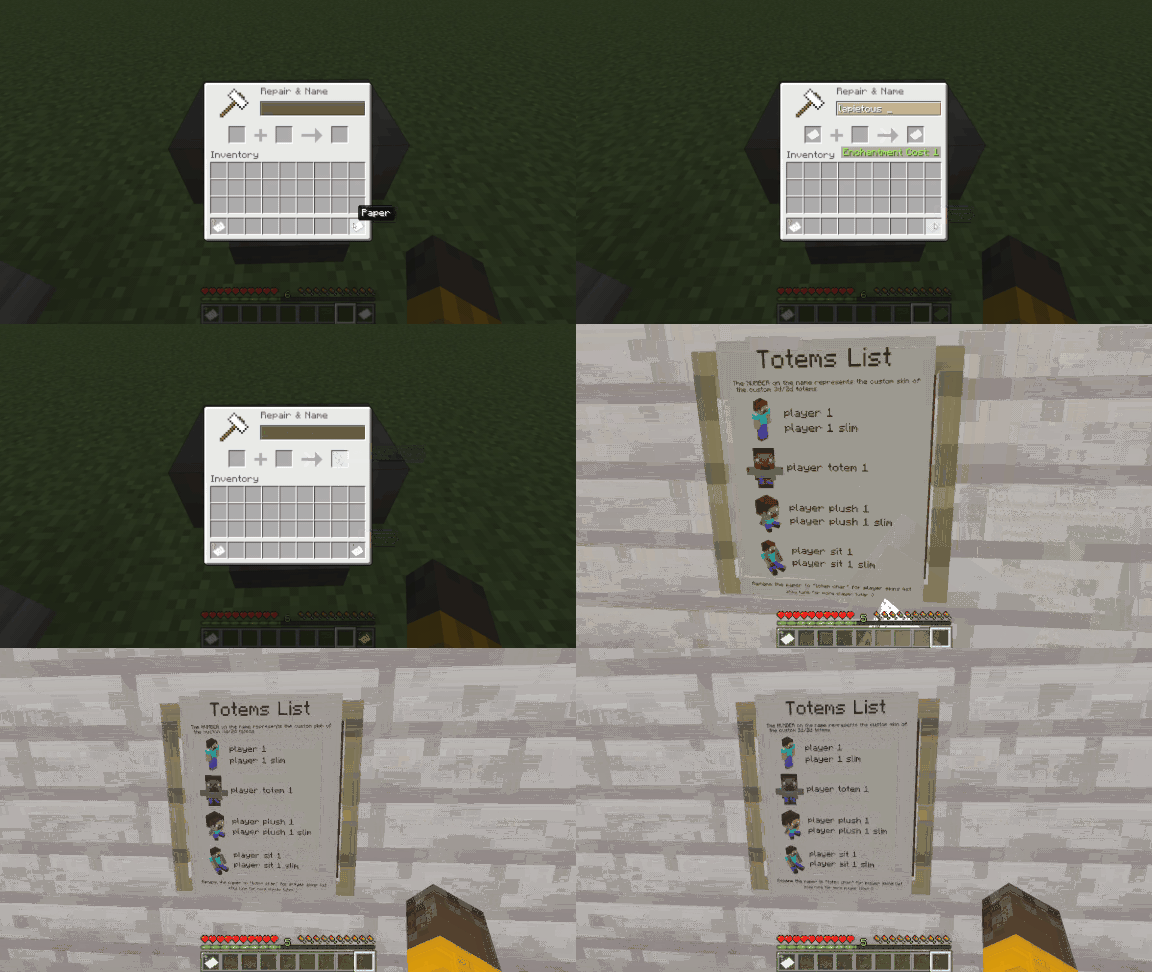
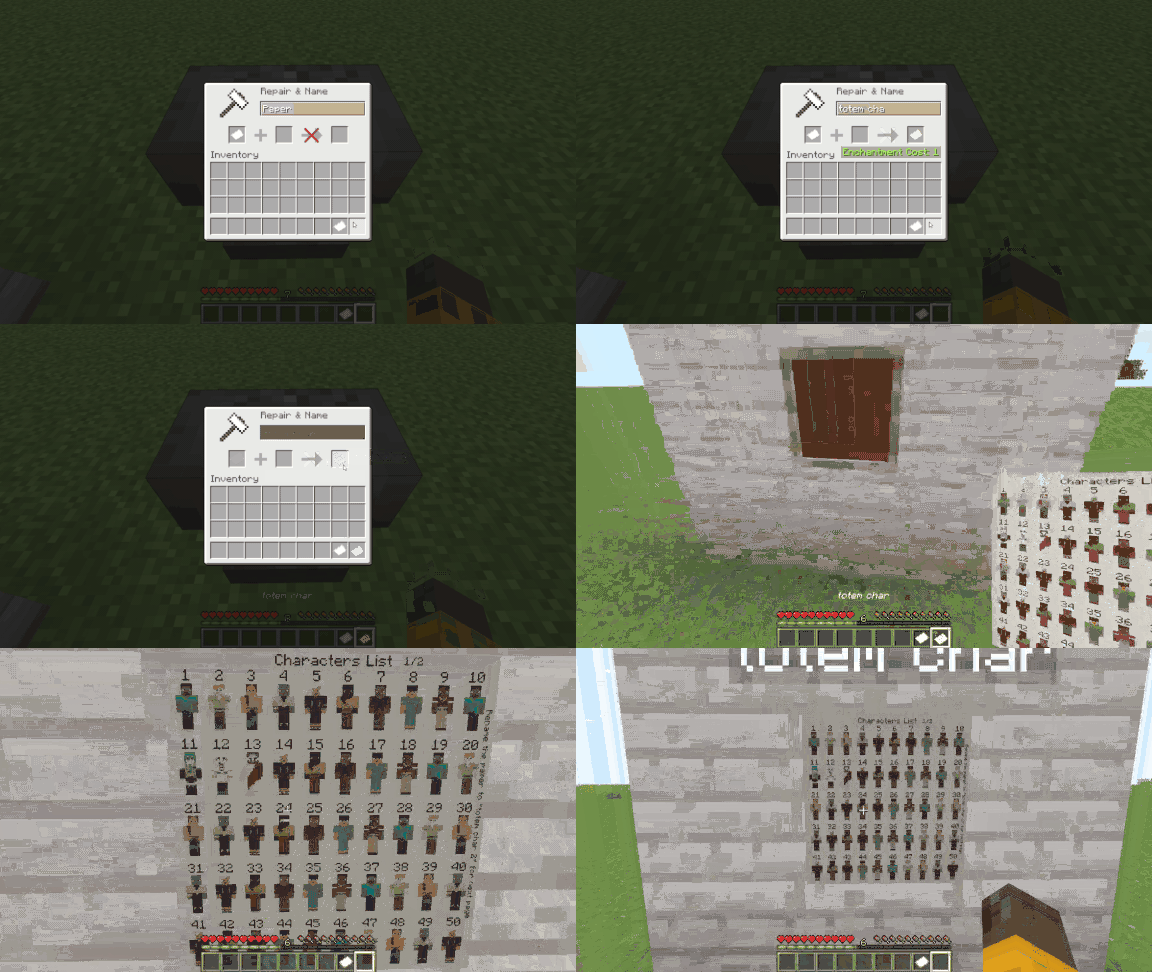
- You can customize the Skins By Replacing the default skin with your Skin by editing in the Resource Pack.
HOW TO APPLY YOUR CUSTOM SKIN
- Disable the resource pack.
- Rename your custom skin image file to the slot number you want
to replace, for Example:
11.png,1.png,39.png.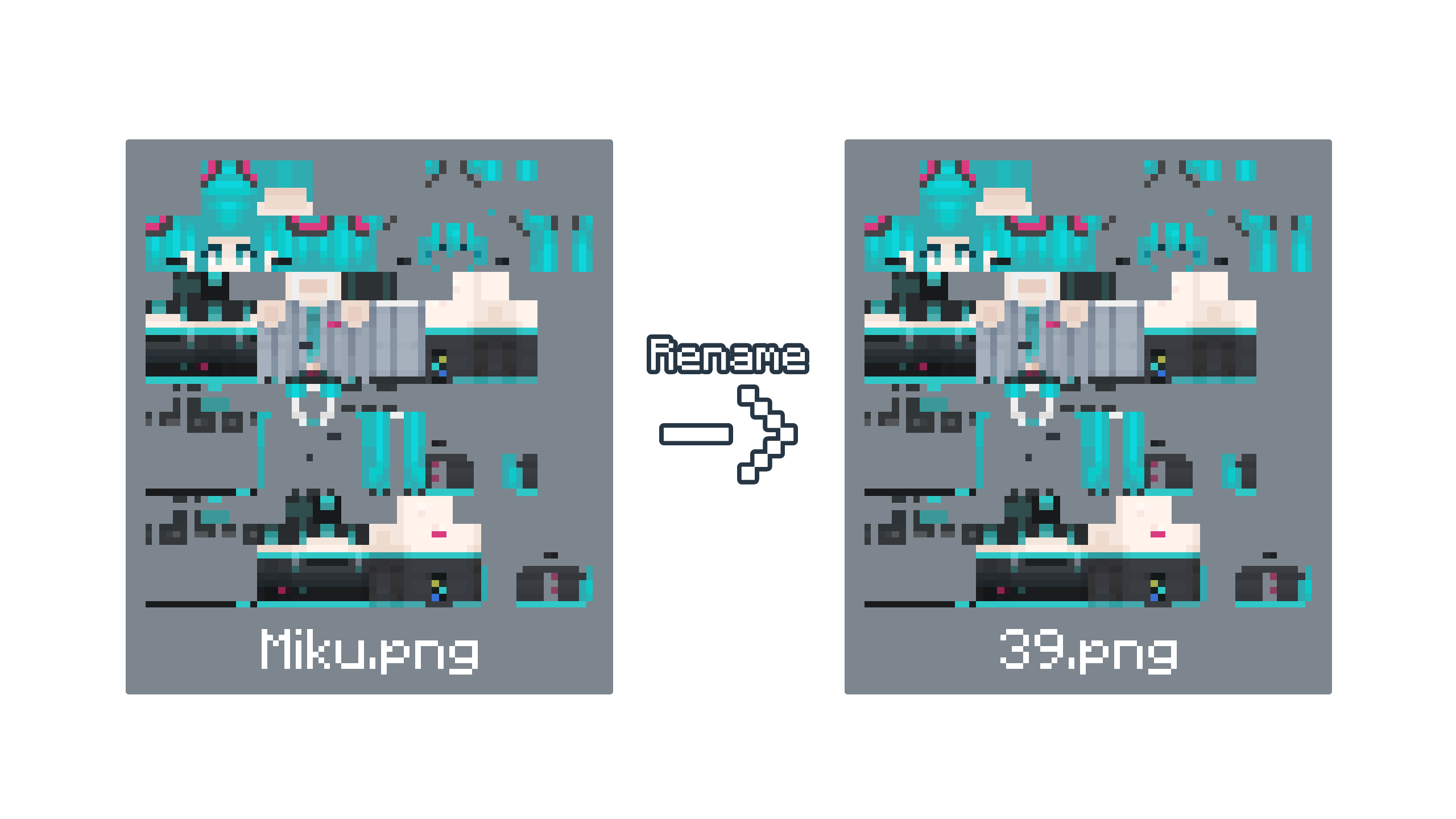
- Go to the Resource Packs Folder by pressing "Open Resource Pack Folder" in the Minecraft resource pack settings.
- Find the
Custom Player Totems [x.x].zipand open the file. - Go to this Location
\assets\customplayertotems\textures\item\skinsand copy and paste your custom skin image file (renamed to the slot number) to theskinsfolder; it will prompt or automatically replace the default image file with your customized skin image. Alternatively, you can delete the default skin image file and then place your customized skin image.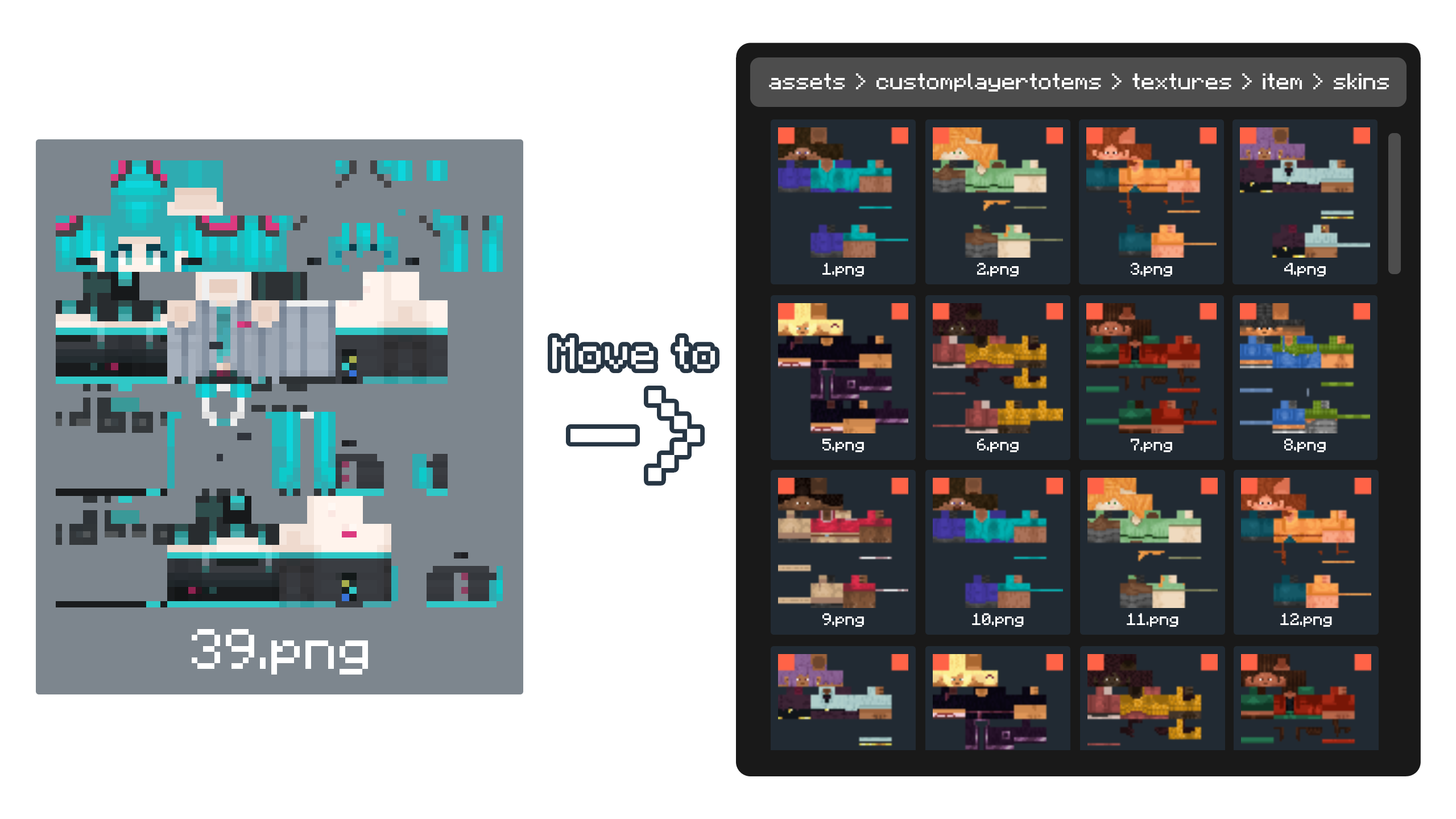
- After Customizing, enable the resource pack.
- Sample Image Below on how to get your customized player totem ingame.
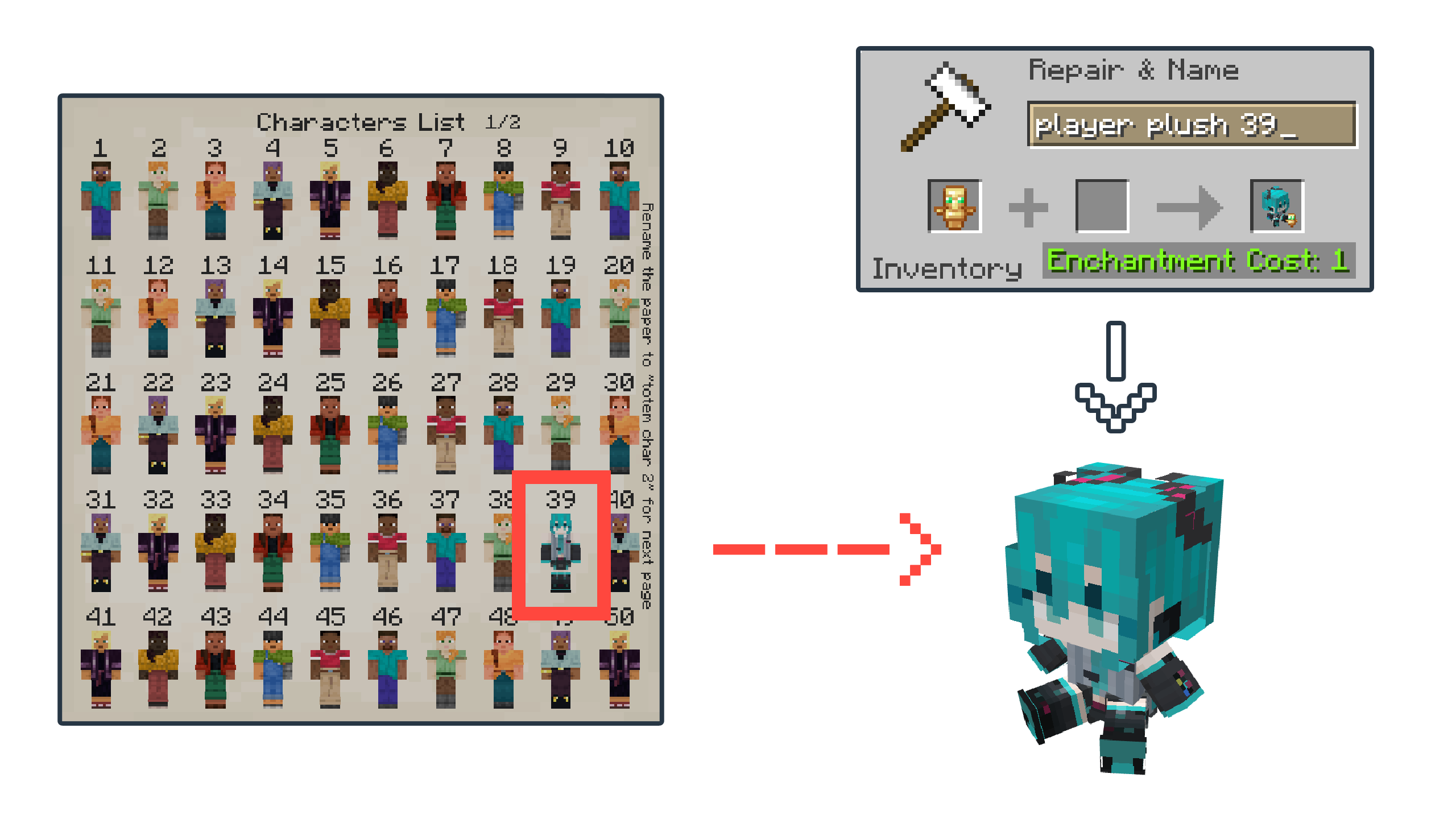
HOW TO HIDE OR REMOVE THE SMALL TOTEM ICON
- Disable the resource pack.
- Go to the Resource Packs Folder by pressing "Open Resource Pack Folder" in the Minecraft resource pack settings.
- Find the
Custom Player Totems [x.x].zipand open the file. - Go to this Location
\assets\minecraft\models\lapietous. - Find the
totem_icon.jsonand rename it whatever you want, or just rename it tono_totem_icon.jsonor delete the file if you want to remove it permanently. - Find the
totem_icon_invisible.jsonand rename it tototem_icon.json. - Enable the resource pack, and the mini totem icon should be gone.
HOW TO TRANSFER CUSTOMIZED SKINS TO A NEW VERSION
- Disable the OLD and NEW resource packs.
- Go to the Resource Packs Folder by pressing "Open Resource Pack Folder" in the Minecraft resource pack settings.
- Find the Old Pack (
Custom Player Totems [old].zip) with your custom Skins and find the New Fresh Version Pack (Custom Player Totems [new].zip) and Open Both files. - On the Old Pack (with customs skins), Go to this Location
\assets\customplayertotems\textures\itemand copy theskinsfolder. - On the New Pack, Go to this Location
\assets\customplayertotems\textures\itemand paste theskinsfolder that you copied, it will prompt or automaticaly replace with your custom player skins. - Enable the NEW resource pack.
Additional Info:
- This pack has not been tested on mods like Punchy!.
- I will add more models and features in future updates.
You can also see the Resource Pack on:


Ченджлог
v1.0Релиз26.1.1, 26.1.2, 26.2 · 19 августа 2026 г.
Overview:
This is the First Version Release.
Комментарии
Загружаем…