 Mineforgian
You need the LATEST versions Entity Model Features (+v2.0.2), Entity Texture Features (+v6.0.1) to use this pack. This are client-side mods that are available for both Forge and Fabric
OPTIFINE DOESN'T SUPPORT PLAYER CUSTOM MODELS ...yet, just in case A part from the Fresh Moves resource pack... but just the expressions
Check this tutorial and the new face feaures added in v1.1 in this video made by Laynce.
To fix Black eyes follow this quick guide ↓. For a video demonstration go to this page in the wiki of the resourcepack.
Fix Black Eyes · IthanMendoza/Fresh-Moves Wiki (github.com)
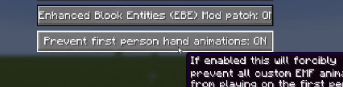
If you want your hand to stop moving in the first person perspective. Go to this page in the wiki to disable it.
Fix Moving 1st Person Hand · IthanMendoza/Fresh-Moves Wiki (github.com)
For this mod to work you have to activate this features in the EMF and ETF settings:
Spoiler
First go to resourcepacks
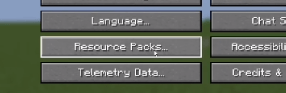
The click in this button (ETF and EMF settings)
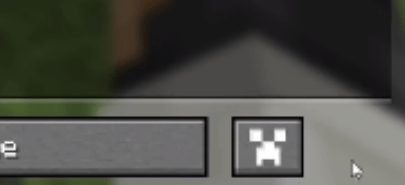
Click in textures
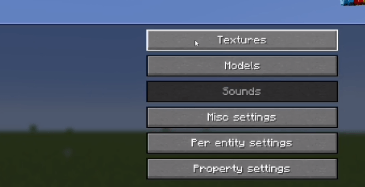
Click on player skin settings
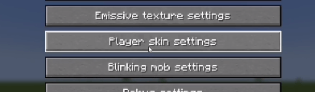
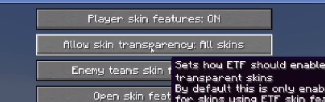
And activate the option that says "Allow skin transparency" and set it to "All skins"
Go back to the mod settings and click on models
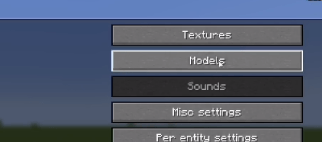
Go to Options and Fixes
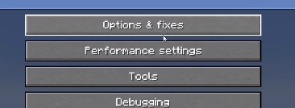
And finally set to On the option that says "Prevent first person hand animation"
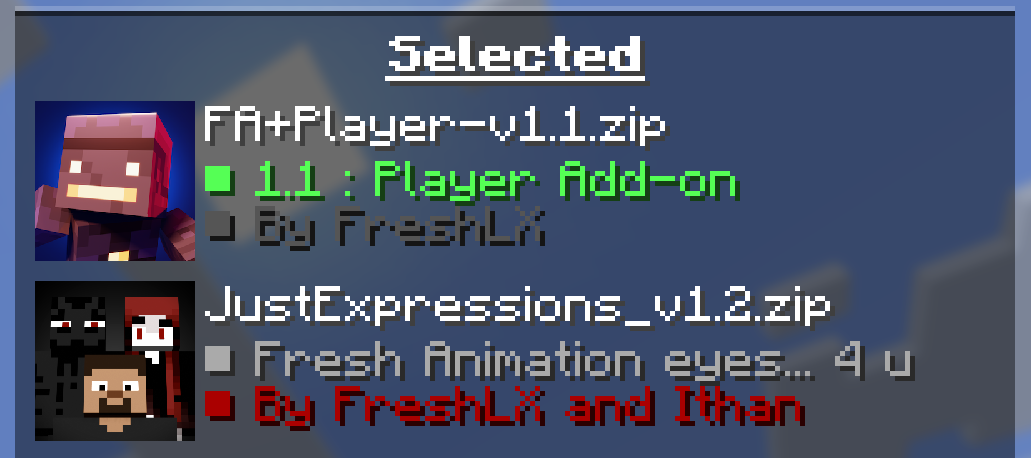
Compatiblity with some player resource packs
- Only works if the other pack is made to support it.
- Load the other pack above Just Expressions 1.2 to work properly:
To animate the eyes go to the Fresh Moves wiki. TLDR you must add extra pixels to your skin and upload that modified skin. The positions of those extra pixels are in the wiki. All supported eyes are there. Here are some examples in real skins.
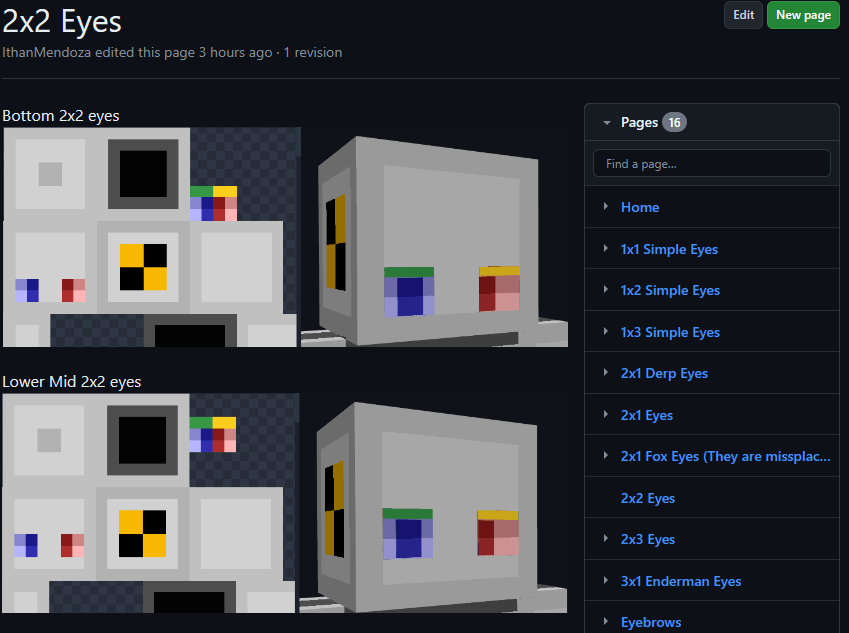
Here are some examples of things you must get in the end in your skin.png. This result must be used as your skin. If other people have these extra pixels on their skin, you will be able to see their animated eyes in multiplayer.
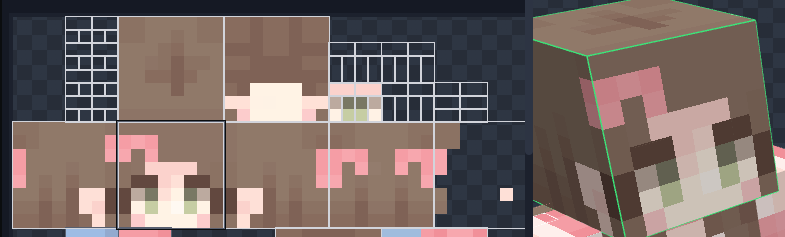
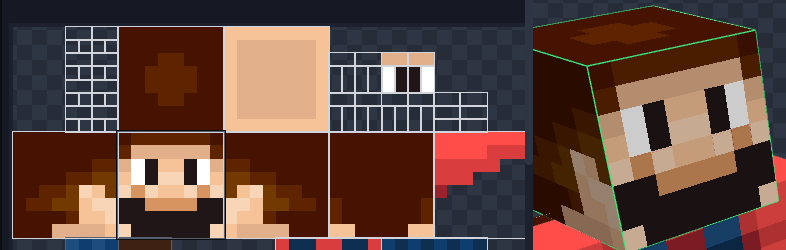
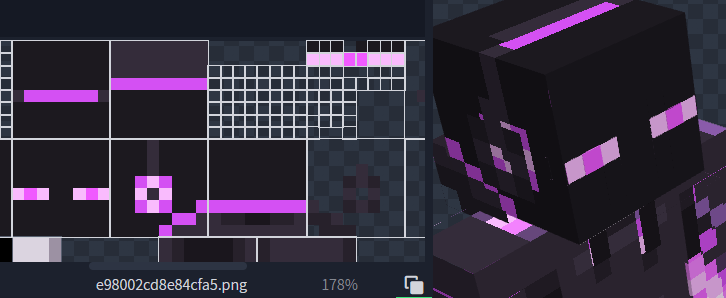
May look like there is some part missing the eyewhites but in game the eyewhites expand to their normal size. Notice that it has the eyebrows at the third position.
The version of this pack with animated eyes (Expressive Fresh Moves.zip) will also have the extra pixels on the default Minecraft skins (Steve, Alex, Makena, Efe, Noor, Kai, Ari, Sunny, and Zuri) as an example. ****
Credits:
FreshLX: Creator of Fresh Animations. The pillager animations of the Fresh Animations pack were used as the base of this pack.
Traben: Creator of ETF and ETM and the custom player models feature.
BoZo-Xo2 & CoolRanchChris: Creators of the original Fresh Player and members of the Traben's discord server (The pack where Fresh Moves is made from)
Fresh Player and other Player Animation packs can be found in the Traben's discord server in the etf-emf-pack-list channel. Be sure to take a look.
Ченджлог
1.2.1Релиз26.1.1, 26.1.2, 26.2 · 5 июля 2026 г.
- fixed head overlay model not following the head animation in versions before 1.21.2
1.2Релиз26.1.1, 26.1.2, 26.2 · 30 июня 2026 г.
Version 1.2
Changes
- updated pack format
- face model has a flatter style
- fixed some eyes being slightly wider than intended
- added slight head movements
- moved files from optifine/cem to the emf/cem folder
- made compatible with FA: Player Add-on and other packs that use player_face.jpm
- optimized models and animations
- sorted and labelled models and animations
- replaced animated empty bones to animation variables
- removed unnecessary animation variables
- combined animations for similar faces
- tweaked animations to use eyelids to mask original skin
- removed cubes that are now redundant
- combined eyebrow models into one bone
- flattened some cubes to planes where possible
- removed unnecessary texture UVs
- added LOD transformation to prevent z-fighting on players in the distance
- separated face model and animations from player models
1.1Релиз1.20.4, 1.20.5, 1.20.6 · 30 апреля 2024 г.
Version 1.1
Fixes
AlphaSkins and CustomSkinLoader are no longer dependencies BUT you need to have the LATEST version of ETF and EMF and enable some settings. Check the resource pack page for that. Eyebrows no longer bounce while running and their second idle animation has been lowered in intensity. The original would make the eyebrows go way too up. New Stuff
The eye compat part 1 is now COMPLETE. I won't receive more suggestions for eyes in quite some time. The new eye styles are. Guide will be updated later. Derp 2x1 eyes, 4 offsets. Spread eyes (like the fox, but not derp), 1 offset. 1x1 pixel eye smooth blinking animation, 4 offsets. 1x2 pixel eye smooth blinking animation, 2 offsets. 1x3 pixel eye smooth blinking animation, 2 offsets. 2nd Layer (hat) eyebrows, 4 offsets. These are eyebrows that will show above the hat layer of the head. The same offsets as the normal eyebrows. 2x2 pixel eye Eyelashes, 1 offset. Villager eyebrow, 1 offset.
Комментарии
Загружаем…