 Mineforgian
Evol's 3D Ladders
Project adds New 3D Ladder Model and Texture. Includes PBR textures.
- Загрузки
- 467
- Подписчики
- 6
- Обновлён
- 16 октября 2025 г.
- Лицензия
- CC-BY-NC-SA-4.0
Опубликован 30 сентября 2025 г.
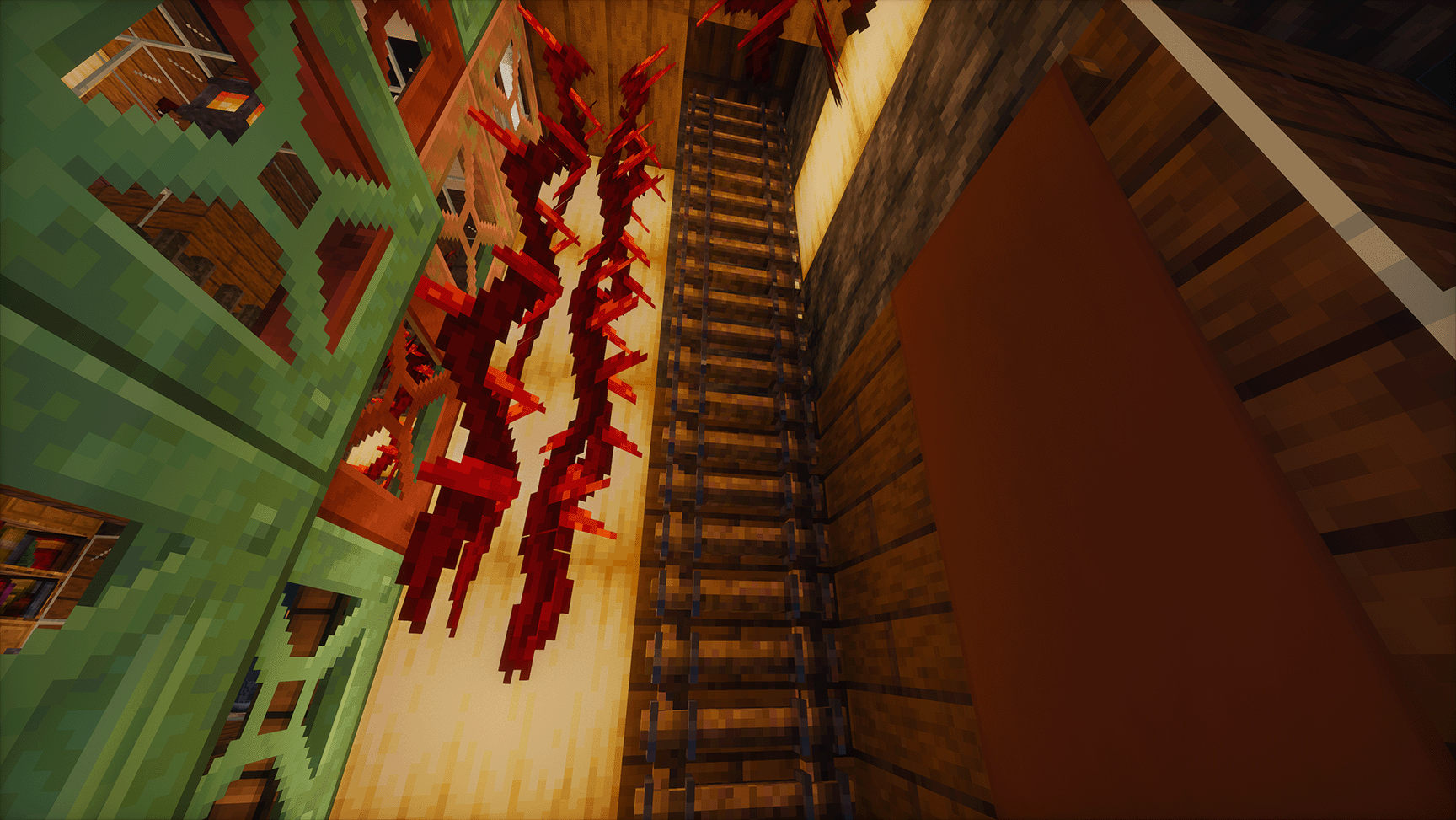
Evol's 3D Ladders for Minecraft
Tired of flat, painted-on ladders that defy physics? Evol's 3D Ladders is a resource pack that replaces the vanilla Minecraft ladder with a detailed, high-quality 3D model, bringing a new level of depth and realism to your builds.
This pack is designed for everyone, from vanilla players to high-end shader enthusiasts. With Physically Based Rendering (PBR) texture maps included, ladders will react realistically to light, displaying authentic reflections and surface details when used with compatible shaders.
Features
- High-Quality 3D Model: A completely new, lovingly crafted 3D model for ladders.
- PBR Textures: Includes specular, normal, and roughness maps for stunning realism with supported shaders.
- Shader Ready: Extensively tested to look great with the most popular PBR-enabled shader packs.
- Vanilla Friendly: The pack still enhances ladders even without shaders, providing a better-looking model than the default.
- Seamless Integration: Designed to fit perfectly with the vanilla art style.
Installation
- Click the Download button for the latest version of the pack.
- Launch Minecraft with OptiFine or Iris installed.
- Go to Options... > Resource Packs...
- Click Open Pack Folder.
- Drag and drop the downloaded
.zipfile into this folder. - Go back to Minecraft and select "Evol's 3D Ladders.zip" from the list of available packs to activate it.
- Ensure you have your favorite PBR-compatible shader pack enabled in Options... > Video Settings... > Shaders... to see the full effect!
Shader Compatibility
This resource pack's PBR features have been tested and are known to work with the following popular shader packs: * BSL Shaders * Complementary Shaders (Unbound & Reimagined) * SEUS PTGI * Sildur's Vibrant Shaders (Extreme) * Continuum 2.1 If your favorite shader supports LabPBR or OldPBR standards, it should work perfectly!
License
This project is licensed under the Creative Commons BY-NC-SA 4.0 License. You are free to use, share, and adapt this pack for non-commercial purposes, as long as you give appropriate credit.
Ченджлог
1.0.1Релиз1.21.8, 1.21.9, 1.21.10 · 16 октября 2025 г.
Changelog
- Updated the mcmeta.pack syntax to meet new 1.21.10 requirements.
1.00Релиз1.20, 1.21, 1.21.8 · 30 сентября 2025 г.
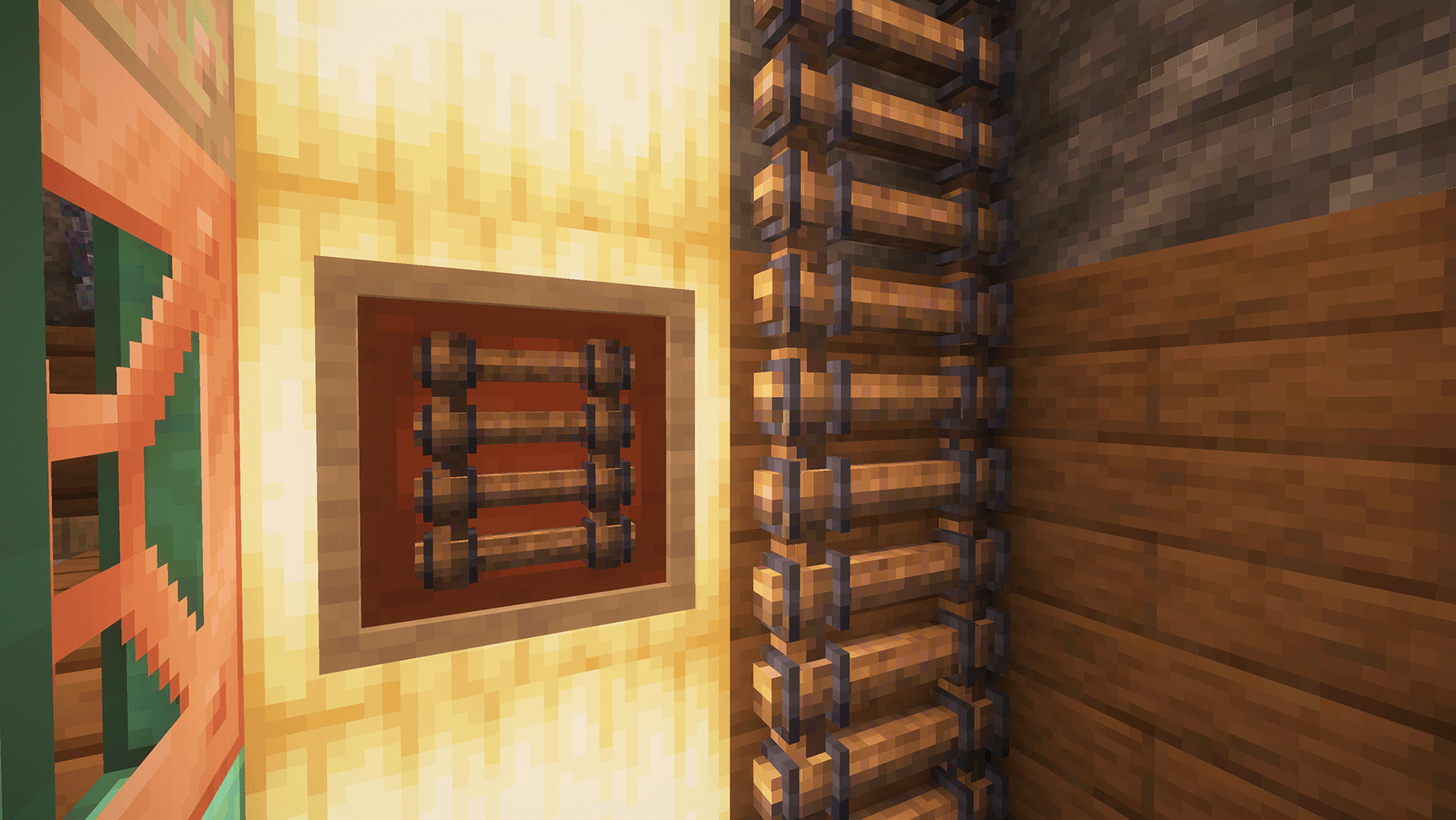
Evol's 3D Ladders for Minecraft
Tired of flat, painted-on ladders that defy physics? Evol's 3D Ladders is a resource pack that replaces the vanilla Minecraft ladder with a detailed, high-quality 3D model, bringing a new level of depth and realism to your builds.
This pack is designed for everyone, from vanilla players to high-end shader enthusiasts. With Physically Based Rendering (PBR) texture maps included, ladders will react realistically to light, displaying authentic reflections and surface details when used with compatible shaders.
Features
- High-Quality 3D Model: A completely new, lovingly crafted 3D model for ladders.
- PBR Textures: Includes specular, normal, and roughness maps for stunning realism with supported shaders.
- Shader Ready: Extensively tested to look great with the most popular PBR-enabled shader packs.
- Vanilla Friendly: The pack still enhances ladders even without shaders, providing a better-looking model than the default.
- Seamless Integration: Designed to fit perfectly with the vanilla art style.
Installation
- Click the Download button for the latest version of the pack.
- Launch Minecraft with OptiFine or Iris installed.
- Go to Options... > Resource Packs...
- Click Open Pack Folder.
- Drag and drop the downloaded
.zipfile into this folder. - Go back to Minecraft and select "Evol's 3D Ladders.zip" from the list of available packs to activate it.
- Ensure you have your favorite PBR-compatible shader pack enabled in Options... > Video Settings... > Shaders... to see the full effect!
Shader Compatibility
This resource pack's PBR features have been tested and are known to work with the following popular shader packs: * BSL Shaders * Complementary Shaders (Unbound & Reimagined) * photon * solas If your favorite shader supports LabPBR or OldPBR standards, it should work perfectly!
License
This project is licensed under the Creative Commons BY-NC-SA 4.0 License. You are free to use, share, and adapt this pack for non-commercial purposes, as long as you give appropriate credit.
Комментарии
Загружаем…