 Mineforgian
Block in the Bucket x32
See what is inside every sulfur cube bucket at a glance, in crisp x32 detail.
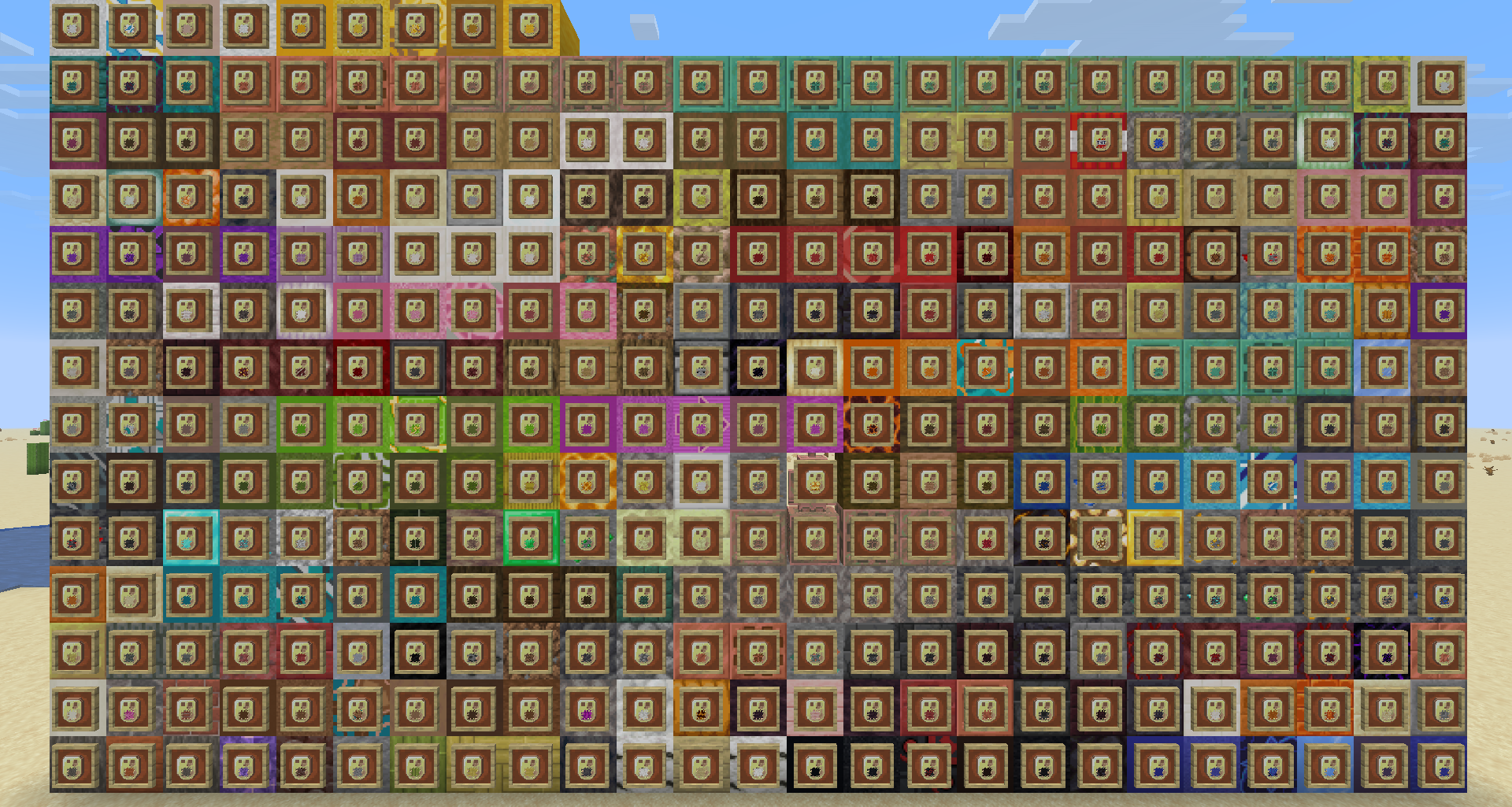
Block in the Bucket x32 gives sulfur cube buckets a visible preview of the block they contain. Each bucket keeps its familiar silhouette while displaying the stored block directly on the item icon, so you can tell your stone, copper, wood, ore, and decorative blocks apart without checking them one by one.
Features
- Displays the stored block directly on the sulfur cube bucket icon
- Supports 334 different block contents
- Uses detailed 32× textures designed to match the Faithful x32 look
- Makes collections and inventories faster to read and organise
- Changes visuals only, gameplay remains completely vanilla
Choose your resolution
This is the Faithful-style x32 edition of the pack.
Prefer the resolution and style of default Minecraft? Download the vanilla-style x16 edition.
Compatibility
Block in the Bucket x32 is a client-side resource pack and does not change game mechanics. Always download the version that matches your Minecraft version from the Versions tab.
It may conflict with other resource packs that replace the sulfur cube bucket item definition. If you use several packs, place Block in the Bucket x32 above conflicting packs in the resource pack list.
Installation
- Download the correct version of the pack.
- Open Minecraft and go to Options → Resource Packs.
- Select Open Pack Folder and place the downloaded
.zipfile inside. - Return to Minecraft and move Block in the Bucket x32 into the selected packs list.
Credits
Support the creators
- EclairDeFeu360: Buy Me a Coffee
- Goldawn: Join on YouTube or subscribe on Twitch
Комментарии
Загружаем…