 Mineforgian
Bare Skies - Trailers' sky
Brings back the iconic Bare Bones skies with fully renewed sky textures, restoring the vibrant and cinematic atmosphere of Minecraft’s official trailers without losing the vanilla feel.
- Загрузки
- 6K
- Подписчики
- 38
- Обновлён
- 11 июля 2026 г.
- Лицензия
- All-Rights-Reserved
Опубликован 11 мая 2026 г.
Tired of Minecraft’s pale skies? Want warmer, cozier nights and the vibrant atmosphere of the official trailers — without needing shaders? This pack is for you.
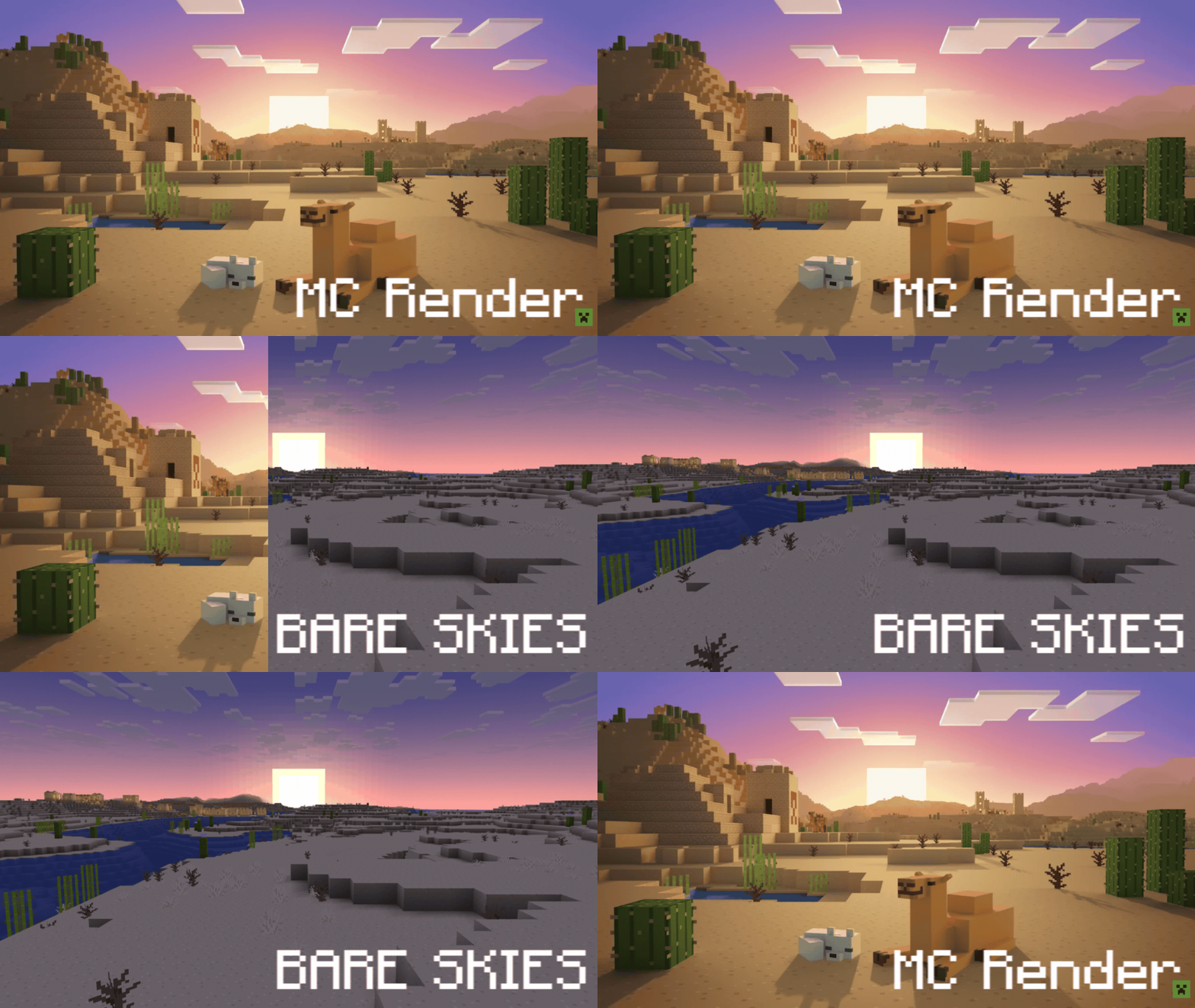
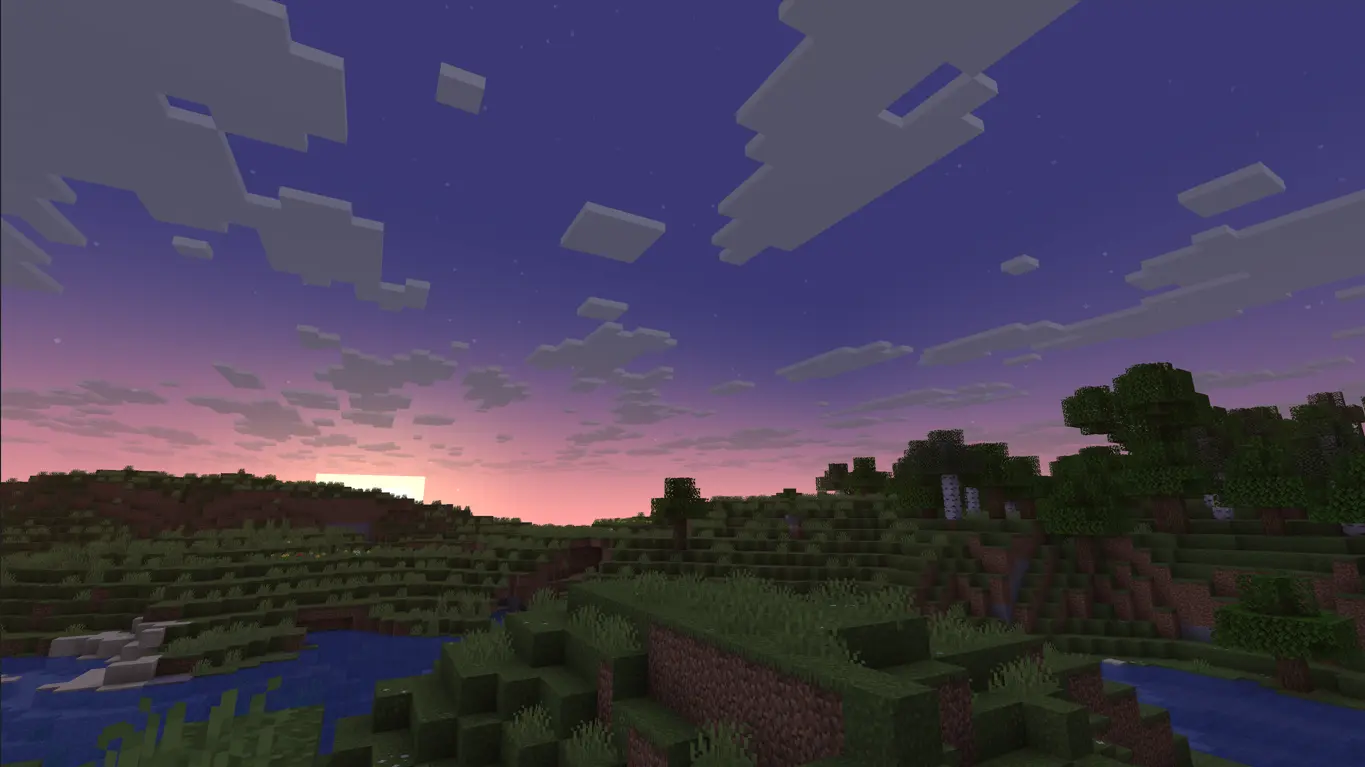
Works with: Optifine (any version), Skyboxify (currently used in Fabulously Optimized) and Nuit with Nuit Interop
TIPS:
(Use "Mod Menu" to apply them)
1. You can use "Chunks Fade In" to make the fog render properly according to the custom skybox. Then, to perfect the effect, use "Sodium Extra" and in the Rendering section, set the "Atmospheric Fog - Environment End" option to 300%.
2. Finally, if you play on servers, use "Smooth Skies" to eliminate the void texture in the sky bottom. Set the "Fog View Distance" option to 550 and make sure "Lower Sky Void Darkness" is enabled.
Thanks to Robot Pants, for the original artwork.
Ченджлог
1.6Релиз26.1.1, 26.1.2, 26.2 · 11 июля 2026 г.
Changes:
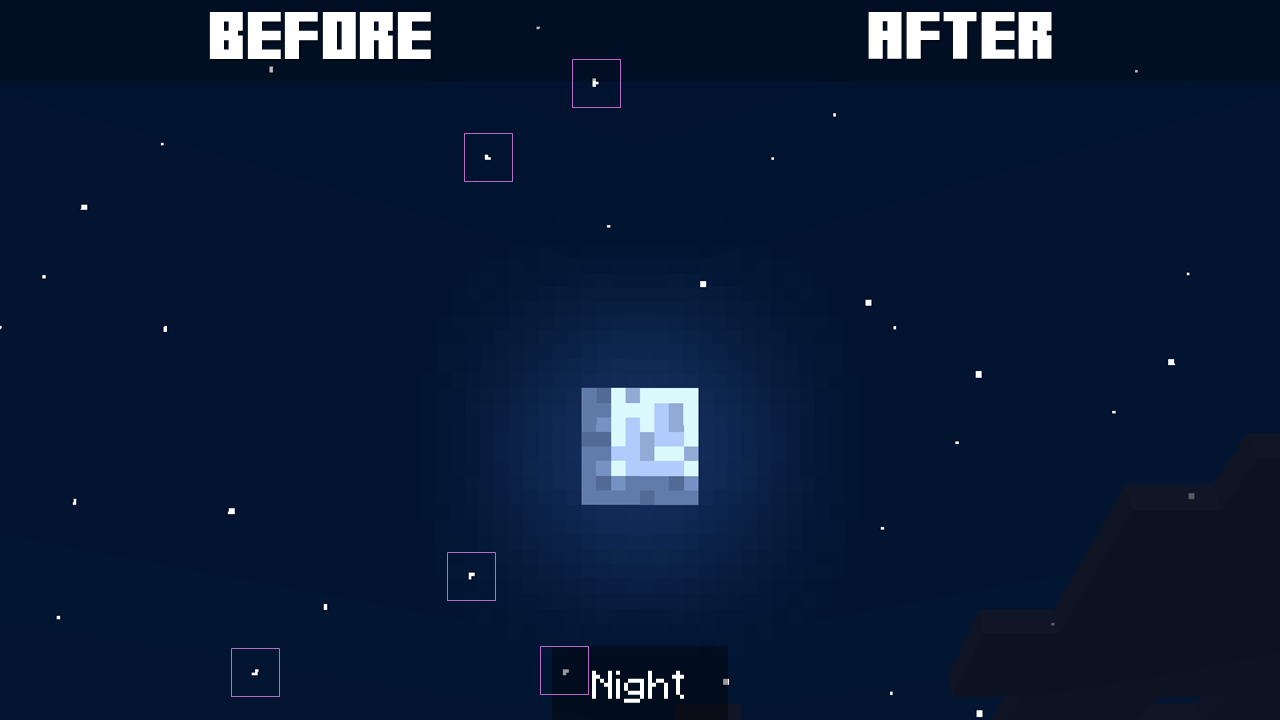
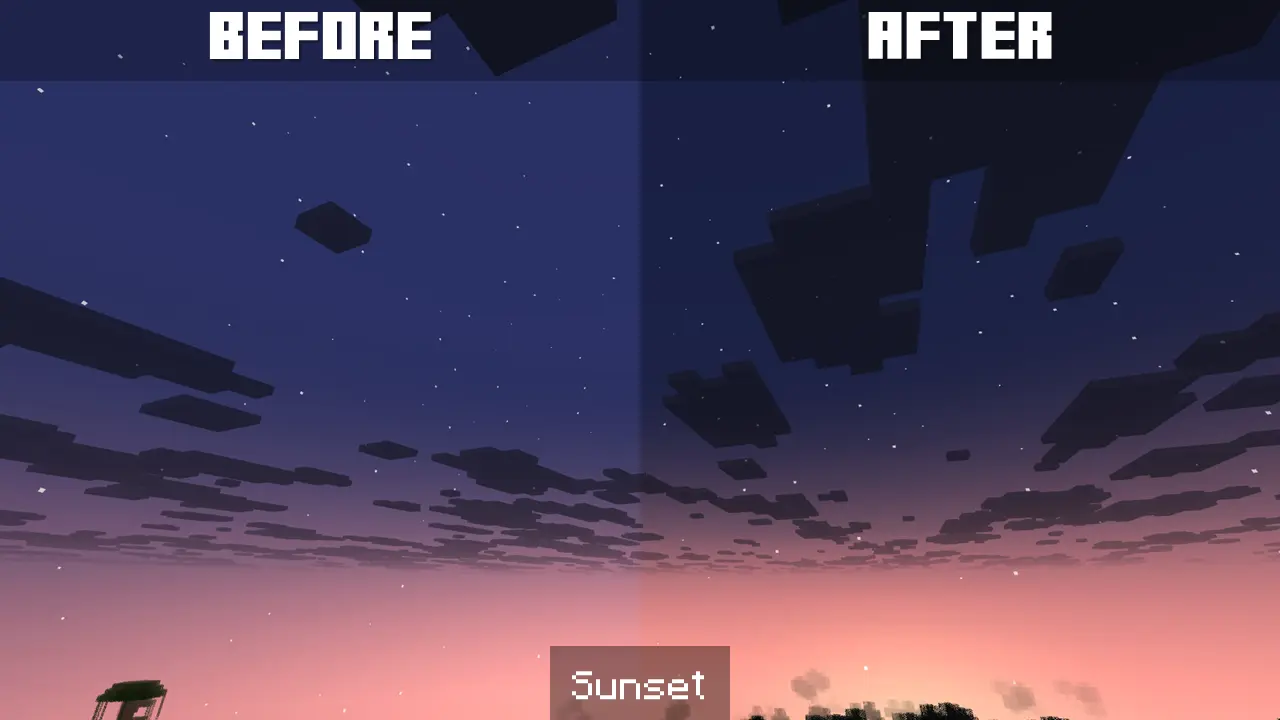
Fixed stars in the night sky. Previously, most stars made of 2, 3 and 4 pixels did not have a square shape.
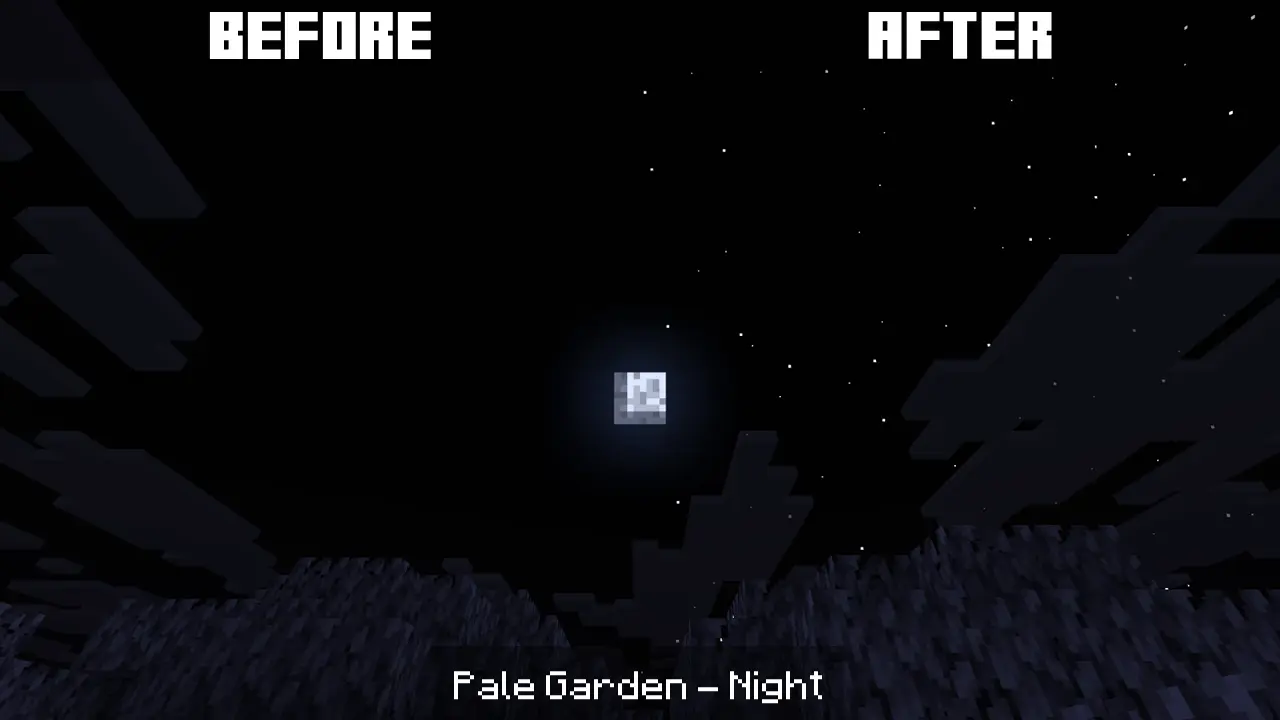
The Pale Garden night sky now has its own texture, with the same star pattern as the night sky for the rest of the biomes, but with a black background.
Finally, transition values for the dark blue evening sky have been adjusted to better blend with the night sky.
1.5Релиз26.1.1, 26.1.2, 26.2 · 4 июля 2026 г.
Main changes:
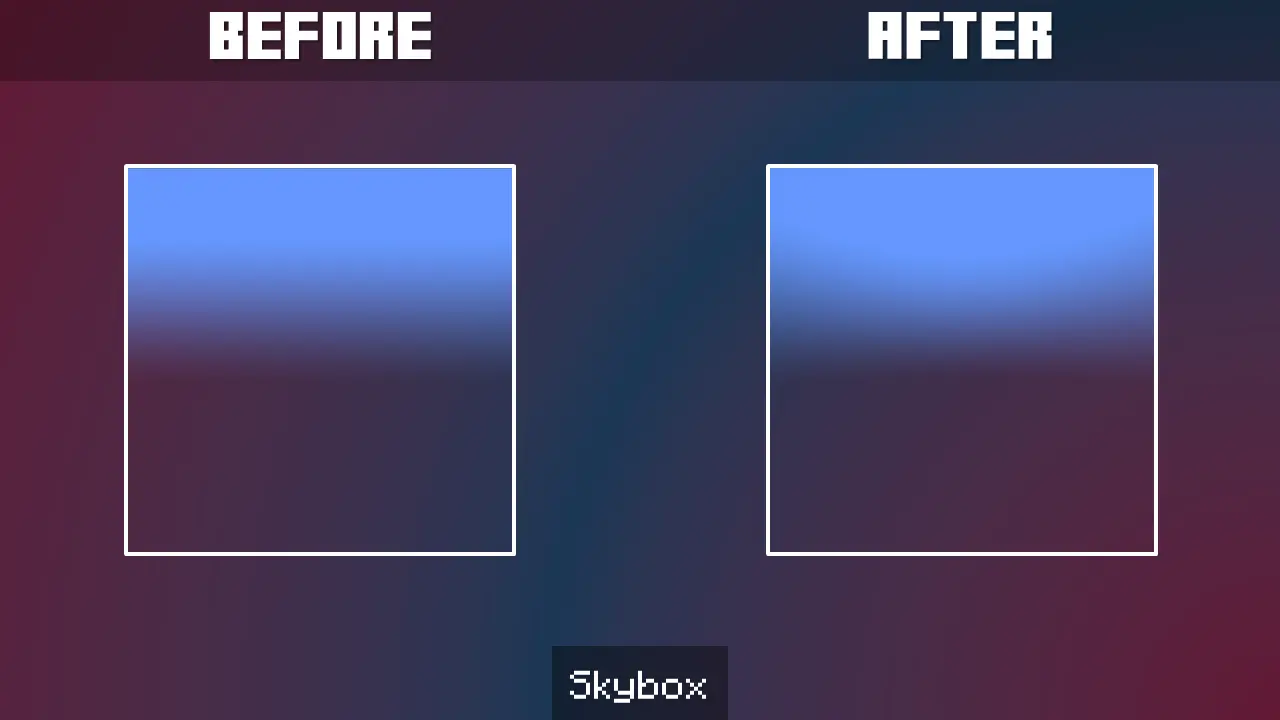
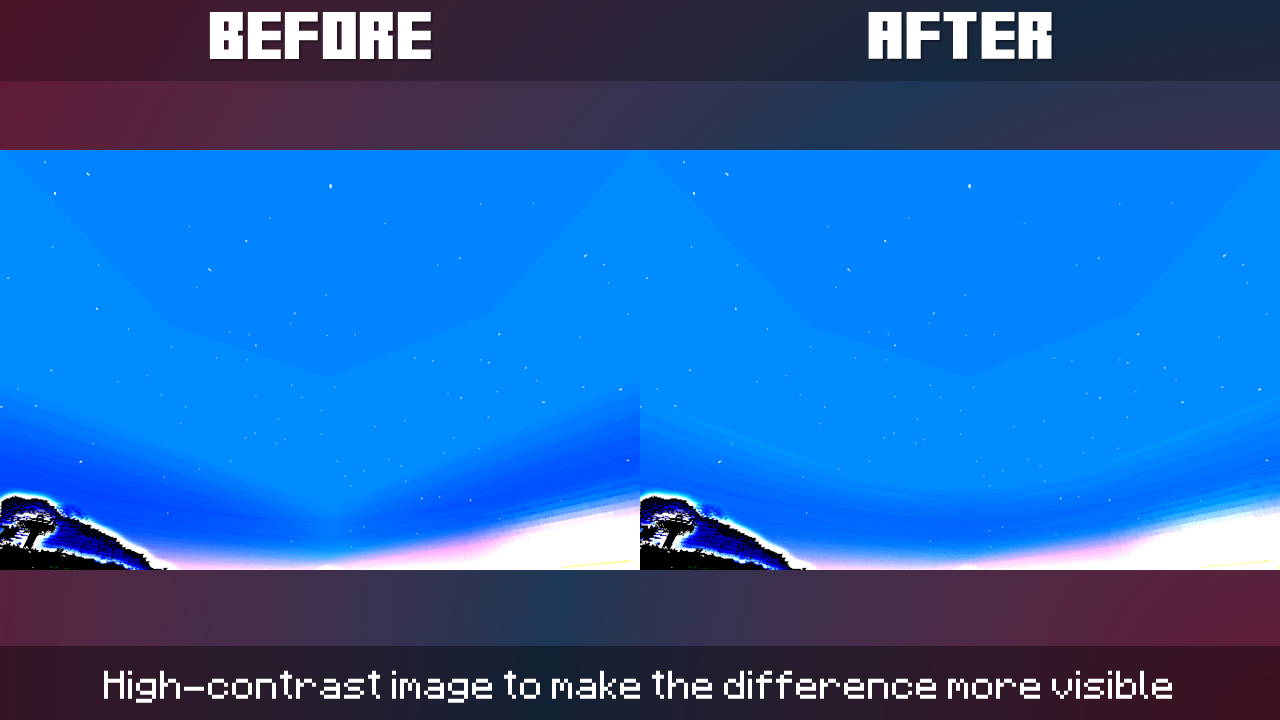
Fixed all original sky textures that had not been modified until now, making them truly spherical using the equirectangular projection:
sky_box (The base of the all blue sky)
sky_boxsunrise (The purple tone of the background for the color scheme and brightness of the sunrise horizon)
sky_boxsunset (The dark blue tone of the sunset)
Here is an example of the change in one face of the sky box:
And here, the change reflected in-game:
Additional changes:
Removed "Legacy" textures of the original sunrise and sunset horizons. These had been saved in case of any future errors, but with the previous update, the horizons are now as designed, with the equirectangular projection and soft blurs.
Added the "Webs" text file, which includes some of the tools I have used throughout the development of this package. This is done to facilitate my maintenance process for this pack and perhaps help someone who wants to create their own skyboxes.
1.4.3Релиз26.1.1, 26.1.2, 26.2 · 26 июня 2026 г.
Previously, the sunrise light gradient produced a darkening effect in areas where it blended with the background sky. This has been corrected to precisely match the smoothing and transparency levels of the sunset light, which has always been correct.
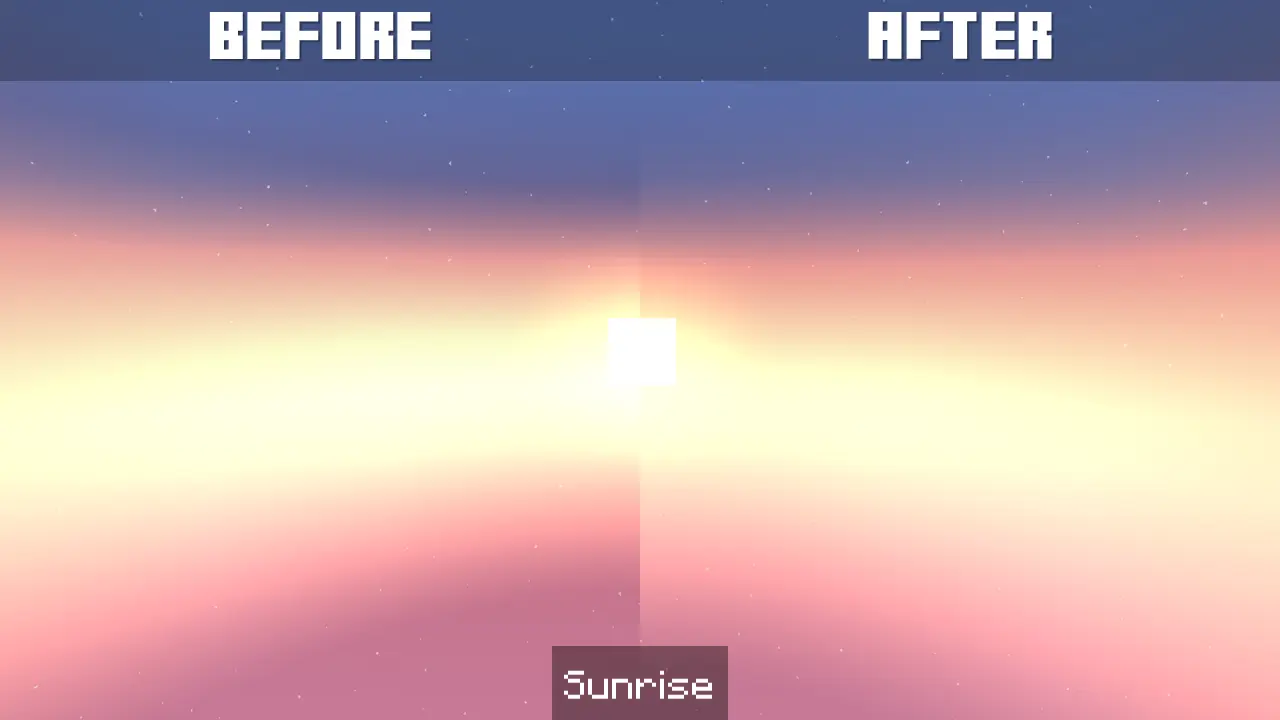
The change might not be very noticeable in the comparison image, but it's definitely apparent in-game.
Additional: This pack is also compatible with the "Nuit" mod, but be sure to use it with "Nuit Interop," which allows the mod to read the format in which this pack is created.
1.4.2Релиз26.1.1, 26.1.2, 26.2 · 19 июня 2026 г.
The pack.mcmeta file has been updated to mark the pack as compatible with Minecraft 26.2 and later. Although Minecraft 1.20.x, 1.21.x, and 26.1 may read the pack as incompatible because it's "made for a newer version," don't worry, it's fully compatible.
Next week's content update will return as usual, and I'm really excited for you to see how Bare Skies is getting closer to perfection. So, stay tuned!
1.4.1Релиз26.1, 26.1.1, 26.1.2 · 12 июня 2026 г.
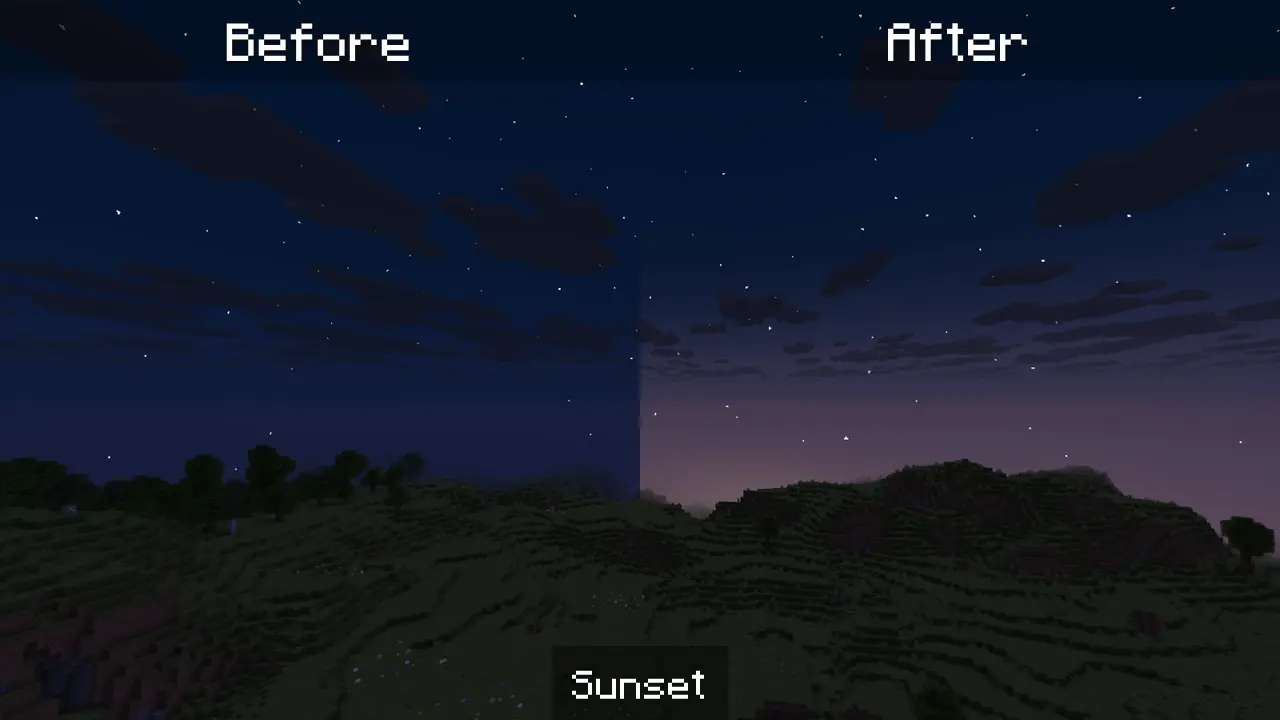
Previously, just after sunset, the default sunset lighting was slightly visible. This has now been fixed, making the transition a little longer.
While this is a very minor detail, my priority is quality, and I still have several updates in the pipeline. So, stay tuned.
1.4Релиз26.1, 26.1.1, 26.1.2 · 10 июня 2026 г.
From now on, the Pale Garden will be considered an exception to the pack's skies, allowing it to represent the opposite of what the pack is meant to represent: a living, vibrant sky. Instead, the sky will be gray, not just the fog, as was previously the case.
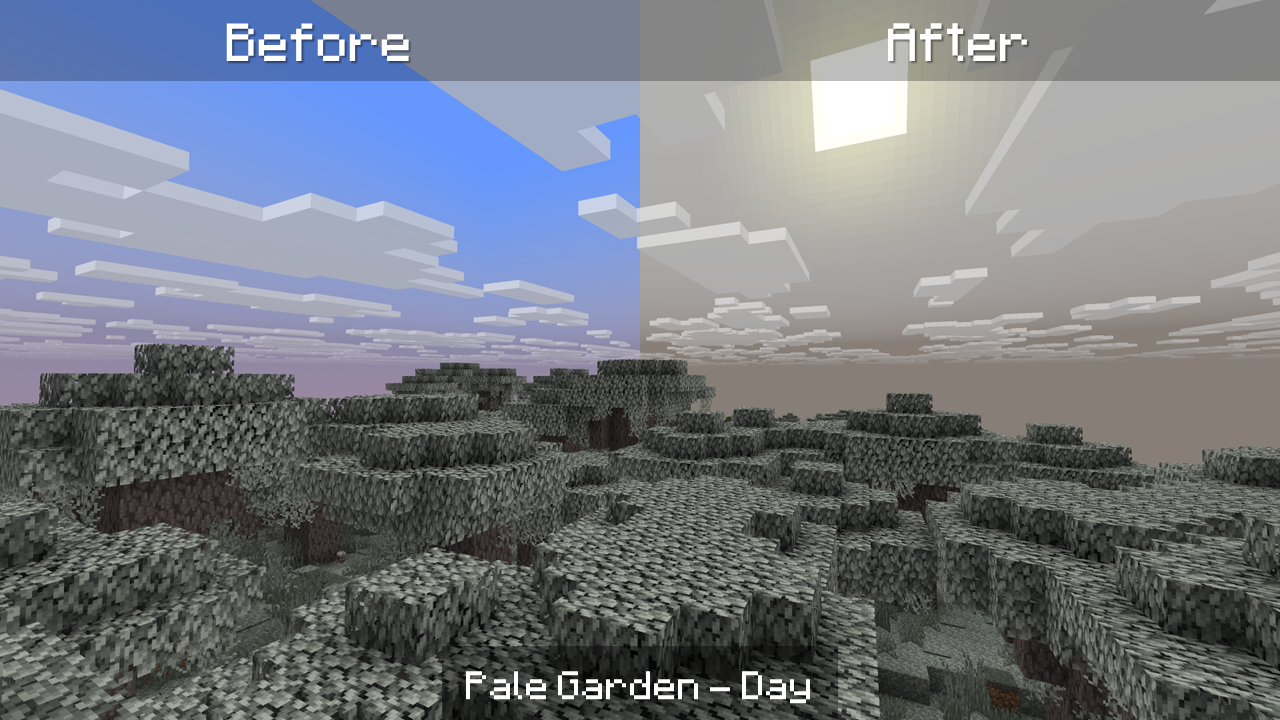
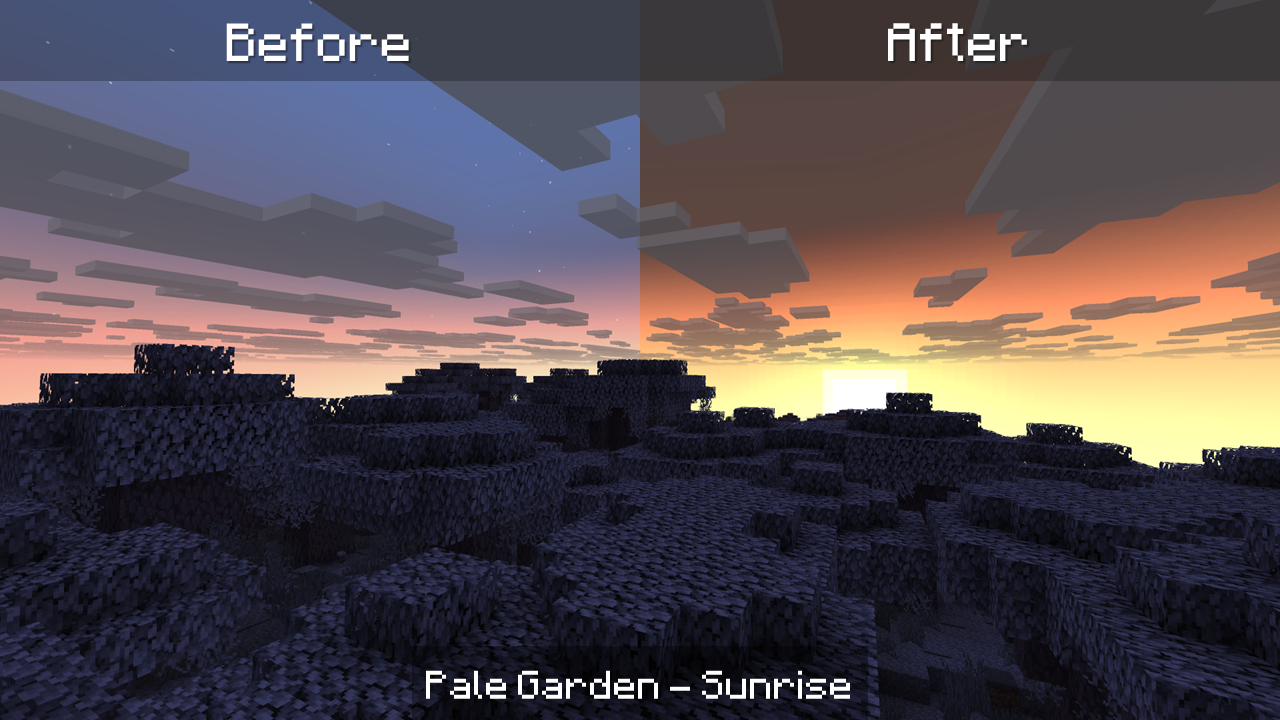
This change does not affect the Better Horizons update, so the sunrise and sunset effects will still be integrated with the biome's gray sky.
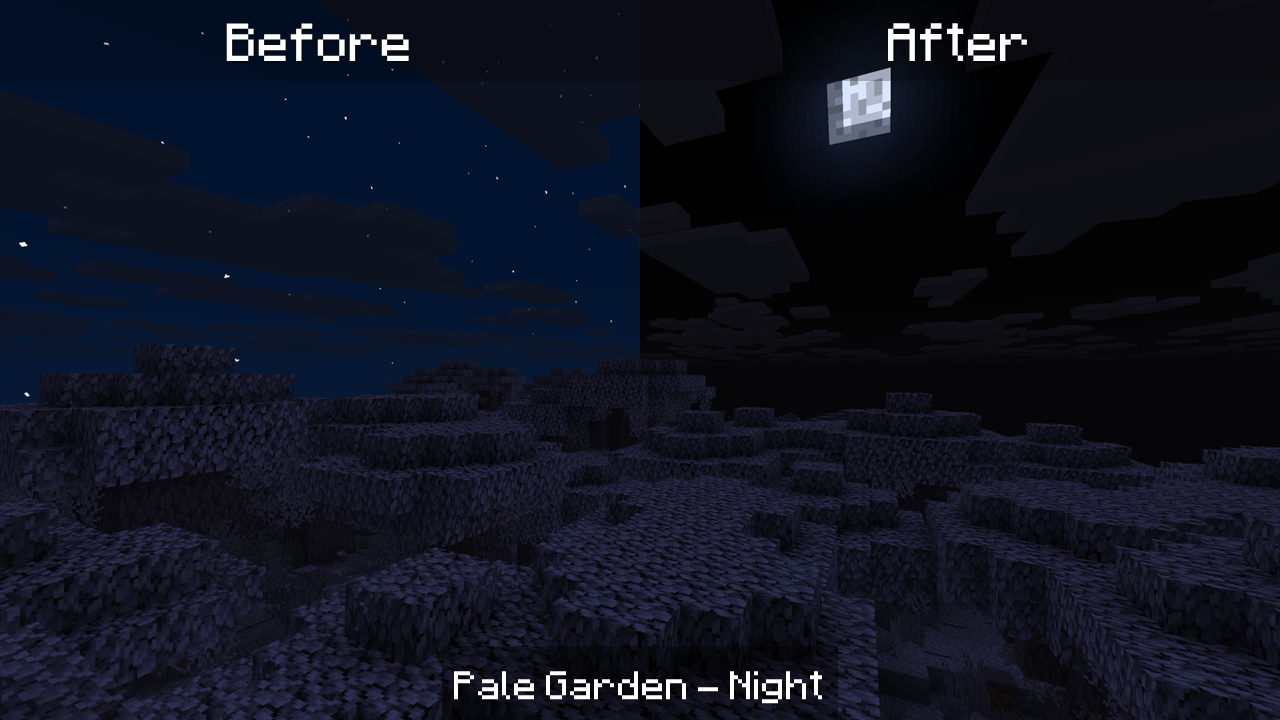
Finally, nights will appear completely black, which is more realistic given that it's a biome filled with dense fog, making stars invisible. However, if you have the "Force star rendering" option enabled in Skyboxify settings, you will be able to see Minecraft's default stars in the Pale Garden.
1.3.1Релиз26.1, 26.1.1, 26.1.2 · 5 июня 2026 г.
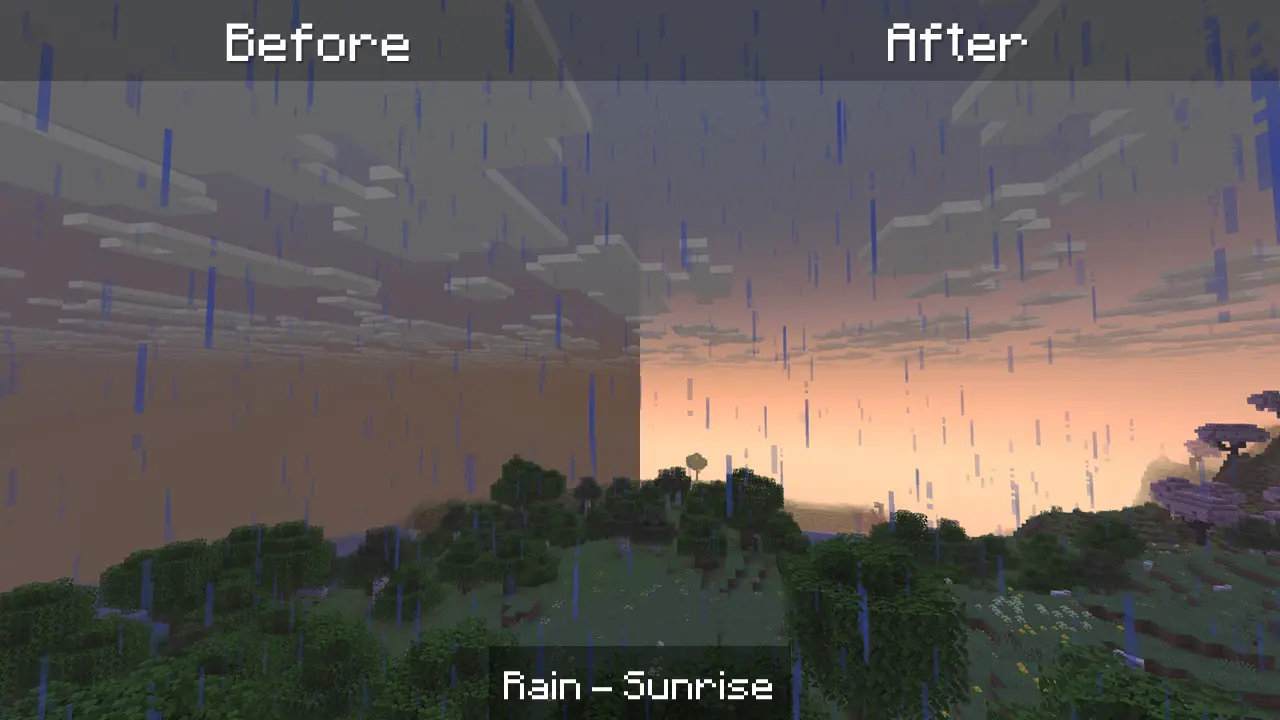
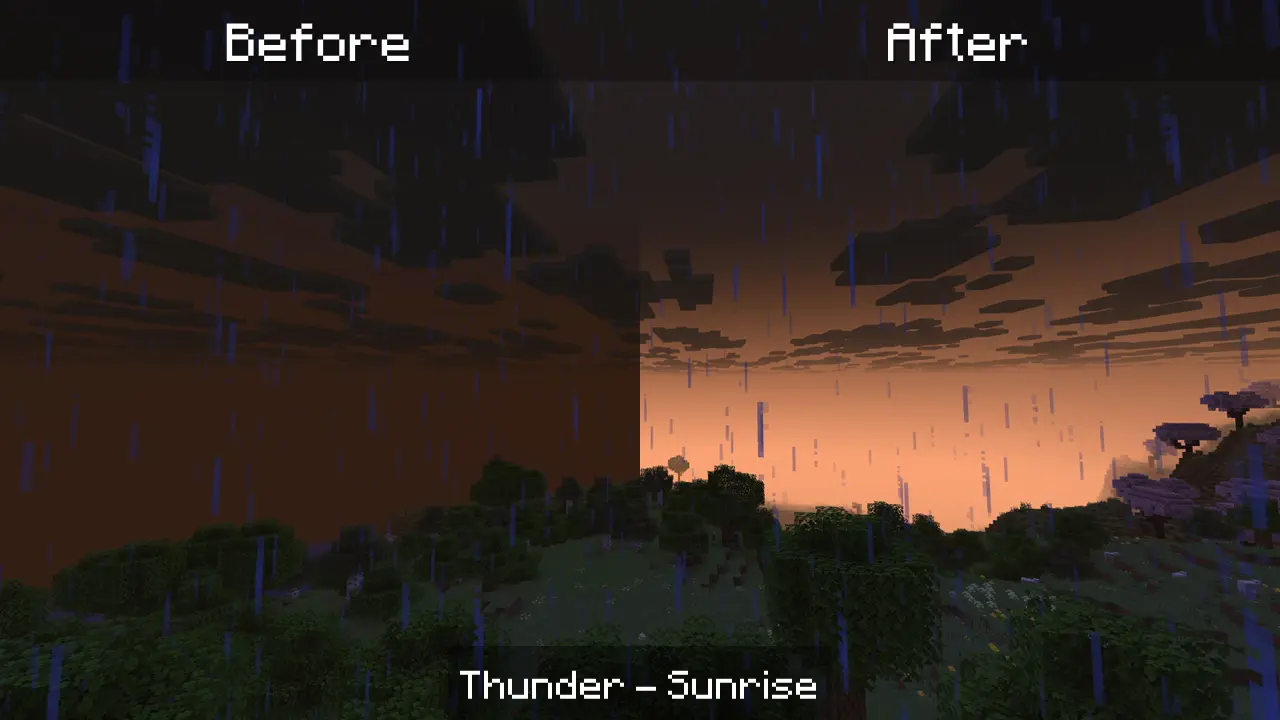
Now, sunrise and sunset light is visible during rain and storms, replacing the default Vanilla lighting.
Here's a comparison of sunrise in both weather conditions, before and after.
1.3Релиз26.1, 26.1.1, 26.1.2 · 1 июня 2026 г.
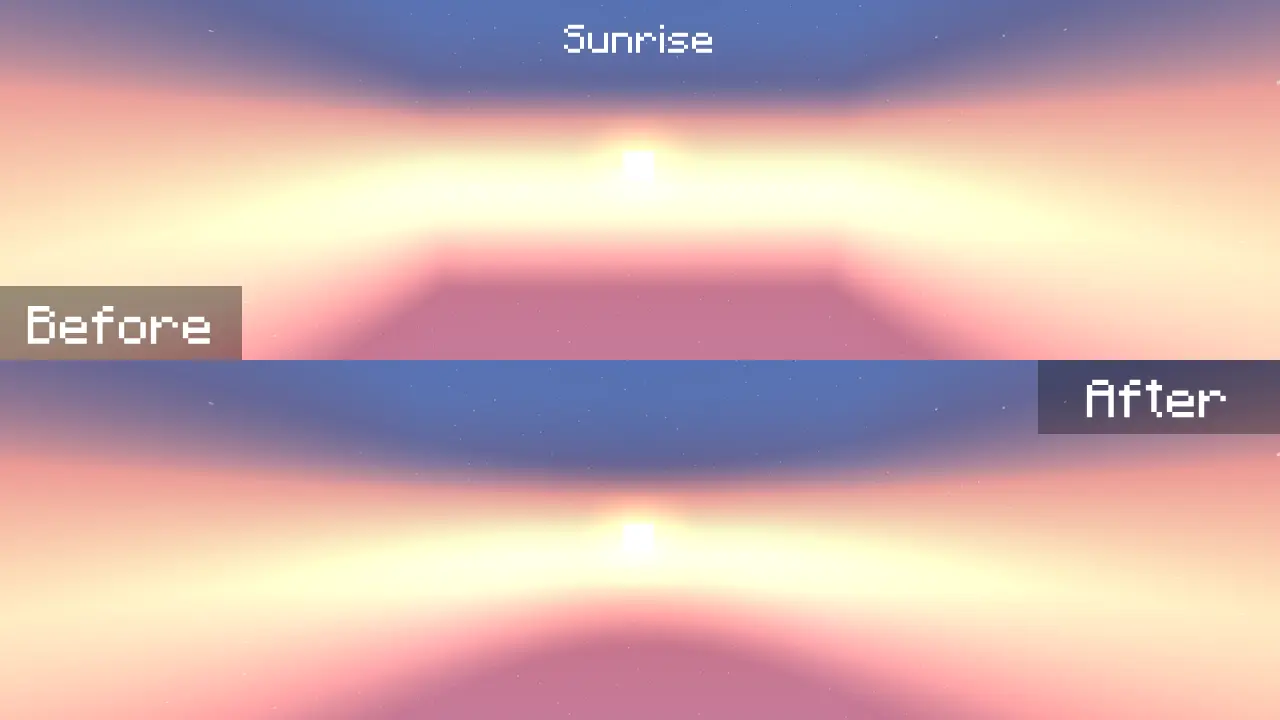
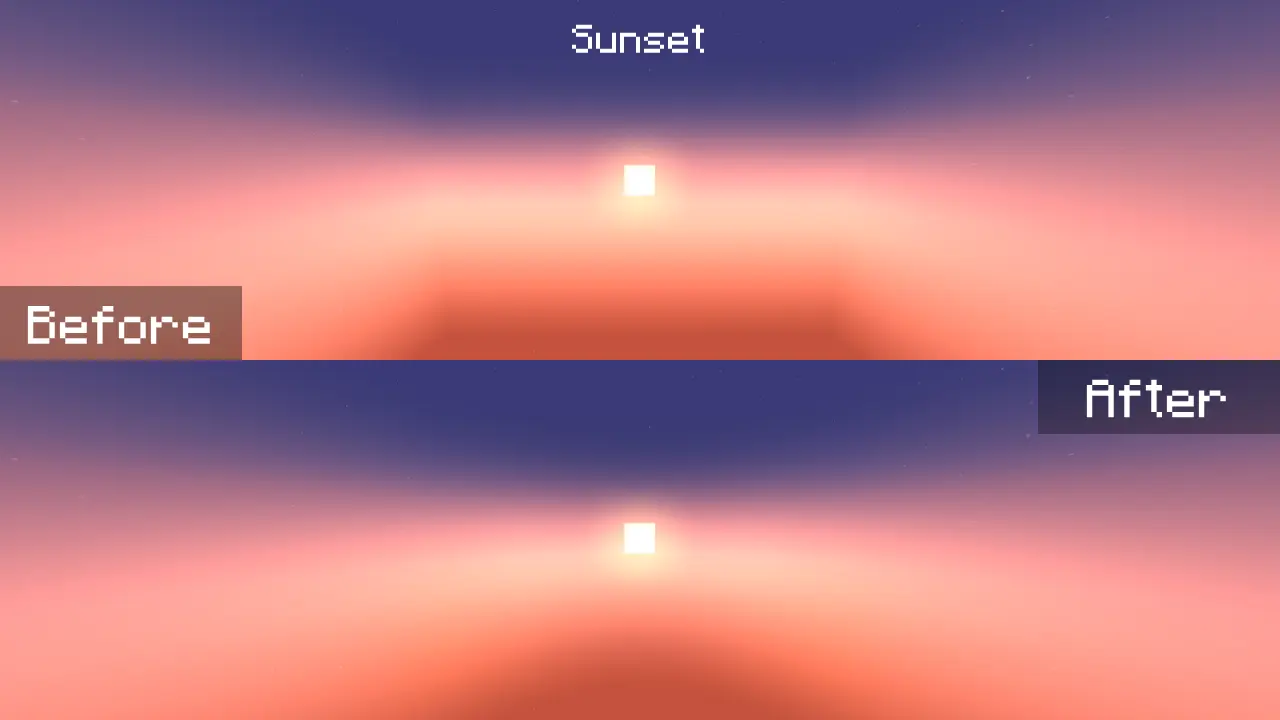
The horizon textures during sunrise and sunset were completely fixed.
Applied equirectangular projection.
Комментарии
Загружаем…