 Mineforgian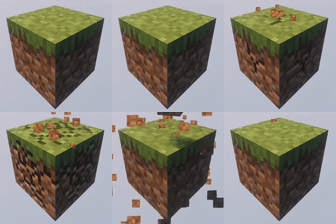
OneBlock
OneBlock Minecraft Bukkit plugin
- Загрузки
- 218K
- Подписчики
- 170
- Обновлён
- 18 мая 2026 г.
- Лицензия
- MIT
Опубликован 9 июня 2023 г.
OneBlock minigame plugin.
🌍 How to Start OneBlock?
1. Create the World
Generate a dedicated OneBlock world. For example, using Multiverse-Core:
/mv create OneBlock normal -g Oneblock
2. Set the Spawn Point
Initialize the OneBlock area:
/ob set
/ob set 500
- Sets the reference point using the current position of the player (admin) who used it, indicating a custom offset or with a default offset (100).
/ob set <offset> <x> <y> <z> [world]
- Alternative method. Sets the position and offset manually.
3. Join the Game
Players can teleport to their island by entering:
/ob join
or simply /ob
🔧 Command Reference
Core Commands:
- /ob join - Join to your island
- /ob invite [player] - Invite player to your island
- /ob kick [player] - Remove player from your island
- /ob accept - Accept island invitation
- /ob IDreset - Resets your attachment to the island so that you can create a new island. (reset progress)
Settings Commands:
- /ob set - Set the first block (admin only)
- /ob set [distance] - Set island spacing (e.g., 500 blocks)
- /ob circlemode [true/false] - Enable circular island generation
- /ob autojoin [true/false] - Auto-join players on world entry
- /ob protection [true/false] - Prevent leaving islands
- /ob border [true/false] - Enable player borders
- /ob droptossup [true/false] - Toss items upward when dropped
- /ob physics [true/false] - Toggle block physics (e.g., falling gravel)
- /ob lvl_mult [value] - Set level multiplier formula
- /ob UseEmptyIslands [true/false] - Reuse abandoned islands
- /ob islands [true/false] - Enable custom islands
- /ob islands set_my_by_def - Set your island as default template
- /ob islands default - Reset to default island
- /ob island_rebirth [true/false] - Enable island rebirth
- /ob progress_bar color [color] - Set color
- /ob progress_bar [true/false] - Toggle progress bar
- /ob progress_bar level - Progress_bar level mode
- /ob progress_bar settext - Progress_bar text change
Config Commands:
- /ob reload - Reload configuration files
- /ob listlvl - List all levels
- /ob listlvl [level] - Show blocks for specific level
Other Commands:
- /ob idreset [player] - Resets attachment to the island for the player.
- /ob setlevel [player] 14 - Set ob level
- /ob clear [player] - Reset the player ob level and remove his island
- /ob setleave
- /ob leave
🎨 Progress Bar Customization
You can display the level in the progress bar:

You can change the color of the progress bar:

use: /ob Progress_bar level
You can specify the color of the progress bar for each level separately! In the blocks.yml file, the second line (after the line with the name of the level)
📊 PlaceholderAPI Support
- %OB_ver%
- %OB_lvl% - The player's level number.
- %OB_next_lvl% - The number of the next level.
- %OB_break_on_this_lvl% - The number of broken blocks at this level.
- %OB_need_to_lvl_up% - The number of blocks that still need to be broken to level up.
- %OB_player_count% - The number of players in the OneBlock world.
- %OB_lvl_name% - The name of the player's current level.
- %OB_lvl_lenght% - The length of the level.
- %OB_next_lvl_name% - The name of the next level.
- %OB_owner_name% - The name of the owner of your island.
- %OB_owner_online% - Returns "online" if the island owner is currently online, otherwise "offline".
- %OB_percent% - Percentage of level completion.
- %OB_scale% - Proportional scale of level completion.
- %OB_top_1_name% - The name of the player with the highest island level.
- %OB_top_2_name%
- ...
- %OB_top_10_name%
- %OB_top_1_lvl% - The level of the player with the highest island level.
- %OB_top_2_lvl%
- ...
- %OB_top_10_lvl%
- %OB_number_of_invited% - The number of people invited to your island.
🎯 Special Placeholder Modifier: _by_position
You can append _by_position to any placeholder to get information about the island at your current location instead of your own island.
Examples:
- %OB_lvl_by_position% - Shows the level of the island at your current location.
- %OB_owner_name_by_position% - Shows the owner name of the island at your current location.
- %OB_visits_by_position% - Shows the visit count of the island at your current location.
- %OB_break_on_this_lvl_by_position% - Shows blocks broken on the island at your current location.
This is especially useful when visiting other players' islands or when you want to display information about a specific island based on location rather than the player viewing the placeholder.
🕬 You can use placeholders in the progress bar text!
/ob progress_bar settext %OB_lvl% lvl now. Need block to next lvl %OB_need_to_lvl_up%.

🧱 Custom Blocks Support
ItemsAdder Blocks
Native id support in blocks.yml
Oraxen Blocks
Native id support in blocks.yml
Nexo Blocks
Native id support in blocks.yml
CraftEngine Blocks
Native id support in blocks.yml
Other
In addition, you can spawn custom blocks (from mods or plugins) using the commands specified in blocks.yml
for example:
- command: /execute in minecraft:overworld run setblock %d %d %d IC2:blockOreCopper
- command: /execute in minecraft:overworld run setblock %d %d %d IC2:blockOreTin
- command: /execute in minecraft:overworld run setblock %d %d %d IC2:blockOreUran
- command: /execute in minecraft:overworld run setblock %d %d %d ic2:resource 4
or
- command: execute in {world} run setblock %d %d %d IC2:blockOreCopper
- command: execute in {world} run setblock %d %d %d IC2:blockOreTin
- command: execute in {world} run setblock %d %d %d IC2:blockOreUran
- command: execute in {world} run setblock %d %d %d ic2:resource 4

🏝️ Island Templates
Create custom default islands (7x12x7 area):
/ob islands set_my_by_def
- will save a copy of your island and install it for the players.

📈 Stats
Ченджлог
1.6.2Релиз26.1.1, 26.1.2, 26.2 · 18 мая 2026 г.
- Fixed flowers not spawning from flowers.yml (XMaterial/Material comparison bug)
- flowers.yml now supports the same entry types as blocks.yml: block, chest, command with weights
- Custom blocks (ItemsAdder/Oraxen/Nexo/CraftEngine) can now be used as flowers
1.6.1aРелиз26.1, 26.1.1, 26.1.2 · 14 мая 2026 г.
removed reward nick check
1.6.1Релиз26.1, 26.1.1, 26.1.2 · 11 мая 2026 г.
- Added {player} and {world} placeholders for command entries in blocks.yml
- Commands now support player context (e.g. "give {player} diamond")
- Empty command entries are now properly rejected during config load
1.6.0Релиз26.1, 26.1.1, 26.1.2 · 28 апреля 2026 г.
Blocks system rework:
blocks.ymlnow supports weighted entries via optionalweightfield (defaults to 1). Higher weight = more likely to appear.- Old
blocks.ymlis automatically backed up asblocks.yml.bakbefore migration.
Chest system rework:
- Added vanilla loot table support for natural chest generation. Use
chest: <name>inblocks.ymland define<name>: namespace:pathinchests.yml. - Full backward compatibility with legacy item-list chests preserved.
Code improvements:
- Refactored internal codebase, fixed bugs and typos.
Command changes: /ob chest:
/ob chest <name> set <namespaced_key>— assign a vanilla loot table to a chest alias./ob chest <name> edit— open a GUI to edit the contents of a legacy item-list chest.
1.5.4Релиз26.1, 26.1.1, 26.1.2 · 19 апреля 2026 г.
Fixes and improvements.
You need to manually correct the typo accept_success and invited_success in your messages.yml.
1.5.3Релиз26.1, 26.1.1, 26.1.2 · 13 апреля 2026 г.
- Added support for 26.1+
- Fixed config save bug (from 1.5.2 plugin version). Fixes.
- Added the mob_spawn_chance parameter to the config.
- Added placeholders:
- %OB_top_position% — returns the player's position in the top (starting from 1) or [None] if the player is not in the top
- %OB_top_position_by_position% — returns the top_position of the island owner where the player is standing
1.5.0Релиз1.21.9, 1.21.10, 1.21.11 · 7 марта 2026 г.
Fixes:
- placeholders for older versions (_by_position),
- droptossup in new versions,
- color codes now work when using /ob progress_bar settext.
other...
1.4.8Релиз1.21.9, 1.21.10, 1.21.11 · 5 марта 2026 г.
- Now you can't set the distance to 0 between the islands. Now you can place the oneblock at y = 0.
Комментарии
Загружаем…