 Mineforgian
MCLocalAuth
MCLocalAuth is a security plugin for Minecraft servers that uses Discord as an authentication system. Protect your server by limiting access to only members of your Discord community.
- Загрузки
- 154
- Подписчики
- 2
- Обновлён
- 4 июля 2026 г.
- Лицензия
- All-Rights-Reserved
Опубликован 21 октября 2025 г.
🛡️ MCLocalAuth
Minecraft Authentication Plugin with Integrated Discord Bot




🎯 Description
MCLocalAuth is a security plugin for Minecraft servers that uses Discord as an authentication system. Protect your server by limiting access to only members of your Discord community.
Works on Spigot/Paper, BungeeCord and Velocity — the Discord bot runs on all 3 platforms with all features.
🎮 How It Works
- Player Connects → Immediately disconnected with a unique code
- On Discord → Type
/mclogin <code>(on server or in DMs with the bot) - Bot Verifies → Is the player a Discord member?
- If Yes → IP registered, reconnection authorized ✅
- If No → Blocked ❌
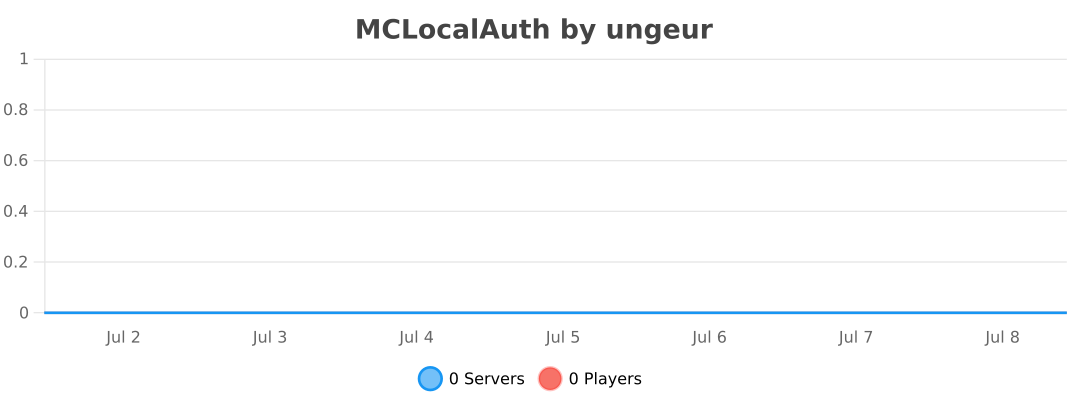
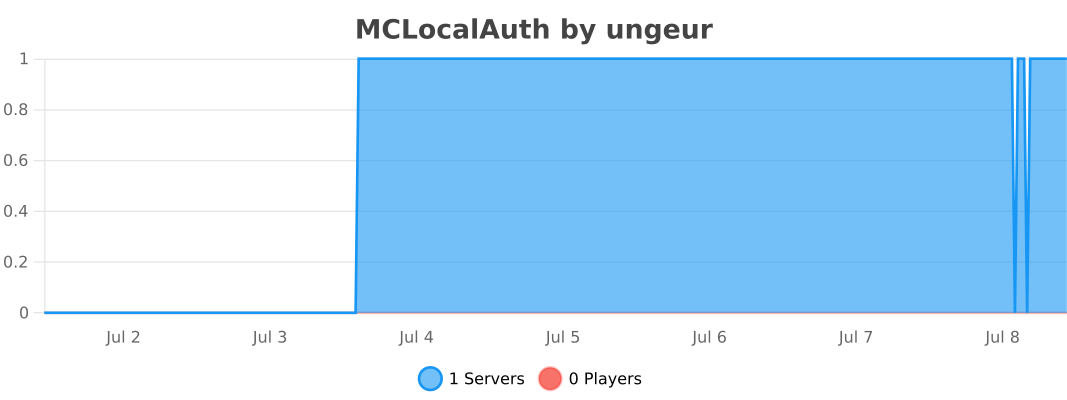
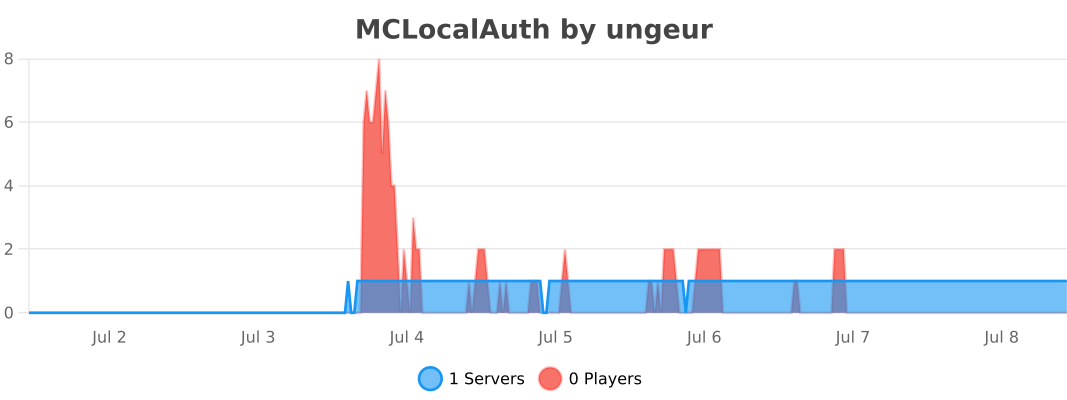
📊 Usage Statistics
Spigot / Paper :
BungeeCord :
Velocity :
✨ Features
🔐 Triple Layer Security
- ✅ Discord Required: Only members of your Discord can play
- ✅ Temporary Code: Each connection generates a unique code that expires
- ✅ IP Protection: One username = One IP → Impossible to steal identities
🤖 Integrated Discord Bot
- Starts automatically with the server
- No external bot to host
- No network ports to open
- Native Discord slash commands
- Works on Spigot/Paper, BungeeCord and Velocity
- Commands available in DMs (globally registered)
- Automatic bot status verification at startup
🗄️ Flexible Storage
- YAML (default): local
data.ymlfile - MySQL (optional): shared database across servers
- Ideal for multi-server networks (BungeeCord/Velocity)
🔔 Auto Update Checker
- Checks Modrinth API at startup
- Console notification if a newer version is available
🎮 Geyser/Bedrock Support
- Automatic Bedrock player detection
- Adapted kick messages (no color codes)
📋 Discord Commands
| Command | Description | Access |
|---|---|---|
/mclogin <code> |
Authenticate with the code received in-game | Everyone |
/mctest |
Test bot ↔ plugin connection | Everyone |
/status |
Check your authentication status | Everyone |
/unlink <discord_id> |
Unlink an account | Admin |
/mcadmin showips <player> |
View authorized IPs | Admin |
/mcadmin addip <player> <ip> |
Add an authorized IP | Admin |
/mcadmin removeip <player> <ip> |
Remove an authorized IP | Admin |
/mcadmin resetip <player> |
Reset all IPs | Admin |
/mcadmin setip <player> <ip> |
Set primary IP | Admin |
Admin commands are restricted to the Discord ID set in
admin.discord_idinconfig.yml.
⚙️ Admin Commands (in-game)
| Command | Spigot/Paper | BungeeCord | Velocity |
|---|---|---|---|
/auth showips <player> |
✅ | ✅ | ✅ |
/auth addip <player> <ip> |
✅ | ✅ | ✅ |
/auth removeip <player> <ip> |
✅ | ✅ | ✅ |
/auth resetip <player> |
✅ | ✅ | ✅ |
/auth setip <player> <ip> |
✅ | ✅ | ✅ |
📦 Installation
Prerequisites
- Minecraft Server 1.8.9 to 26.2 (Spigot, Paper, Purpur), BungeeCord or Velocity 3.3.0+
- Java 8 minimum (Spigot/BungeeCord) · Java 17 minimum (Velocity)
- Discord Bot configured on Discord Developer Portal
Spigot / Paper / BungeeCord
- Download
MCLocalAuth-v1.4.1.jar - Place the file in your server's
plugins/folder - Start the server to generate configuration
- Configure the Discord bot in
plugins/MCLocalAuth/config.yml:
discord:
  enabled: true
  bot_token: "YOUR_DISCORD_BOT_TOKEN"
  guild_id: "YOUR_DISCORD_SERVER_ID"
  invite_link: ""

admin:
  discord_id: "YOUR_DISCORD_ID"

storage:
  type: "yaml"       # yaml or mysql
  mysql:
    host: "localhost"
    port: 3306
    database: "mclocalauth"
    username: "root"
    password: ""
- Restart the server
- Test with
/mcteston Discord
Velocity
- Download
MCLocalAuth-Velocity-v1.4.1.jar - Place in your proxy's
plugins/folder - Configure
plugins/mclocalauth/config.yml - Restart the proxy
🔧 Configuration
Discord Bot Setup
- Go to Discord Developer Portal
- Create a new application
- Bot tab → Create a bot
- Copy the token (never share it!)
- Enable these Privileged Gateway Intents:
- ✅ Server Members Intent
- ✅ Message Content Intent (optional)
- OAuth2 → URL Generator tab:
- Check
botandapplications.commands - Permissions:
Administrator(or custom)
- Check
- Invite the bot to your server with the generated URL
Get Discord Server ID
- Enable Developer Mode in Discord:
- Settings → Advanced → Developer Mode
- Right-click on your server → Copy Server ID
- Paste in
guild_idinconfig.yml
📊 Compatibility
| Platform | Versions | JAR |
|---|---|---|
| Paper | 1.8.9 → 26.2 ✅ | MCLocalAuth-v1.4.1.jar |
| Spigot | 1.8.9 → 1.21.x ✅ | MCLocalAuth-v1.4.1.jar |
| Purpur | 1.8.9 → 1.21.x ✅ | MCLocalAuth-v1.4.1.jar |
| BungeeCord | Build 2068 ✅ | MCLocalAuth-v1.4.1.jar |
| Velocity | 3.3.0+ ✅ | MCLocalAuth-Velocity-v1.4.1.jar |
Java: 8+ (Spigot/BungeeCord) · 17+ (Velocity)
Note: The plugin automatically detects your Minecraft version at startup.
🐛 Report a Bug
If you encounter a problem:
- Verify you're using the latest version
- Check existing Issues
- If the problem persists, open a new issue with:
- Plugin version
- Minecraft version
- Server logs
- Detailed problem description
💡 Suggest a Feature
Have an idea? Open an issue with the enhancement tag!
📜 License
This project is under proprietary license. See the LICENSE file for more details.
TL;DR:
- ✅ Free use on Minecraft servers
- ✅ View code to learn
- ❌ No modification/redistribution
- ❌ No commercial use
🙏 Credits
Developer: UNGEUR
Libraries used:
- JDA - Java Discord API
- Spigot API - Minecraft Server API
- BungeeCord API - Proxy API
- Velocity API - Proxy API
- bStats - Plugin Metrics
📞 Support
- Discord: Discord Server
- Issues: GitHub Issues
⭐ If this plugin is useful to you, don't hesitate to star it!
Made with ❤️ for the Minecraft community
Ченджлог
1.4.1.1Бета26.1.1, 26.1.2, 26.2 · 4 июля 2026 г.
MCLocalAuth v1.4.1.1 — Velocity
Type: Update - Multi-language System
Date: July 4, 2026
Status: BÉTA ⚠️
File: MCLocalAuth-Velocity-v1.4.1.1.jar
✨ New Features
🌍 Multi-language System
All player-facing messages are now externalized into editable language files.
Included languages:
- 🇫🇷 French (
fr_FR) - 🇺🇸 English (
en_US) — default - 🇪🇸 Spanish (
es_ES) - 🇵🇱 Polish (
pl_PL)
Configuration:
language: "en_US" # Change to fr_FR, es_ES or pl_PL
Translated player messages (editable):
- Kick messages (first join, unauthorized IP)
- Bedrock kick messages (no color codes)
/authcommands (help, errors, results)- Discord embeds (authentication, status, admin)
- Discord slash command descriptions
- Bot activity text
Translated console messages (not editable):
- Startup messages (storage, Discord)
- Error messages (token, permissions, connection)
- Admin log messages (IP add/remove/reset)
- Update available notifications
Language files:
Files are generated on first startup in plugins/mclocalauth/messages/:
en_US.yml,fr_FR.yml,es_ES.yml,pl_PL.yml
You can edit these files to customize player messages.
ℹ️ Console messages follow the selected language but are not editable (built into the plugin).
🔄 Automatic Migration
- The
language:key is automatically added to the top of existingconfig.yml
📊 Compatibility
| Platform | Versions |
|---|---|
| Velocity | 3.3.0+ ✅ |
Java: 17+
🚀 Installation / Update
- Download
MCLocalAuth-Velocity-v1.4.1.1.jar - Replace the old JAR in
plugins/ - Restart the proxy
- The
language:key is automatically added toconfig.yml - Change the language if needed (
fr_FR,es_ES,pl_PL) - Language files are in
plugins/mclocalauth/messages/
🐛 Known Issues
No known bugs at this time.
Build: Maven 3.9.5 + Java 17
Status: BÉTA ⚠️
1.4.1.1Релиз26.1.1, 26.1.2, 26.2 · 4 июля 2026 г.
MCLocalAuth v1.4.1.1 — Spigot / Paper / BungeeCord
Type: Update - Multi-language System
Date: July 4, 2026
Status: STABLE ✅
File: MCLocalAuth-v1.4.1.1.jar
✨ New Features
🌍 Multi-language System
All player-facing messages are now externalized into editable language files.
Included languages:
- 🇫🇷 French (
fr_FR) - 🇺🇸 English (
en_US) — default - 🇪🇸 Spanish (
es_ES) - 🇵🇱 Polish (
pl_PL)
Configuration:
language: "en_US" # Change to fr_FR, es_ES or pl_PL
Translated player messages (editable):
- Kick messages (first join, unauthorized IP)
- Bedrock kick messages (no color codes)
/authcommands (help, errors, results)- Discord embeds (authentication, status, admin)
- Discord slash command descriptions
- Bot activity text
- Restriction messages (pending validation)
Translated console messages (not editable):
- Startup messages (storage, Discord, HTTP)
- Error messages (token, permissions, connection)
- Admin log messages (IP add/remove/reset)
- Update available notifications
Language files:
Files are generated on first startup in plugins/MCLocalAuth/messages/:
en_US.yml,fr_FR.yml,es_ES.yml,pl_PL.yml
You can edit these files to customize player messages.
ℹ️ Console messages follow the selected language but are not editable (built into the plugin).
🔄 Automatic Migration
- The
language:key is automatically added to the top of existingconfig.yml - The old
messages:section is automatically removed if present
📊 Compatibility
| Platform | Versions |
|---|---|
| Paper | 1.8.9 → 26.2 ✅ |
| Spigot | 1.8.9 → 1.21.x ✅ |
| Purpur | 1.8.9 → 1.21.x ✅ |
| BungeeCord | Build 2068 ✅ |
Java: 8+
🚀 Installation / Update
- Download
MCLocalAuth-v1.4.1.1.jar - Replace the old JAR in
plugins/ - Restart the server
- The
language:key is automatically added toconfig.yml - Change the language if needed (
fr_FR,es_ES,pl_PL) - Language files are in
plugins/MCLocalAuth/messages/
🐛 Known Issues
No known bugs at this time.
Build: Maven 3.9.5 + Java 8
Status: STABLE ✅
1.4.1Альфа26.1.1, 26.1.2, 26.2 · 3 июля 2026 г.
MCLocalAuth v1.4.1 — Velocity
Type: First Velocity Release - Metrics, Update Checker, MySQL Storage
Date: July 3, 2026
Status: ALPHA ⚠️
File: MCLocalAuth-Velocity-v1.4.1.jar
✨ New Features
🚀 Velocity Support
MCLocalAuth is now available on Velocity! Full standalone module.
- All features included (Discord bot, slash commands, IP authentication)
- Independent SnakeYAML configuration
- Compiled with Java 17 for Velocity 3.3.0+ compatibility
📊 bStats Metrics
bStats integration to track how many servers use the plugin.
- Anonymous and opt-out data collection
- View statistics: bstats.org
🔔 Update Checker
The plugin automatically checks at startup if a newer version is available on Modrinth.
- Async check (no startup impact)
- Smart version comparison (only notifies if the Modrinth version is higher)
- Console message with download link
🗄️ MySQL Storage (optional)
Option to store player data (IPs, names, logins) in a MySQL database instead of data.yml.
Configuration:
storage:
  type: "yaml"       # yaml or mysql
  mysql:
    host: "localhost"
    port: 3306
    database: "mclocalauth"
    username: "root"
    password: ""
Auto-created tables:
mclocalauth_players— UUID, name, last IP, last loginmclocalauth_ips— UUID + authorized IPs (unique key)
Benefits:
- Ideal for multi-server Velocity networks
- Shared data across all servers connected to the same database
- Automatic fallback to YAML if database is not configured
🎮 Geyser/Bedrock Support
- Automatic Bedrock player detection (name prefix + Floodgate UUID)
- Adapted kick message without color codes for Bedrock clients
- Configurable via
geyser.enabledandgeyser.prefix
🔗 Configurable Discord Link
discord.invite_linkfield in config.yml%discord_link%placeholder in kick messages
📊 Compatibility
| Platform | Versions |
|---|---|
| Velocity | 3.3.0+ ✅ |
Java: 17+
🚀 Installation
- Download
MCLocalAuth-Velocity-v1.4.1.jar - Place in
plugins/ - Configure the Discord bot in
plugins/mclocalauth/config.yml - Restart the proxy
🐛 Known Issues
No known bugs at this time.
Build: Maven 3.9.5 + Java 17
Status: ALPHA ⚠️
1.4.1Релиз26.1.1, 26.1.2, 26.2 · 3 июля 2026 г.
MCLocalAuth v1.4.1 — Spigot / Paper / BungeeCord
Type: Update - Metrics, Update Checker, MySQL Storage
Date: July 3, 2026
Status: STABLE ✅
File: MCLocalAuth-v1.4.1.jar
✨ New Features
📊 bStats Metrics
bStats integration to track how many servers use the plugin.
- Anonymous and opt-out data collection
- Integrated on Bukkit/Spigot/Paper and BungeeCord
- View statistics: bstats.org
🔔 Update Checker
The plugin automatically checks at startup if a newer version is available on Modrinth.
- Async check (no startup impact)
- Smart version comparison (only notifies if the Modrinth version is higher)
- Colored console message with download link
🗄️ MySQL Storage (optional)
New option to store player data (IPs, names, logins) in a MySQL database instead of data.yml.
Configuration:
storage:
  type: "yaml"       # yaml or mysql
  mysql:
    host: "localhost"
    port: 3306
    database: "mclocalauth"
    username: "root"
    password: ""
Auto-created tables:
mclocalauth_players— UUID, name, last IP, last loginmclocalauth_ips— UUID + authorized IPs (unique key)
Benefits:
- Ideal for multi-server networks
- Shared data across all servers connected to the same database
- Automatic fallback to YAML if database is not configured
🎮 Geyser/Bedrock Support
- Automatic Bedrock player detection (name prefix + Floodgate UUID)
- Adapted kick message without color codes for Bedrock clients
- Configurable via
geyser.enabledandgeyser.prefix
🔗 Configurable Discord Link
- New
discord.invite_linkfield in config.yml %discord_link%placeholder in kick messages
🔄 Automatic Migration
Existing configuration is automatically updated at startup:
- Adds
storage:section if missing - Adds
discord.invite_linkif missing - Adds
geyser:section if missing - Adds Bedrock messages if missing
No manual action required for existing users.
📊 Compatibility
| Platform | Versions |
|---|---|
| Paper | 1.8.9 → 26.2 ✅ |
| Spigot | 1.8.9 → 1.21.x ✅ |
| Purpur | 1.8.9 → 1.21.x ✅ |
| BungeeCord | Build 2068 ✅ |
Java: 8+
🚀 Installation
- Download
MCLocalAuth-v1.4.1.jar - Place in
plugins/ - Configure the Discord bot in
plugins/MCLocalAuth/config.yml - Restart the server
🐛 Known Issues
No known bugs at this time.
Build: Maven 3.9.5 + Java 8
Status: STABLE ✅
1.4.0Релиз26.1, 26.1.1, 26.1.2 · 13 мая 2026 г.
MCLocalAuth v1.4.0
Type: Major Update - BungeeCord Discord Bot + Discord Admin Commands
Date: May 13, 2026
Status: STABLE ✅
✨ Major New Features
🤖 Discord Bot on BungeeCord
The Discord bot is now fully functional on BungeeCord.
- Complete Discord module added for the proxy
- Clean startup and shutdown with the BungeeCord plugin
- Automatic bot status verification after connection
- Displays bot name, ping, Discord server name, and member count
Example startup logs:
§1[§6MCLocalAuth§1]§r §a§l[OK] §aDiscord bot connected: MyBot#1234
§1[§6MCLocalAuth§1]§r §7Ping: §f42ms
§1[§6MCLocalAuth§1]§r §7Discord server: §fMy Server
§1[§6MCLocalAuth§1]§r §7Members: §f150
🛡️ New Discord /mcadmin Command
You can now manage player authorized IPs directly from Discord.
| Subcommand | Description |
|---|---|
/mcadmin showips <player> |
Show authorized IPs |
/mcadmin addip <player> <ip> |
Add an IP |
/mcadmin removeip <player> <ip> |
Remove an IP |
/mcadmin resetip <player> |
Reset all IPs |
/mcadmin setip <player> <ip> |
Set the primary IP |
Security:
- Restricted to the Discord ID set in
admin.discord_id - Unauthorized users receive an access denied message
📩 Discord Commands Available in DMs
Slash commands are now registered globally.
This means you can use them:
- On your Discord server
- In direct messages with the bot
🎨 Colored Console Output on Paper and BungeeCord
All important messages now use a colored prefix on both platforms:
§1[§6MCLocalAuth§1]§r
- Brackets in dark blue
MCLocalAuthin orange- Works on Paper/Spigot and BungeeCord consoles
🌐 /auth Command on BungeeCord
The BungeeCord proxy now has its own /auth admin command.
Available subcommands:
/auth showips <player>/auth addip <player> <ip>/auth removeip <player> <ip>/auth resetip <player>/auth setip <player> <ip>
This allows managing authorized IPs from the proxy, across your entire network.
🐛 Important Fixes
⚠️ IP Commands Fixed
/auth setip <player> <ip>
- Before: Added the IP instead of replacing the primary one ❌
- After: Properly sets the primary IP and removes others ✅
/auth resetip <player>
- Before: Deleted ALL player data ❌
- After: Only clears the authorized IP list ✅
🔢 Guild ID Validation
The Discord bot now checks if guild_id is a valid numeric Discord snowflake.
- No more crash if
guild_idcontains an invalid value - The plugin shows a clear error message instead of failing silently
🔍 Improved Player Lookup
Discord admin commands can now find a player:
- by name
- by full UUID
Player names are also saved with authentication entries for better lookups.
📊 Compatibility
Supported Versions
| Platform | Versions |
|---|---|
| Paper | 1.8.9 → 26.1.1 ✅ |
| Spigot | 1.8.9 → 1.21.x ✅ |
| Purpur | 1.8.9 → 1.21.x ✅ |
| BungeeCord | Build 2068 ✅ |
Java: 8+
The plugin is compiled with Java 8 for maximum compatibility.
🔄 Migration from v1.3.x
- Stop the server / proxy
- Replace old JARs with the
v1.4.0versions - Configure
discord.bot_tokenif needed - Add your admin Discord ID:
admin:
  discord_id: "YOUR_DISCORD_ID"
- Restart
✅ Configuration compatible
✅ Player data preserved
✅ Existing Discord commands still work
📦 Technical Details
New Files
BungeeDiscordBot.javaBungeeDiscordCommandListener.java
Modified Files
MCLocalAuthBungee.javaDiscordBot.javaDiscordCommandListener.javaStorage.javaBungeeStorage.javaBungeePendingManager.javaBungeeLoginListener.javaAuthAdminCommand.java
Technical Improvements
- Added
verifyBotStatus()to check actual bot state - Added
isOnline()to test if the bot is connected - Added player lookup by name/UUID
- Global Discord command registration
- Improved console messages and error handling
💡 Discord Commands
| Command | Description | Access |
|---|---|---|
/mclogin <code> |
Authenticate with code | Everyone |
/mctest |
Test bot/plugin connection | Everyone |
/status |
Check your status | Everyone |
/unlink <discord_id> |
Unlink an account | Admin |
/mcadmin showips <player> |
View authorized IPs | Admin |
/mcadmin addip <player> <ip> |
Add an IP | Admin |
/mcadmin removeip <player> <ip> |
Remove an IP | Admin |
/mcadmin resetip <player> |
Reset IPs | Admin |
/mcadmin setip <player> <ip> |
Set primary IP | Admin |
⚙️ Minecraft Admin Commands
| Command | Spigot/Paper | BungeeCord |
|---|---|---|
/auth showips <player> |
✅ | ✅ |
/auth addip <player> <ip> |
✅ | ✅ |
/auth removeip <player> <ip> |
✅ | ✅ |
/auth resetip <player> |
✅ fixed | ✅ |
/auth setip <player> <ip> |
✅ fixed | ✅ |
🚀 Installation
Spigot / Paper
- Download
MCLocalAuth-Spigot-v1.4.0.jar - Place in
plugins/ - Configure the Discord bot
- Restart the server
BungeeCord
- Download
MCLocalAuth-Bungee-v1.4.0.jar - Place in
plugins/ - Configure the Discord bot
- Restart the proxy
🐛 Known Issues
No known bugs at this time.
If you encounter a problem, check:
- Plugin version
- Discord token
guild_idadmin.discord_idvalue
Build: Maven 3.9.9 + Java 8
Status: STABLE ✅
Compatibility: Minecraft 1.8.9 → 26.1.1 (Paper & BungeeCord 2068)
1.3.1Бета1.21.9, 1.21.10, 1.21.11 · 2 января 2026 г.
MCLocalAuth v1.3.1 - Changelog
Type: Compatibility Update
Date: January 2, 2026
Status: STABLE ✅
✨ New Features
🎮 Extended Compatibility: 1.8.9 → 1.21.11
The plugin now officially supports all Minecraft versions from 1.8.9 to 1.21.11!
Main improvements:
- Added
VersionUtilutility class to automatically detect server version - Intelligent Minecraft version detection at startup
- Enhanced log messages with detected version
At plugin startup, you'll now see:
[MCLocalAuth] ================================
[MCLocalAuth] MCLocalAuth v1.3.1 - Starting...
[MCLocalAuth] Detected Minecraft version: v1_20_R3
[MCLocalAuth] Compatibility: 1.8.9 - 1.21.11
[MCLocalAuth] ================================
🐛 Bug Fixes
🏃 PlayerMoveEvent Fix (Multi-version compatibility)
Problem solved: NPE (NullPointerException) on some versions when blocking movement
Before:
if (e.getFrom().getX() != e.getTo().getX() || ...)
    e.setTo(e.getFrom());
❌ Crashes if getTo() returns null on certain versions
After:
Location to = e.getTo();
Location from = e.getFrom();

if (to != null && (from.getX() != to.getX() || ...))
    e.setTo(from);
✅ Null check added to ensure compatibility
Impact: Unauthenticated players won't be able to move, without crash risk on any version
📊 Compatibility
Tested and Supported Versions
| Minecraft Version | Status |
|---|---|
| 1.8.9 - 1.12.2 | ✅ Compatible |
| 1.13 - 1.16.5 | ✅ Compatible |
| 1.17 - 1.19.4 | ✅ Compatible |
| 1.20 - 1.21.11 | ✅ Compatible |
Supported Servers: Spigot, Paper, Purpur, Pufferfish
Latest tested version: 1.21.11
Note: The plugin automatically detects your Minecraft version at startup
📦 Technical Changes
Modified Files
Java:
MCLocalAuthPlugin.java- Enhanced startup logs with version detectionRestrictListener.java- NPE fix on PlayerMoveEvent with null checkVersionUtil.java- NEW - Version detection utility class
Configuration:
plugin.yml- Version 1.3.1 + Updated descriptionpom.xml- Version 1.3.1 + Updated description
Documentation:
README.md- Updated badges and compatibility rangeCHANGELOG.md- Complete documentation of changes
🔄 Migration from v1.3.0
Simple and risk-free!
- Stop the server
- Replace the JAR with
MCLocalAuth-Spigot-v1.3.1.jar - Restart the server
No configuration changes required!
✅ Existing configuration remains 100% compatible
✅ Player data is preserved
✅ No action required on Discord side
🎯 Why Update?
If you're using an old version (1.8.9 - 1.12.2)
✅ Recommended - Important compatibility fix to avoid crashes
If you're using a recent version (1.20+)
✅ Recommended - Better version detection and clearer logs
If you're on v1.3.0
⚠️ Optional but recommended - Improves stability on all versions
🛡️ Core Features (Unchanged)
All v1.3.0 features are preserved:
- ✅ Integrated Discord bot
- ✅ Authentication via
/mclogin <code> - ✅ IP protection per account
- ✅ Discord commands:
/mclogin,/mctest,/status,/unlink(admin) - ✅ Admin commands: authorized IP management
- ✅ Restrictions for unauthenticated players
- ✅ IPv4 & IPv6 support
🔍 VersionUtil Class Details
The new utility class provides:
VersionUtil.getVersion()      // Ex: "v1_20_R3"
VersionUtil.getMajorVersion() // Ex: 1
VersionUtil.getMinorVersion() // Ex: 20
VersionUtil.isVersion(1, 13)  // true if >= 1.13
VersionUtil.is1_8()           // true if 1.8.x
VersionUtil.is1_13Plus()      // true if >= 1.13
VersionUtil.is1_20Plus()      // true if >= 1.20
VersionUtil.is1_21Plus()      // true if >= 1.21
Purpose: Allows future code adaptations based on server version
🐛 Known Issues
No known bugs at this time.
If you encounter a problem:
- Verify you're using v1.3.1
- Check server logs (Minecraft version detected is displayed at startup)
- Open an issue on GitHub with:
- Plugin version
- Minecraft version detected in logs
- Problem description
💡 Discord Commands (Unchanged)
| Command | Description | Access |
|---|---|---|
/mclogin <code> |
Authenticate with code | Everyone |
/mctest |
Test bot/plugin connection | Everyone |
/status |
Check your status | Everyone |
/unlink <discord_id> |
Unlink account | Admin only |
🚀 Installation
- Download
MCLocalAuth-Spigot-v1.3.1.jar - Place in
plugins/folder - Restart server
- Check logs: detected Minecraft version should be displayed
- Test functionality with
/mcteston Discord
File: MCLocalAuth-Spigot-v1.3.1.jar
Size: 11.20 MB
Build: Maven 3.9.9 + Java 8
Status: STABLE ✅
Compatibility: Minecraft 1.8.9 → 1.21.11
1.3.0Бета1.21.8, 1.21.9, 1.21.10 · 22 октября 2025 г.
MCLocalAuth v1.3.0 - Changelog
Type: Major Update
Date: October 22, 2025
Status: STABLE ✅
✨ New Features
1. Discord Command Renamed
- BEFORE:
/auth <code> - NOW:
/mclogin <code> - All messages and references updated throughout the plugin
2. /unlink Command (Admin Only)
- Usage:
/unlink <discord_id> - Reserved for admin configured in
config.yml(admin.discord_id) - All attempts are logged for security auditing
- Note: Basic feature implemented, persistent linking system coming soon
🐛 Bug Fixes
1. UTF-8 Encoding Fixed (In-Game)
Problem solved: In-game messages displayed garbled characters
Fixed messages:
- "reset" instead of "réinitialisé"
- "added" instead of "ajouté"
- "removed" instead of "supprimé"
- "set" instead of "défini"
- "authorized" instead of "autorisées"
Result: Clean, readable messages on all systems
2. IPv6 Support
- IPv4 AND IPv6 both accepted for authorized IPs
- Validation using
InetAddress.getByName() - Affected commands:
/auth addip,/auth setip
3. Current IP Displayed in Kick Messages
- Kick message now displays player's actual current IP
- Variable
%current_ip%is correctly replaced - Helps players identify their connection issues
🔧 Technical Changes
Modified files:
AuthAdminCommand.java: ASCII encoding + IPv6 validationLoginListener.java: Current IP display + encoding fixesDiscordBot.java: Renamed/auth→/mcloginDiscordCommandListener.java:/mclogin+/unlinkadmin handlerconfig.yml: Messages without accents +/mcloginreferencesplugin.yml: Version 1.3.0pom.xml: Version 1.3.0
📦 Migration from v1.2.x
Steps:
- Stop the server
- Replace JAR with
MCLocalAuth-Spigot-v1.3.0.jar - Configure admin in
config.yml:admin: discord_id: "YOUR_DISCORD_ID" minecraft_uuid: "" - Restart the server
- Inform players: command is now
/mclogin <code>
Note: Old configuration remains compatible
🎮 Changes for Players
On Discord:
- BEFORE:
/auth 123456 - NOW:
/mclogin 123456
In Minecraft:
- Connection message: "On Discord, type:
/mclogin 870600"- (instead of "
/auth PvP_UNGEUR 870600")
- (instead of "
🔒 Security
Admin logging:
- All admin actions are logged
- Example:
[ADMIN] PvP_UNGEUR#1234 attempted to unlink Discord ID: 987654321 - Useful for auditing sensitive actions
✅ Compatibility
- Minecraft: 1.8 → 1.21+
- Java: 8+
- IPv4 & IPv6: Fully supported
- Config: Compatible with v1.2.x (auto-adds admin section)
🐛 Known Issues
No known bugs at this time.
If you encounter a problem:
- Verify you're using v1.3.0
- Check server logs
- Open an issue on GitHub
📋 Discord Commands (Updated)
| Command | Description | Access |
|---|---|---|
/mclogin <code> |
Authenticate with code | Everyone |
/mctest |
Test bot/plugin connection | Everyone |
/status |
Check your status | Everyone |
/unlink <discord_id> |
Unlink account | Admin only |
🚀 Installation
- Download
MCLocalAuth-Spigot-v1.3.0.jar - Place in
plugins/folder - Restart server
- Configure
admin.discord_idinconfig.yml - Test with
/mctestand/mclogin
File: MCLocalAuth-Spigot-v1.3.0.jar
Size: 10.68 MB
Build: Maven 3.9.5 + Java 8
Status: STABLE ✅
1.2.3Бета1.21.8, 1.21.9, 1.21.10 · 21 октября 2025 г.
MCLocalAuth v1.2.3 - Changelog
Type: Critical Fixes
Date: October 21, 2025 - 22:06
Status: STABLE ✅
🐛 Bug Fixes
1. UTF-8 Encoding Fixed
Problem: Discord messages with garbled characters
Example: â„¹ï¸ Délier le compte
Solution: All messages without accents/special emojis
- Discord titles: Simple ASCII text
- Server logs:
[OK],[ERROR],[WARN] - No more problematic emojis (✅ ❌ ⚠️)
Result: Clean and readable messages everywhere
2. Administrator Configuration Added
New in config.yml:
admin:
  discord_id: "YOUR_DISCORD_ID"
  minecraft_uuid: ""
Allows storing admin identifiers for future features (reserved commands, etc.)
3. /status Command Updated
- Old text:
/auth <username> <code> - New text:
/auth <code>
Consistent with v1.2.2
🔧 Technical Details
Modified files:
config.yml- Added admin section (discord_id, minecraft_uuid)
DiscordBot.java- Logs without UTF-8 emojis
- Messages: "Starting", "connected", etc.
DiscordCommandListener.java- All Discord messages in simple ASCII
- Titles without emojis (✅❌ → text)
- "been" instead of "été", etc.
Reason: Java 8 + Windows Console = UTF-8 Issues
Solution: ASCII only for maximum stability
📦 Compatibility
- ✅ Minecraft: 1.8 → 1.21+
- ✅ Java: 8+
- ✅ Server: Spigot, Paper, Purpur
- ✅ Config: Compatible v1.2.0-1.2.2 (auto-adds admin section)
Migration from v1.2.2:
- No action required
- Admin section added automatically on first start
🎮 Usage
Admin Configuration (Optional)
- Open
plugins/MCLocalAuth/config.yml - Find the "admin" section
- Fill in:
discord_id: Your Discord ID (right-click > Copy ID)minecraft_uuid: (optional) Your Minecraft UUID
To get your UUID:
→ https://mcuuid.net/?q=YOUR_USERNAME
✅ Fixed Bugs
- ✅ Unreadable Discord messages (encoding)
- ✅ Broken emojis in logs
- ✅ Obsolete "/auth
" text
📋 Previous Versions
v1.2.2 (10/21/2025 19:53)
- Fixed code search (findByCode)
- Code works even after kick
v1.2.1 (10/21/2025 19:53)
- Force delete old Discord commands
- /auth without username parameter
v1.2.0 (10/21/2025 19:33)
- Added /mctest
- Simplified /auth (code only)
- Fixed "player not found"
v1.1.0 (10/21/2025 19:12)
- Fixed plugin.yml package
- Initial functional build
⚙️ Installation
- Stop the server
- Replace old JAR with
MCLocalAuth-Spigot-v1.2.3.jar - (Optional) Configure
admin.discord_idinconfig.yml - Restart the server
- Test with
/mcteston Discord
✨ Next Version (v1.3.0)
Planned features:
- Reserved admin commands (via discord_id)
- Persistent Discord linking system
- Functional /unlink
- Authentication statistics
- Multi-language support (FR/EN)
File: MCLocalAuth-Spigot-v1.2.3.jar
Size: 10.68 MB
Build: Maven 3.9.5 + Java 8 (1.8.0_432)
Status: STABLE ✅
Комментарии
Загружаем…