 Mineforgian
Damage Indicator
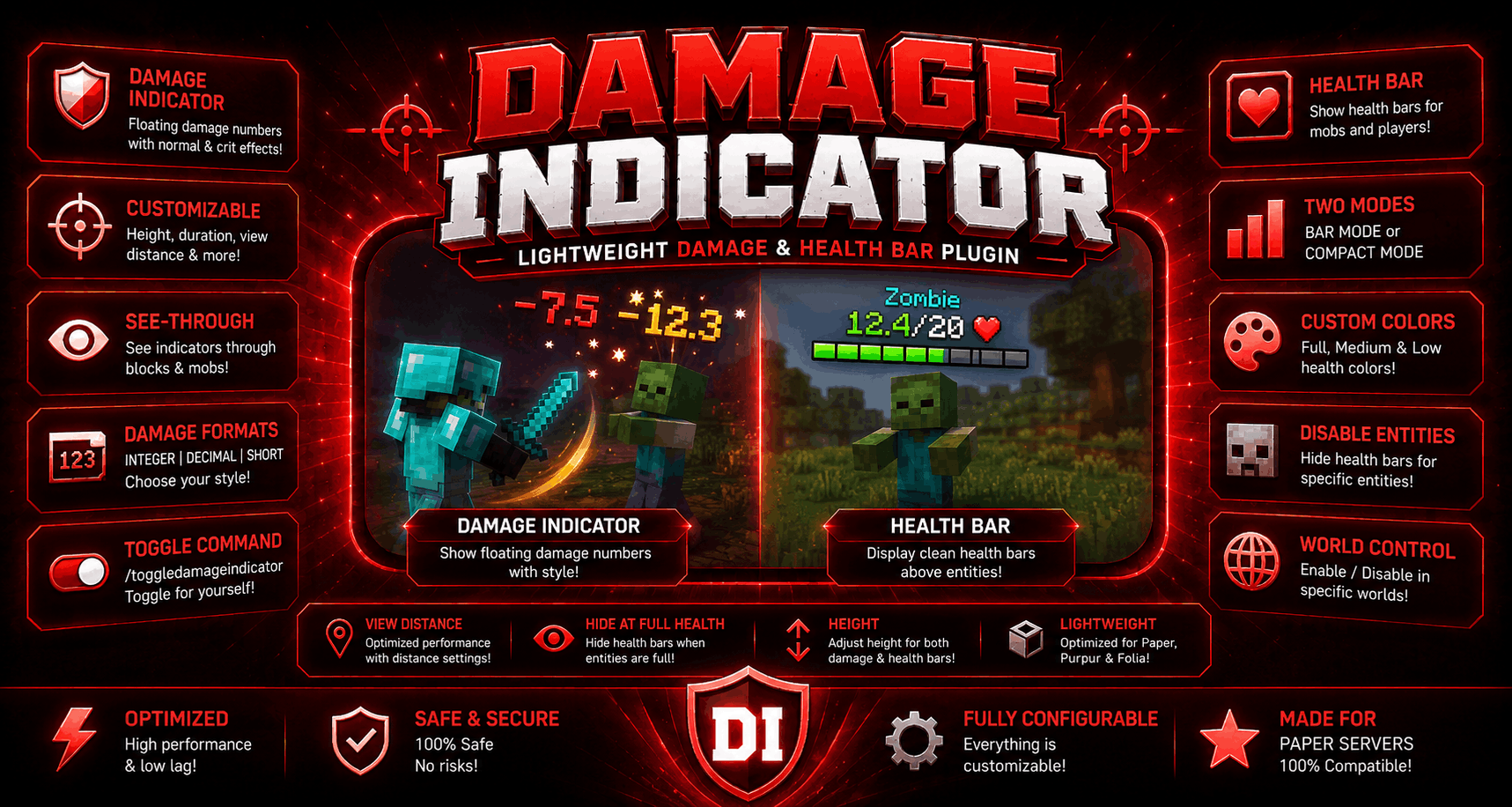
⚔️DamageIndicator shows floating 🔥damage numbers whenever a player or entity takes damage✅. 🌟This plugin also has ❤️healthbar feature and this plugin is highly configurable💎.
- Загрузки
- 365
- Подписчики
- 4
- Обновлён
- 29 мая 2026 г.
- Лицензия
- All-Rights-Reserved
Опубликован 11 января 2026 г.
🗡️ DamageIndicator (By GoldwarGlory)
- ✅DamageIndicator displays floating damage numbers when players or entities take damage.
- ✅It is designed to be extremely lightweight, modern, and safe for production servers.
- ✅The plugin uses Minecraft’s native TextDisplay entities, avoiding packets, ProtocolLib,or armor stands — ensuring excellent performance and long-term compatibility with newer versions.
- ✅This plugin also has In-game config editor, you can customize config.yml of this plugin easily
✨ Features of DamageIndicator Plugin
- 🌟Floating damage numbers above entities
- 🌟Separate formatting for normal and critical hits
- 🌟Optional entity health bars using TextDisplay
- 🌟Per-player toggle command (/damageindicator toggle)
- 🌟Fully configurable messages using MiniMessage
- 🌟World-based enable / disable support
- 🌟View-distance limits for both damage indicators and health bars
- 🌟Optimized for Paper, Purpur, and Folia
- 🌟In-Game config editor GUI.
⚡ Performance & Safety for servers
- ⚡No packets
- ⚡No armor stands
- ⚡No ProtocolLib dependency
- ⚡Uses entity passengers safely
- ⚡Automatic cleanup of orphaned displays
- ⚡HealthBar is disabled for invisible players
- ⚡Built to stay TPS-friendly, even on busy servers.
- ⚡Special entities (like End Crystals) are excluded to preserve vanilla behavior
💖 Need help? or report bugs
- ❤️Join my Discord server for updates, support, and suggestions
- ❤️My Discord Server: https://discord.gg/qwXHuyJbvX
- ❤️MY Modrinth Profile: https://modrinth.com/user/GoldwarGlory
➕ Extra info of DamageIndicator
💎 config.yml 💎
# =====================================================
# DamageIndicator - Lightweight Damage & Health Bar
# Optimized • Safe • Paper / Purpur / Folia
# =====================================================

update-tracker: true # tracks for update when admins joins

DamageIndicator:
  normal:
    enabled: true
    text: "<red>-{damage}" # {damage} will be replaced with the actual damage amount.

  crit:
    enabled: true
    text: "<gold>✧ {damage} ✧" # {damage} will be replaced with the actual damage amount.
  show-to-damager-only: false # if true, only the player who dealt the damage will see the damage indicator. If false, all nearby players will see it.
  height: 1.6 # height of damage indicator above entity (in blocks)
  duration-ticks: 20 # how long damage indicator stays visible (in ticks, 20 ticks = 1 second)
  disabled-worlds: [] # if empty, damage indicators will be enabled in all worlds. Otherwise, only in specified worlds (use world names)
  shadowed-text: true # if true, damage text will have a shadow to improve visibility

  view-distance: 10 # max distance (in blocks) from damaged entity where damage indicator will be visible
  see-through: true # if true, damage text will be visible through blocks & mobs
  damage_formatting: INTEGER # how damage numbers are formatted. INTEGER = round to nearest whole number, DECIMAL = show one decimal place, SHORT = use K for thousands (e.g. 1.5K)

  commands:
    toggle-damage-indicator: true # if true, "/damageindicator toggle" command will be enabled to toggle damage indicators on/off for individual players

healthbar:
  enabled: true # MASTER SWITCH - if false, health bars won't show at all regardless of other settings
  mode: compact # "bar" for bar mode, "compact" for compact mode.

  shadowed-text: false # if true, healthbar text will have a shadow (only applies to compact mode)
  dont-spawn-healthbar-below: -30 # health bars won't spawn for entities below this Y level (prevents underground mobs from showing health bars)
  view-distance: 10 # max distance (in blocks) from entity where health bar will be visible
  duration-ticks: 100 # how long health bar stays visible after taking damage (in ticks, 20 ticks = 1 second)

  show-for:
    mobs: true # if true, health bars will show for mobs
    players: true # if true, health bars will show for players

  hide-at-full-health: true # if true, health bars won't show when entity is at full health
  height: 0.6 # height of health bar above entity (in blocks)
  see-through: true # if true, health bar will be visible through blocks & mobs

  disabled-entities: # list of entities that won't show health bars (use entity type names)
    - SKELETON_HORSE
    - ZOMBIE_HORSE

  disabled-worlds: # if empty, health bars will be enabled in all worlds. Otherwise, only in specified worlds (use world names)
    - example_world
    - example_world1
  # BAR MODE SETTINGS
  bars: 10 # number of bars to show in bar mode (e.g. 10 means each bar represents 10% of health)
  symbols:
    filled: "▌" # symbol for filled portion of health bar
    empty: "▌" # symbol for empty portion of health bar (can be same as filled with different color)

  colors:
    full: "&a" # color for health above 50%
    medium: "&e" # color for health between 25% and 50%
    low: "&c" # color for health below 25%

  compact: # COMPACT MODE SETTINGS
    format: "&b{name} &a{health}&e/&6{max} &c❤" # {name} = entity name, {health} = current health, {max} = max health. You can use color codes here (&a, &b, etc.)
➕ plugin.yml ➕
name: DamageIndicator
version: 1.0.4
main: DamageIndicator.DamageIndicator
api-version: 1.21
author: GoldwarGlory
website: https://modrinth.com/plugin/damageindicator

commands:
  damageindicator:
    discription: reload using /damageindicator reload
    usage: /damageindicator

permissions:
  damageindicator.reload:
    default: op
  damageindicator.toggle:
    default: true
Ченджлог
1.0.10Релиз26.1, 26.1.1, 26.1.2 · 29 мая 2026 г.
FIXED EVENTS PRIORITY AND ADDED UPDATE-TRACKER
1.0.9Релиз1.21.9, 1.21.10, 1.21.11 · 8 апреля 2026 г.
Added In-game config editor for both damageText and healthBar

Added duration-ticks for healthbar
changed enabled-worlds setting to disabled-worlds setting for healthbar
1.0.8Релиз1.21.9, 1.21.10, 1.21.11 · 14 марта 2026 г.
Added shadowed-text option in config.yml for DamageIndicator & Healthbar Both.
1.0.7Релиз1.21.9, 1.21.10, 1.21.11 · 12 марта 2026 г.
Now healthbar will not appear for invisible players & mobs
1.0.6Релиз1.21.9, 1.21.10, 1.21.11 · 10 марта 2026 г.
====🌟DamageIndicator v1.0.6 ====
This update adds a brand new Compact Healthbar Mode and more customization options.
🆕 New Features
Added Compact Healthbar Mode
- Shows health like:
Zombie 4/10 ❤ - Can be enabled with
mode: compact
- Shows health like:
Added Configurable format
- Customize how the compact healthbar looks
format: "&b{name} &a{health}&e/&6{max} &c❤"
- Customize how the compact healthbar looks
Added disabled-entities list
- Prevent healthbars from showing on specific entities
disabled-entities:
  - ARMOR_STAND
  - ITEM_FRAME
- Prevent healthbars from showing on specific entities
Added SeeThrough option in DamageIndicator and Healthbar both
- Example:
see-through: true # if true, health bar will be visible through blocks & mobs
- Example:
⚙️ Improvements
- Healthbars are now more configurable
- Cleaner formatting system
- Better compatibility with different entity types
🐛 Fixes
- Fixed healthbars sometimes not disappearing correctly
- Improved stability when entities unload or die
📌 Config Changes
Added new options:
healthbar:
  mode: compact
  disabled-entities: []
  compact:
    format: "&b{name} &a{health}&e/&6{max} &c❤"
🔄 Notes
mode: barkeeps the old bar-style healthbarmode: compactenables the name + health style
Thanks for using the plugin! ❤️
1.0.4Релиз1.21.9, 1.21.10, 1.21.11 · 25 января 2026 г.
I made some changes this time which I had forgotten earlier, not many changes, just 3 small but important changes.
1.0.3Релиз1.21.9, 1.21.10, 1.21.11 · 25 января 2026 г.
added health bar (configurable in config.yml), go to gallery to see healthbar example
changed toggledamageindicator command to damageindicator toggle
1.0.2Релиз1.21.9, 1.21.10, 1.21.11 · 22 января 2026 г.
✅ DamageIndicator 1.0.2
✔ No task leaks ✔ No other plugins harmed ✔ Ultra fast ✔ Config-based damage formatting
Комментарии
Загружаем…