 Mineforgian
Universal Keyboard Controller
Advanced Keyboard / Gamepad Controls for Wireless Redstone & CC: Tweaked Peripherals. Compact controller for your Aeronautics builds that doesn't require you to write in Lua!
- Загрузки
- 7K
- Подписчики
- 24
- Обновлён
- 5 июля 2026 г.
- Лицензия
- MIT
Опубликован 9 мая 2026 г.
Update 1.3.4 has released! See changelog for details
One new video so far, more to come:
The documentation for this mod is still a bit limited, but I am working on improving the usability and instructions of this mod concurrently with being on the development team for Create: Motorsports. You can join the C:MS discord here. Create: Motorsports is focused on improving Sable's vehicle mechanics so driving feels like a racing game.
Main Features:
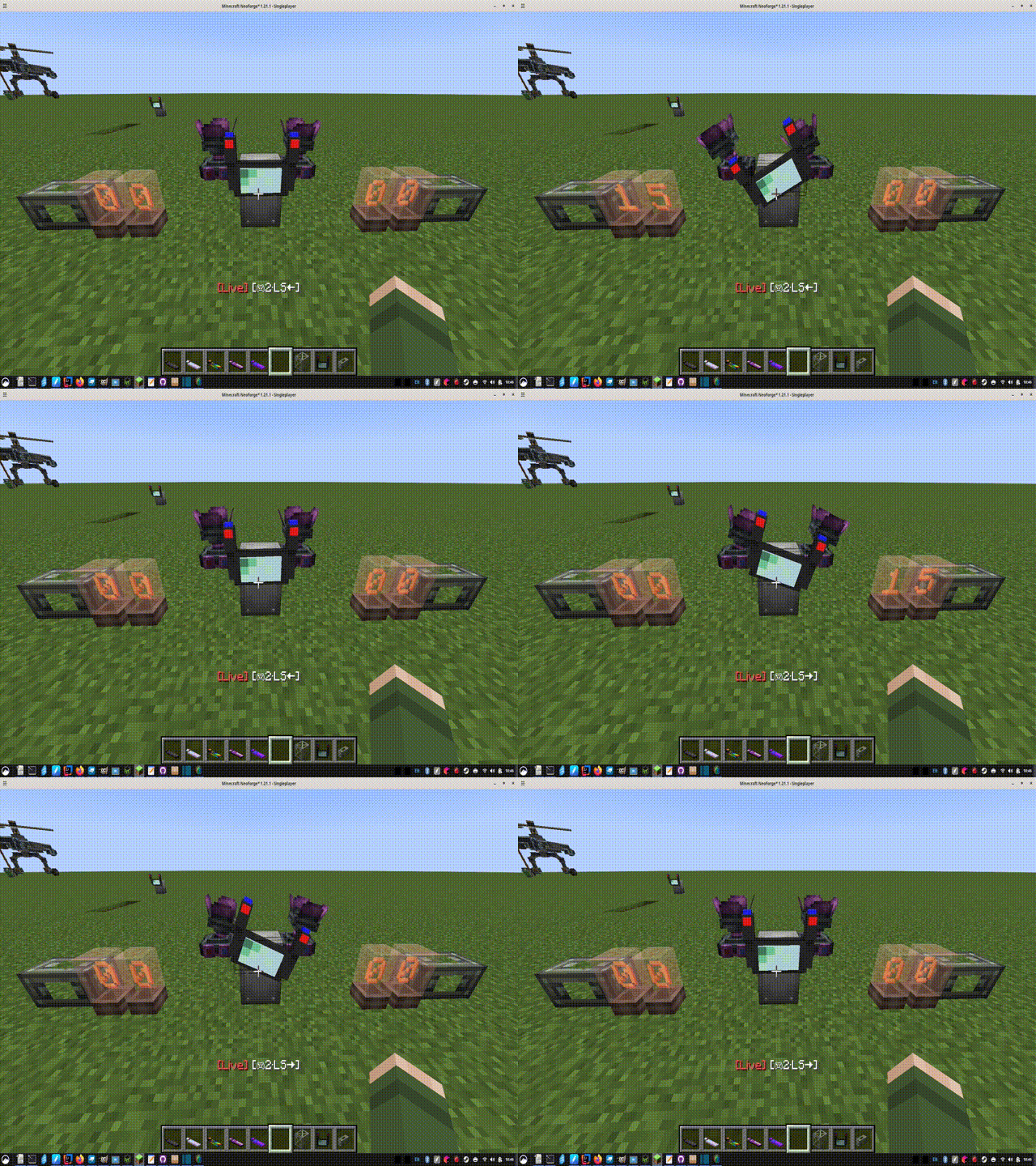
Live Control Mode --- do you feel like the Aeronautics Typewriter needs an upgrade? Use your keyboard & mouse or GLFW-compatible controller to control redstone signals and more! You can set a redstone signal less than 15, toggle that signal, or increment it's strength up/down with a keystroke.
Sequencer Mode --- visual scripting that can interact with the live controller, so you can be as complex as you need to be! Read Sable sub-level information, and write PID scripts. There are .seq files on my github that you can load into your game to try out
Advanced Controller Support --- enable these in the config files. Use your mouse as a joystick (press alt to freeze camera while in live control), or set up your racing wheel / HOTAS style controllers. Raw axis inputs can be added when "Advanced Controls" are enabled in the config file
What Can I Control?
'Universal' is quite a claim. This mod can't control everything of course. If there's something else that isn't on this list, that you want to control, then please let me know.
--- Redstone ---
- Local Redstone (N/E/S/W or up/down) without Create installed
- With Create installed, add up to 20 Redstone Link frequencies, or 100 Wireless Copycat frequencies
- Hold, toggle, and increment actions so you dont need to rely on the toggle lever or accumulator
--- CC: Tweaked Peripherals ---
Remotely link the controller to a CC: Tweaked peripheral using shift+right-click. Get getters, and set setters in the sequencer mode
Some "Special compatibilites" have been added. Let me know if you can think of another! They are:
- Propulsion: Simulated thrusters can be directly powered with 'Thr' mode, and the vector thrusters can be controled with 'VEC'. You will see these modes next to "RS" if a thruster is linked
- RPM mode available for some motors and the rotation speed controller. Should work for any that have CC: Tweaked compat.
- Display variables or type directly to a CC:Tweaked monitor or computer terminal
--- Create's "Value Panel" ---
This is actually the original purpose of this mode. These are the RPM on the speed controller, the rotation direction of engine, or the settings of a piston. These things can be controlled live in "Value Panel Mode", or in a script in the sequencer mode with "Set Value" line.
--- Vista Mod ---
Currently, the only feature available is to view the TV screen on the control wheel or dashboard. Give a linked hollow cassette to the controller, and set up a row number in the configuration files to "Toggle camera". This will be improved in the next version, its not very intuitive now. Toggle the camera to view it on the screen instead of the other stats.
The next update will include actually controlling the viewfinder with a dedicated "CAM" mode in the live controller
Additional Features
Sable 2.0 compatibility --- read and use sub-level information (x,y,z, pitch,yaw,etc) in the sequencer mode
Overdrive (OD) mode in Live Controls allows you to multiply the power, or incrementing speed of various rows. Exclude rows that can be ignores, allowing for seperate overdrives for seperate rows. Overdrive can be multiplied as well, allowing for gear ratios (customization gear ratios coming in 1.3.5)
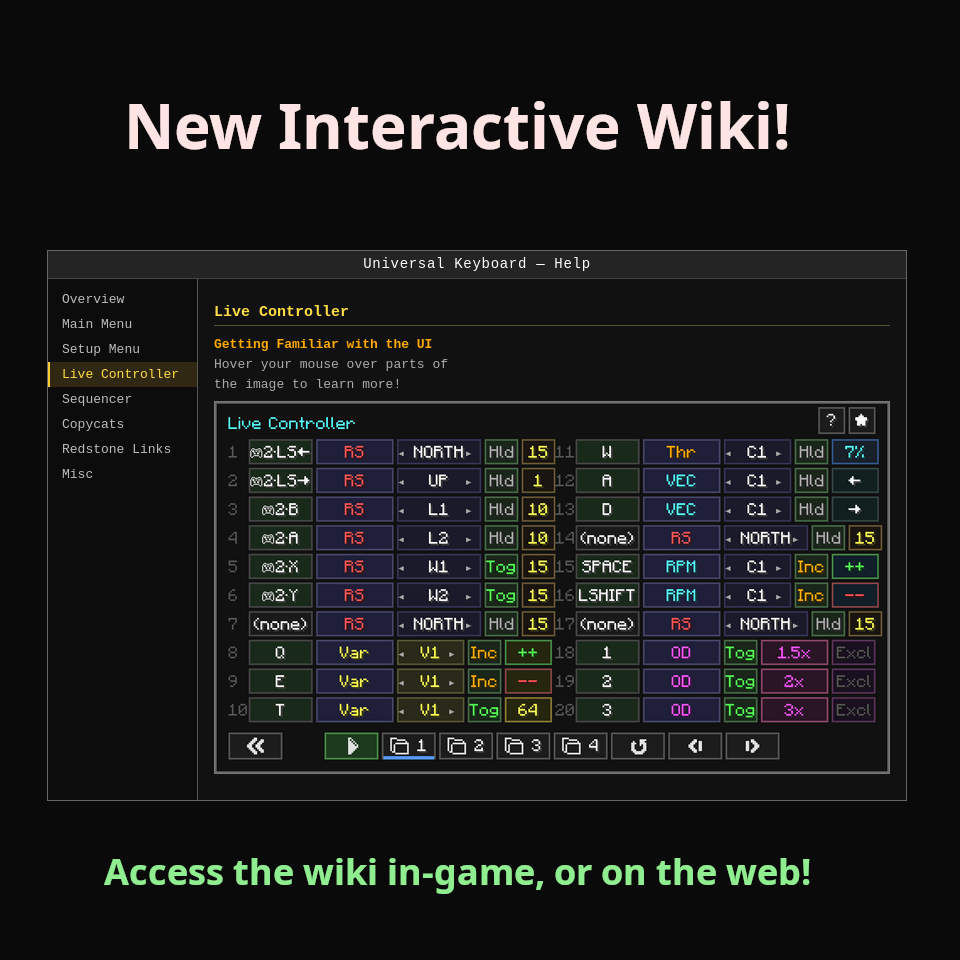
In-game wiki, which is not done but will be improved upon over time!
'Display' in the sequencer mode allows you to set lines to be read by the Create mod's Display link, as well as displayed on the mod's dashboard and control wheel blocks
Import keybindings from an Aeronautics typewriter
Dynamic recipes depending on the mods installed (I will take suggestions for more). And there is a server-side config to "make recipe harder" (requires Aeronautics)
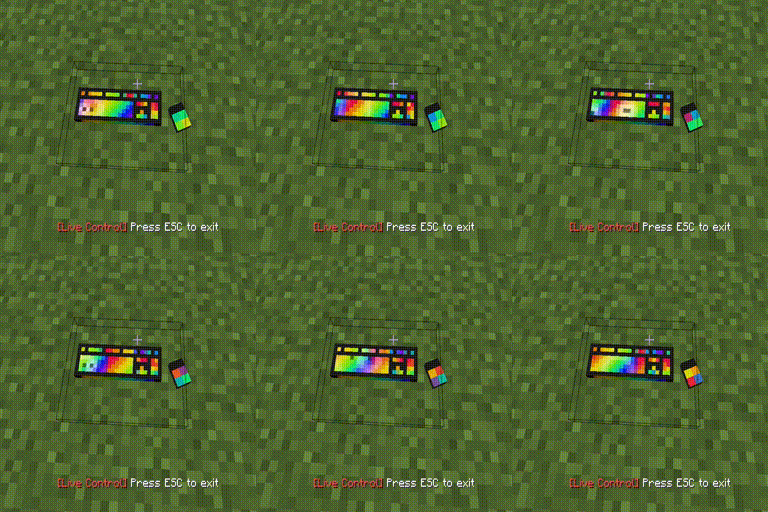
Animated mouse / keyboard! Press left-alt to freeze camera while in live controls, and watch the mouse move!
Interactive Wiki - Web Version
[ ]
]
Ченджлог
1.3.4Релиз1.21.1 · 5 июля 2026 г.
- New steering wheel / dasboard texture, huge thanks for Gleb for the amazing model. This is part of a work-in-progress mod, Create: Motorsports, which I'm helping develop
- Dashboard and Control Wheel both have screen rendering now, with customizable display. By default, speed, x/z pos is shown. Add Live Control numbered rows to the config file, to view power or RPM.
- Add custom text or variables to these screens using the sequencer modes "display" lines.
- New Vista mod compat, so you can load a hollow cassette into the Control Wheel or Dashboard, and toggle to view the camera on the screen! In the config file, you must configure a row in live controls to be the "camera toggle"
- Portuguese language file update
- Sync keyboard animations across server/client so keystroke is visible to all players
- Keyboard ownership behavior: first person to click a newly placed keyboard claims ownership and "locks" it. Can be unlocked for public use
- Autostart favoriting is now a client-side preference
- Revert button added to Redstone Link set up screen
- Configurable "passthrough keys" that wont get picked up in live control mode, so you can do something like add the "M" key to view map while in Live Controls
- Trigger a much harder recipe if desired, with server config
- Fix wireless copycats' test faces getting stuck with gold face when stopwatch tick gets lost
- Improved toggle behavior, so it doesnt forget set redstone signals when reloading chunks
- Create is a soft dependency again
1.3.3Релиз1.21.1 · 15 июня 2026 г.
- Updated compatilibity to Sable 2.0! This was to address at least one crash for me, where I was using a keyboard on the ground to control a sub-level, then picked up the keyboard and put it down on the sub-level
- Improved schematic printing, assembly / dissembly logic to cover some rotation cases. There are so many use-cases here, it might take a few more updates to fully get this right
- Keyboard animation change: the space bar and some other buttons show up wider with a keypress. I still have some work to do to fix this up, but I needed to post the Sable compat update
1.3.2Релиз1.21.1 · 13 июня 2026 г.
- Allow mouse inputs for key bindings. Left-alt to freeze camera and capture mouse during live controls. Default is false for mouse input, enable it in the configs
- Keyboard and mouse animation: mouse mouses around with yours, and the keyboard animation was a (figurative) dream of mine, crafted from reading open-source WaveRGB + the aeronautics typewriter's animation
- New lastKnownPos check for keyboard, so you can print a schematic, or assemble it and the peripheral links won't break. You will notice the pop up asking "why did you move it?", so you have to read or you might press the wrong choice.
- Control wheel animation is now based on the row index in the Live Control menu, not keyboard keys. This is simpler, and makes it work for any controller easily. But you will need to go into the config file, and choose what row is a left or right turn
- Added "rand"/"randL"/"randW" to the sequencer mode. Sorry that I am still adding pieces to this mode with no documentation - it will come. Rand returns an integer, RandL returns a random redstone Link, RandW returns a random Wireless Copycat. You have to choose the maximum in the text box. I'll make it better somehow
- Added "Display" to the sequencer. I had previously made a passthrough for CC getters to show up on the board, so now you can make anything you want show up.
- An even more confusing addition, the V:W# and V:L# in Set RS out. This is for randomizing a wireless output with only a few lines, but its confusing as is.
1.3.1Релиз1.21.1 · 7 июня 2026 г.
- New texture! My husband suprised me with this beautiful Control Wheel model just after I posted the 1.3.0 update. Luckily it was the weekend.
- This Control Wheel which works just the same as the keyboard, but also has an animation that is purely cosmetic, running on top of Live Controls. Configure two keys to be assigned each as the left and right turning keys for the animation
- New wiki pages for Linking Mode (needs work), redstone links, Copycats, and Misc
- New "Inverse Hld" - right click a "Hld" button to invert the signal. Helpful for builds using an analog transmission
- I'm working on making Linking mode easier to use - color coding pink/purple if a linked block is only a "value panel" link, since those links are mostly worthless.
- New "Peripheral Manager" screen that will be greatly expanded upon later! This peripheral manager screen just offers some useful information about your linked blocks for now
- Warning pop-up for only users that have not fixed the Create: Connected 'wildcard issue'
- Fixed gamepad default deadzone values being much too large. Minimum can now be 0 as well
1.3.0Релиз1.21.1 · 5 июня 2026 г.
So much has been added!
-Built in Wiki! Not nearly complete, but still has more information that I was currently providing with those slideshow images
-Wireless Copycat blocks - Send a redstone singal to each of its faces seperately, shift+right click the copycat to open its menu. Random 6 character alphanumeric string frequency instead of dual-items (now W1-100 interally, Create's Redstone links are L1-L20)
-Plug & Play gamepad + HOTAS support!
-Redesigned UI with icons and nested selection sub-menus to hopefully give better user work flow as new features are added
-Each menu got some specific improvements I had in mind
-Auto-save is now a given, but to help fix mistakes, there is a 'revert' button to erase changes and revert to snapshot of when the menu was opened
-Live Controller: Overdrive mode - Multiply power of all other modes, exclude lines seperated by comma to maintain some fine controls
-Live Controller: RPM mode - new special CC peripheral compat (like the thrusters) for easier connecting to electric motors without needing to use variable mode + sequencer
-Live Controller: save 4 separate user profiles
-Favorite a screen to open straight there, or enable 'autostart' in config to autostart live controls with 1 click
-Dedicated Creative Tab Menu! I considered this annoying when there was less blocks. Now its annoying to not have one
1.2.3Релиз1.21.1 · 27 мая 2026 г.
Fix bug with CC Peripherals causing start/stop stuttering behavior; significant improvements to sequencer mode, with new math, nested menus, and parallel execution with live control mode; live control mode now has "Var" which allows you to toggle, hold, or increment a variable for the sequencer to work with; increased variables to 16; Sable mass compat; keyboards can now be placed on ceilings and walls; keyboard can now type var / text to a CC monitor without a computer
1.2.2Релиз1.21.1 · 24 мая 2026 г.
Adds Español, Português, Русский lang files, new keyboard variants (yay!) (and they are dye-able while placed! double yay), hopefully fixed Create schematic saving so at least the keybinds and wifi will load properly, but thrusters still need relinking, fixed other bugs like server crash caused by lack of error handling on brief disconnect while the live conntroller was running, other things
1.2.1Релиз1.21.1 · 20 мая 2026 г.
Increase wireless slots to 20, keybind slots to 40. Make it more clear when CC:Tweaked is required for a given feature, and a tooltip to tell the user to download from Modrinth specifically. Couple other small bugs I noticed. UI Improvements
Комментарии
Загружаем…