 Mineforgian
Portable Blueprints
Tired of manually building the same structures over and over, like roads, street lamps, or houses? This mod is perfect for you! Scan your structure and create a blueprint so you can rebuild it instantly with just one click!
- Загрузки
- 42K
- Подписчики
- 36
- Обновлён
- 5 марта 2026 г.
- Лицензия
- MIT
Опубликован 15 августа 2025 г.
📐 Build Faster with Blueprints!
Tired of manually building the same structures over and over, like roads, street lamps, or houses? This mod is perfect for you! Scan your structure and create a blueprint so you can rebuild it instantly with just one click!
Video Full Showcase & Features
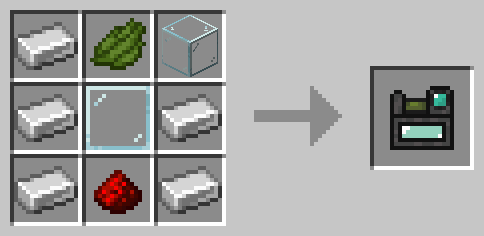
📜 Recipes:
🔹 Tablet
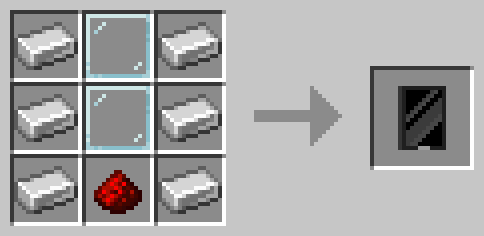
🔹 Scanner
- From version 1.9.3 and below:
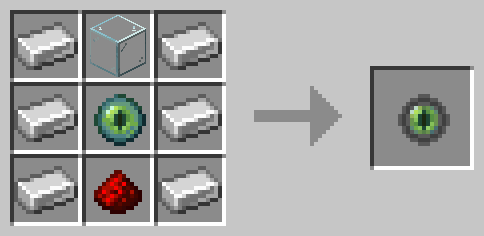
- From version 2.0.0 and above:
🏗️ Main Features
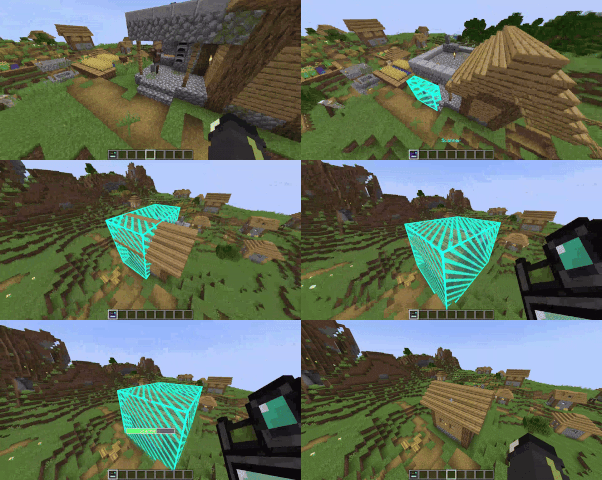
🔹 Scanner – Scan any structure to save it as a blueprint.
- Right-click a block to set the first corner.
- Right-click another block to set the second corner.
- Once the area is selected, give it a name and save the structure.
🔹 Tablet – Easily manage your blueprints.
- View your saved structures.
- Delete blueprints you no longer need.
- Obtain the blueprint item to place it in the world.
- Share your blueprints with other players in the same world.
- Export and import global blueprints to use them across different worlds.
- Access server-provided blueprints.
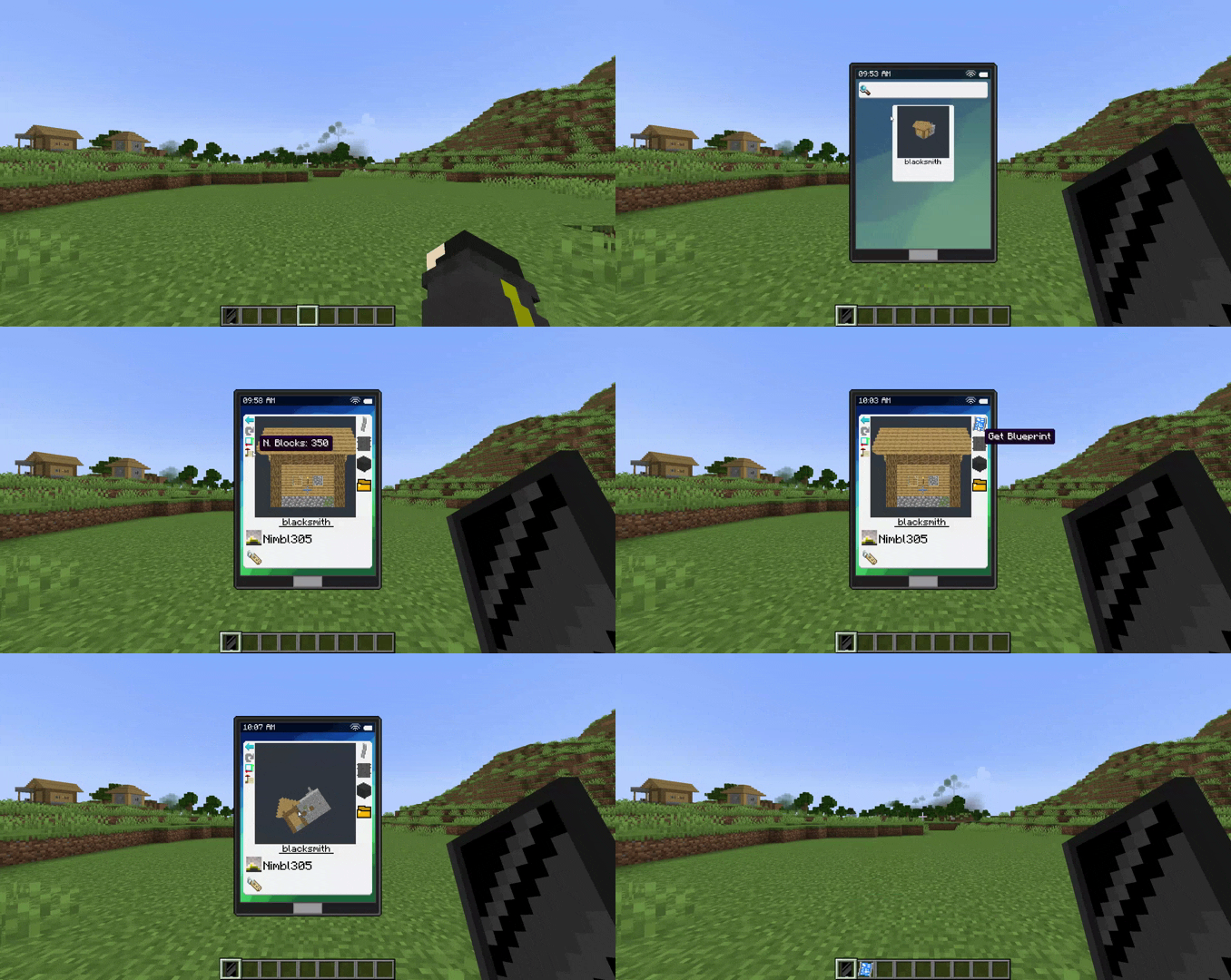
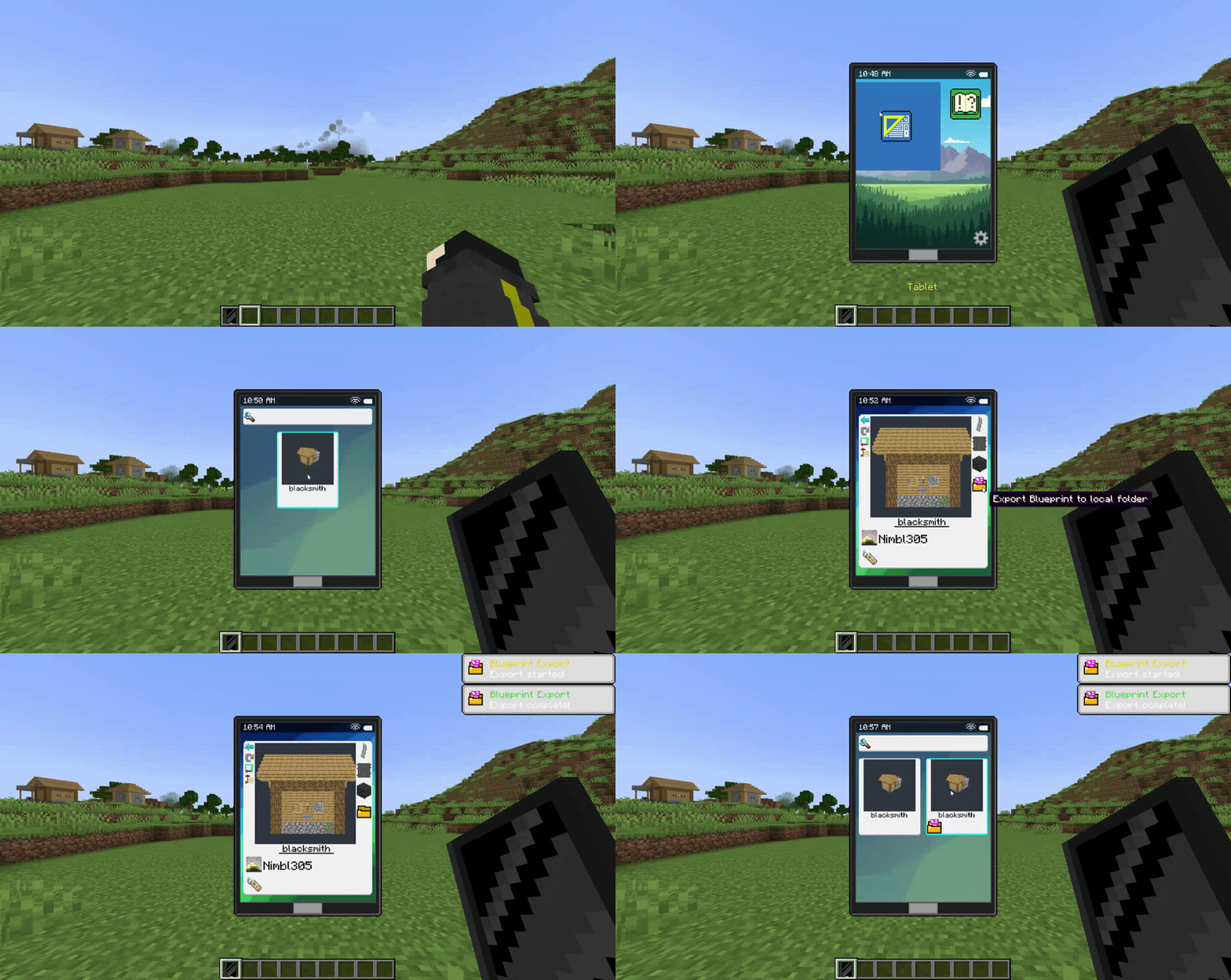
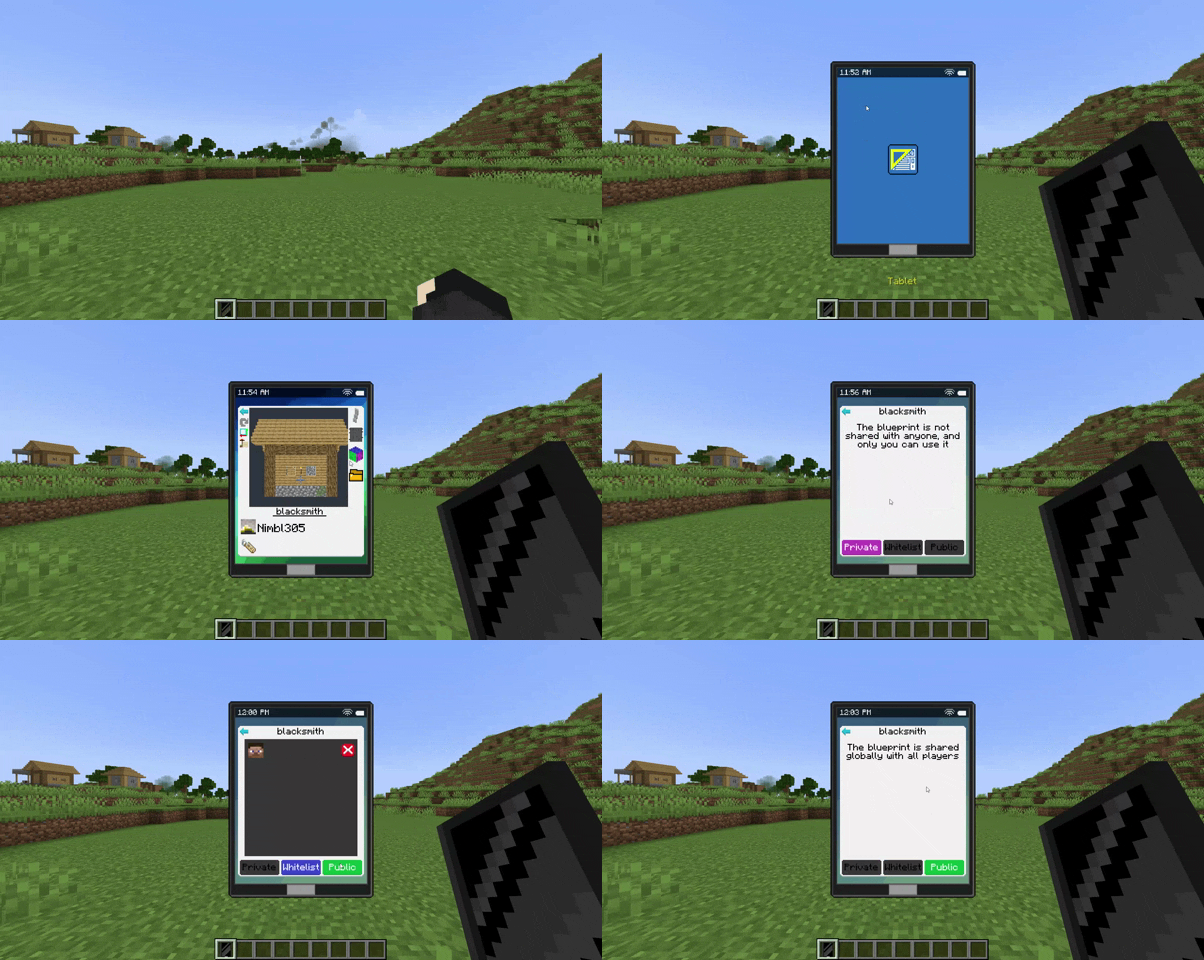
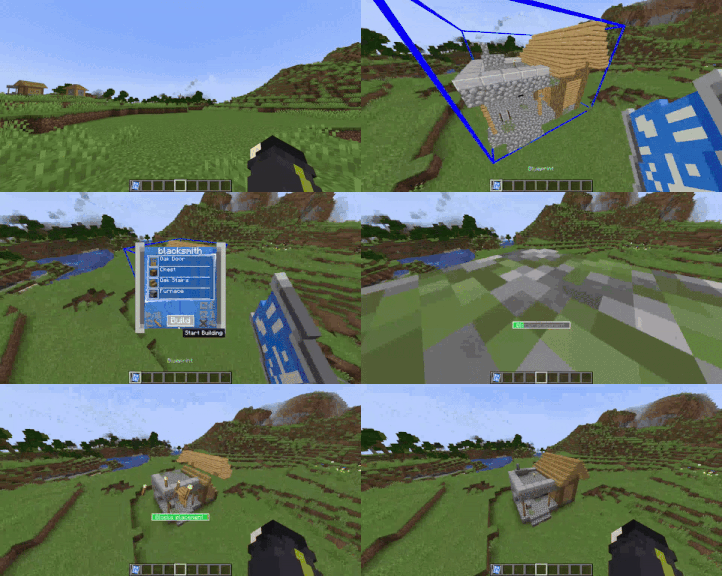
🔹 Blueprint – Build your saved structures effortlessly!
- Select the origin point by clicking on a block.
- A holographic preview will show exactly how the structure will be placed.
- Open the menu (Shift + Right-click in the air) to:
✅ Check the required materials.
🔄 Rotate or mirror the structure along the X, Y, and Z axes.
📦 Assign containers (Shift + Right-click the container, like: chests, shulker boxes, barrels, etc.) to store materials, allowing you to build large structures without inventory limitations!
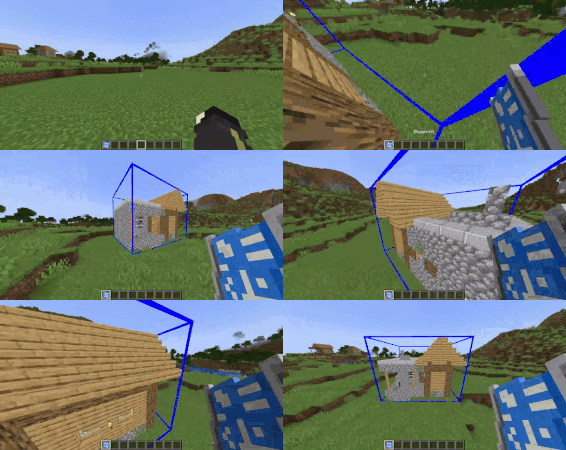
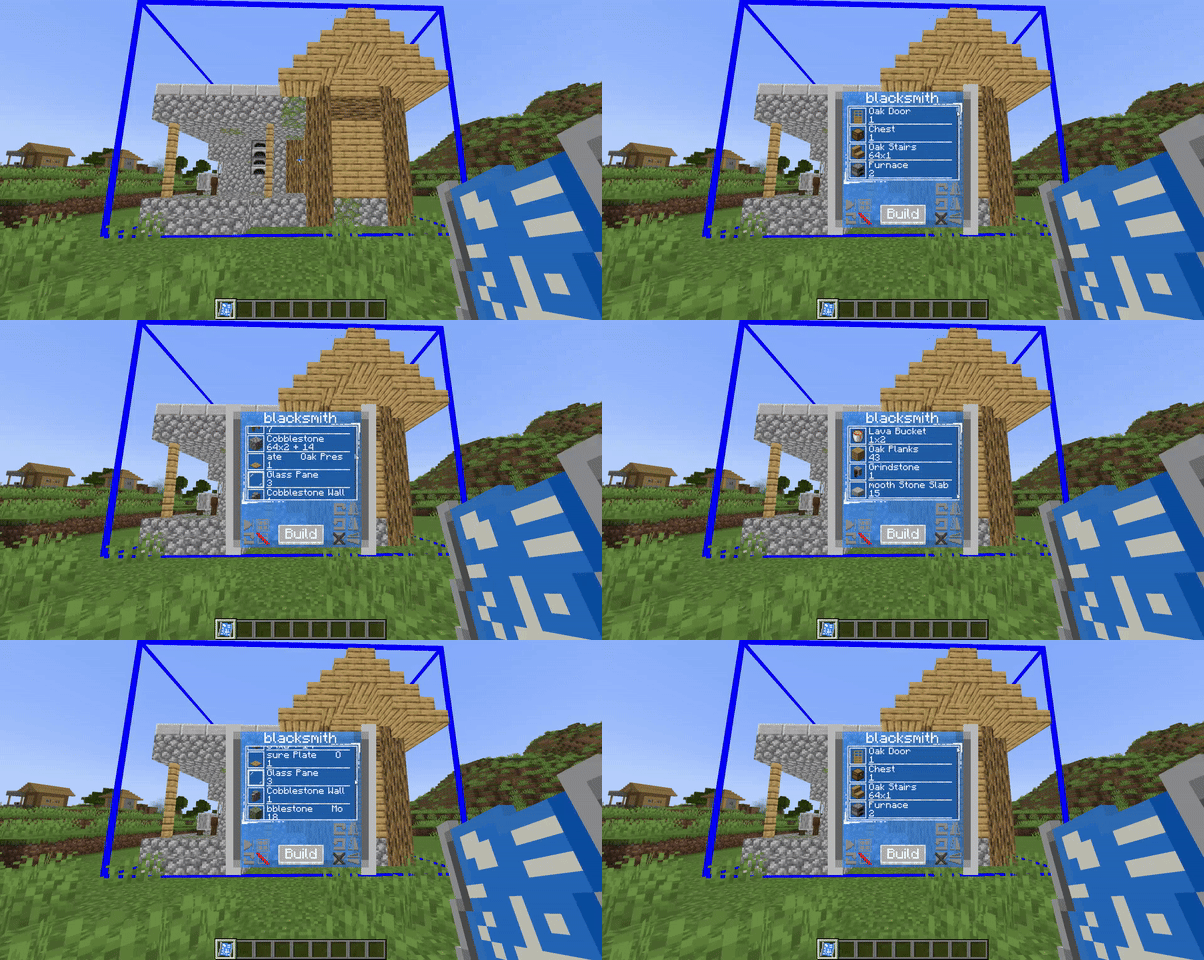
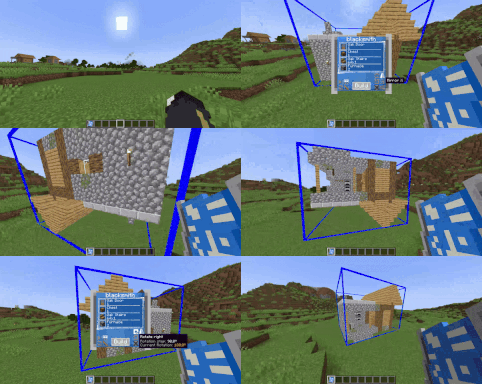
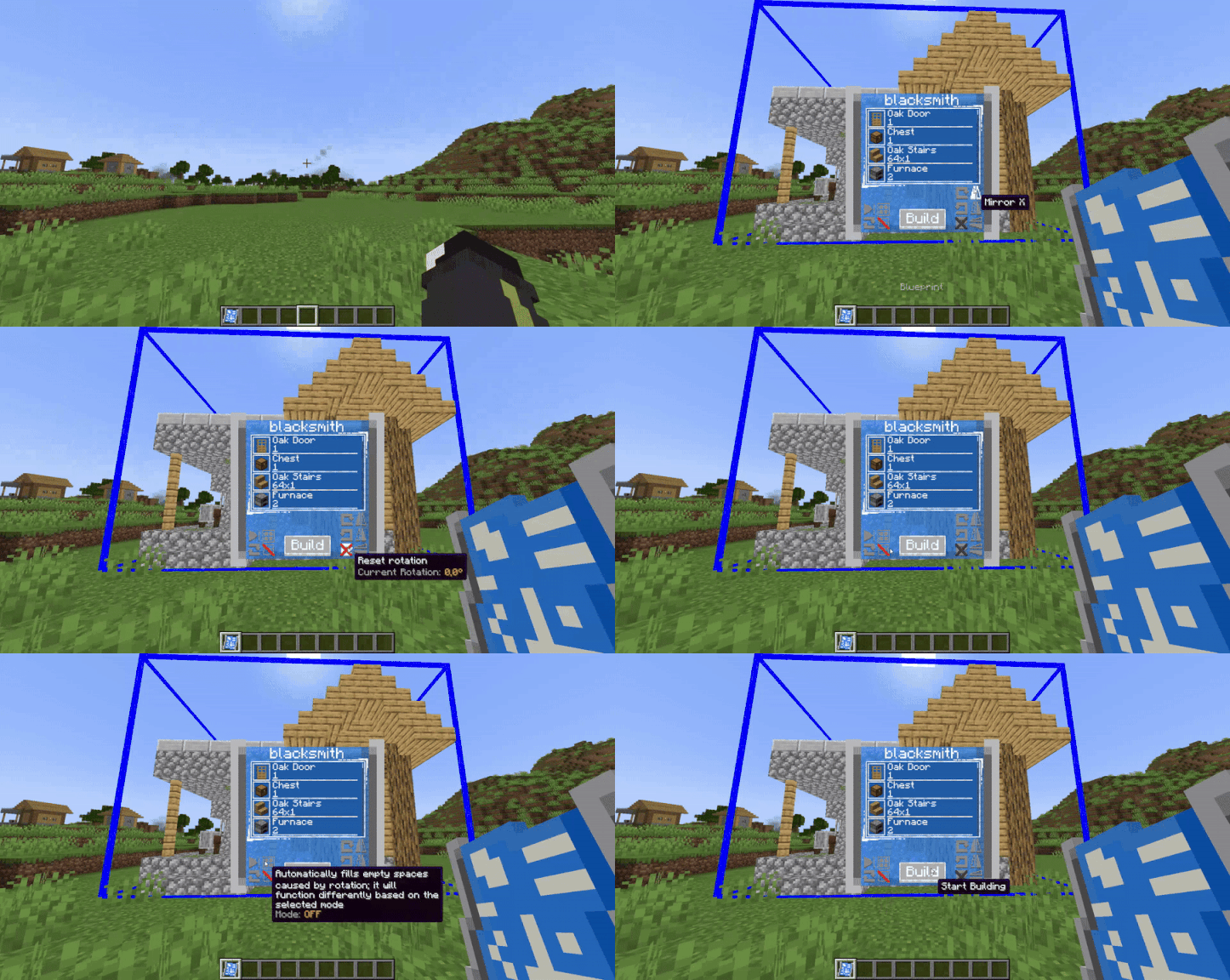
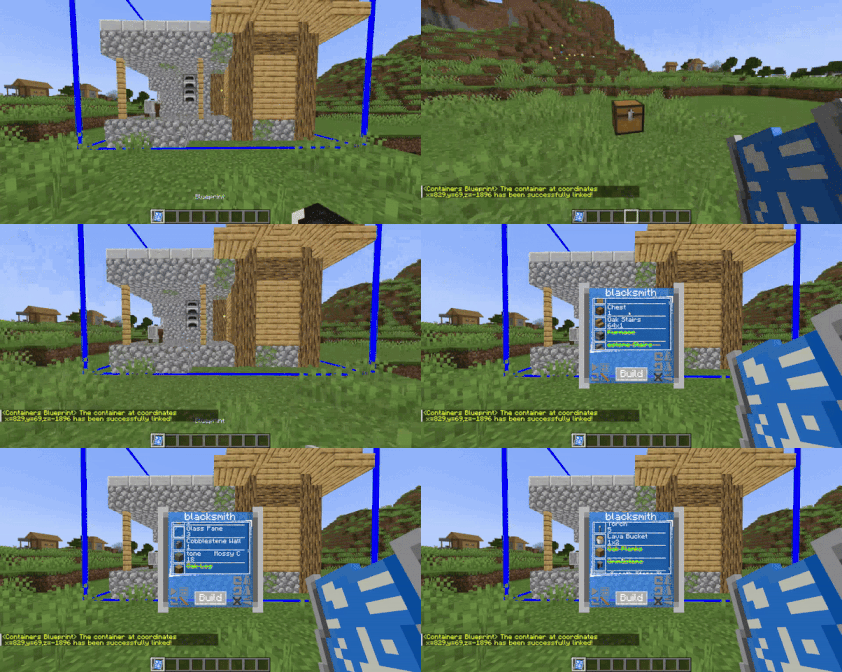
⚙️ Customizable Limits with Gamerules
By default, the mod includes certain limits, such as the maximum number of blocks that can be selected with the scanner and the number of blueprints each player can store. However, these limits can be adjusted using gamerules:
📏 Set the maximum number of blocks in a scanned area:
From version 1.1.4 and below:
/gamerule maxStructureBlockCount <integer>From version 1.2.0 and above:
/gamerule maxScannerBlockCount <integer>
📜 Set the maximum number of blueprints a player can have:
From version 1.9.3 and below:
/gamerule maxBlueprintsForPlayer <integer>From version 2.0.0 and above:
/gamerule maxDigitizedStructuresForPlayer <integer>
🔧 Limit the number of containers a blueprint can use
Set the maximum number of containers (like chests or barrels) that a blueprint can interact with simultaneously during construction:
/gamerule maxBlueprintContainers <integer>
🔒 Control the use of global blueprints
Decide whether global blueprints (shared across multiple worlds) are allowed in your world:
/gamerule allowGlobalBlueprints <true/false>
📋 Enable or disable NBT data copying in blueprints (added in version 1.8.0)
Allows blueprint scans to copy the NBT data of blocks (such as block states or custom behavior).
By default, it's disabled to avoid duplication issues, especially in multiplayer servers:
/gamerule allowNBTDataCopy <true/false>Note: This does not copy contents of blocks with inventories (like chests or backpacks).
⏳ Set a cooldown for blueprint placement (added in version 1.9.3)
Allows you to define a cooldown that prevents spamming builds through blueprints.
The value is in seconds.
/gamerule blueprintsCooldown <integer>
💼 Allows the Business Villager to spawn (added in version 2.0.0)
Enabling this gamerule allows the Business Villager to spawn when someone tries to build in an area where many blocks are obstructing the construction. Its goal is to collect blocks, so it will offer to clean up the construction area in exchange for keeping all the removed blocks for itself. To accept its offer, simply right-click on the pickaxe inside the briefcase.
/gamerule businessVillagerEnabled <true/false>
⚠️ Note: The mod is not optimized for very large structures, so be mindful when increasing these values.
📦 Server Blueprint Management – Command System (Op only)
Manage server-wide blueprints with the /blueprintserver command.
These blueprints are shared across the entire server and can be set as either:
- Free – accessible to all players without restrictions.
- Permission – only players with explicit permission can use them.
🛠 How to Use:
- To add or replace a server blueprint (while holding a blueprint item in hand)
/blueprintserver set <free/permission> - To remove a server blueprint:
/blueprintserver remove <server_blueprint_name> - To assign or revoke a player's permission to use a specific "permission" blueprint:
/blueprintserver permission <player_name> <server_blueprint_name> <true/false>
By default, players do not have permission unless explicitly granted.
📘 Worn Blueprint – Usage and Functionality
Worn Blueprints are blueprints with a limited number of uses, and can be used by any player without restrictions.
✅ How to add them to the world:
To register a Worn Blueprint in the world, hold a normal blueprint in your hand and use the command:
/blueprintworn add
To remove it later, use:
/blueprintworn remove <worn_blueprint_name>
🧱 Creating the Worn Blueprint Item
The Worn Blueprint item can be generated (via /give or through loot tables) using two required NBT tags:
- remaining_uses: an integer that defines how many uses are left.
- blueprint_name: a string linking the item to the registered worn blueprint in the world.
- free_build: a boolean value (
0b/1b) that allows you to build the blueprint without requiring the necessary materials. - allow_nbt (added in version 1.8.1):
- If set to
0b, it will always place without NBT data, ignoring theallowNBTDataCopygamerule. - If set to
1b, it will always place with NBT data, again ignoring the gamerule. - If the flag is not present, the worn blueprint will follow the current value of the
allowNBTDataCopygamerule.
- If set to
📌 Example:
minecraft version 1.20.1 and below
/give @s portable_blueprints:worn_blueprint{remaining_uses:1,blueprint_name:"worn_blueprint_name"} 1minecraft version 1.21.1
/give @s portable_blueprints:worn_blueprint[minecraft:custom_data={remaining_uses:1,blueprint_name:"worn_blueprint_name"}] 1
(added in version 1.8.1)
Worn Blueprint World Injection System
Introduced a system to automatically inject worn blueprints into worlds.
This is especially useful for modpack creators who want to include premade worn blueprints (e.g. for a blueprint shop).
Just place your .bp files into the new folder: <Minecraft directory>/config/portable_blueprints/world_injection_worn_blueprints
A settings file is also included inside this folder for optional configuration.
(added in version 1.9.3)
🚫 Block Mod Usage Commands
These commands allow you to block a player from using both the scanner and blueprints.
This is useful for players who abuse the mod’s mechanics to annoy others, cause lag, or create issues on the server.
Instead of banning the player entirely, you can simply block them from using the mod.
🛠 How to Use:
- Block a player from using the mod:
/portable_blueprint block <player_name> - Unblock a previously blocked player
/portable_blueprint unblock <player_name> - Show the list of blocked players:
/portable_blueprint blockedlist
With this mod, building becomes faster, more efficient, and free from tedious repetition!
💬 GitHub Community & Bug Reporting
Join the community, report bugs, or suggest new features!
Ченджлог
2.0.11Релиз1.20.1 · 5 марта 2026 г.
🛠 Version 2.0.11 - Compatibility Fix
🧩 Mod Compatibility
- Fixed Carry On Conflict: Resolved a bug where blueprint construction would not trigger if the player was holding an entity/mob using the Carry On mod.
2.0.10Релиз1.19.2 · 4 марта 2026 г.
Mod version 2.0.10 converted to minecraft forge version 1.19.2
2.0.10Релиз1.21.1 · 4 марта 2026 г.
Mod version 2.0.10 converted to minecraft neoforge version 1.21.1
2.0.10Релиз1.20.1 · 4 марта 2026 г.
🛠 Version 2.0.10 - Critical HOTFIX
🐛 Bug Fixes
- Mesh Generation Fix: Resolved a critical crash occurring during the block mesh creation process.
2.0.91Релиз1.20.1 · 24 февраля 2026 г.
🛑 Version 2.0.91 - Critical Hotfix
🐛 Bug Fixes
- OS-Level Crash Resolved: Fixed a crash that occurred when the mod tried to generate tablet save files for worlds with names containing special/unauthorized characters.
2.0.9Релиз1.20.1 · 8 февраля 2026 г.
🛠 Version 2.0.9 - UI & Mechanics Polish
🖥 User Interface Improvements
- Tablet Preview Scaling: Fixed a bug where the blueprint background was cut in half when using GUI Scale 4. The interface is now fully responsive.
🏗 Construction Fix
- Block Replacement: Fixed an issue where "soft" blocks like flowers and small plants weren't being properly cleared during construction.
2.0.8Релиз1.20.1 · 1 февраля 2026 г.
🛠 Version 2.0.8 - Maintenance & Customization
🆕 New Features
- Build Animation Toggle: Added a new client-side config parameter
buildAnimationEnabled. Players can now toggle the block-building animation on or off (Default: True).
🐛 Bug Fixes
- Bed Placement: Fixed an issue where beds were being placed with incorrect orientations or states.
- Custom Block Property Handle: Fixed a critical bug where property files were not updating correctly on the Server/Client. File synchronization is now fully restored.
2.0.7Релиз1.20.1 · 25 января 2026 г.
🛠 Version 2.0.7 - "Precision & Stability" Update
🔄 Blueprint Logic Improvements
- Persistent Origin Points: The origin is no longer removed during construction. The hologram now simply deactivates, keeping your placement saved.
- Smart Refresh: Reactivate holograms instantly by clicking Reload in the menu or by swapping the item slot.
- Improved Obstruction Handling: If blocks obstruct the build, the origin remains active, allowing you to clear the path and resume without repositioning.
📐 Rotation & Alignment Fixes
- Refactored Alignment: Complete overhaul of the rotation system to ensure perfect alignment at 90°, 180°, and 270°.
- Structural Integrity: Fixed the "gaps" issue occurring during 360° rotations via the new Auto Fill system.
🆕 New Feature: Auto Fill System
A new parameter in the Blueprint Menu that intelligently fills gaps based on surrounding blocks:
- Disabled: Default rotation behavior.
- Level 1-4: Smart-filling based on proximity (requires 1 to 4 adjacent blocks to trigger a fill).
🧩 Mod Compatibility
- Added window placement support for [Let's Do] Vinery.
- Added window placement support for [Let's Do] Meadow.
Комментарии
Загружаем…