 Mineforgian
Player statistics
Mod to asynchronous synchronize and display player stats from the server on website.
- Загрузки
- 1K
- Подписчики
- 31
- Обновлён
- 5 октября 2025 г.
- Лицензия
- CC0-1.0
Опубликован 11 декабря 2024 г.
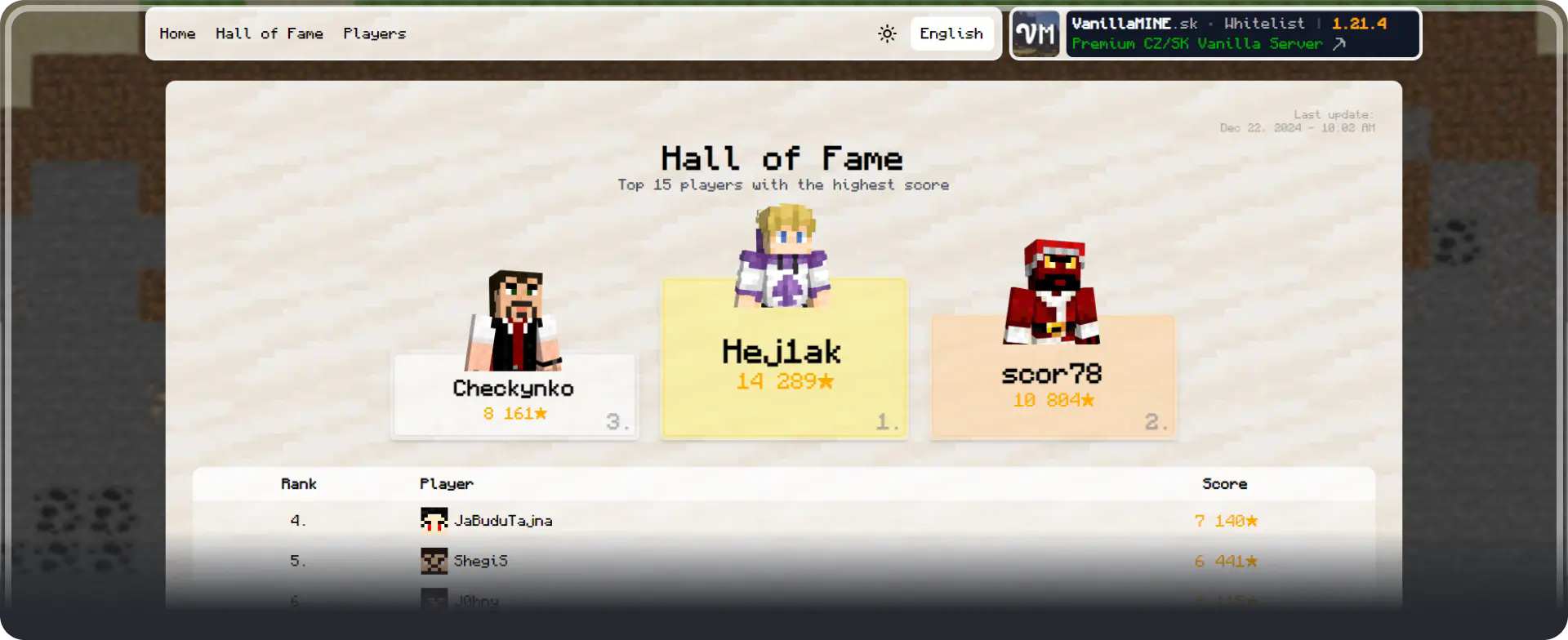

Mod provides asynchronous synchronization of player statistics to the local (or external *) database. Thanks to this, these statistics can be easily processed and displayed, for example, on a web page (mod itself contains a website).
Currently the mod can synchronize stats to a local (SQLite) database or to an external (MySQL, MariaDB or PostreSQL) database *. It contains a config file in which you can set how often the stats will be updated, the number of CPU threads on which the processing will run, the website settings and the database settings.
The synchronization will automatically start (if not disabled in the config) 1 minute after the server starts and then every X-minutes, depending on the settings. It is also possible to start synchronization manually with the /pstats sync command, and the current status can be monitored with the /pstats status command (or /pstats help which will show the available commands).
🎉 Now with permissions too!
Mod supports permissions, in order to execute any command from the mod, the user must have pstats permission or permission level 2 or higher (OP works as well). So it's server-safe!
🎉 Now with Bedrock suport too!
Mod also supports Bedrock players from Geyser/Floodgate.
Preview of the website (on mobile too!)
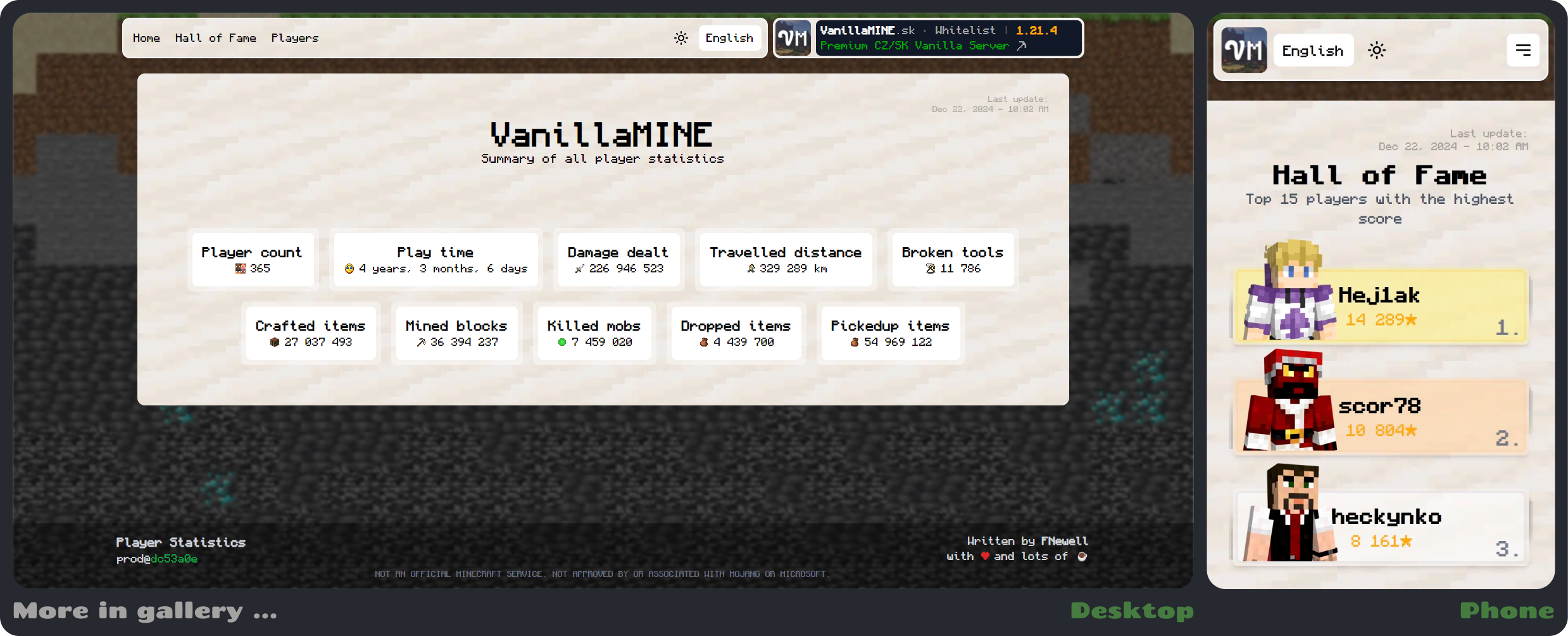
Mod itself includes a simple web page to display the statistics, when using the local database.
The website includes:
- General server statistics (Number of players, Total play time, Total crafted items, ...).
- Hall of Fame where you can find TOP 15 players from the server and their points.
- All players with the date when they were last online (+ search and sort).
- Player's page with all available stats, player's ranking, time played, ... (+ search and sort).
- The page for the selected stat with the player's ranking.
- Server icon, description and link to the server page. (The server description is automatically taken from motd and handles minecraft formatting (so
§2will be green,§4red, ...).
More info ...
- Compatibility - The mod has been tested (and is compatible) with most common server mods such as Ledger, Bluemap, LuckPerms, Worldedit, Essential commands, Banhammer, ... If you have any problems, just get in touch on Discord or on Github (Support section).
- Points ⭐ - Each statistic is rated for the TOP 5 players (position 1-5). These points are then summed up and the players with the highest number of points are displayed in the Hall of Fame.
- The first time you run it, the mod will automatically download the necessary drivers for the databases.
TODO (*)
- MOD:
- WEBSITE:
- Fix some visual bugs.
- Add dark mode.
- Add other languages (translation page).
- Make page loading more efficient.
- Add live demo website.

If you'd like to support the continued development of Player Statistics, consider contributing on my ☕ Ko-fi page. Any amount is greatly appreciated and helps me dedicate more time to creating awesome mods. ⭐ Supporters also receive a special Supporter role on my Discord server!
Have questions, encountered a bug, or just want to chat about the mod? Join our community on Discord!
For bug reports and technical issues, you can also open an issue on GitHub.
Ченджлог
1.21.9-2.1.1Релиз1.21.9 · 5 октября 2025 г.
Update to support 1.21.9
1.21.8-2.1.1Релиз1.21.8 · 5 октября 2025 г.
Update to support 1.21.8
1.21.7-2.1.1Релиз1.21.7 · 5 октября 2025 г.
Update to support 1.21.7
1.21.6-2.1.1Релиз1.21.6 · 21 июня 2025 г.
Update to support 1.21.6
1.21.5-2.1.1Релиз1.21.5 · 12 мая 2025 г.
Update to support 1.21.5
1.21.4-2.1.1Релиз1.21.4 · 16 января 2025 г.
Fixes:
- Config will not be created correctly unless the entire folder is deleted.
- Server fails to shut down and remains stuck.
1.21.4-2.1.0Релиз1.21.4 · 31 декабря 2024 г.
Website updates:
- Added support for Bedrock players (Geyser/Floodgate) (skins and nicks)
- Some fixes when DB is not initialized ...
- Fixed error in HoF page with less than 15 players
- Added description to the HoF page, explaining how points are calculated
- Some minor changes in layouts, colors, visual bugs, ...
- Added new page with individual stats (available by clicking on any statistic)
- Optimized DB loading (now caches the database after the first download, so the loading is much faster - the cache is revalidated every hour)
Mod updates:
- Included new updated website
- Added support for non-default stats folder
- Added tag for non-default stats folder (conf bump to 1.0.2) ~ More information below
- Added optimizations (updates only when there are changes)
- Some minor changes and fixes
- Added support for Bedrock players (Geyser/Floodgate)
- Fixed issue with syncing stats (players not being updated after first sync)
How to update from version 2.0.3:
- Delete the old mod and upload the new one
- (not required) Delete the old config and have a new one generated or...
- You can manually modify the config to the new version, just change the version inside config to
1.0.2and add the sectionstats-folder = ""to the root. (The changes and how the new config should look like can be seen at this link).
More info:
If there is any problem with the data on the site, it is possible to force an update using F12 (or right click on website and open Developer Tools), then Application, select IndexDB > PlayerStatisticsDB in the list and click Delete database. Then when you reload or open the site, the database will be reloaded.
1.21.4-2.0.3Релиз1.21.4 · 22 декабря 2024 г.
- Added functionality with the website and the website itself.
- Mod is now functional as is.
How to update from version 1.0.0:
- You must delete the old local database (if it exists) from the
mods/player-statistics/player-statistics.dbfolder. - And ideally also delete the config file from
/config/player-statistics/player-statistics.conf, since new tags have been added that would be missing.
Комментарии
Загружаем…