 Mineforgian
phonk edit
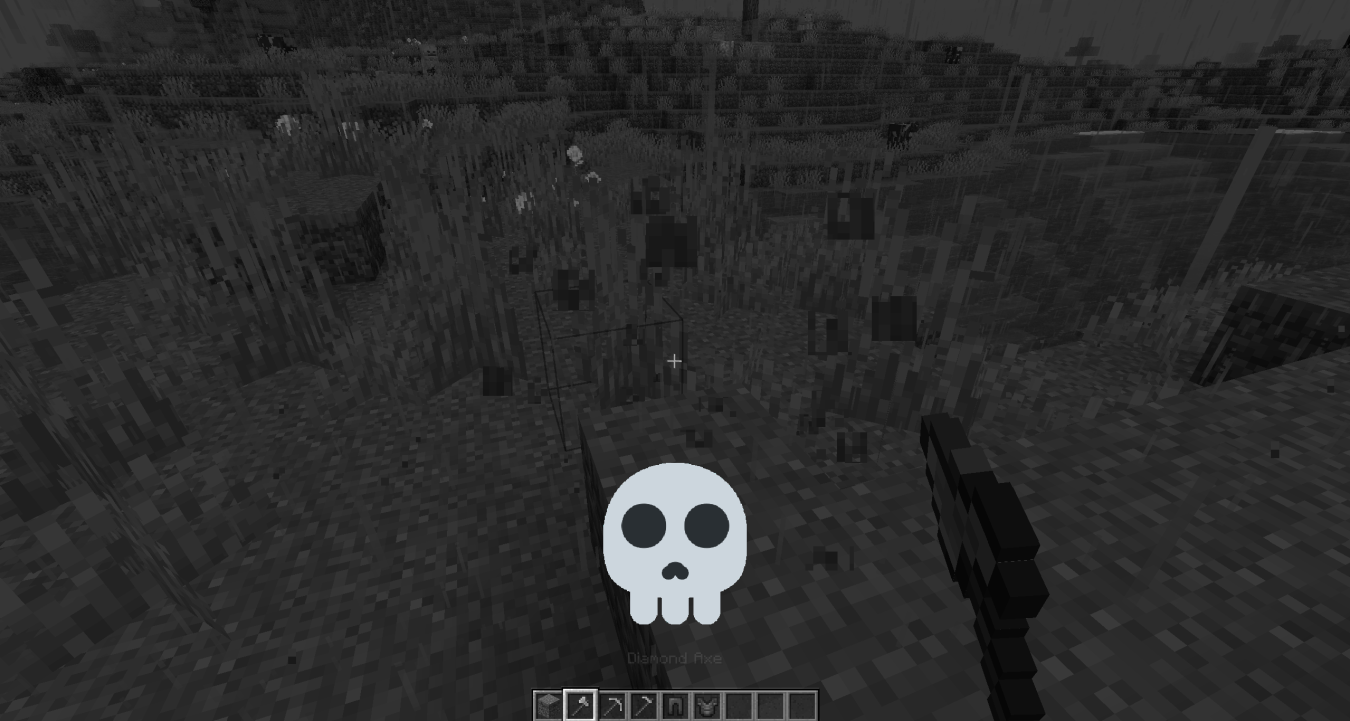
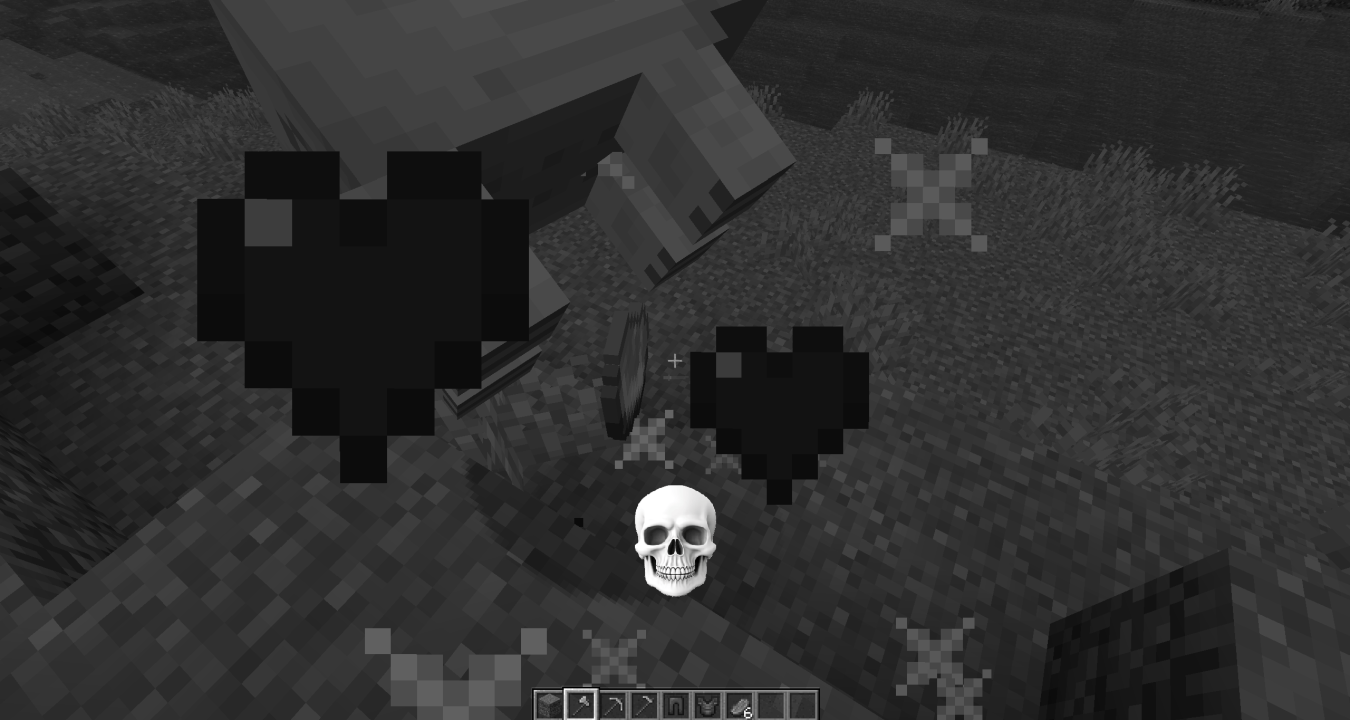
its the youtube shorts skull phonk edits, but in minecraft!
- Загрузки
- 18K
- Подписчики
- 31
- Обновлён
- 26 октября 2025 г.
- Лицензия
- MIT
Опубликован 22 октября 2025 г.
Phonk Edit
i saw a tweet talking about how it would be funny if the youtube shorts skull phonk edits were a real mod in minecraft, so i did just that.
What's Included
Audio
- 12 phonk tracks (more than double the original!)
- Random track selection
- Pitch shifter for variety
Visuals
- 19 default skull images
- Custom skull support - add your own PNGs!
- 1 special skull20 for PHONK6
- Freeze frame greyscale imagery
- Motion blur effects
- Screen shake
- Cinematic bars (9:16 phone video style)
- aura
Highly Configurable
Basic Settings
- Slider for frequency of phonk
- Slider for speed range of the phonk
- Toggle grayscale on/off
- Toggle variable speed on/off
Visual Effects
- Toggle motion blur on/off
- Toggle screen shake on/off
- Toggle cinematic bars on/off
- Adjust blur intensity and fade
- Adjust shake intensity
Triggers
6 different trigger types:
- Block breaking
- Block placing
- Combat/hitting entities
- Taking damage
- Low health
- Air time
Control Options
- Camera freeze
- Movement freeze
- Configurable trigger chance
Custom Content
Drop your own skull images in .minecraft/config/phonkedit/images/


See It In Action
Video of the mod:
https://x.com/coah80/status/1979429045063553411
this mod used to be called: youtube shorts phonk edit , so if you were searching for that, there you go.
Ченджлог
2.1.2Релиз1.21.1 · 26 октября 2025 г.
added a disclaimer for people who cannot read
2.1.1Релиз1.21.1 · 24 октября 2025 г.
Changelog
[2.1.1] - 2025-10-24
Highlights
- Custom songs via resource packs: discovery is resource-pack-only. Scans enabled packs for
assets/phonkedit/sounds.jsonand prefers keys undercustom/. - New toggle: “Only Use Custom Songs” to play only custom tracks when present.
- Auto-generated tutorial pack: “PhonkEdit-CustomSongs” with a HOW TO and example
sounds.jsonto help you add custom audio. - Comprehensive freeze: fully locks inputs, camera, mouse, and client world; singleplayer server is paused until the effect explicitly ends; pause menu is auto-closed during the effect.
- Hardcore Mode toggle: disables world pausing and all movement/camera locks for players who want zero control interference.
- Added two new built-in tracks:
phonk13andphonk14. - Default Trigger Chance set to 0.30.
- Ritual UX: replaced the mid-ritual overlay/effect with a global title/subtitle “Curse broken” for all players.
- Stability and UX fixes across overlays, triggers, rendering, and localization.
Custom songs
- Removed the previous config-driven user media pack approach; discovery is now scan-only from enabled resource packs.
- Prefers keys under
custom/withinassets/phonkedit/sounds.jsonso users can override cleanly without touching built-ins. - Added a tutorial resource pack named “PhonkEdit-CustomSongs” (generated into your resourcepacks folder) including:
- A HOW TO guide explaining where to put files and how to name sound keys.
- An example
sounds.jsonwithcustom/bruhandcustom/hahahafunisongentries.
- New setting “Only Use Custom Songs” swaps between custom-only playback and mixing with built-ins.
Freeze, input lock, and safety
- Client: blocks handleInputEvents, mouse move/scroll, player movement/jump, camera updates, world and particle ticks during the effect.
- Server: singleplayer server ticking is paused until the effect ends; damage protection active for the effect’s duration.
- Auto-closes the pause menu while the effect is active to prevent early unpause exploits.
- Hardcore Mode disables all the above locking and pausing for players who prefer uninterrupted control.
Audio
- New built-in tracks:
phonk13andphonk14; wired intoassets/phonkedit/sounds.jsonand registries. - Added a helper script
scripts/ffmpeg_reduce_gain.pyto reduce built-in track gain by −10 dB (skipsphonk6).
UX and defaults
- Default Trigger Chance is now 0.30.
- Phlonck block uses bone block sound set for more fitting audio.
- Ritual completion shows a global title/subtitle “Curse broken”.
Fixes and polish
- Fixed overlay inversion and improved top-layer HUD ordering.
- Fixed early unpause: effect explicitly controls start/end; world stays paused in SP until end (unless Hardcore Mode).
- Input/camera/mouse lock reliability improved; closes pause menu during effect in SP.
- Triggers corrected for vehicle mounting, bed use, and eating; all respect chance and active-state guards.
- Creative tab visibility, asset localization, texture/model registrations, and advancement text corrected.
- Crash fix: corrected a mixin injection signature by changing a parameter type to the proper
PlayerEntity.
2.0.1Релиз1.21.1 · 23 октября 2025 г.
bug fixes, also actually made the custom images working!
2.0.0Релиз1.21.1 · 22 октября 2025 г.
Changelog
[2.0.0] - 2025-10-22
🎨 Visual Stuff
Custom Skulls
- You can finally add your own skull images! Just drop PNG files into
.minecraft/config/phonkedit/images/- Images get auto-resized to 256×256 while keeping the aspect ratio
- Works with any size image, we'll center it for you
- skull20.png is special - it shows up when PHONK6 plays
- All the default skulls get exported to that folder so you can edit them
- Better Skull Rendering:
- Fixed the annoying clipping issue where skulls got cut off at the edges
- Made them smaller (40% of original size) so they actually fit on screen
- Everything scales properly now
- Way Better Drop Shadow:
- Shadow is tighter and actually looks good now
- Smooth fadeout instead of harsh edges
- More subtle opacity so it doesn't look like MS Paint
- Optimized so it doesn't tank your FPS
- Motion Blur:
- Blur follows the shake effect
- You can adjust how intense it is
- Smooth transitions that don't look janky
- Only happens during the initial shake
- Screen Shake:
- Shake intensity is configurable now
- Lasts 0.5 seconds with smooth easing
- Shakes both the screen and skulls
- Adds some actual impact to the effect
Freeze Frame
- Dark overlay - dims the background so the skulls pop more
- Cinematic bars - adds those vertical black bars for that 9:16 phone video vibe
- Better capture - uses proper screenshot methods so it actually works
🎵 Audio
Music System
- 12 different phonk tracks
- Random selection
- Pitch shifter:
- Randomly adjusts pitch between 0.95-1.05 by default
- Keeps it between 0.5-2.0 so it doesn't sound terrible
- Adds variety without being too noticeable
- Auto-stop:
- Effect ends when the track finishes
- Has a backup timer just in case
⚙️ Settings
You can configure pretty much everything now:
What You Can Toggle:
- Grayscale filter on/off
- Dark overlay on/off
- Cinematic bars on/off
- Skull graphics on/off
- Skull shake on/off
- Motion blur on/off
Fine Tuning:
- Blur intensity (0-5, how spread out it is)
- Blur ease (0.1-5, how fast it fades)
- Shake intensity (1.0 is normal, higher = more crazy)
Audio:
- Min/max pitch range (0.5-2.0)
Note: Version 2.0.0 is basically a complete rewrite with way more features and actually good visuals.
Комментарии
Загружаем…