 Mineforgian
Minecraft Extra Keybinds
Extra keybinds for commonly used Minecraft settings. Keybinds for distance, sound, zoom and more.
- Загрузки
- 446
- Подписчики
- 3
- Обновлён
- 17 августа 2025 г.
- Лицензия
- MIT
Опубликован 26 июля 2025 г.
A Minecraft Fabric mod that provides convenient hotkeys for quickly adjusting game settings without opening the settings menu. Perfect for streamers, content creators, and players who frequently need to adjust their game settings on the fly.
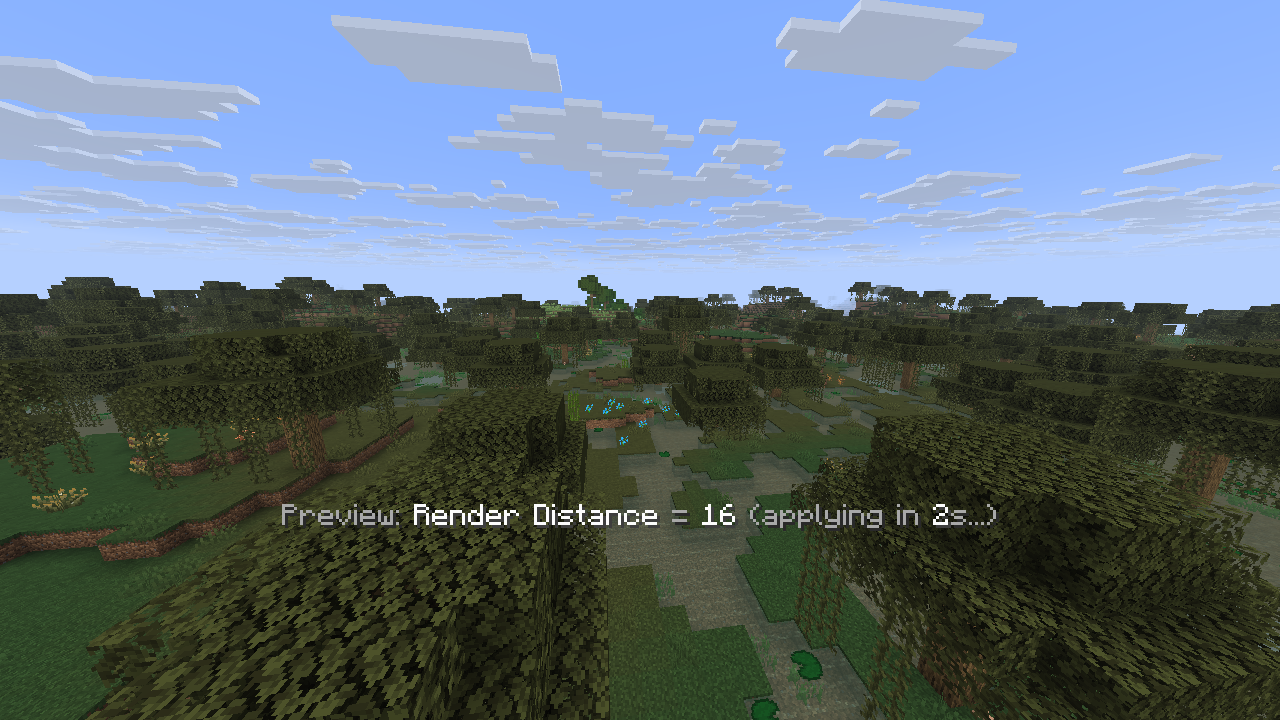
⚙️ Features:
- 🎵 Sound Controls: Toggle hostile mobs, friendly mobs, music, and jukebox sounds with dedicated hotkeys
- 🌟 Brightness Control: Adjust gamma/brightness from 0% to 1200% with fullbright support
- 🔍 Zoom Feature: Hold-to-zoom functionality for better visibility
- 📏 Distance Settings: Quick adjustment of render distance (2-32 chunks) and simulation distance (5-32 chunks)
- 👁️ FOV Control: Field of view adjustment from 30° to 110° with 5° increments
- 💾 Smart Config: Automatically saves user preferences and restores them on game restart
- ⏱️ Debouncing: Prevents setting spam with 2-second delay for distance/FOV changes
- 🎯 Real-time Feedback: Shows current values and countdown timers for pending changes
📦 Requirements:
- Minecraft: 1.21.6
- Fabric Loader: 0.16.9 or higher
- Fabric API: Compatible version for 1.21.6
- Java: 21 or higher
🌍 Available Languages:
- English (en_us): Full translation support
- Vietnamese (vi_vn): Complete localization
- Extensible: Easy to add more languages via resource packs
⌨️ Setting Up Keybindings:
Important: This mod does not set any default hotkeys. You need to configure them manually in Minecraft's settings.
- Go to Options → Controls → Key Binds
- Scroll down to find the "Quick Setting Key Mod" category
- Assign your preferred keys to each feature:
- Brightness Increase/Decrease
- Render Distance Increase/Decrease
- Simulation Distance Increase/Decrease
- FOV Increase/Decrease
- Toggle Hostile Mob Sound
- Toggle Friendly Mob Sound
- Toggle Music Sound
- Toggle Jukebox Sound
- Toggle Subtitle
- Zoom (Hold to activate)
All keybindings are fully customizable to your preference.
📥 Installation:
- Install Fabric Loader
- Download Fabric API
- Download the latest release of Quick Setting Key Mod
- Place both
.jarfiles in yourmodsfolder - Launch Minecraft and enjoy!
🔧 Configuration:
The mod automatically creates a config/quicksettingkey.json file to store your preferences. All settings are saved automatically when changed.
Ченджлог
1.0.7+1.21.6Релиз1.21.6, 1.21.7, 1.21.8 · 17 августа 2025 г.
- Add hotkey for subtitle
- Add mouse speed reduction when zooming
1.0.6aРелиз1.21.6, 1.21.7, 1.21.8 · 27 июля 2025 г.
- Remove brightness increase/decrease function of version
1.0.6 - Fix bug of not updating configuration properly
- Clean up redundant code
1.0.6Бета1.21.6, 1.21.7, 1.21.8 · 27 июля 2025 г.
- Add hotkey for brightness up/down
- Add config file
config/quicksettingkey.json - Fix sound states not loading correctly
- Optimize source code
1.0.5Релиз1.21.6, 1.21.7, 1.21.8 · 27 июля 2025 г.
- Add hotkeys for commonly used sounds
1.0.4Бета1.21.6, 1.21.7, 1.21.8 · 26 июля 2025 г.
- Add zoom feature when holding shortcut key
1.0.3Бета1.21.6, 1.21.7, 1.21.8 · 26 июля 2025 г.
- Add FOV increase/decrease feature
1.0.2Бета1.21.6, 1.21.7, 1.21.8 · 26 июля 2025 г.
- Add delay to apply settings, avoid applying too fast
- Optimize source code
1.0.1Бета1.21.6, 1.21.7, 1.21.8 · 26 июля 2025 г.
- Merged all keybind categories into "QuickSettingKey" and updated translations.
Комментарии
Загружаем…