 Mineforgian
Macro Deluxe
QOL mod to help with your specific tasks - Deluxe Edition!
- Загрузки
- 3K
- Подписчики
- 2
- Обновлён
- 28 сентября 2025 г.
- Лицензия
- All-Rights-Reserved
Опубликован 20 сентября 2025 г.
Macro Deluxe — Simple Macro Recording for Minecraft
Macro Deluxe is a quality‑of‑life client mod that lets you record, edit, and play back your own input macros with a clean UI, movable HUD, and smart optional failsafes.
Highlights
- Effortless macro recording and playback
- Press the default keybinds to record with
F8and play withF9(changeable in Controls). - Supports chat messages and commands: outgoing chat and
/commandsare recorded. - Optional input blocking while playing (keyboard/mouse) to avoid accidental interruptions.
- Press the default keybinds to record with
- Flexible loop system
- Loop modes:
No Loop,Finite(with configurable count), orInfinite.
- Loop modes:
- Movable, styled HUD overlay
- Minimal, readable status overlay: timer, state and current loop count.
- Smart failsafes with customizable alerts
- Stop on GUI open (with optional auto‑resume on close).
- Stop on teleport, with a "world change only" option to ignore short hops.
- Audible alert on failsafe trigger: pick sound, set volume, and choose repeat behavior:
OnceSpecified Amount(numeric field)Until User Action(stops on any key press)

Keybinds (Default)
- Open Settings:
O - Apply View:
F10 - Play Macro:
F9 - Record Macro:
F8 - Stop Macro/Recording:
F7
All keybinds are configurable in Minecraft’s Controls.
How It Works
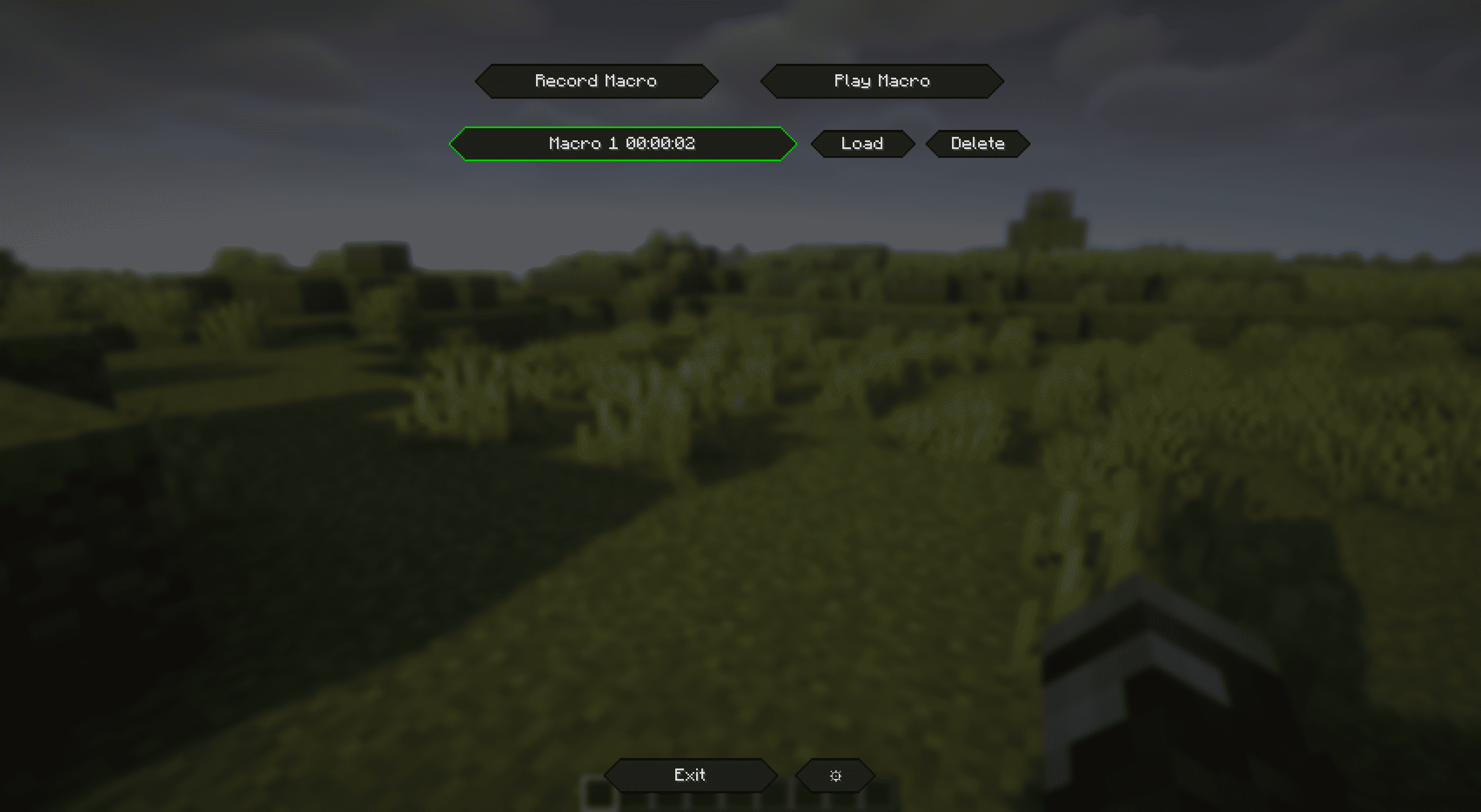
- Record your macro
- Open the
Macro Editorfrom the mod’s settings, or just pressF8to start recording. - Perform your actions (key presses, mouse clicks, scroll, chat messages/commands).
- Press
F8again to stop. The recording is saved to your local macro library.
- Open the
- Play your macro
- Select and load a macro in the
Macro Editor, then pressPlayor hitF9. - Loop behavior follows your configured mode and count.
- Select and load a macro in the
- Manage and rename macros
- Use the
Macro Editorlist to load, rename, and delete saved macros.
- Use the
- Move the HUD
- Settings → GUI →
Edit HUD Placement. - Drag the preview; click
Saveto persist.Reset Positionreturns it to the top‑left.
- Settings → GUI →
- Failsafe alerts
- If a failsafe triggers while playing, the macro stops and a notification + sound alert appears.
Push Notifications
- Non‑blocking, animated toasts appear in the top‑right.
- Context‑colored titles (e.g., red for failsafe/stop, green for start).
Disclaimer
This mod is intended for educational and entertainment purposes only. By downloading and using Macro Deluxe, you acknowledge that the developers of this mod are not responsible for any misuse, violations of server rules, or consequences resulting from its use. Users are solely responsible for ensuring compliance with server policies, community guidelines, and applicable laws. Use at your own risk.
Join the Discord :)

If you like Macro Deluxe, consider leaving feedback or feature requests on Discord. Enjoy!
Ченджлог
1.0.4Релиз1.21.2, 1.21.3, 1.21.4 · 28 сентября 2025 г.
-- Fixed
Now the teleport failsafe works correctly with different dimensions and worlds
Removed button "Ignore world change" due to this being implemented in the Stop on GUI by default. There is no reason to have this configurable.
1.0.3Релиз1.21.2, 1.21.3, 1.21.4 · 27 сентября 2025 г.
-- Fixed
Applying View now works with recording and will replay the same way correctly.
Properly reholds any mouse buttons after the pause is finished
1.0.2Релиз1.21.2, 1.21.3, 1.21.4 · 27 сентября 2025 г.
++ Added
Stop on GUI failsafe: world-change handling.
World/dimension changes are no longer treated as regular GUIs.
New setting: "Ignore World Change" (enabled by default). When enabled, Stop on GUI will not trigger on world changes. When disabled and Stop on GUI is enabled, a world change will raise the failsafe: pause with a 2s countdown if Continue on GUI Close is enabled, or stop otherwise.
New hotkey: Apply View (default F10). Instantly applies the yaw/pitch values from Macro Editor to the player view. Also usable while Macro Editor is open.
GUI settings:
Macro HUD toggle ("Macro Hud"). Controls the in-game HUD showing macro time and loop count. When disabled, the "Edit HUD Placement" button is hidden.
Mini-Inventory HUD toggle ("Display Mini-Inventory"). Shows/hides the mini-inventory overlay. When disabled, the "Edit Mini-Inventory" button is hidden.
-- Fixed
- Resume after GUI close: restored held inputs when resuming playback. When a GUI closes (with Stop On GUI + Continue on GUI Close enabled), the macro now correctly re-holds mouse buttons and keys so actions like continuous breaking/placing resume correctly.
1.0.1Релиз1.21.2, 1.21.3, 1.21.4 · 25 сентября 2025 г.
++ Added Full inventory failsafe
++ Added Inventory Preview ++ Added customization options for Inventory preview
-- Changed Icon
1.0.0Релиз1.21.2, 1.21.3, 1.21.4 · 20 сентября 2025 г.
Initial Release :)
Комментарии
Загружаем…