 Mineforgian
Latitude
Latitude overhauls world generation so biomes follow realistic latitude bands—from equatorial jungles to polar tundras.
- Загрузки
- 2K
- Подписчики
- 42
- Обновлён
- 20 августа 2026 г.
- Лицензия
- GPL-3.0-or-later
Опубликован 21 января 2026 г.
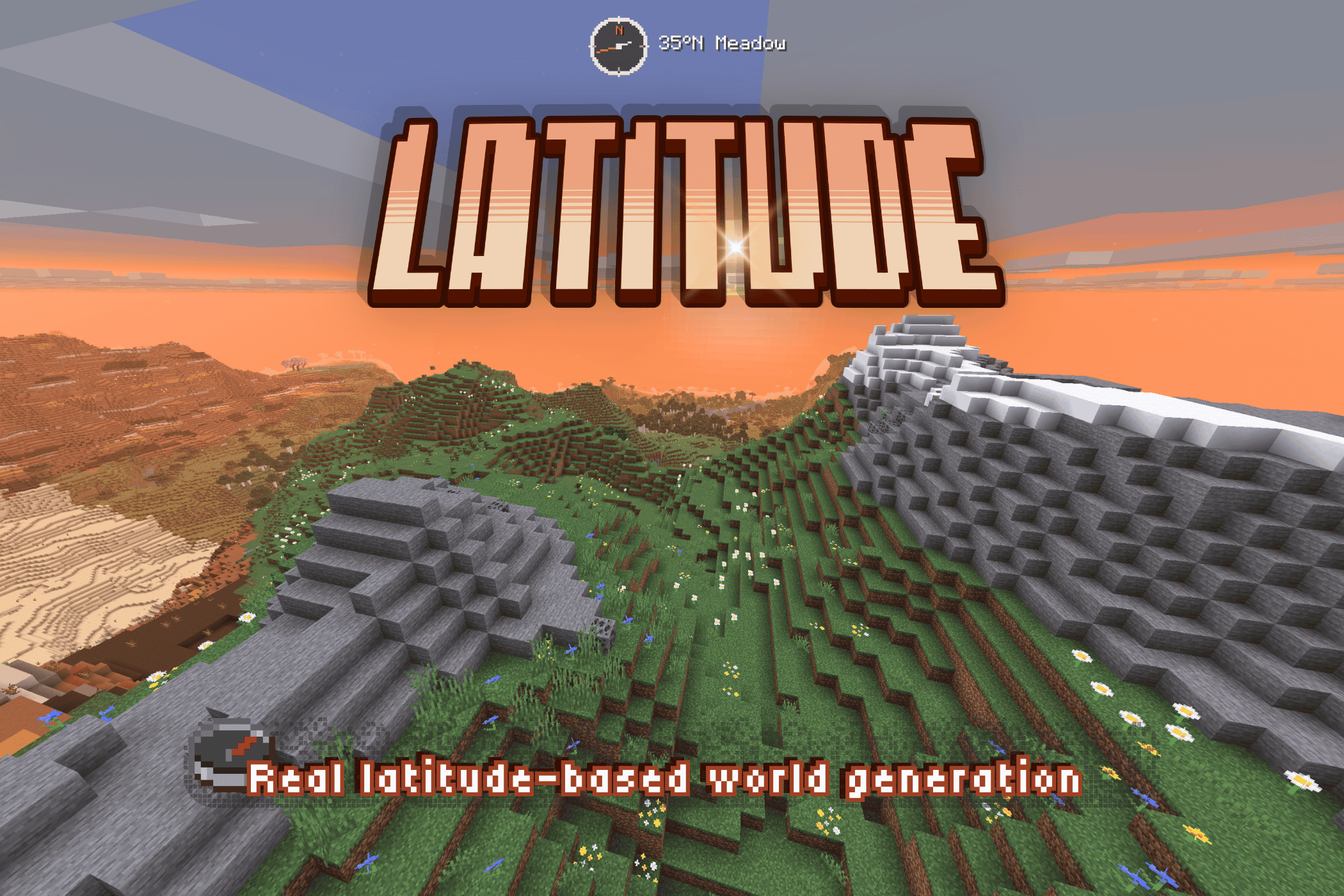
A planet-scale world with real geography and climate bands.
Latitude brings new life to Minecraft world generation by distributing biomes according to latitude. Thick jungles and sprawling savanna stretch out from the equator and gradually give way to cooler climates heading north or south towards the poles, where snow blankets the landscape and water freezes. I built Latitude to make Minecraft worlds feel finite and real, and to make travel feel purposeful, grounded, and exciting.
⚠️ Latitude overhauls world generation and takes effect in new worlds. Existing Latitude worlds keep the generation they were created with.
🗺️ Latitude-based geography
Five climate bands radiate outward from the equator at the center of the world to the poles at its edges:
| Zone | Character | Typical Biomes |
|---|---|---|
| 🌴 Tropical | Hot, humid, lush | Jungle, Bamboo Jungle, Mangrove Swamp, Sprawling savanna |
| ☀️ Subtropical | Warm and varied, drier toward the edges | Savanna, Desert, Badlands, Plains |
| 🌿 Temperate | Mild, forested, familiar | Forest, Birch Forest, Meadow |
| 🌨️ Subpolar | Cold, stark, increasingly sparse | Taiga, Snowy Plains, Grove |
| ❄️ Polar | Frozen and forbidding | Snowy Plains, Ice Spikes, Frozen Ocean |
Zones blend gradually, avoiding harsh climate seams and allowing travel across the latitude bands to feel smooth and natural.
⛰️ Snow-capped mountains with tree lines
Mountains get a sense of scale, with forests thinning out at the tree line, where only grass and sparse foliage survive, while barren rock and snow blanket the highest peaks.
🥾 Wanderlust
A planet-like map makes the frontier a real place, with real stakes:
- Approaching the poles present a real freeze-hazard.
- At the edges of the world, you'll encounter gradually thickening fog that disguises the vanilla borders to help with immersion.
- Climate band and hemisphere titles cinematically announce your crossings.
🌐 Finite by design
Pick a world size! By design, Latitude worlds are finite. This size limit helps worlds feel more natural and purposeful.
| Size | Diameter | Feel |
|---|---|---|
| Itty Bitty | 7,500 × 7,500 | Equator to pole in an afternoon |
| Tiny | 10,000 × 10,000 | Tiny and cute |
| Small | 15,000 × 15,000 | Compact and varied |
| Regular | 20,000 × 20,000 | Balanced |
| Large | 30,000 × 30,000 | Long-haul survival |
| Ginormous | 40,000 × 40,000 | Continental-scale trek |
Everything scales with the size you pick — band widths, border behavior, latitude math. A smaller world doesn't cut off a bigger one; it compresses the whole climate system proportionally. That said, with custom biome packs installed, smaller worlds may have reduced biome representation.
Choose your spawn zone: prefer hot climates? Spawn into a lush, tropical adventure! Prefer the cold? Drop into a snowy wonderland!
🧭 Navigate with ease
Latitude ships a built-in navigation HUD, fully customizable:
- Compass — digital (cardinal, 8-way, or degrees) or analog with different color themes.
- Latitude readout — your live position in the world
- Biome & zone detail — see where you are, or not!
- Customizable — size, color, opacity, position
HUD Studio: press F9 in-game (rebindable) to open a live editing screen — drag the title, compass, and location readout wherever you want, snap-to-grid or free. A quick keybind toggles the compass on and off.
For server operators, release builds include a small /latitude command set (here, explainHere, probe, tpLat, tpBand) for inspecting and navigating the climate map.
🧩 Compatibility
Latitude works through Minecraft's biome-tag system. Pairs nicely with terrain-shaping mods like Tectonic, Geophilic, and William Wyther's Overhauled Overworld. Custom biome support places biomes into the right climate bands automatically. Currently supported packs include Biomes O' Plenty, Terralith, and CliffTree, with more to come.
ℹ️ A note on big biome-pack stacks: each climate band draws from a finite pool, so the more packs you stack, the smaller each biome's share becomes — you won't necessarily see every biome from every pack. The mix stays coherent and climate-appropriate. Vanilla biomes are given preference.
🔭 What's next — Latitude 2.0 🌏
Latitude 2.0 is in production. The larger overhaul being showcased publicly — with its more elaborate mechanics — is a separate line and still in development: expanded biome support, broader worlds, and more earthlike generation shaped by continents, oceans, climate, and exploration. And all the cats you could ever want!!! 🐈⬛🐈
1.5 is the final polish release of the 1.x line, and the best version of this idea to date.
💛 About & Support + AI Disclaimer
If you've ever thought vanilla biome placement felt random and disconnected — this fixes that. Latitude is built for long-term survival worlds, exploration-focused playthroughs, and modpacks that want a world that feels like a real place without piling on new content.
🧭 Latitude is a solo passion project and my first mod. Thank you for playing -- I hope you enjoy it as much as I do! :D
👾 Latitude contains AI-generated code (I am still learning to code with Java!), but the project is designed, directed, planned, and tested by me. I use AI to help me realize my dream, not to churn out slop. If you see any wonky code that could use improvement, please feel free to open a pull request! :)
🐛 Found a bug, or want to follow development? → GitHub
⭐ Enjoying Latitude? Leave a ❤️ on Modrinth — it genuinely helps a solo dev!
➢ Follow my mod development: https://www.youtube.com/@peetsamods
🌍 A development journal for Latitude
Curious about the bigger idea behind the project? Read the Latitude Field Guide for a look behind the scenes at real-time development. Updated by Codex, designed and overseen by me (totally human, promise!).
Ченджлог
1.5.1-beta.2+26.2Бета26.2 · 20 августа 2026 г.
Latitude 1.5.1-beta.2 (Minecraft 26.2)
⚠️ Backup your worlds before updating!
A follow-up to beta.1: structures now respect their whole footprint, /locate lands you on target, and the arid belt gets two real fixes plus green riverbanks. Beta: shipped for testing before the 1.5.1 stable tag.
Structures and /locate fixes
- Structures are judged by their whole footprint, not a single center point. A desert pyramid or outpost whose bounding box reached into badlands could previously generate half-in anyway; the entire footprint must now sit on legal ground. As deliberate design, no structure generates within 100 blocks of the world's east/west border danger zone.
/locate structureresults now land on the actual structure. The reported position is the generated structure's center rather than the pre-generation placement point, and teleporting to a buried structure (e.g. a desert pyramid) now surfaces you safely above it instead of inside it.
World generation fixes
- Swamps now appear only in genuinely wet regions. Previously "not explicitly dry" was enough, which let swamps form on medium-moisture land. Expect noticeably fewer, better-placed swamps (roughly a third fewer overall); mangroves are unaffected, since they follow a separate coastal rule.
- Desert oases actually exist now. The rare "desert surviving inside a wet region" feature was silently dead on most worlds — its coherence noise scaled with world size, so the whole map got about three coin-flips regardless of size. On some seeds this revives oases that never appeared; on others nothing changes.
- Badlands is now an earthlike-rare accent of the desert belt instead of a seed lottery. The badlands-region noise had the same world-size problem as the oases above: only a handful of giant cells per map, so some seeds handed badlands most of the arid belt (measured up to two-thirds, with desert squeezed to a sliver) while others got almost none. The region size is now capped and the coverage calibrated: on every measured seed badlands holds roughly 15% of the dry belt and desert is the staple, appearing as coherent kilometer-scale mesas rather than one continent-sized sheet.
- Desert riverbanks can be green now. Where an arid biome meets fresh water, the bank sometimes grows a strip of grass and wildflowers instead of running bare sand right to the waterline. Deliberately not everywhere: long stretches stay bare, and which stretches green up is fixed by the world seed. The biome itself is unchanged — it is still desert, still spawns desert mobs, still admits desert structures; only the planting is different.
World creation fixes
- Each climate zone now spawns you at the middle of its own band. Most visibly: requesting a Subtropical start previously spawned you just across the line in Temperate, every time. All five zone starting latitudes shift slightly as a result (e.g. Tropical 18°→11.75°, Subpolar 65.25°→58.25°) — each is now the honest center of its zone.
Notes
- Worldgen changes apply to newly generated terrain only. Existing worlds keep their already-explored chunks and pick up the fixes as you explore outward.
Known issues
/locate biomecan occasionally land you on a very small patch of the requested biome rather than in the middle of a large one — most noticeable with swamp next to mangrove swamp. A fix is designed for the next build.- The rare band-boundary seam from beta.1 (a lush temperate biome directly bordering an arid subtropical one, e.g. flower forest against badlands) is still present. Deferred, as before.
1.5.1-beta.1+26.2Бета26.2 · 19 августа 2026 г.
Latitude 1.5.1-beta.1 (Minecraft 26.2)
⚠️ Backup your worlds before updating!
A fix-and-polish pass on top of 1.5.0, carrying forward fixes discovered while porting Latitude to other Minecraft versions, a full worldgen variety pass, a compatibility fix affecting anyone running TerraBlender, and a round of live-tested UI cleanup. Beta: shipped for testing before the 1.5.1 stable tag.
This update rounds out recent custom-biome integration work, but the sharpest fix is for the vanilla fallback. Without custom biome packs, biome admission was badly skewed and savanna was crowding the tropics, for one example.
World generation
- Windswept hills no longer dominate the polar band. They were showing up snowless across the pole with green grass and foliage; now correctly restricted to genuine cold mountain terrain, and the pole reads more varied as a result.
- Desert is the staple of the arid belt again. Badlands had been crowding it out almost entirely. Badlands now generates as coherent regional patches inside a desert-dominant belt instead of everywhere.
- Fixed bug where Savanna dominated the tropics. It's now a coherent region with real borders, set inside a proper mix of forest and jungle, and still forms the natural transition band hugging every arid area.
- Custom biomes: Muskeg, ice marsh, and glacier cliff were unplaceable in every world. Fixed — a disagreement between two internal systems meant they were admitted but never actually reachable.
- Wetlands could appear in bone-dry regions, and deserts in explicitly wet ones. Both directions fixed.
- Rivers and beaches can now come from installed biome packs, not only vanilla.
eroded_badlandswas structurally unplaceable in every world, logging a coverage warning on every load. Fixed.- Redwood forest (a custom biome) now routes through the correct pool, correcting a stale route from an earlier port.
- Alpine terrain respects real snow footing, and badlands structures keep their intended desolate look instead of getting dressed up by nearby biomes.
- Custom-pack biomes decorate properly. Biomes admitted only through a pack's provider ticket (not through Latitude's own band tags) could generate with no flowers, grass, or other decoration at all. Confirmed live with real Biomes O' Plenty/TerraBlender jars and fixed.
- Dedicated/server-created worlds now place custom-pack biomes at all. That capture previously only happened for worlds created through the in-game screen.
savanna_plateauno longer overrides a correct low-elevation biome choice.- The bonus chest no longer spawns floating over water.
- Known trade-off: since forest doesn't spawn villages (vanilla behavior), warm-belt village density drops somewhat now that savanna covers less ground. Villages remain common inside savanna regions themselves.
Snow
- Windswept hills/forest at cold-but-not-freezing latitudes were showing bare grey grass with no snow. Three separate causes, all fixed, and windswept terrain now has its own lower snow line so it reads as snow-capped.
- A leftover "orphaned" white-rimmed grass glitch from snow removal is fixed.
- The tree line and foliage limit are now correctly separate rules — trees stop at 72° latitude, ground vegetation continues to the pole.
- (Snow fixes only affect newly-generated terrain — already-explored chunks are unchanged.)
Sulfur caves
- Sulfur caves generated completely empty — no ore, no decoration. Root-caused and fixed at every layer, including a compatibility conflict with TerraBlender (pulled in by Biomes O' Plenty) that was silently overriding Latitude's terrain rules.
- Fixing that also restored badlands' proper terracotta look for anyone with TerraBlender installed — it had been silently using an old, untuned vanilla appearance instead.
World Creation screen
- Cancel could accidentally select a climate zone instead of closing the screen, at high GUI scale. Fixed.
- Tighter margins and spacing, and a visual divider between climate zone entries.
- The second tab now correctly reads "Settings" (was mislabeled "Rules").
- A new title-intro animation plays once per screen-open in the compact layout.
- The loading screen no longer flashes vanilla's own screen first.
- The compass HUD no longer shifts position when the location label changes length, and no longer renders outside a Latitude world.
Compatibility
- Latitude reliably recognizes its own worlds even with other world-gen mods installed (confirmed with CliffTree). It previously could silently fall back to vanilla terrain while still showing Latitude's loading screen and HUD — now it either works correctly or fails loudly with a clear error.
- Steep temperate terrain no longer gets flattened onto a plains-family biome — the land-cohesion check that prevents this is now active rather than silently skipped.
/locate and structures fixes
/locate biomecan now find custom-pack biomes, not just vanilla./locatenow returns the actual nearest match, not just the first one found along the search path.- Structures now generate using Latitude's own biome map. This ensures that structures are placed in the correct biomes, even when custom biome packs are installed. This also fixes an issue where structures were not generating in some biomes.
- New worlds' spawn point reliably stays inside your selected latitude.
Other
- Corrected license inconsistencies and confirmed alignment to GPL-3.0-or-later.
- Reduced unnecessary log-file bloat from the World Creation screen.
Known issues
- A rare seam where a lush temperate biome can directly border an arid subtropical one (e.g. flower forest against badlands) at the exact latitude-band boundary. Deferred — a fix is designed for a future pass.
- Windswept hills are correctly restricted to cold mountains now, but are still fairly rare there (~3–6% of that terrain) — an open art-direction question, not a bug.
- Climate-zone rows on the World Creation screen have extra spacing at high GUI scale. Known, intentionally left for now.
1.5.0-beta.1+26.1.2Бета26.1.2 · 6 августа 2026 г.
Latitude 1.5.0-beta.1 for Minecraft 26.1.2
⚠️ Backup your worlds before updating.
Everything from the 1.5.0 release already out for Minecraft 26.2 — the rebuilt climate model, custom-biome provider support, the poles, HUD Studio, the new create-world screen, /latitude commands — now on 26.1.2, published to the platforms for the first time on this line.
Plus two fixes found and made specifically in this port, not yet in the 26.2 build:
- Structures now match the biome you're standing in. Structure placement and
/locate structurewere reading two different biome maps — one already repainted by Latitude, one still raw. Fixed both directions: a structure won't generate in a biome it doesn't belong in, and/locate structurewon't promise you one that isn't actually there. - Zone spawns land where they say they will. A Subtropical spawn could land a degree past its own boundary, into Temperate. Every zone's spawn target is now the true center of its latitude band.
1.5.0-beta.1+26.2Бета26.2 · 5 августа 2026 г.
Latitude 1.5.0 — for Minecraft 26.2
The first Latitude release on the mod platforms since 1.3. The 1.4 line was only ever tagged on GitHub, so this build carries two full development cycles: the 1.4 worldgen and custom-biome overhaul, plus the whole 1.5 polish campaign on top of it.
If you played 1.3, this will not feel like a point release.
☞ Latitude 2.0 is still in production. The larger overhaul that I've been showcasing publicly on YouTube, with its more elaborate mechanics, is a separate line and still in development. 1.5 is the final polish release of the 1.x line.
⚠️ Before you update
Back up your worlds first.
Coming from 1.3 (MC 1.21.11) or 1.4 (MC 26.1.2), Minecraft converts your save to the 26.2 format on first open, and that conversion cannot be undone. Keep a copy of the save folder before you launch.
Existing worlds keep their original biome selection — including in chunks you have not visited yet. The climate-model and custom-biome work below therefore applies to newly created worlds. That is deliberate: it stops terrain you have already explored from changing underneath you.
The tree line and snow caps are the exception. Those are applied as terrain generates, so they will show up in newly generated chunks of an existing world too. Already-generated chunks are untouched, so an older save can show a seam where forested summits meet the new bare-and-snowcapped ones.
Mountains feel like mountains
New in this release and on by default: a real tree line, and snow-capped peaks whose snowline follows latitude.
Forests now thin out with altitude instead of climbing to the summit — trees start dropping away around Y140 and stop entirely by Y168, so the tree line arrives as a gradual thinning rather than a hard edge. Above it, ground gives way to exposed alpine rock, with a fading shelf of meadow just above the line so the change does not read as a painted stripe.
Higher still, peaks wear snow, and where snow begins depends on your latitude — shaped after Earth's real climatic snowline, which sits lowest near the poles and rises toward the dry subtropics. Polar terrain is snow-covered almost throughout; subpolar has a low snowline; temperate peaks are capped; in the subtropics only the highest summits are; and there are no equatorial glaciers at all.
The snowline is noise-warped rather than a flat contour, so caps sit unevenly along a ridge the way real snow does instead of cutting every peak at the same height. And the snow zone deliberately carries no grass, so nothing pokes up through the caps.
The climate map reads like a real world
The warm-side moisture model used to ignore latitude, so deserts scattered evenly across every warm band — including the equator. That model has been rebuilt around an Earth-analog wet-bias: the equatorial belt stays humid, arid country sits out in the subtropics where it belongs, and you travel through a believable jungle → savanna → desert gradient instead of a shuffled bag of biomes.
The equator stayed varied rather than becoming a wall of jungle, badlands stopped appearing at the equator (it's a subtropical landform on Earth), and biome "confetti" is largely gone — accent biomes now form real patches instead of single-cell speckles. On validation seeds, jungle small-fragment share fell from roughly a quarter to under a tenth.
Also fixed along the way: Pale Garden forms one coherent inland region, Mushroom Fields is actual land instead of a water-coloured label, caves are reliably represented, temperate coasts and beaches were tightened, and windswept mountains came back.
Custom biome packs actually get represented
Latitude admits biomes from other mods through its globe:lat_* tags, with a safety rail so nothing
lands in a climate it doesn't belong in.
In 1.5 the selection was rebuilt. It used to be driven by a fixed seed and a single tag-size-weighted roll, which let big packs crowd out entire providers and made different worlds repeat the same choices. Latitude now picks a provider first, then a biome inside it, using your world seed — so a pack's share no longer depends on how many biomes it happens to ship.
With Biomes O' Plenty and Terralith both installed, sampled worlds came out around a fifth BoP, a quarter to a third Terralith, and about half vanilla, with dozens of distinct custom biomes present. Terralith's orchid swamp and amethyst regions and BoP's marsh, wetland and tropics all show up in the right latitudes, and temperate forest went from a near-monoculture to a genuine mix. Exact shares vary by seed, world size, and which packs you have installed.
The poles feel like the poles
Polar blindness is now a whiteout fog you can read as weather. Frost damage in the final zone was steadied, foliage is suppressed beyond 80°, and the polar warnings and zone titles were reworked.
A new create-world screen
A square Atlas preview replaces the old disc. Smaller worlds show a faint Regular-world reference underneath and larger worlds a darkened one inset, so you can actually compare sizes. The Atlas stays put while you cycle sizes, and the compact-world note no longer shoves it around.
A customizable compass HUD
HUD Studio brings HUD customization into one tabbed screen with a live preview. Drag the title, compass, and a new biome/zone readout wherever you want, snap-to-grid or free, with independent text scaling and six analog compass themes.
Operator commands
Public builds now ship a few operator-gated tools under /latitude: here and explainHere to see
your latitude, band and why a biome was chosen; probe to sample the surrounding distribution; and
tpLat / tpBand to jump to a latitude or band. Inspection and navigation only — Latitude's
development tooling is excluded from release builds by policy.
Compatibility
Existing Latitude worlds load and keep generating without rewriting chunks you've already explored.
Known limitation
With several large biome packs installed, you will not see every biome. Each latitude band draws from a finite weighted pool, so the more you add, the thinner each one's share. 1.5 substantially improves which biomes appear and stops whole packs being crowded out, but it does not make coverage complete. Per-pack representation weighting is on the roadmap.
1.3.0+1.20.1-r1Релиз1.20.1 · 4 июня 2026 г.
Latitude 1.3.0+1.20.1-r1 hotfix
Fixed:
- Corrected the packaged mixin refmap name for the 1.20.1 jar.
- Addresses startup crashes with No refMap loaded and removed target resolution errors.
- Set the packaged mixin compatibility level to Java 17 for 1.20.1 launcher profiles.
- Removed a release-jar reference to excluded debug stats that could crash during warm-band world generation.
Unchanged:
- No gameplay or worldgen behavior changes.
1.3.0+1.20.1Релиз1.20.1 · 3 мая 2026 г.
Deprecated: use 1.3.0+1.20.1-r1
This upload is superseded by Latitude 1.3.0+1.20.1-r1, which fixes the 1.20.1 startup/refmap crash and related Java 17 launch blocker. Please install the -r1 version instead.
Latitude 1.3.0 for Minecraft 1.20.1
Latitude 1.3.0 is now available for Minecraft 1.20.1.
This is a backport of the 1.3.0 Latitude update, bringing the newer climate/worldgen system, bespoke UI work, loading-screen polish, HUD tools, and EW border improvements to the 1.20.1 line.
Highlights
- Backported Latitude 1.3.0 to Minecraft 1.20.1.
- Restored the 1.3.0 climate and biome-selection improvements on 1.20.1.
- Preserved live runtime biome replacement so generated worlds use Latitude’s biome authority path.
- Restored the bespoke create-world flow and “Begin Expedition” launch path.
- Restored Latitude’s bespoke loading overlay for new and existing worlds.
- Restored F9 settings and HUD Studio behavior for the 1.20.1 version.
- Fixed 1.20.1 client/UI API drift across settings screens, HUD Studio, create-world screens, and render hooks.
- Fixed EW storm/haze rendering for 1.20.1, including HUD readability, directional warning text, and split-screen haze ownership issues.
- Preserved
/latdevdeveloper tools for inspection and proof checks. - Verified fresh-world and existing-world runtime loading.
- Verified release artifact purity: no dev/headless/tooling payloads or process-launch bytecode in the public jar.
World generation
- Includes the 1.3.0 climate cohesion work from the current Latitude line.
- Keeps Latitude’s band-first biome selection behavior.
- Preserves the live biome hook path in runtime world generation.
- Retains the corrected biome authority improvements from the 1.3.0 series.
UI and client experience
- Restored bespoke Latitude create-world experience for Minecraft 1.20.1.
- Restored “Begin Expedition” world launch behavior.
- Restored bespoke loading screen behavior for both new worlds and existing saves.
- Restored F9 settings front-door behavior.
- Restored HUD Studio access and preview behavior.
- Fixed 1.20.1-specific loading-screen text/percentage compatibility issues.
- Fixed client HUD/render mixin targeting for Minecraft 1.20.1.
EW border / storm haze
- Restored EW haze rendering behavior for 1.20.1.
- Fixed HUD readability near the east/west storm border.
- Fixed haze banding and split-screen opacity issues.
- Restored directional warning text.
- Preserved the known-good EW warning timing window.
- Confirmed the EW haze uses the intended world-pass + HUD-pass ownership model.
1.3.0+1.21.1-hotfixРелиз1.21.1 · 2 мая 2026 г.
Latitude 1.3.0+1.21.1 Hotfix
This hotfix corrects several client-side issues in the initial Minecraft 1.21.1 backport.
Fixed
- Restored the updated 1.3-style F9 Latitude settings and HUD Studio interface.
- Removed old debug/capture-style controls from the public F9 settings screen.
- Fixed blurred F9/HUD Studio screen layering so widgets, scrollbars, and previews render crisply.
- Restored missing analog compass feature.
- Applied the bespoke Latitude loading overlay when opening existing worlds, not only when creating new worlds.
- Improved east/west border haze readability so the hotbar and warning text remain visible while the storm atmosphere is still present.
Validation
clean buildpassed.- Public jar artifact purity scan passed.
- Debug/dev/tooling payload scan passed.
- Process-launch bytecode scan passed.
- Prior runtime proof remains valid: fresh-world entry, live biome hook, bespoke overlay clear, and
/latdevsmoke all passed.
1.3.0+1.21.1--DEPRECATEDРелиз1.21.1 · 2 мая 2026 г.
DEPRECATED
This version is missing a few key features of the 1.3.0 update, lost during the porting process. Recommended to use the later 'hotfix' version.
Latitude 1.3.0 for Minecraft 1.21.1
This is a backport of Latitude 1.3.0 to Minecraft 1.21.1, bringing the current climate/worldgen improvements and bespoke UI work to the older 1.21.1 line.
Highlights
- Added support for Minecraft 1.21.1.
- Added Latitude’s bespoke create-world flow for the 1.21.1 version.
- Improved first-world loading behavior.
- Fixed a major first-join stall that could leave players staring into the void for a long time after the loading screen.
- Removed the fake second Latitude “Loading terrain / Preparing the frontier” overlay phase.
- Aligned in-game latitude zone titles with the canonical five-band climate model.
- Added compatibility fixes for 1.21.1 worldgen/snow-guard behavior.
- Removed a newer-version Pale Garden tag reference that does not exist in Minecraft 1.21.1.
World generation and loading
- Fixed a spawn-selection issue where Latitude could force too much chunk generation during player join.
- Fresh world entry should now feel much closer to normal Minecraft loading speed.
- Preserved Latitude’s latitude-driven climate behavior while adapting the port to the 1.21.1 runtime path.
- Added gated biome-cost diagnostics for future performance debugging without changing normal gameplay behavior.
UI and player experience
- Added the bespoke Latitude create-world screen and world-launch flow.
- Added a planisphere-style visual preview in the create-world experience.
- Cleaned up loading-screen handoff behavior so Latitude no longer shows a second branded terrain-loading screen over an already-entering world.
- Zone-title logic now follows the canonical Latitude band system more consistently.
Technical notes
- Target Minecraft version: 1.21.1
- Java target: Java 21
- Release artifact:
latitude-1.3.0+1.21.1.jar - SHA-256:
9614be838cbb7a5f8e7300ff82455746988f81ab2dd7ed7dd80c44abb006d177
Known notes
This is a backport of the 1.3.0 line, so some content available in newer Minecraft versions is not present in 1.21.1. The release has been cleaned so it no longer references Pale Garden in the 1.21.1 biome tags.
Комментарии
Загружаем…