 Mineforgian
Kinetic Minecart
This mod increases damage to moving minecarts; the faster they move, the higher the damage, with virtually no damage limit!
- Загрузки
- 7K
- Подписчики
- 27
- Обновлён
- 18 июня 2026 г.
- Лицензия
- GPL-3.0-only
Опубликован 8 ноября 2025 г.
Kinetic Minecart
This mod increases damage to moving minecarts; the faster they move, the higher the damage, with virtually no damage limit!
Loaders



Environments


Compatibility
Fabric
| Server Mod | Relation | Description |
|---|---|---|
| Fabric API | Required | - |
| Cloth Config API | Optional | Custom Configuration Features |
| Client Mod | Relation | Description |
|---|---|---|
| Fabric API | Required | - |
| Cloth Config API | Optional | Configuration Controller |
| Mod Menu | Optional | Configuration Entry |
NeoForge / Forge
| Server Mod | Relation | Description |
|---|---|---|
| Cloth Config API | Optional | Custom Configuration Features |
| Client Mod | Relation | Description |
|---|---|---|
| Cloth Config API | Optional | Configuration Controller |
Progress
Check out the latest development progress here. Development Progress
Gallery
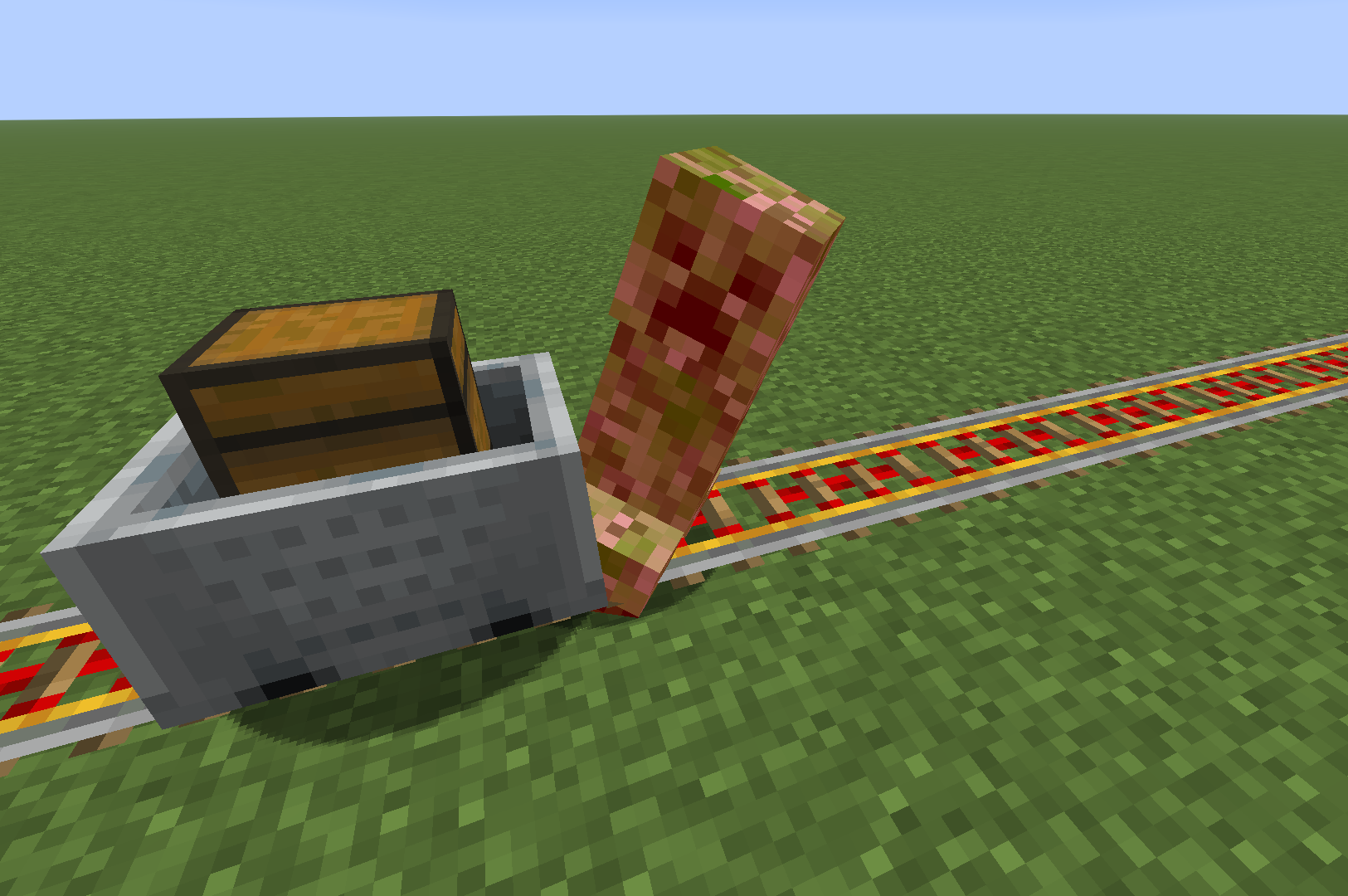
Features
- The damage dealt by minecarts is related to their Speed:
Speed >= 6         -> Damage = Speed cubed;

Speed > 2 and < 6  -> Damage = Speed squared;

Target has Vehicle -> Damage = Speed;

Speed <= 2         -> Damage = 0;
After being hit by a minecart, the entity is propelled approximately the same distance as its speed.
It offers custom configuration options, including customizing the collision effects of the minecart.
Configuration
Configuration files that will be generated after installing Cloth Config API:
.../config/kinetic-minecart.json
Singleplayer Mode


- You can edit the exclusion list, click on an item to name or delete it, and the inspection tool will attempt to proofread your input. (Sometimes, when you create a new item, the new text box may not appear; you may see an empty one, but this does not affect selection or input.)

Multiplayer Mode
- In Multiplayer Mode, you Cannot change the configuration via the menu; instead, the server administrator needs to modify the 'kinetic-minecart.json' file. Below is an example:
kinetic-minecart.json
  [enabled] Value: true/false, Default: true

  [selectedApplicaionMode] Value: "Collide"/"Radius", Default: "Collide"
  [intRadius] Range: 3 - 10, Default: 5

  [enabledDamage] Value: true/false, Default: true
  [selectedDamageMode] Value: "TieredDamage"/"DirectlyKill", Default: "TieredDamage"

  [enabledKnock] Value: true/false, Default: true

  [excludePlayer] Value: true/false, Default: false
  [excludePet] Value: true/false, Default: false
  [excludePassenger] Value: true/false, Default: true
  [excludeNamedEntity] Value: true/false, Default: false
  [excludeItemEntity] Value: true/false, Default: false

  [enabledExclusionList] Value: true/false, Default: false
  [exclusionList]
    Value: [
      "<Namespace>:<Path>",
      "<Namespace>:<Path>",
      ...
      "<Namespace>:<Path>"
    ]
    Example: [
      "minecraft:creeper",
      "minecraft:cat",
      "minecraft:fox",
      "minecraft:pig",
      "minecraft:wolf",
      "minecraft:zombie"
    ]
    Default: []
Ченджлог
2.5.0+26.2Релиз26.2 · 18 июня 2026 г.
Changes:
- Refactor: Adapted to game version 26.2.
- Build: Synchronized the build dependency name of FabricAPI.
Full Changelog: https://github.com/KSSJW/kinetic-minecart/compare/2.5.0-beta.1+26.1...2.5.0+26.2
2.5.0-beta.1+26.1Бета26.1, 26.1.1, 26.1.2 · 6 июня 2026 г.
Changes:
- Feat: Updated the multilingual files.
- Refactor: Renamed the features.
- Build: Updated the build environment.
- Docs: Updated the README.
Full Changelog: https://github.com/KSSJW/kinetic-minecart/compare/2.5.0-alpha.1+26.1...2.5.0-beta.1+26.1
2.5.0-alpha.1+26.1Альфа26.1, 26.1.1, 26.1.2 · 26 мая 2026 г.
Changes:
- Feat: Added functionality for override behavior. (#6)
- Refactor: Renamed some methods.
- Chore: Removed certain log outputs.
Full Changelog: https://github.com/KSSJW/kinetic-minecart/compare/2.4.0+26.1...2.5.0-alpha.1+26.1
2.4.0+26.1Релиз26.1, 26.1.1, 26.1.2 · 24 мая 2026 г.
Changes:
- Feat: Added death notification messages. (Change damage source to kinetic death by @the-pink-hacker in #3)
- Feat: Changed default configuration values.
- Refactor: Added null safety checks.
- Refactor: Organized the project structure.
- Refactor: Renamed classes.
- Build: Updated the build environment.
- Docs: Updated the README.
- Cleanup some minor things by @the-pink-hacker in #4
New Contributors:
- @the-pink-hacker made their first contribution in #3
Full Changelog: https://github.com/KSSJW/kinetic-minecart/compare/2.3.0+26.1.fabric...2.4.0+26.1
2.3.0+26.1.fabricРелиз26.1, 26.1.1, 26.1.2 · 28 марта 2026 г.
Changes:
- Refactor: Migrated Yarn Mappings to Mojang Mappings.
- Refactor: Compatible with version 26.1.
Full Changelog: https://github.com/KSSJW/kinetic-minecart/compare/2.3.0+1.21.11.fabric...2.3.0+26.1.fabric
2.3.0+1.21.11.fabricРелиз1.21.11 · 28 марта 2026 г.
Changes:
- Feat: Inclined track speed is calculated separately.
- Refactor: Project structure streamlined.
- Chore: Language translation updated.
- Build: Build environment updated.
Full Changelog: https://github.com/KSSJW/kinetic-minecart/compare/2.3.0-alpha.2+1.21.11...2.3.0+1.21.11.fabric
2.3.0-alpha.2+1.21.11Альфа1.21.11 · 26 января 2026 г.
Changes:
- Feat: Added damage mode selection.
- Feat: Added HUD speed display functionality.
- Fix: Fixed overlapping minecarts while in motion.
- Refactor: Lowered the minimum speed threshold.
- Refactor: Optimized integration logic.
- Refactor: Optimized the configuration interface.
- Refactor: Simplified the logging tool.
Full Changelog: https://github.com/KSSJW/kinetic-minecart/compare/2.3.0-alpha.1+1.21.11...2.3.0-alpha.2+1.21.11
2.3.0-alpha.1+1.21.11Альфа1.21.11 · 26 января 2026 г.
Changes:
- Refactor: Added delay tools to enhance stability.
- Refactor: Optimized the integration of judgment and calculation logic.
- Refactor: Renamed some class names.
- Chore: Updated logging tools.
- Style: Standardized code formatting.
- Build: Updated the build environment.
Full Changelog: https://github.com/KSSJW/kinetic-minecart/compare/2.2.0+1.21.11...2.3.0-alpha.1+1.21.11
Комментарии
Загружаем…