 Mineforgian
Isocraft
Isometric view + ARPG-like gameplay to minecraft
- Загрузки
- 15K
- Подписчики
- 233
- Обновлён
- 23 июля 2026 г.
- Лицензия
- All-Rights-Reserved
Опубликован 5 июля 2026 г.




Isocraft
Isocraft turns Minecraft into a stylized isometric game a Project-Zomboid / Diablo / League-of-Legends camera with cursor aim, click-to-move, and a smart reveal system that lifts away whatever is between you and your character so you can always see yourself. It's 100% client-side, works with Sodium & Iris, and it's a toggle — press one key to drop into iso, press it again to go back to vanilla.
Fabric Minecraft 1.21.11 Client-side Singleplayer + Multiplayer
✨ What makes it special
Isocraft isn't a texture pack or a shader — it re-frames the entire game. Press O and the camera pulls back into a cinematic isometric angle, your character starts aiming at your cursor, and the world reshapes itself so nothing ever hides you.
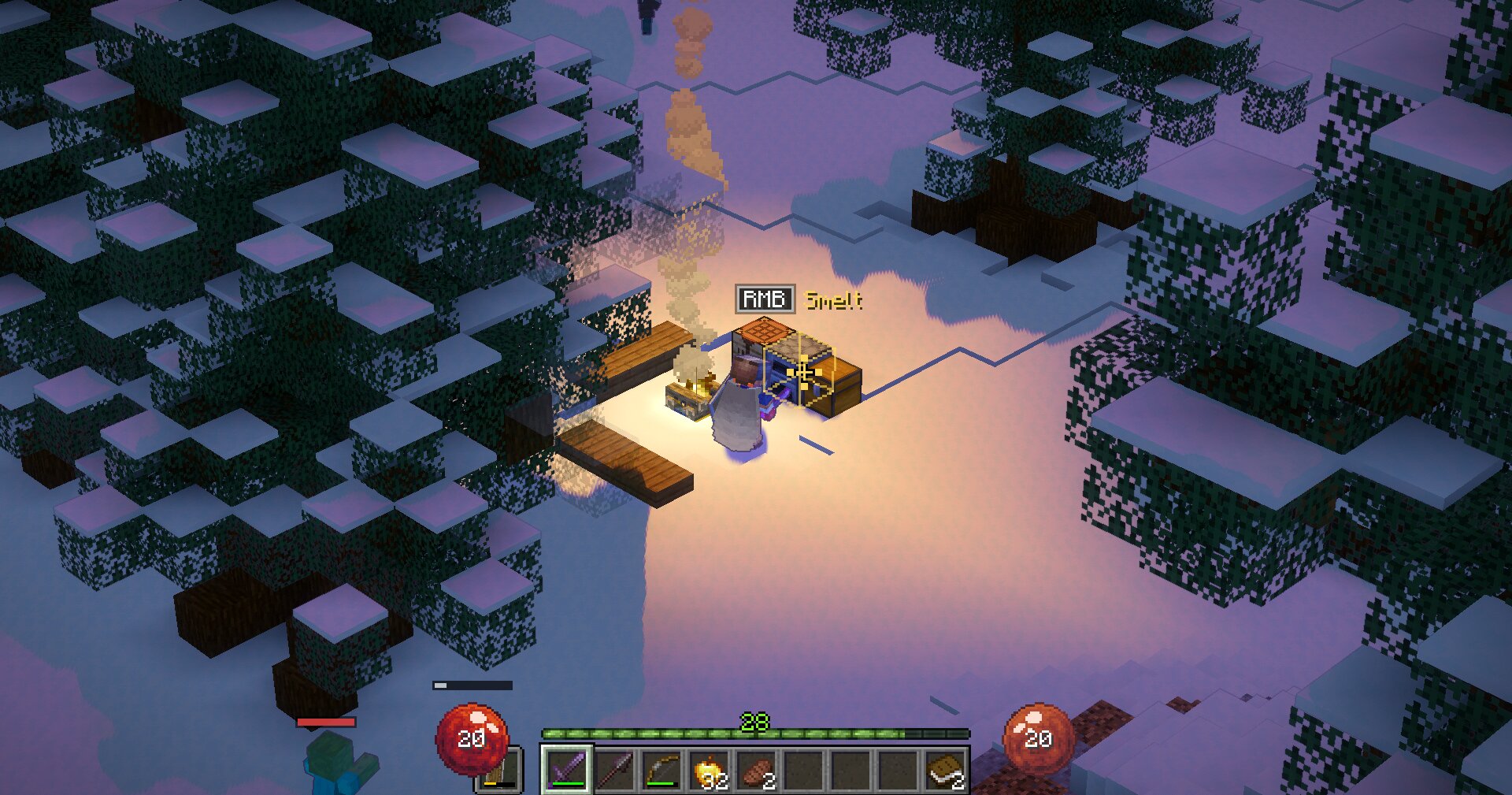
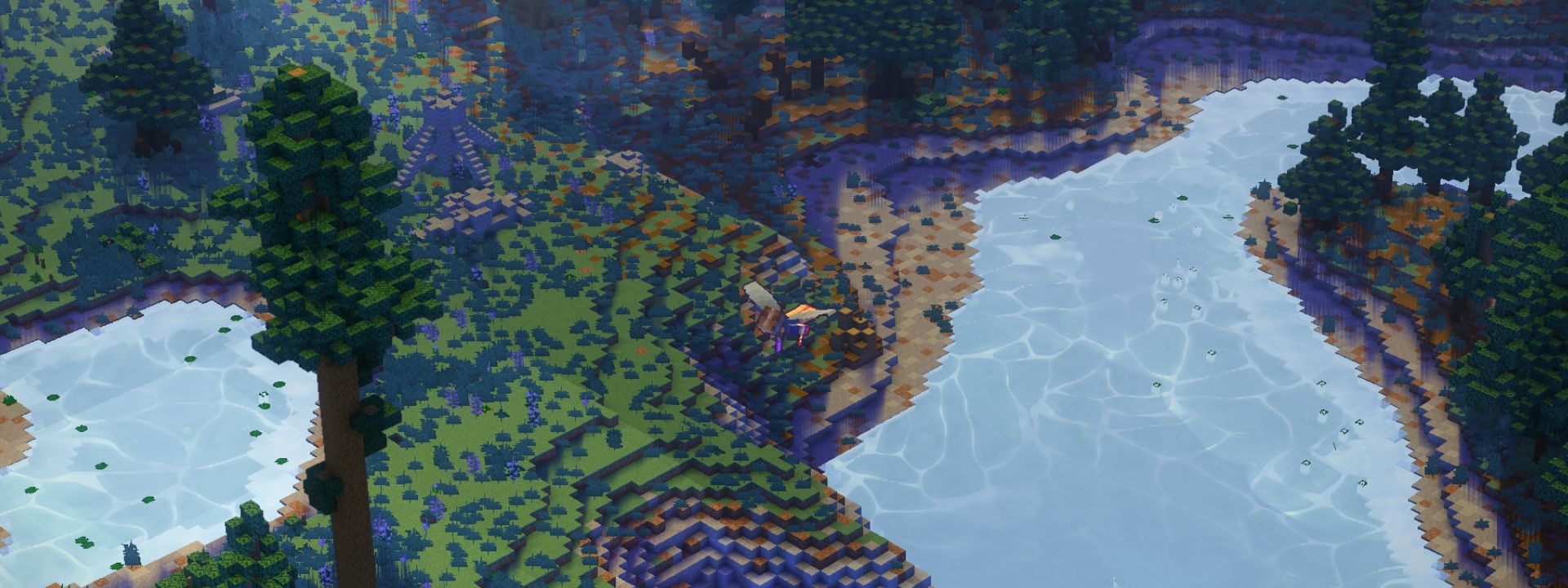
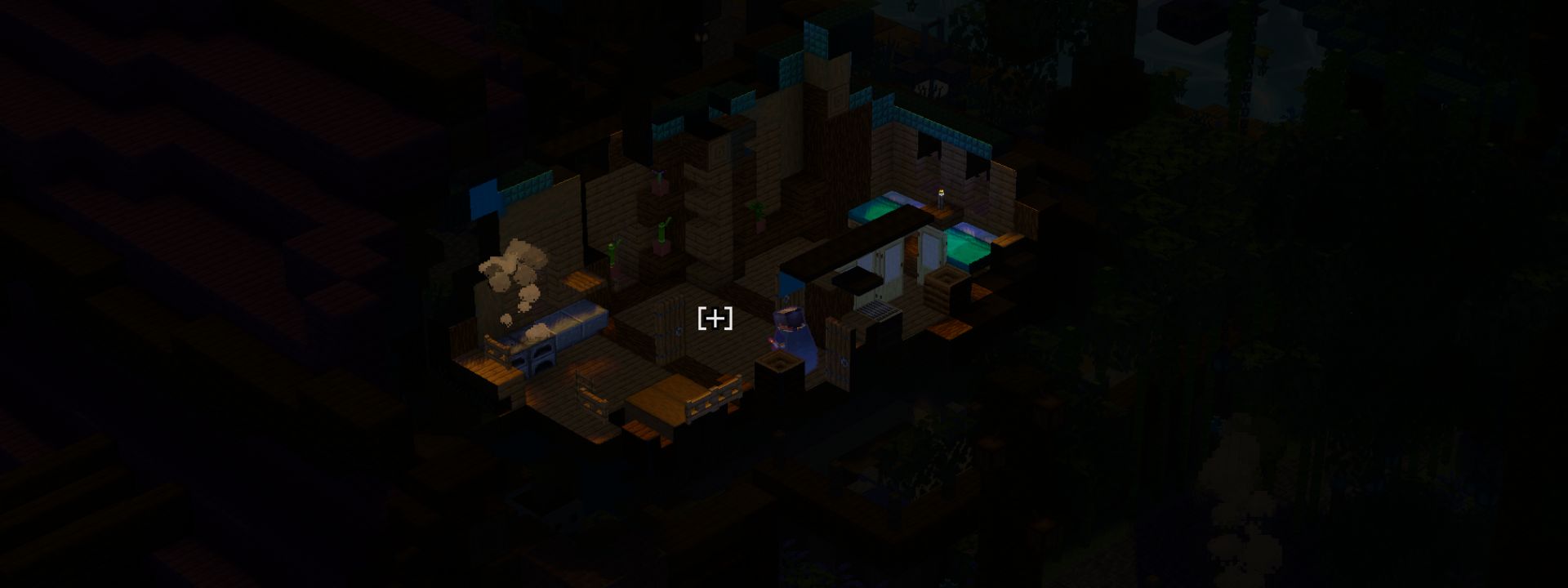
🏠 The Reveal — "only my room"
The heart of the mod. Step indoors, underground, or into a structure and the walls, ceilings and floors between the camera and the room you're standing in simply lift away — like a dollhouse. Everything else stays put. No X-ray, no floating geometry — just your space, opened up.
- Any shape, any renderer. Caves, L-shaped rooms, trial chambers, towers — the reveal follows the actual space you're in, and it looks identical whether you run vanilla, Sodium, or Iris.
- See-through outdoors. Trees, hills and cliffs between the camera and your character turn transparent in a soft circle around you, then solidify again as you move — you're never lost behind a hill or a canopy.
- Fog-of-war mood. Everything outside your space fades toward darkness. Slide the Exterior Brightness control from pure black (survival-horror) to a dim fog (dungeon-crawler) to taste.
- It hears the room too. Sounds coming from outside your space are muffled — a zombie two walls over is quiet until you open the door.
🎯 Cursor aim & ARPG movement
Your character looks and aims exactly where your cursor points — in full 3D, so bows and projectiles line up with what you're pointing at, height and all. Movement is screen-relative (push a direction, go that way), just like an isometric action game.
- Click-to-move (optional) — hold to walk where you point, Diablo-style. Toggle it on in settings.
- Ride & steer — boats and horses steer toward your cursor.
- Swim your way — Space rises, Shift dives, and you hold depth in between.
- Elytra — cursor steers your heading, Space climbs, Shift dives.
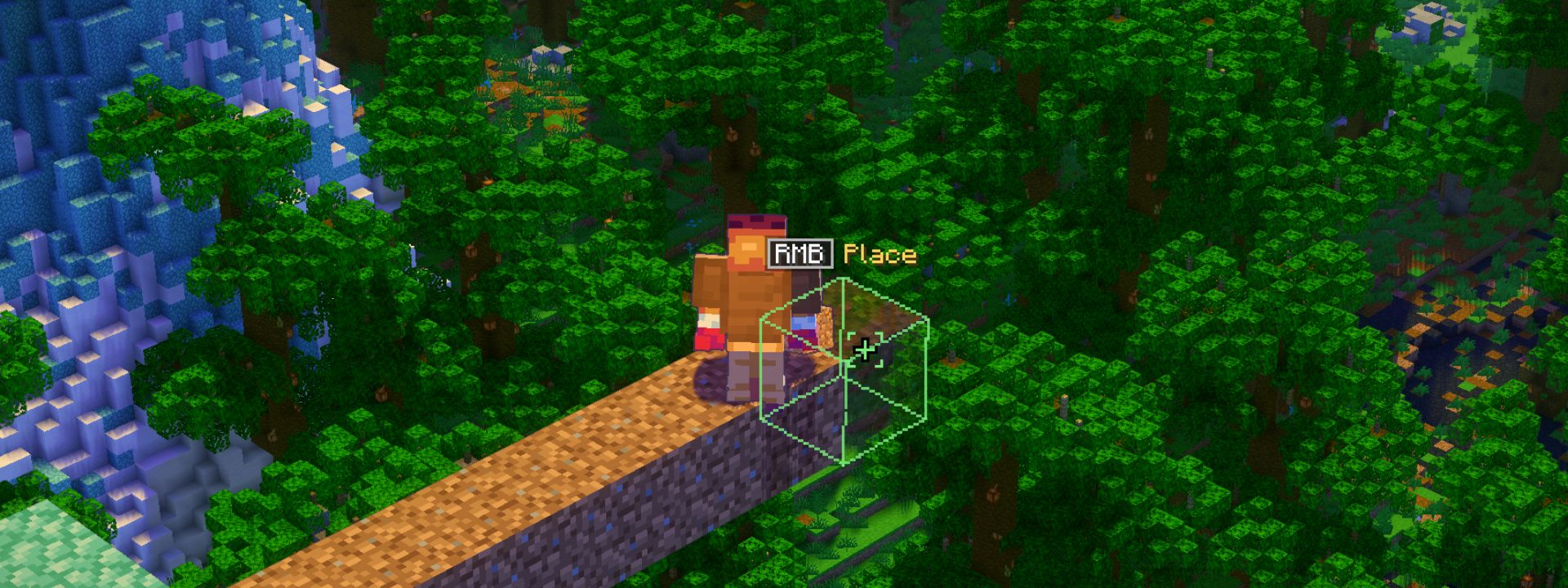
🧱 Bridge Assist — build to the hidden side
In an isometric view you can't click the faces that point away from the camera — exactly the sides you need to bridge outward. Isocraft fixes that Bedrock-style: hold a block, point just past an edge, and a hologram of your block appears against the hidden face. Right-click to place it — hold and drag to bridge continuously.
- Previews the real orientation (stairs, slabs, logs).
- The green marker only appears when the placement will actually work.
- Left-click stays safe — you can't accidentally mine the block under your feet.
⚔️ Combat & loot juice
An ARPG camera deserves ARPG feedback.
| Feature | What it does |
|---|---|
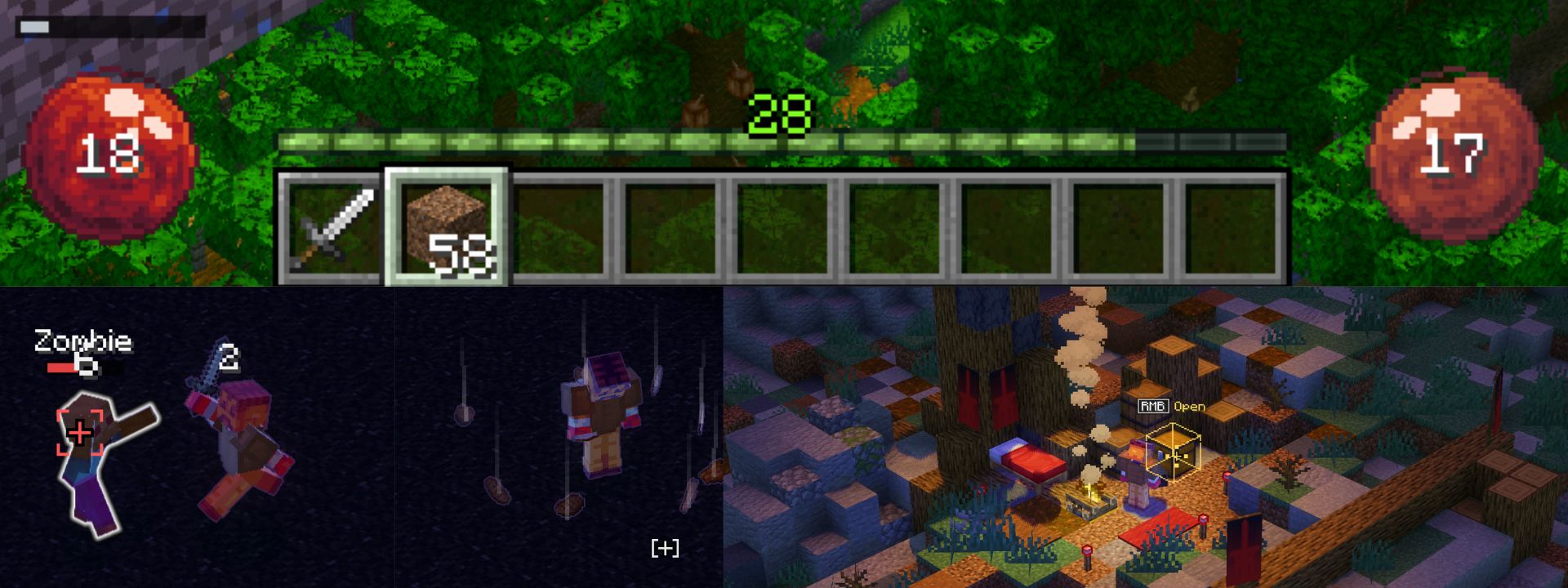
| Health & hunger orbs | Pixel-art orb HUD in place of the vanilla bars |
| Floating damage numbers | Pop off mobs as you hit them |
| Loot beams | Rarity-tinted pillars of light on dropped items |
| Nameplates | Floating health bars + names over mobs |
| Threat silhouettes | Monsters hidden behind walls glow so they can't ambush you blind |
| Damage-direction ping | A red tick flashes toward off-screen hits |
| Player light halo | Keeps a readable circle of light around you at night / in caves |
| Context cursor | The cursor tells you what a click will do — walk, mine, use, attack, or build |
🛋️ Quality of life
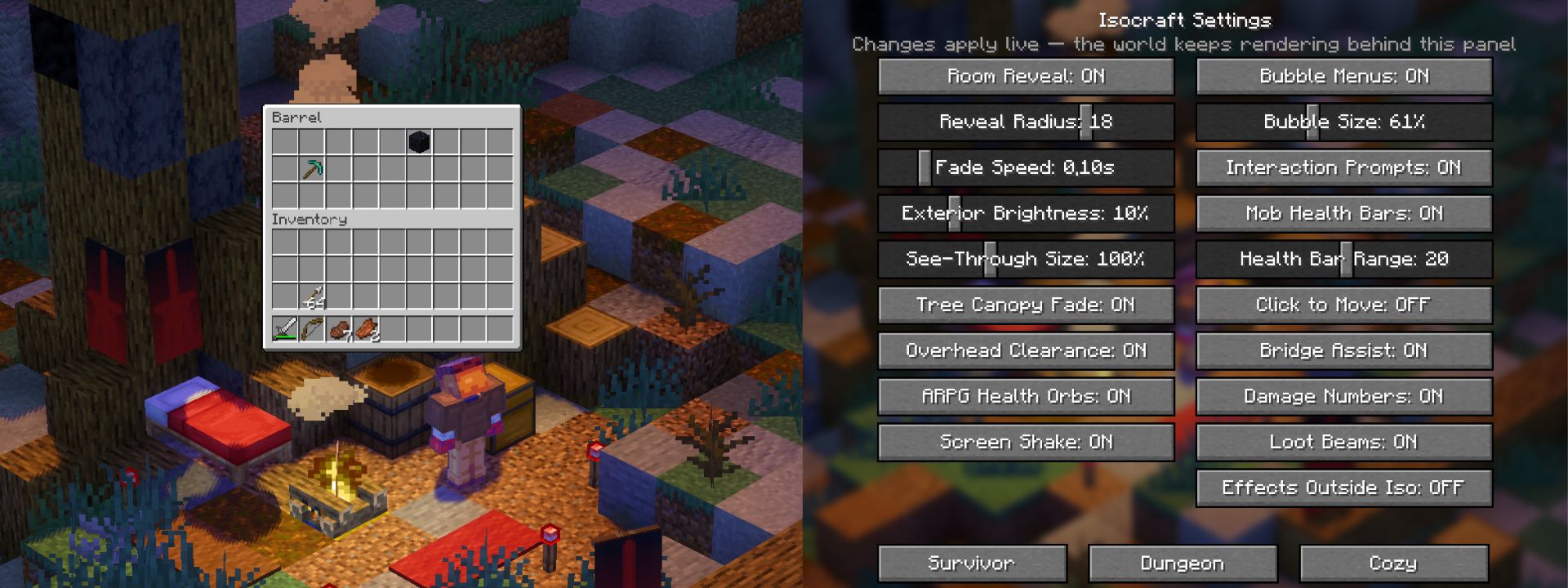
- Bubble menus — chests, furnaces and crafting UIs float over the block in the world instead of covering the screen.
- In-game settings with live preview — drag a slider and watch the world react, no reloads. Press the settings key any time.
- Three one-click presets — Survivor (hard black, tense), Dungeon (dim fog), Cozy (bright and warm).
- Gentle onboarding — tiny one-time hint cards teach each system the first time it's relevant, then never again.
- Diorama Shot — press F6 for a clean, HUD-free screenshot of your build. (That's how you make the pictures on this very page.)
🎛️ Controls
| Action | Key |
|---|---|
| Toggle isometric view | O |
| Zoom | Mouse wheel |
| Rotate camera | , / . |
| Pitch up / down | Page Up / Page Down |
| Settings | (bindable) |
| Bow aim arc on/off | (bindable) |
| Diorama screenshot | F6 |
Everything is rebindable in Options → Controls, and every feature can be toggled in the Isocraft settings screen.
🧩 Compatibility
- ✅ Client-side only — install it yourself, play on any server (vanilla or modded), nobody else needs it.
- ✅ Sodium & Iris supported — the reveal matches the vanilla look on both.
- ✅ Works alongside most content and QoL mods.
- ⚠️ Distant Horizons / Voxy — not officially supported yet.
- ⚠️ Requires Fabric API.
📦 Install
- Install Fabric Loader for Minecraft 1.21.11.
- Drop Fabric API and Isocraft into your
modsfolder. - Launch, load a world, and press O.
(Sodium and Iris are optional — Isocraft detects them and adapts automatically.)
❓ FAQ
Does it work in multiplayer? Yes. It's purely visual/local — the server never knows.
Do I have to play in iso the whole time? No. It's a toggle. Press O to switch views whenever you like.
Does it change gameplay or give an advantage? No stats, no cheats — it's a camera and a UI. The reveal only shows the room you're already in; it doesn't X-ray through the world.
Known rough edges (being honest):
- A couple of block types (chests, beds, signs) show only an outline instead of a full hologram in Bridge Assist — they still place fine.
- The settings screen gets a little cramped at very high GUI scales on small monitors.
Ченджлог
0.1.1+1.21.11-fabricБета1.21.11 · 23 июля 2026 г.
Isocraft 0.1.1 — The Playability Update
This is the major stability and playability pass since 0.1.0, focused on making normal survival, building, interiors, and caves dependable in isometric view.
Room and cave reveal
- Reworked room detection for open-front builds, partial walls, skylights, cave mouths, and irregular spaces.
- Doors, fence gates, and trapdoors now separate room transitions instead of letting scans spill through a structure.
- Large caves stay local to the player instead of exposing an entire connected cave network or letting distant daylight open everything.
- Improved cave boundaries, sightlines, and edge coverage to reduce black wedges, giant missing terrain regions, foreground walls, and accidental x-ray-like openings.
- Preserved nearby steps, walkable terrain, and the next downhill landing so the cutaway does not hide the wall or ledge being navigated.
- Fixed many cases where the player, mobs, beds, chests, crops, or foliage disappeared with the terrain cutaway.
- Large rooms now use the full configured scan budget, and reveal state resets cleanly after world or dimension changes.
- Reduced unnecessary chunk rebuilds during fast travel, rotation, zooming, and settled play.
Camera and controls
- Camera rotation is now continuous: hold , or . to rotate smoothly and release to stop at any angle.
- Rotation hitches are capped instead of replaying seconds of delayed input later; zoom input is also much more responsive.
- Removed automatic terrain collision zoom. Caves, buildings, ravines, falls, and landings keep the zoom distance selected by the player.
- Added an optional Movement Facing mode: face movement while travelling, then return to cursor aim while attacking or using.
- The isometric toggle now defaults to F8 to avoid Iris' O/K shortcuts. Exact old defaults migrate once; custom binds are preserved.
- Hold Left Alt to target above the player, or Left Alt + Shift to target below, without moving the camera.
Cursor and combat
- Added a small depth-aware cursor aperture, making block and mob edges easier to select without turning the cursor into a large aim-assist halo.
- Interaction rays now ignore unreachable camera-side foreground geometry, so blocks beside the character are no longer masked by blocks near the detached camera.
- Mining crops, bamboo, and other partial blocks stays latched to the intended block and no longer rolls onto the support block beneath it.
- Invisible and marker armour stands no longer steal the cursor on servers.
- Charged and charging crossbows now use the same lock and aim trace as bows.
Interface
- Walking away from an open container now closes it safely on the next tick, preventing crashes and stale close packets with UI mods.
- Container windows can be scaled independently from the rest of the GUI, from 35% to 200%.
- Compact settings layouts keep every option, preset, and the Done button reachable.
- Added a bindable 10-second clean Diorama GIF capture, bound to F7 by default.
Renderer compatibility
- Added renderer-specific vanilla, Sodium, and Iris reveal paths with safer rebuild, visibility, reset, and fail-open handling.
- Improved player, entity, and block-entity visibility and protected Iris shadow passes from the normal player-centred cutaway.
- Added shader safeguards for the transparency issue reported with Mellow and stopped crop and bamboo geometry from being treated like canopy foliage.
Known rough edges
- Vanilla rendering is the recommended experience for this release. Sodium and Iris compatibility is included, but those paths are still noticeably rougher and are actively being improved.
- Floor Aware is an unfinished experimental preview. In many layouts it currently falls back to ordinary Rooms behaviour and may appear to make no difference. Rooms remains the default and recommended reveal mode.
Versions
- This release artifact targets Fabric on Minecraft 1.21.11.
0.1.0Бета1.21.11 · 5 июля 2026 г.
Beta version of Isocraft
Комментарии
Загружаем…