 Mineforgian
MT Inventory Weight
Weight mechanics! Manage your load, balance inventory, and enhance survival or RPG-like gameplay.
- Загрузки
- 16K
- Подписчики
- 46
- Обновлён
- 13 июня 2026 г.
- Лицензия
- CC0-1.0
Опубликован 16 сентября 2024 г.

MT Inventory Weight
MT Inventory Weight adds a configurable weight system to Minecraft. Your inventory is no longer just limited by slots — every item has weight, and carrying too much can slow you down, weaken combat, and apply the Overload effect.
The mod is made for survival, RPG, and modpack gameplay where choosing what to carry actually matters.
Features
Automatic item weights
Most vanilla and modded items receive calculated weights automatically.Datapack custom weights
Item weights and armor pocket values are now data-driven through datapacks.fzzy_config support
Configure server and client settings in-game. Server settings can update live.Mod Menu support
Optional easy access to config screens through Mod Menu.Armor pockets
Armor can increase max carry weight through pockets.Overload effect
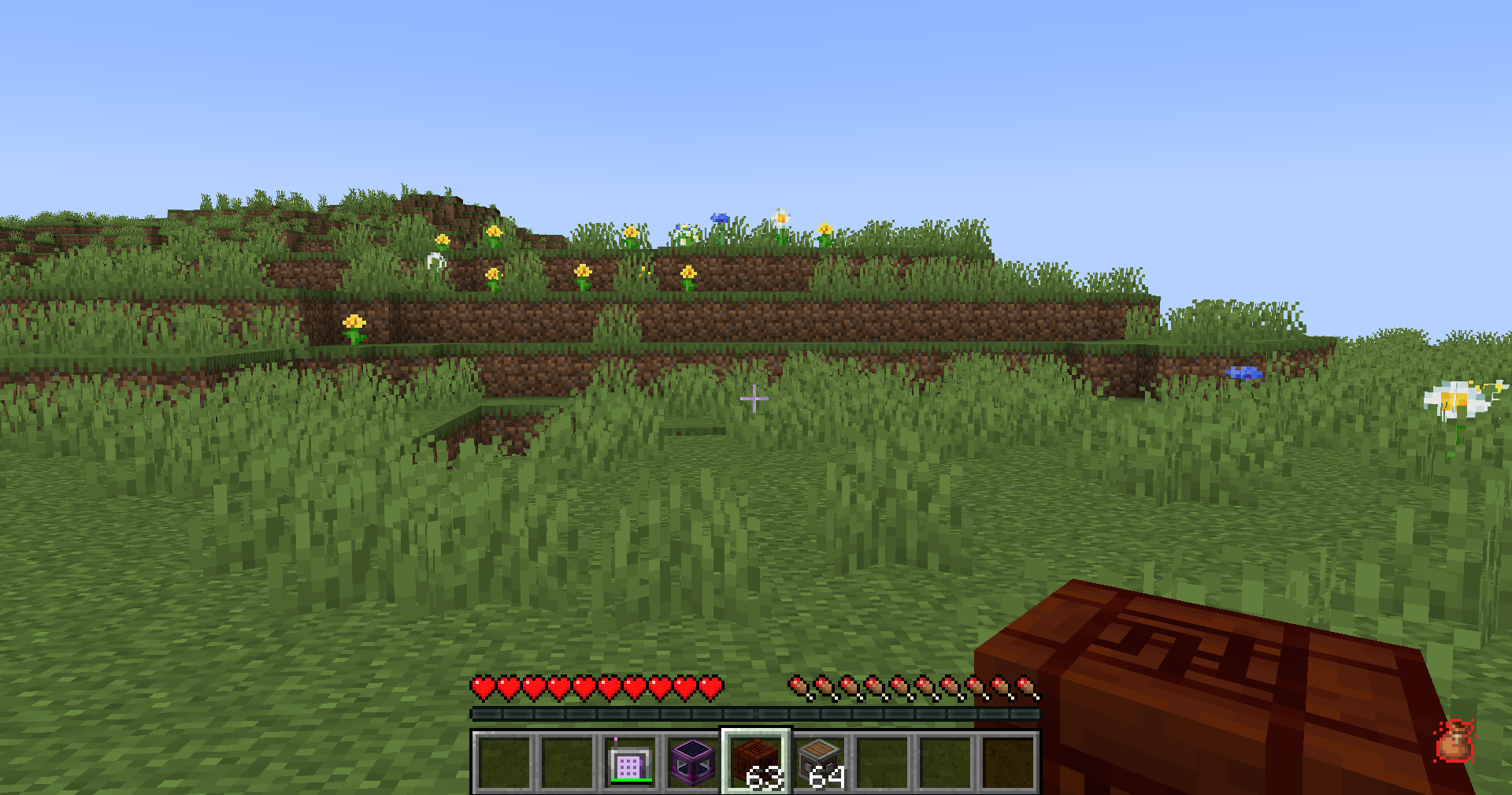
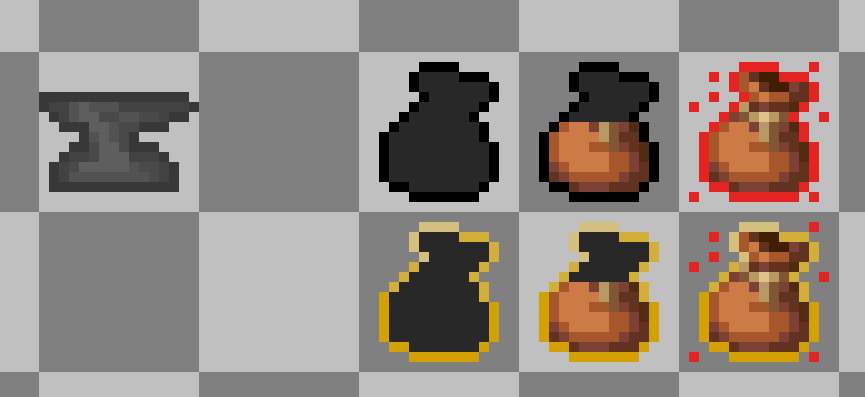
Carrying too much weight applies penalties. Strength and Haste can reduce overload severity.HUD display
Choose between the classic sprite HUD or a simple bar HUD.Item tooltips
Tooltips show item weight, stack weight, armor pockets, and container contents weight.Backpack and shulker support
Supported containers count stored items with reduced effective weight.Trinkets compatibility
Equipped Trinkets items can count toward carried weight when Trinkets is installed.Multiplayer support
Works in singleplayer, LAN, and dedicated servers with synced server values.Add-on API
Developers can add compatibility through the publiccom.megatrex4.api.v1API.
HUD preview
Configuration
MT Inventory Weight uses fzzy_config.
You can configure:
- max carry weight
- item category weights
- pocket capacity
- overload penalty strength
- realistic mode
- HUD style and position
- tooltip visibility
Specific item weights are configured with datapacks:
data/<namespace>/inventory_weight/items/*.json
Pocket values are configured with datapacks:
data/<namespace>/inventory_weight/pockets/*.json
Cloth Config is no longer required.
Useful Links
Thank you for your support and interest in MT Inventory Weight!
Ченджлог
2.0.1-1.20.4Релиз1.20.4 · 10 июня 2026 г.
1.20.4 update
2.0.1-1.20.1Релиз1.20.1 · 10 июня 2026 г.
added attribute for max weight modifier, so player has a attribute + max weight + pockets capacity + add-ons capacity = final max weight
2.0.0-1.20.1Релиз1.20.1 · 9 июня 2026 г.
Changelog
- Reworked internal weight calculation system.
- Added public add-on API:
com.megatrex4.api.v1. - Switched configuration to fzzy_config.
- Added live server config updates.
- Added Mod Menu-compatible config access.
- Removed legacy non-data-driven item weight system. All item weight definitions are now strictly datapack-driven; players and developers must migrate to the new datapack system. More information and instructions can be found on our wiki: https://megatrex4.github.io/inventory-weight/guide/datapacks
- Added datapack-driven armor pocket definitions.
- Added NBT-specific item weight and pocket rules.
- Added server-to-client sync for weight datapack/config data.
- Reworked player weight sync through Cardinal Components.
- Added HUD styles: sprite and bar.
- Added configurable HUD text modes and positions.
- Added HUD text screen-edge clamping.
- Reworked item tooltips.
- Added container tooltips:
Weight insideand effectiveWeight. - Changed shulker/backpack weight formula to:
empty container weight + contents / 2. - Isolated Trinkets compatibility.
- Reworked overload penalty handling.
IMPORTANT Regarding Sinytra Connector & Forge Support: > This mod is natively developed for Fabric. Due to ongoing technical issues and limitations with Sinytra Connector, we are no longer maintaining compatibility fixes for it.
However, we are completely open to community collaboration! If anyone is interested in creating and maintaining a proper, dedicated Forge/NeoForge version, you are more than welcome to open a separate branch in our repository or submit a PR. We would be happy to host and publish your official ports directly on our Modrinth and CurseForge pages, crediting you as a co-author/maintainer.
In the meantime, you can still try running the Fabric jar via Sinytra manually, but do so at your own risk.
WARNING Multiplayer has not been fully tested yet. However, singleplayer (SSP) should work perfectly fine for now!
Forgefied_1.3.4_1.20.1Релиз1.20.1 · 28 октября 2024 г.
Add nbt weight parsing support
Full Changelog: https://github.com/MEGATREX4/inventory-weight/compare/1.3.3_1.20-1.20.4...1.3.4_1.20-1.20.4
1.3.4_1.20-1.20.4Релиз1.20.2, 1.20.3, 1.20.4 · 28 октября 2024 г.
Added nbt weight parsing support
Full Changelog: https://github.com/MEGATREX4/inventory-weight/compare/1.3.3_1.20-1.20.4...1.3.4_1.20-1.20.4
1.3.3_1.20-1.20.4Релиз1.20.2, 1.20.3, 1.20.4 · 11 октября 2024 г.
TravelersBackpack fix + calculate a fluid inside Travelers Backpack
Full Changelog: https://github.com/MEGATREX4/inventory-weight/compare/1.3.2_1.20-1.20.4...1.3.3_1.20-1.20.4
1.3.2_1.20-1.20.4Релиз1.20.2, 1.20.3, 1.20.4 · 27 сентября 2024 г.
- CHESTplate fix
Full Changelog: https://github.com/MEGATREX4/inventory-weight/compare/1.3.1_1.20-1.20.4...1.3.2_1.20-1.20.4
1.3.1_1.20-1.20.4Релиз1.20.2, 1.20.3, 1.20.4 · 27 сентября 2024 г.
fixed blocks and items that do not stack
Full Changelog: https://github.com/MEGATREX4/inventory-weight/compare/1.3.0_1.20-1.20.4...1.3.1_1.20-1.20.4
Комментарии
Загружаем…