 Mineforgian
Instant Build
This mod can help you quickly place a large number of blocks. View and modify data of the world, entities, blocks, and items, or manipulate them.
- Загрузки
- 2K
- Подписчики
- 2
- Обновлён
- 27 августа 2025 г.
- Лицензия
- All-Rights-Reserved
Опубликован 8 июня 2025 г.
Godlike Building Powers!
This mod offers a comprehensive suite of building assistance tools that enable godlike creation capabilities. It includes management systems for blocks, items, entities, and world editing. With regular updates introducing new features, the mod continuously enhances construction efficiency and creative possibilities.
Additionally, no commands are required – extremely intuitive to operate.
Building Function
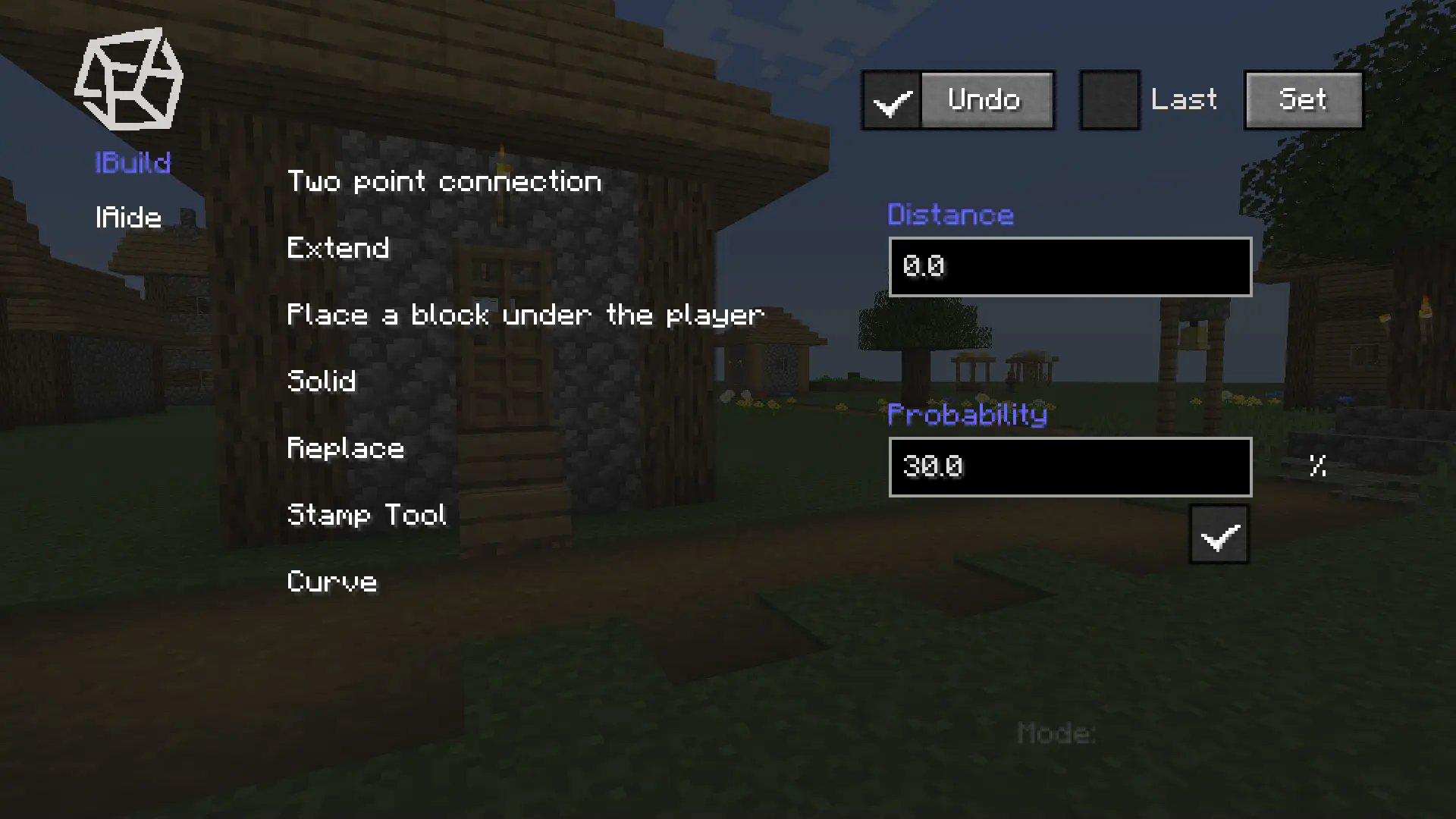
Menu / Build
Use the B key to open the menu, select the placement mode, and place blocks in the game to determine points for batch placement.
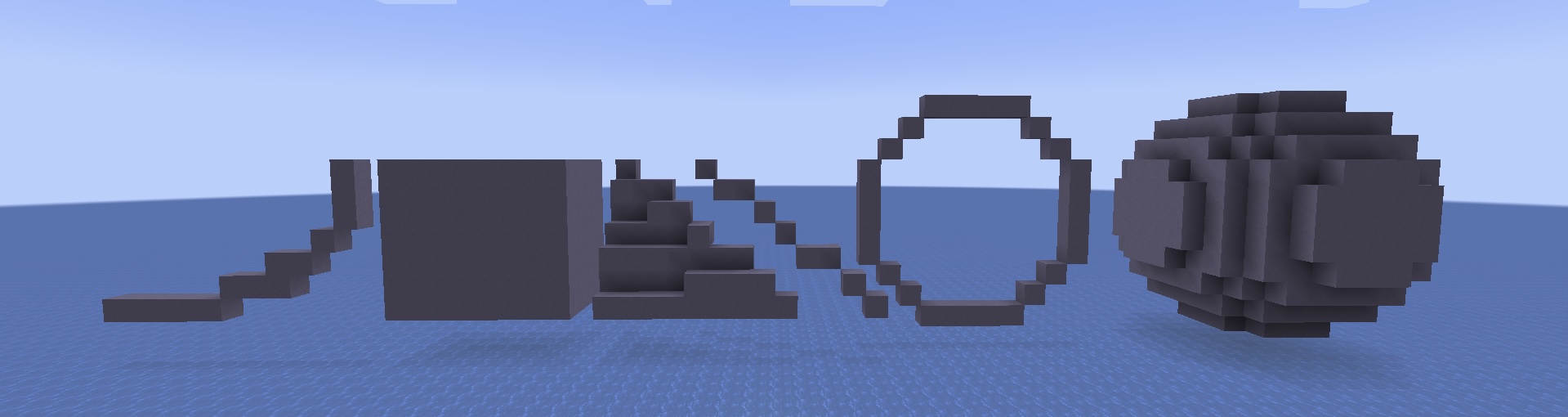
Some modes require numerical values such as radius, which need to be filled in the corresponding text box.
Stamp Tool
Menu / Build / Stamp Tool
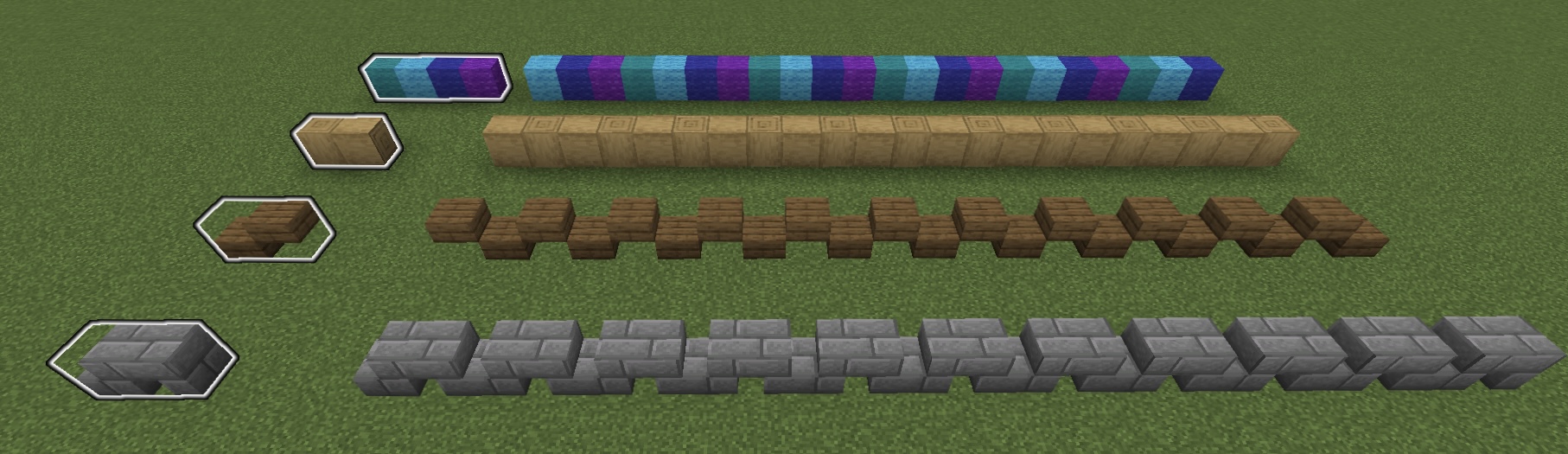
You can find the button for the stamp tool in the main menu, click on it, and enter the stamp tool menu.
- Click the New button, and you will exit the menu.
- Select blocks in order using the Mark(an item). (this set of blocks will be placed in a loop when using the Stamp Tool)
- Fill in the name of this stamp in the text box and click Save.
- When you need to use it, select the saved stamp and check it in the main menu to enable the stamp.
When using Two point connection mode, it will be placed in stamp order.
Supporting Function
Menu / Aide
Aide helps players better manage Marks, easily access special items like command blocks, and manipulate the world with advanced tools.
Query and Operation
Menu / Aide / Query and Operation
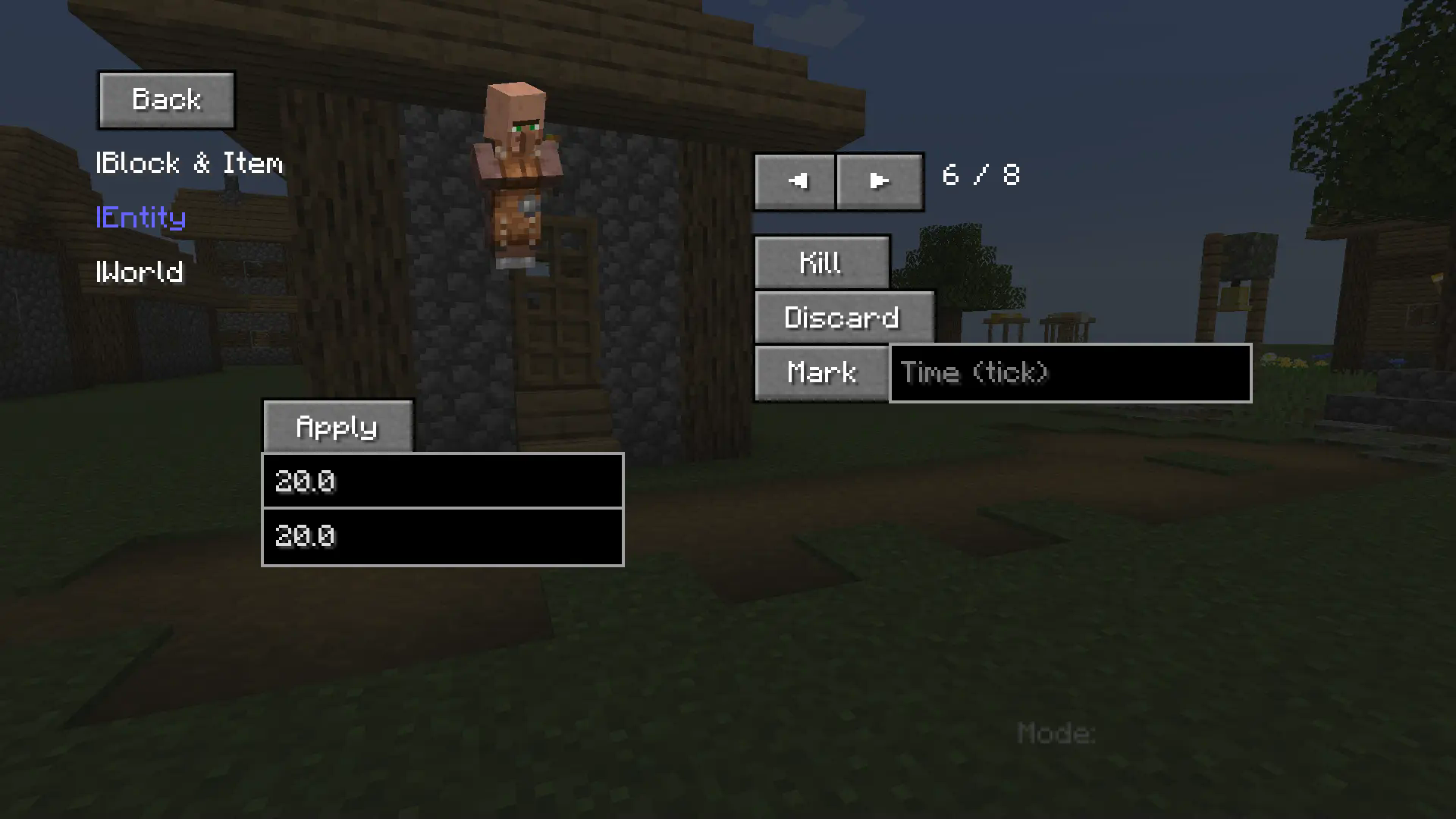
This part enables players to:
- Query detailed block/item metadata.
- Inspect specific entity attributes / Manipulate entities (e.g. modify max health values).
- Retrieve world diagnostics / Execute advanced world operations.
Additional Notes
Shortcut Key
- B - open menu.
- V - place a block under your feet.
- C - inherit the previous mode.
- G - exit preview and complete placement.
- Backspace - exit current mode/preview.
The mod is continuously updating and adding new features.
- The version 1.0.3 may contain bugs - please report any issues immediately.
Ченджлог
1.0.3Релиз1.20.1 · 27 августа 2025 г.
What's New:
- Added Preview Mode: When enabled, a ghost projection will show the build effect before confirmation. Press G to place or Backspace to cancel. In preview mode, correctly placed blocks appear green, incorrect ones red, and empty fillable areas white.
 You can disable block rendering in settings for better visibility.

- Improved the Query and Operation function.
- Fix the bugs in the triangle mode.
- Curve mode and triangle mode now support undo operations.
- Added Measuring Tools.
- Added Block statistics. (Count the number of different types of blocks in the selected area.)
1.0.2Релиз1.20.1 · 5 августа 2025 г.
What's New:
- Brand new GUI.
- Optimized Undo function.
- Added Query and Operation function.(It's more convenient to operate blocks, items, entities, and the world)
- Extended Mark function.
- Changed the GUI opening method.
- Now you can use the C key to inherit the previous mode.
1.0.1Релиз1.20.1 · 14 июля 2025 г.
What’s New:
- You can use the V key to set a block under your feet.
- Improved the information prompt.
- Fixed bugs in the undo function.
1.0.0Релиз1.20.1 · 8 июня 2025 г.
It has basic functions. We'll add more new features later.
Комментарии
Загружаем…