 Mineforgian
Improved F3
This project is an improved F3 Menu with different translations and toggles in the config.
- Загрузки
- 6K
- Подписчики
- 25
- Обновлён
- 13 июля 2026 г.
- Лицензия
- CC0-1.0
Опубликован 30 сентября 2025 г.

What is ImprovedF3?
ImprovedF3 is a Fabric mod that completely transforms Minecraft's F3 debug screen into a beautiful, organized, and highly customizable information display. Say goodbye to the cluttered vanilla F3 screen!
✨ Key Features
🎨 Visual Improvements
- Semi-transparent backgrounds for better readability
- Smart color coding for instant information recognition:
- 🟢 Green for high FPS (60+) and safe light levels
- 🟡 Yellow for medium FPS (30-59) and moderate values
- 🔴 Red for low FPS (<30) and dangerous light levels
- 🟣 Purple for memory information
- 🔵 Cyan for labels and system info
⚙️ Full Customization (Press B!)
- Toggle Background - Show/hide the semi-transparent panels
- Toggle Any Module - Show/hide individual information pieces
- Many Languages Supported with full translations
- Auto-saving configuration - Your settings persist between sessions
📊 Available Information Modules
🎮 Basic Info
- Minecraft Version
- FPS (with color coding)
- Coordinates (X, Y, Z)
- Block Position
- Chunk coordinates
- Facing direction
🌍 World Info
- Biome (translated)
- Light Level (with safety colors)
- Time & Day
- Weather conditions
- World/Dimension name
- Difficulty setting
⚙️ System Info
- Java Version
- Memory usage
- Allocated memory
- CPU cores
- Display resolution
🌐 Network & Performance
- Entity count
- Ping (in multiplayer)
- TPS (server performance)
🎛️ Configuration Options
Organized Submenus:
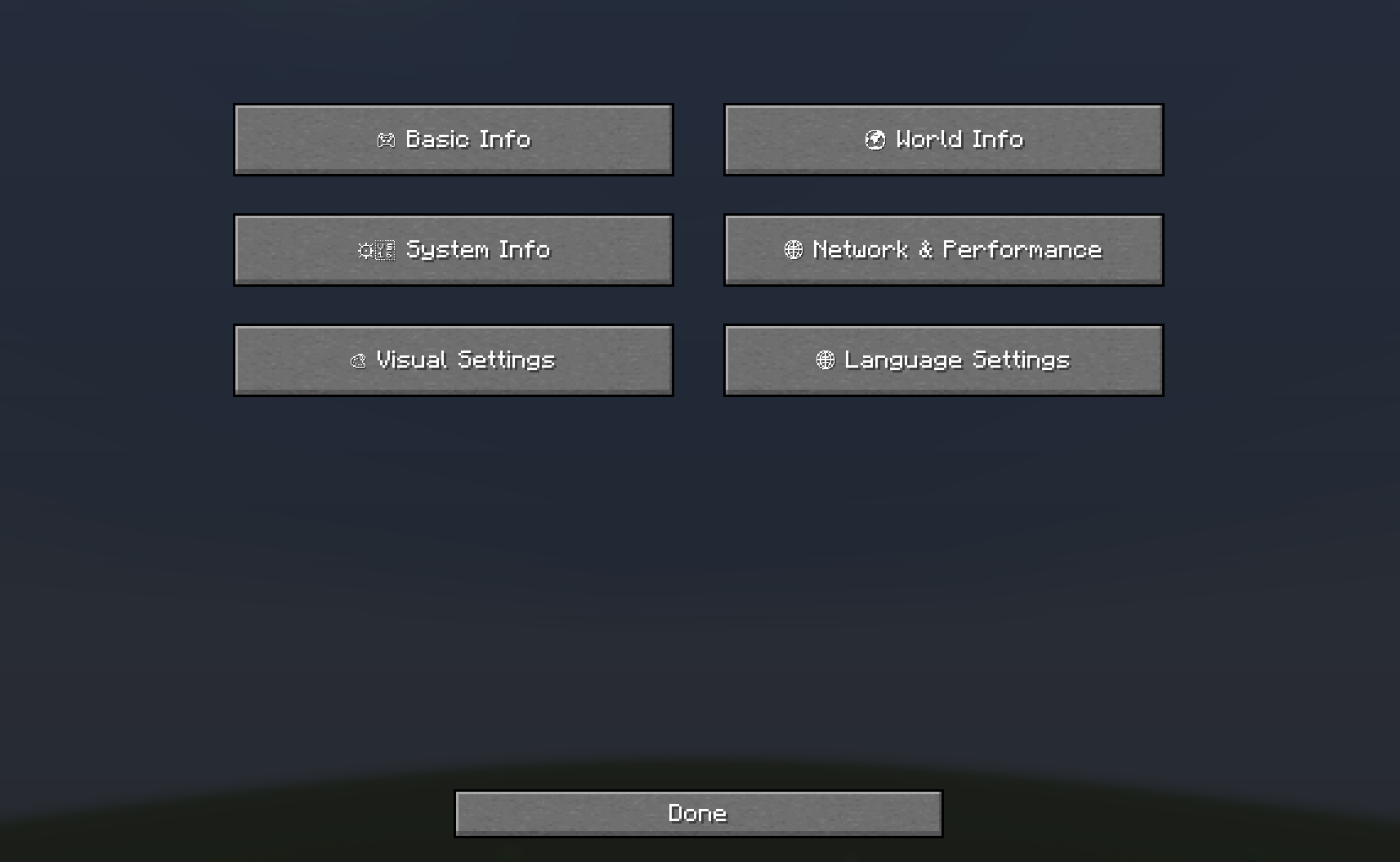
- 🎮 Basic Info - Core game information
- 🌍 World Info - World and environment data
- ⚙️ System Info - Hardware and performance
- 🌐 Network & Performance - Multiplayer and server info
- 🎨 Visual Settings - Background and display options
- 🌐 Language Settings - Multi-language support
Supported Languages:
- English, Deutsch, Polski, Українська, Русский
- Türkçe, हिन्दी, 中文, Español, Português
- Français, اردو, Bahasa Indonesia, తెలుగు
🚀 How to Use
- Press F3 - Toggle the enhanced debug screen
- Press B - Open the configuration menu
- Navigate submenus - Choose what information to display
- Toggle modules - Show/hide specific information
- Change language - Full translation support
🎯 Perfect For
- Content Creaters - Clean, professional debug display
- Technical Players - Comprehensive system information
- Multiplayer - Network performance monitoring
- Mod Developers - Detailed debugging information
- Anyone who wants a better F3 experience!
Transform your F3 screen from cluttered chaos to organized beauty! 🎨✨
Ченджлог
2.0.0+26.2Релиз26.2 · 13 июля 2026 г.
Improved F3 for Minecraft 26.2
- Ported the full mod to Minecraft 26.2 and Fabric Loader 0.19.3.
- Updated every HUD module and configuration screen for the current client APIs.
- Added integrated-server TPS support.
- Verified the packaged release JAR in automated production-client game tests.
- Tested config navigation, hotkey handling, HUD rendering, screenshot output, dynamic modules, mixin loading, metadata, and unit tests.
- Requires Fabric API and Java 25.
2.0.0+26.1.2Релиз26.1.2 · 13 июля 2026 г.
Improved F3 for Minecraft 26.1.2
- Ported the full mod to Minecraft 26.1.2 and Fabric Loader 0.19.3.
- Updated every HUD module and configuration screen for the current client APIs.
- Added integrated-server TPS support.
- Verified the packaged release JAR in automated production-client game tests.
- Tested config navigation, hotkey handling, HUD rendering, screenshot output, dynamic modules, mixin loading, metadata, and unit tests.
- Requires Fabric API and Java 25.
0.1.2Бета1.21.9, 1.21.10 · 7 октября 2025 г.
A fixed version for 1.21.9+
0.1.2Бета1.21.6, 1.21.7, 1.21.8 · 6 октября 2025 г.
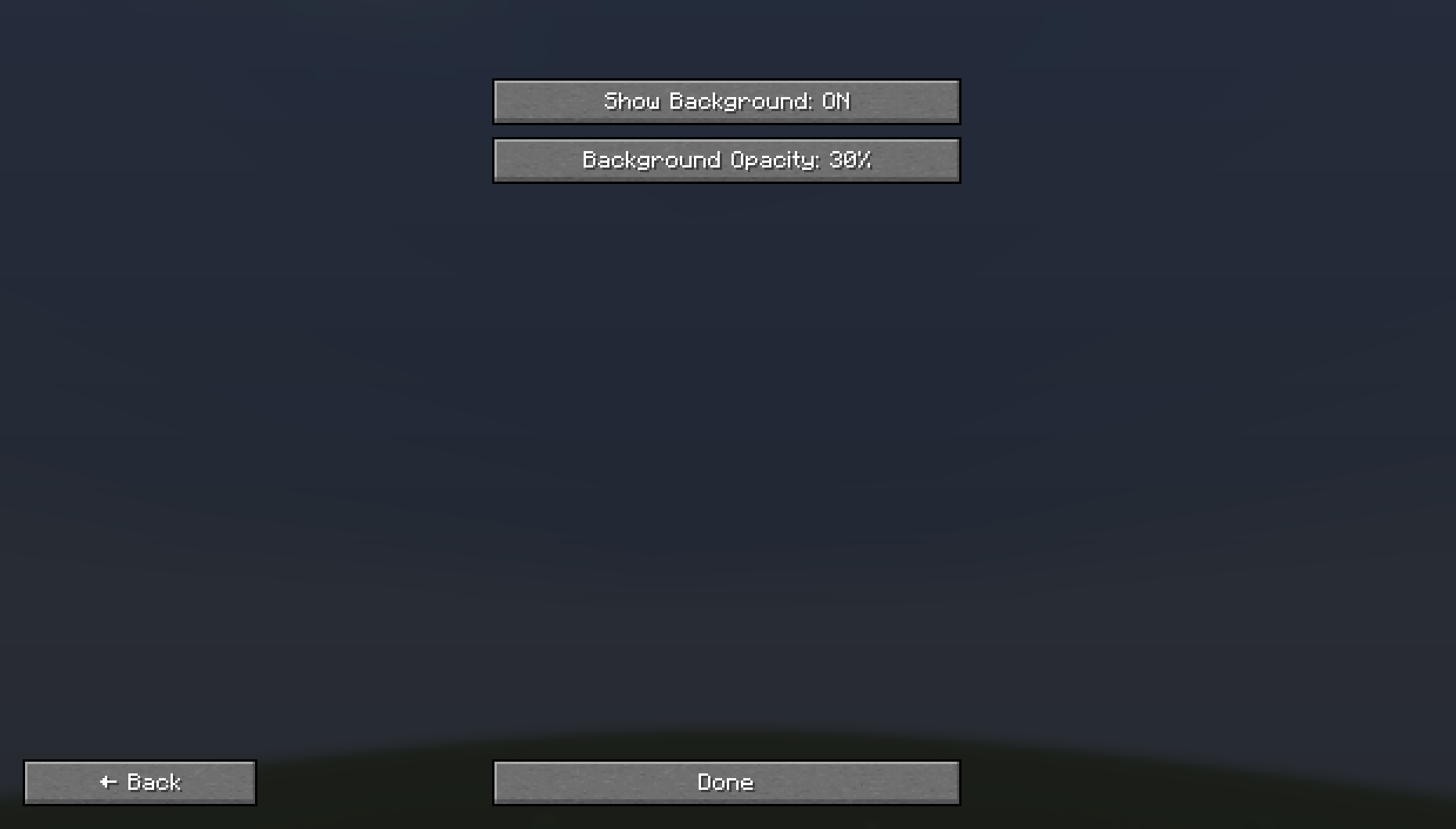
Removed the toggle "Show Background" from the main config.
Added two buttons to the Visual Settings sub-config:
- Show Background (Toggle)
- Background Opacity (10%/20%/30%...100%)
0.1.1Бета1.21.6, 1.21.7, 1.21.8 · 6 октября 2025 г.
Added the support of 5 new languages:
- Portuguese (Português)
- French (Français)
- Urdu (اردو)
- Indonesian (Bahasa Indonesia)
- Telugu (తెలుగు)
0.1.0Бета1.21.6, 1.21.7, 1.21.8 · 1 октября 2025 г.
First ever release. Information in Description
Комментарии
Загружаем…