 Mineforgian
Improper's 3D Minimap
Minimap but with 3D terrain. Enhance your survival caving experience with this radar!
- Загрузки
- 3K
- Подписчики
- 54
- Обновлён
- 24 июня 2025 г.
- Лицензия
- MIT
Опубликован 6 июля 2024 г.

Improper's 3D Minimap
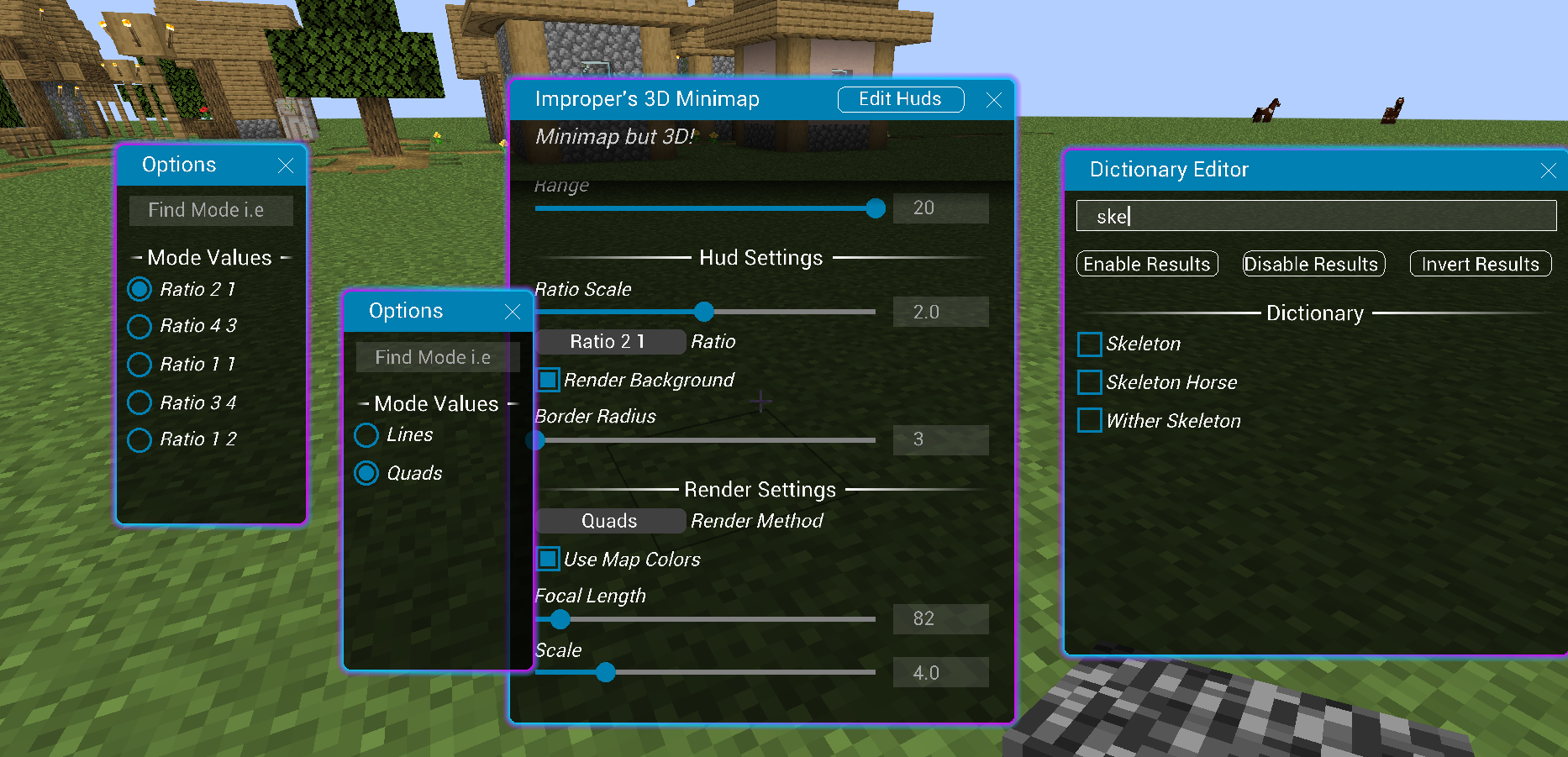
Minimap but with 3D terrain! The keybind is M
DISCLAIMER: This mod is used for survival caving, not meant for multiplayer servers. Before using this mod on any multiplier server, please check their rules first and ensure fair gameplay. Otherwise it will be a bannable offense.

You can also press N keybind to zoom in on the map:

See entities on your radar with the targets selection in the menu!
Featuring two render modes:
- LINES - wireframe
- QUADS - filled voxels
You can also disable map coloring to color code block types!
- WHITE - non-full block
- GRAY - full block
- LIGHT_GRAY - same y-level as player
- GREEN - block entities
The hud can be dragged my clicking the Edit Huds button in the menu!
Your changes are saved in a config file located .minecraft/config/impropers3DMinimap.json
Thanks for downloading my 3D Minihud!
Ченджлог
1.21.5-0.0.4Релиз1.21.5 · 24 июня 2025 г.
1.21.5 port
1.21-0.0.4Релиз1.21 · 20 июля 2024 г.
Release: 0.0.4

Tweaked:
- made zoom mode render in first person

Patches:
- that weird thing when you phase camera into blocks

Added:
- gui drop shadow effect
1.21-0.0.3Релиз1.21 · 14 июля 2024 г.
Patches:
- perspective projection focal length is no longer inverted # there was an issue where objects in the distance would be enlarged rather than diminished
- config now saves properly # there was an issue where your settings would not save

Added:
- press zoom key `N` enlarge and zoom in on the HUD
- don't forget the menu key `M` is M

Tweaks:
- enhanced depth detail so you won't lose sense of direction
- updated default settings
- simulation block mapping now maps in chunks instead of individual blocks
1.21-0.0.2Релиз1.21 · 8 июля 2024 г.
Release Version: 0.0.2

Add:
- hud ratio scale
- block highlight settings # changes the color of selected blocks so its more distinguishable

Patches:
- hud ratios being weird
- hud being out of bounds of the hud edit screen when someone tampers with config values
0.0.1Релиз1.21 · 6 июля 2024 г.
Initial Release
- For more information, please read README.md
Thanks for the download!
Комментарии
Загружаем…