 Mineforgian
Hovering Hotbar
Makes your hotbar seemingly float in place by shifting it a few pixels upward.
- Загрузки
- 3K
- Подписчики
- 21
- Обновлён
- 23 июня 2026 г.
- Лицензия
- MPL-2.0
Опубликован 5 июня 2026 г.
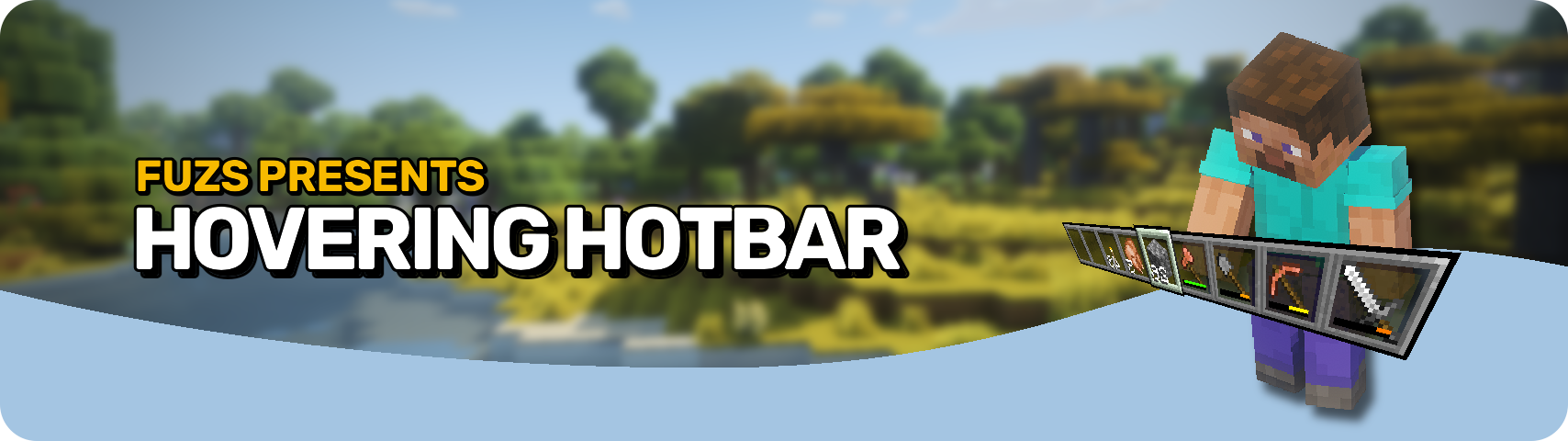








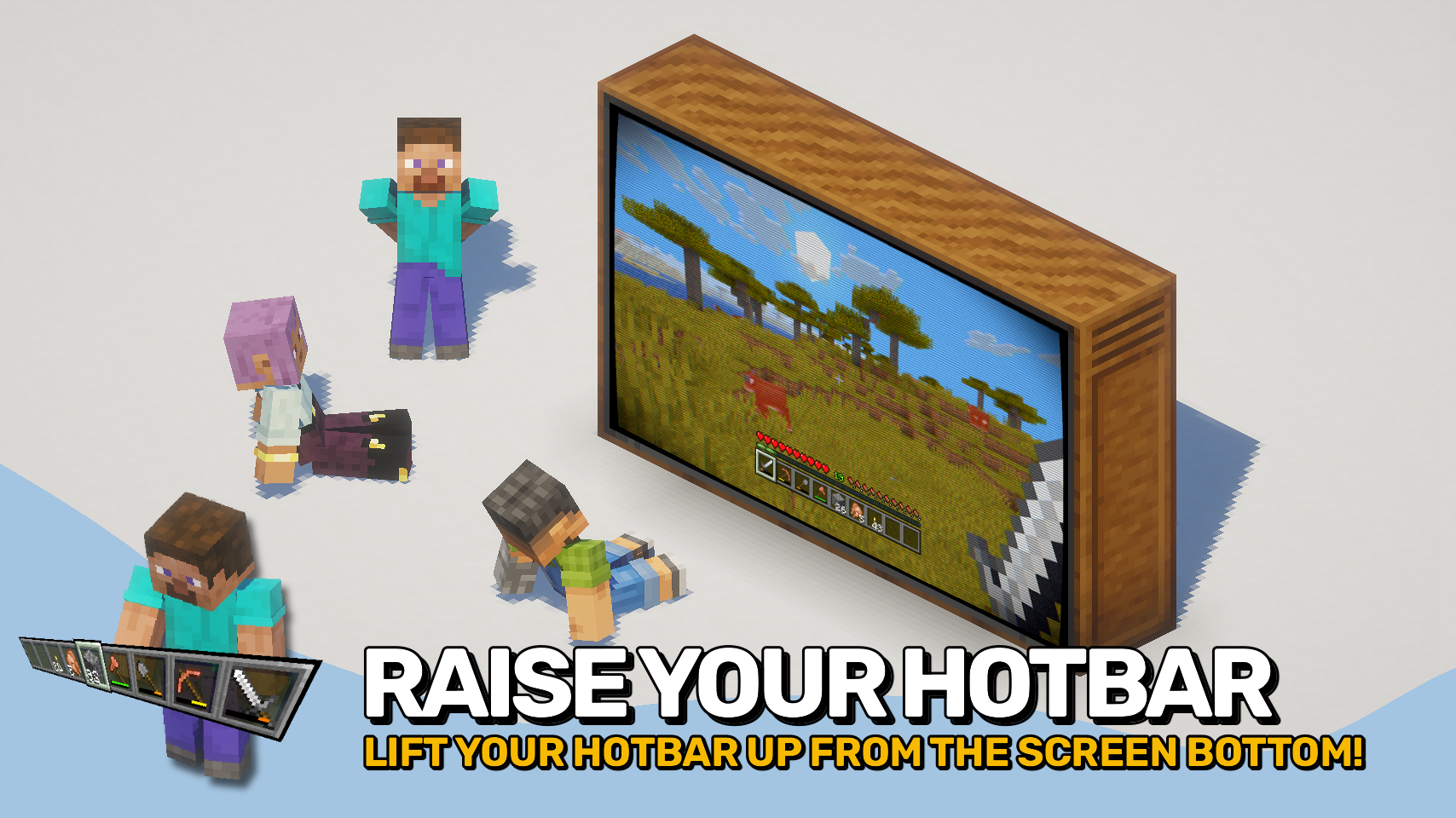
Hovering Hotbar brings the elevated hotbar style from Bedrock Edition and Legacy Console Edition to Java Edition. 🎮
By moving the hotbar away from the bottom edge of the screen, it appears to float in place, creating a cleaner and more modern HUD layout. This also allows the full selection highlight to be rendered instead of being partially cut off by the screen border. ✨
The hotbar offset is fully configurable, letting you position it exactly where you want it. To complete the console-inspired look, the experience level display can also be moved above the experience bar. ⚙️

- 🎮 Console-Inspired Layout: Recreates the elevated hotbar style found in Bedrock Edition and Legacy Console Edition.
- ✨ Floating Hotbar Appearance: Moves the hotbar away from the bottom screen edge, making it appear to hover in place.
- 🖼️ Fully Visible Selection Highlight: Allows the complete hotbar selection sprite to render instead of being partially cut off by the screen border.
- 🎛️ Adjustable Positioning: Freely configure the hotbar offset to create your preferred HUD layout.
- 📈 Improved Experience Display: Optionally moves the experience level indicator above the experience bar, matching the console-style interface.
- 🔧 Mod Compatibility: Supports shifting additional modded hotbar overlays together with the hotbar.


⏩ INSTALLATION REQUIRED ON CLIENT
⏩ REQUIRES PUZZLES LIB TO BE INSTALLED (FABRIC & NEOFORGE)
⏩ REQUIRES FABRIC API TO BE INSTALLED (FABRIC)
⏩ REQUIRES FORGE CONFIG API PORT TO BE INSTALLED (FABRIC)

If available for a mod, configuration is possible directly from in-game using the mod menu (requires Mod Menu by Prospector to be installed on Fabric).
For manual configuration using an external text editor all files are found at .minecraft/config, named as MOD_ID-client.toml, MOD_ID-common.toml, or MOD_ID-server.toml, depending on the type of config. Not all types might exist for a mod, if any at all.


Ченджлог
26.2.1Релиз26.2 · 23 июня 2026 г.
Changelog
All notable changes to this project will be documented in this file.
The format is based on Keep a Changelog, and this project adheres to Semantic Versioning.
[v26.2.1-mc26.2.x] - 2026-06-23
Fixed
- Fix hotbar sprite compatibility with mods such as SmoothHud
- Fix chat offset not applying when the chat is open
[v26.2.0-mc26.2.x] - 2026-06-18
Changed
- Update to Minecraft 26.2.x
26.2.1Релиз26.2 · 23 июня 2026 г.
Changelog
All notable changes to this project will be documented in this file.
The format is based on Keep a Changelog, and this project adheres to Semantic Versioning.
[v26.2.1-mc26.2.x] - 2026-06-23
Fixed
- Fix hotbar sprite compatibility with mods such as SmoothHud
- Fix chat offset not applying when the chat is open
[v26.2.0-mc26.2.x] - 2026-06-18
Changed
- Update to Minecraft 26.2.x
26.1.1Релиз26.1, 26.1.1, 26.1.2 · 23 июня 2026 г.
Changelog
All notable changes to this project will be documented in this file.
The format is based on Keep a Changelog, and this project adheres to Semantic Versioning.
[v26.1.1-mc26.1.x] - 2026-06-23
Fixed
- Fix hotbar sprite compatibility with mods such as SmoothHud
- Fix chat offset not applying when the chat is open
[v26.1.0-mc26.1.x] - 2026-05-03
Changed
- Update to Minecraft 26.1.x
26.1.1Релиз26.1, 26.1.1, 26.1.2 · 23 июня 2026 г.
Changelog
All notable changes to this project will be documented in this file.
The format is based on Keep a Changelog, and this project adheres to Semantic Versioning.
[v26.1.1-mc26.1.x] - 2026-06-23
Fixed
- Fix hotbar sprite compatibility with mods such as SmoothHud
- Fix chat offset not applying when the chat is open
[v26.1.0-mc26.1.x] - 2026-05-03
Changed
- Update to Minecraft 26.1.x
26.2.0Релиз26.2 · 18 июня 2026 г.
Changelog
All notable changes to this project will be documented in this file.
The format is based on Keep a Changelog, and this project adheres to Semantic Versioning.
[v26.2.0-mc26.2.x] - 2026-06-18
Changed
- Update to Minecraft 26.2.x
26.2.0Релиз26.2 · 18 июня 2026 г.
Changelog
All notable changes to this project will be documented in this file.
The format is based on Keep a Changelog, and this project adheres to Semantic Versioning.
[v26.2.0-mc26.2.x] - 2026-06-18
Changed
- Update to Minecraft 26.2.x
26.1.0Релиз26.1, 26.1.1, 26.1.2 · 5 июня 2026 г.
Changelog
All notable changes to this project will be documented in this file.
The format is based on Keep a Changelog, and this project adheres to Semantic Versioning.
[v26.1.0-mc26.1.x] - 2026-05-03
Changed
- Update to Minecraft 26.1.x
26.1.0Релиз26.1, 26.1.1, 26.1.2 · 5 июня 2026 г.
Changelog
All notable changes to this project will be documented in this file.
The format is based on Keep a Changelog, and this project adheres to Semantic Versioning.
[v26.1.0-mc26.1.x] - 2026-05-03
Changed
- Update to Minecraft 26.1.x
Комментарии
Загружаем…