 Mineforgian
Health Indicators
Simple damage indicator mod that shows a floating health bar (or number) above entities. Additional features includes an attack direction indicator
- Загрузки
- 3.0M
- Подписчики
- 630
- Обновлён
- 20 июня 2026 г.
- Лицензия
- LGPL-3.0-only
Опубликован 13 мая 2024 г.
This mod displays other Players and Entities' health above them in the form of a health bar.
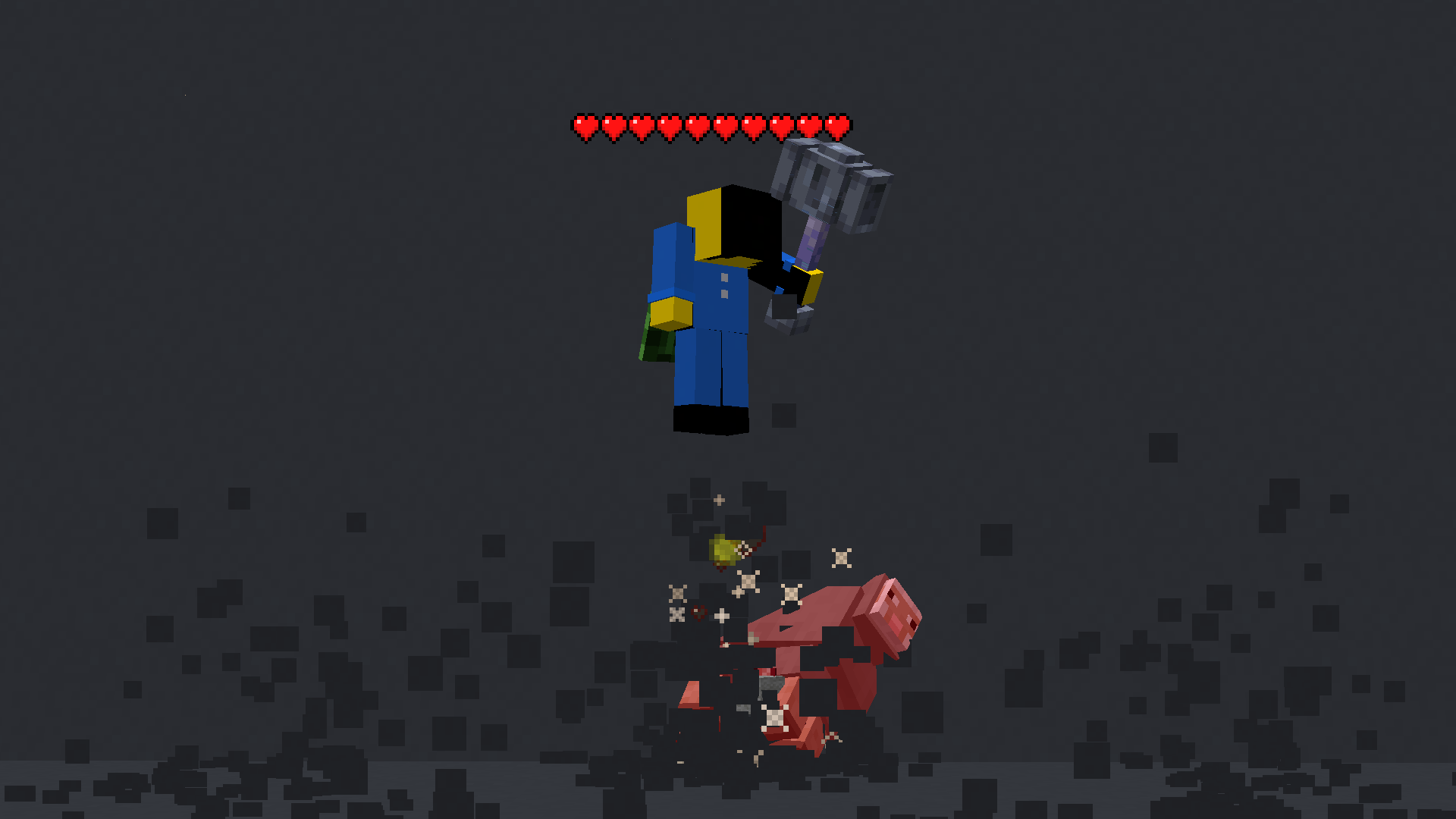
Features
This mod displays a highly-configurable health indicator (and optional armor indicator) above all entities that corresponds to their healths. The indicators have the following filters, where you can enable/disable visibility based on:
- Entity Categories (Hostile, Passive, Players, Self)
- Entity Types (eg:
minecraft:pigoraether:aerbunny) - Player Names
- Entities that have been attacked,
- Entities that have been damaged
- Entities that you are looking at
- Entities that are within a certain distance
You can also adjust the
- Size
- Offset
- Indicator Type (Hearts | Number)
- Percentage Based Health
- Text Color
Futher QOL features:
The indicator changes texture and appearance based on the effects the entity has, just like vanilla. The indicator will
- Turn green if the entitiy is Poisoned,
- Black if they are Withering
- Display yellow hearts seperately for Absorption.
- Vibrate if the entity has Regeneration
- Change textures for Hardcore.
All the above can be disabled in the config if you don't like it.
More Details
Mod Keybinds
Note: These are all default keybinds. They can be modified like any other keybind: by going into Options > Controls > Keybinds
- Enable Health Indicator:
Left Arrow - Increase Indicator Offset:
Up Arrow - Decrease Indicator Offset:
Down Arrow - Override Config Filtering:
Right Arrow - Enable Armor Indicator:
Right Shift - Open Config:
I
What attributes can I change in the config?
- Indicator Type: Whether to display a floating health bar (like in the picture) or a numerical value.
- Show Effects: Whether to change the textures of the indicator if the player has poison/wither/regen/freezing effects
- Display offset: The health bar can be raised or lowered in the config. You also have the option to set a keybind to raise/lower it.
- Step size: You can set the step size of the keybind in the config. With this, you can modify the amount the health bar is raised/lowered per click.
- Size of the indicator: The indicator size can be modified in the config.
- Percentage based health: The indicator can display health in percentages instead of a hard value
- Toggle rendering: Health bar rendering can be disabled for specific entity types (Passive, Hostile, Player, Self)
- Indicator can also be toggled to
- Show only after you have hit the entity.
- Show only if you are looking at the entity
- Show only if the entity has been damaged (not at full health)
- Not show for specific mobs/players. This can be set in the blacklist
Ченджлог
26.1.0.0-betaБета26.1, 26.1.1, 26.1.2 · 20 июня 2026 г.
26.1 update
26.1.0.0-betaБета26.1, 26.1.1, 26.1.2 · 20 июня 2026 г.
26.1 update
21.11.1Релиз1.21.11 · 13 января 2026 г.
Changes:
- Disabled damage direction indicators on servers
See through wallsmode now requires the player to directly look at the entity, and no longer works on players.
These changes were made to prevent people from abusing this mod and using it as a hack.
Bug fixes:
- Fixed indicator icons flickering at large distances.
Features:
- Improved the appearance of the damage direction indicator
- Added a
Dynamic Health Thresholdconfig to allow the user to configure the threshold at which the indicator should switch to numbers from hearts, if Dynamic indicator type is selected.
21.11.0-rc.1Бета1.21.11 · 25 декабря 2025 г.
Updated to 1.21.11
21.9.2-betaБета1.21.9, 1.21.10 · 23 октября 2025 г.
Bug fixes:
- Fixed an issue where indicators would render blank for
see through wallsmode
21.9.1-betaБета1.21.9, 1.21.10 · 20 октября 2025 г.
Bug fixes:
- Fixed an issue where hearts would render blank for normal mode (still broken for
see through wallsmode) - Fixed an issue where looking at an entity would make all entities of the same type show the same health
21.9.0Альфа1.21.9, 1.21.10 · 11 октября 2025 г.
Updated to Minecraft 21.9.0
21.6.0Релиз1.21.6, 1.21.7, 1.21.8 · 4 июля 2025 г.
Updated to 1.21.6
Комментарии
Загружаем…