 Mineforgian
Debug Entity Data
Simple utility datapack which allows you to easily view a data path of entities
- Загрузки
- 21
- Подписчики
- 0
- Обновлён
- 6 августа 2026 г.
- Лицензия
- All-Rights-Reserved
Опубликован 20 мая 2026 г.
Debug Entity Data
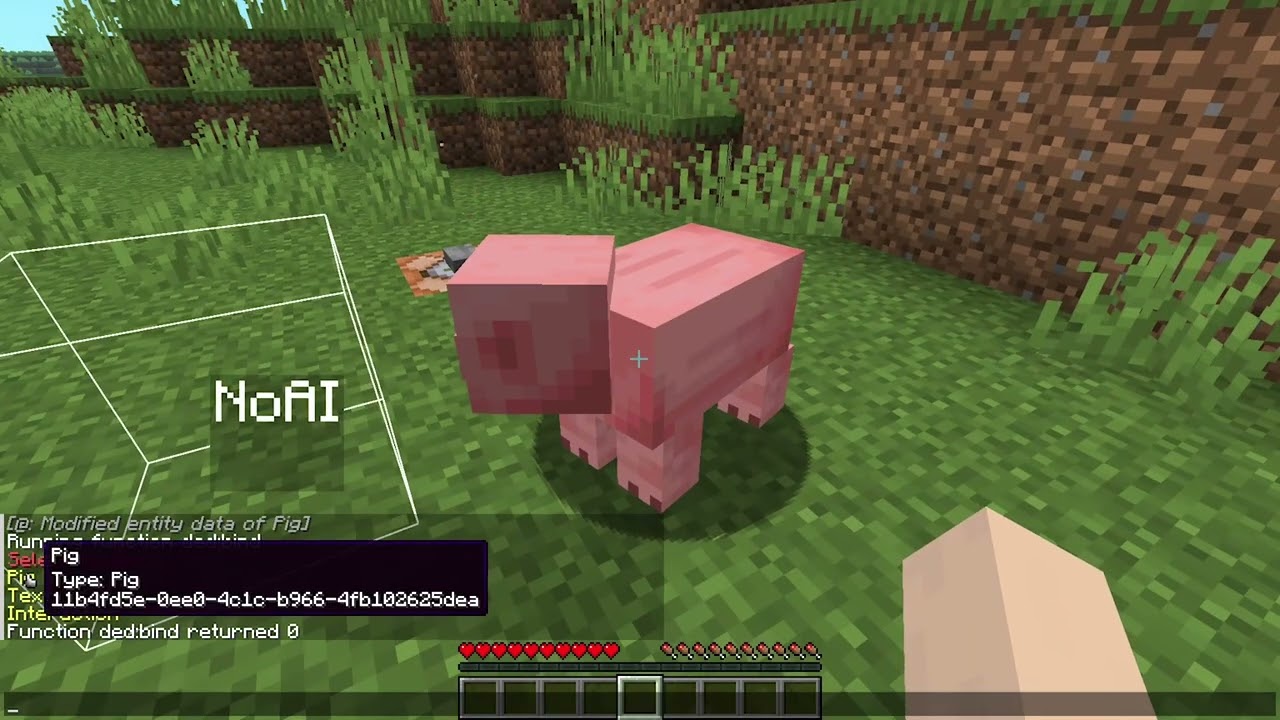
Showcase video
Installing
Download the latest release from the releases tab, or from these alternative sites:
open your Minecraft world directory and place the downloaded pack inside the datapack directory.
If the world is loaded, execute /reload or quit and rejoin.
How to use
Execute the function :
/function ded:bind
This will output a list of close entities to the chat. Click the message of the one you want, and a dialogue will appear.
In the dialogue, input the NBT data path that you want to debug. You can see all valid data paths by doing /data get entity <ENTITY>.
If you sneak+interact with the debug display you get the option to either rebind it to another path, or remove the display.
Комментарии
Загружаем…