 Mineforgian
Custom Screens
Create custom screens to show players via command! Highly customizable
- Загрузки
- 306
- Подписчики
- 0
- Обновлён
- 17 мая 2026 г.
- Лицензия
- All-Rights-Reserved
Опубликован 26 апреля 2026 г.
If you have any feedback please, leave it here or in discord.
Custom Screens
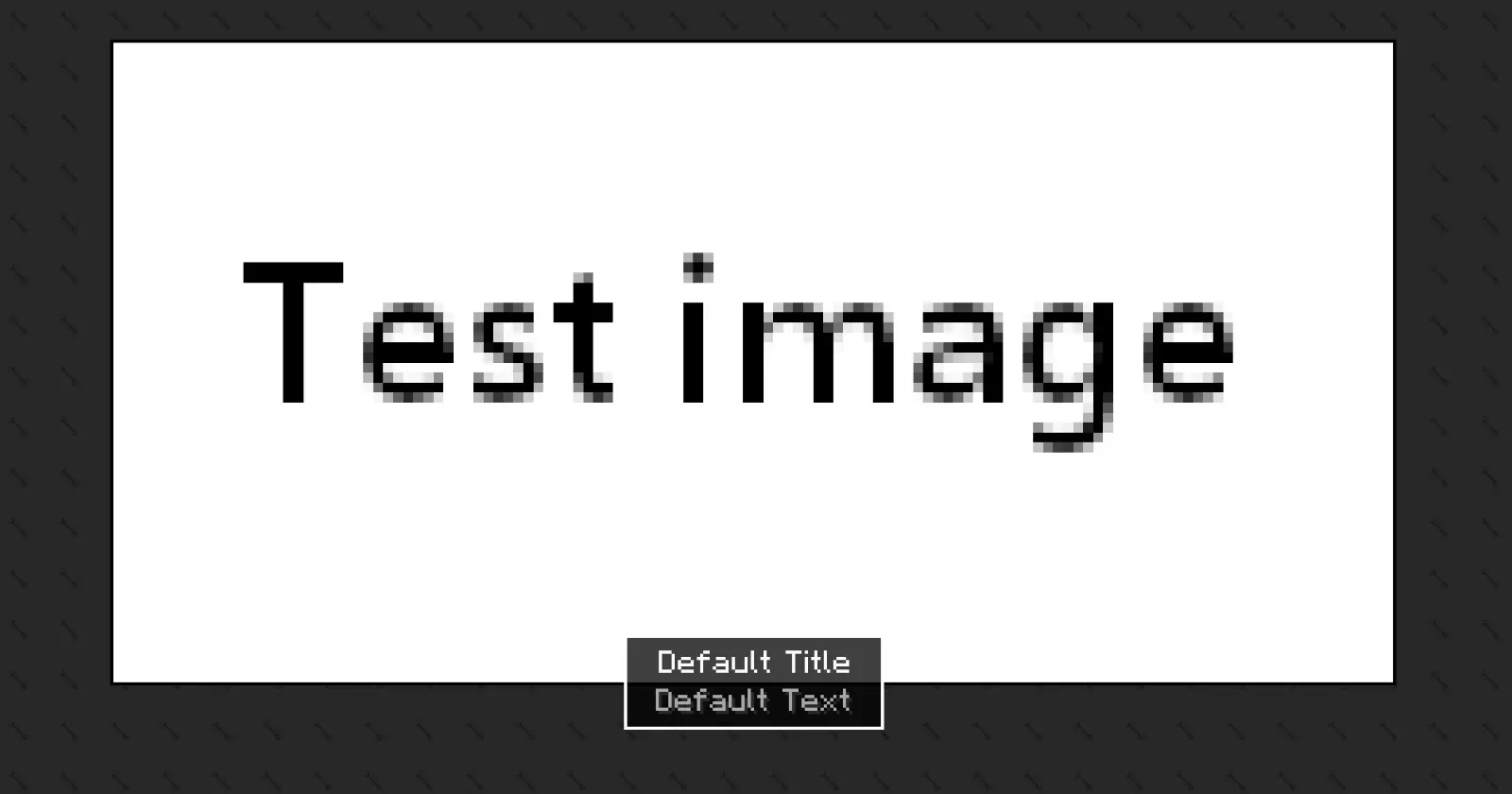
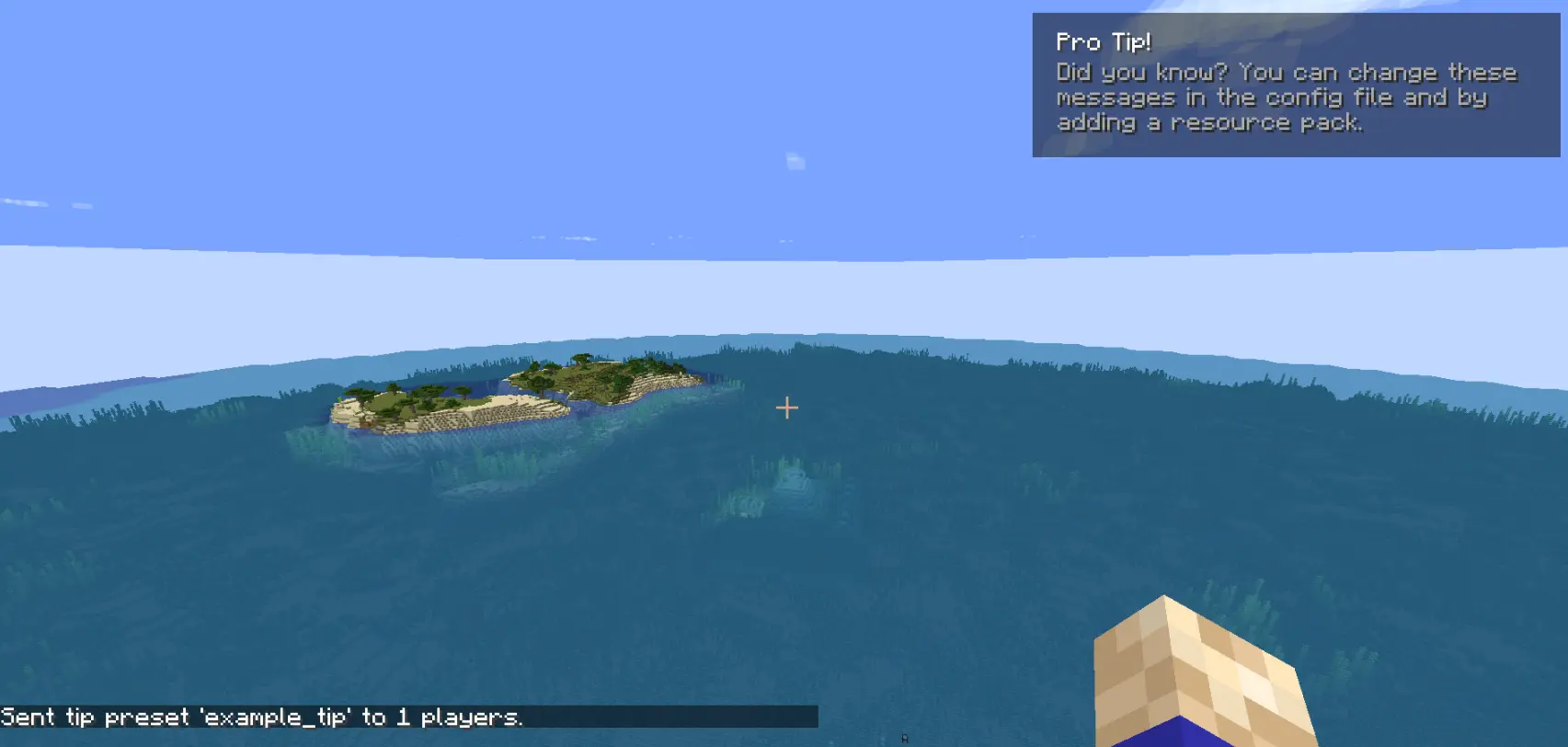
Custom Screens lets you display fullscreen overlays and lightweight tips to players using simple preset files and commands. Define your own layouts, text, images, and timing through a simple configuration file.
This mod may be used in modpacks and on servers. You must provide credit to the original authors.
This is the only official download source for this mod. You may share or distribute this mod on other websites or platforms only by linking to the official download page provided here. Re-uploading or redistributing the mod files themselves is not permitted.
Please be aware that downloads obtained from unofficial sources may be modified and could contain malicious software. For your security, always download this mod from the official source.
How to use [BETA Version]
The mod generates two config files after the first launch:
config/arcana/custom-screens-presets.json
This file defines each screen preset, including:
- Preset name
- Title and body text
- Text position
- Image and background (bg size, 64x64) (optional)
- Image size
- Display duration
Note: If no image or background is specified, it will not be rendered.
config/arcana/custom-tips-presets.json
This file defines each screen preset, including:
- Preset name
- Title and body text
- Text position
- Display duration
To add another preset duplicate the example preset in the JSON file and modify it as needed. The example preset can also be removed.
Commands
All commands related to this mod are under the /cs command. These are:
/cs show-screen <targets> <showToOp> <shouldCloseOnEsc> <presetName>- targets — Players to target.
- showToOp — Sends feedback to online operators. [true/false]
- shouldCloseOnEsc — Allows players to close the screen with ESC. [true/false]
- presetName — Preset key from the config file. [string]
If used in single player the game will be paused for the duration of the screen.
/cs show-tip <targets> <showToOp> <title> <description> <position> <duration>- targets — Players to target.
- showToOp — Sends feedback to online operators. [true/false]
- title / description — written between
". - position — where the tip shows in the screen.
- duration — number (in seconds).
/cs show-tip-preset <targets> <showToOp> <presetName>- targets — Players to target.
- showToOp — Sends feedback to online operators. [true/false]
- presetName — Preset key from the config file. [string]
/cs stop-screen <targets>Tries to close the currently active screen or tip for the selected players.
- targets — Players to target.
Custom text and images (via resource pack)
Images and text can be provided using a resource pack.
- Text
"arcana.customscreens.example_title":
myresourcepack\assets\custom_screens\lang\en_us.json
- Images:
myresourcepack\assets\custom_screens\textures\gui\*.png
Important notes:
- Background images will tile to fill the entire screen.
- Only .png files are supported.
Ченджлог
0.1.1-BETA+26.XБета26.1, 26.1.1, 26.1.2 · 17 мая 2026 г.
- Updated the commands to not ignore the "showToOps" value.
0.1.1-BETA+26.XБета26.1, 26.1.1, 26.1.2 · 17 мая 2026 г.
- Updated the commands to not ignore the "showToOps" value.
0.1.0-BETA+26.XБета26.1, 26.1.1, 26.1.2 · 15 мая 2026 г.
Version 0.1.0-BETA
Show Screen
- Added a new parameter to the
/cs show-screencommand to make the screen cancelable by pressing Escape. - Removed the config reload each time the
/cs show-screencommand is used, since it already reloads itself when the vanilla/reloadcommand finishes. Added a message to indicate this.
Tips
- Added a new screen type called
Tips. - Added a new command for loading tips from presets defined in the config.
- Added a new command to create and send tips on the fly.
- Added a new config file for tip presets.
Other Tweaks and Changes
- Added the
/cs stop-screencommand to stop everything this mod does. - Removed standalone commands and grouped them all under
/cs. - Command blocks can now execute any command from this mod.
- Renamed "Presets" to "Screen Presets".
Note to users: No more major command changes are planned, only new commands or small tweaks to existing ones.
0.1.0-BETA+26.XБета26.1, 26.1.1, 26.1.2 · 15 мая 2026 г.
Version 0.1.0-BETA
Show Screen
- Added a new parameter to the
/cs show-screencommand to make the screen cancelable by pressing Escape. - Removed the config reload each time the
/cs show-screencommand is used, since it already reloads itself when the vanilla/reloadcommand finishes. Added a message to indicate this.
Tips
- Added a new screen type called
Tips. - Added a new command for loading tips from presets defined in the config.
- Added a new command to create and send tips on the fly.
- Added a new config file for tip presets.
Other Tweaks and Changes
- Added the
/cs stop-screencommand to stop everything this mod does. - Removed standalone commands and grouped them all under
/cs. - Command blocks can now execute any command from this mod.
- Renamed "Presets" to "Screen Presets".
Note to users: No more major command changes are planned, only new commands or small tweaks to existing ones.
0.0.1+26.X-alphaАльфа26.1, 26.1.1, 26.1.2 · 5 мая 2026 г.
- Updated to 26.X
0.0.1+26.X-alphaАльфа26.1, 26.1.1, 26.1.2 · 5 мая 2026 г.
- Updated mod to 26.X
Комментарии
Загружаем…