 Mineforgian
Custom Lobby
🌟World Protection🌟Server-Navigator🌟 Animated Scoreboards🌟Cosmetics🌟Parkour🌟NPCs & Hologramme🌟 Multithreading-optimized🌟 Folia-ready, and PAPI-compatible!🌟
- Загрузки
- 211
- Подписчики
- 0
- Обновлён
- 25 мая 2026 г.
- Лицензия
- GPL-3.0-or-later
Опубликован 2 мая 2026 г.
CustomLobby
Key Features
Key Features
- Complete World Protection: Block block break/placement, hunger, fall damage, PVP, mob spawning, and inventory changes. Lock time and weather to keep your hub looking perfect.
- Animated Scoreboard & Tablist: Create dynamic, flicker-free scoreboards and custom tab lists with full PlaceholderAPI (PAPI) support.
- Server Navigator & Hotbar Bindings: Give players clickable items (e.g., Compass) that open custom server selectors, linking them directly to BungeeCord or Velocity target servers.
- Integrated Cosmetics & Trails: Fuel player engagement with a variety of particle effects and movement trails (Hearts, Flames, Clouds, Redstone, Notes, etc.).
- Built-in Parkour Engine: Create custom parkour courses with checkpoints, void-resets, leaderboard tracking, timers, and automatic coin rewards.
- Custom NPCs & Holograms: Place interactive NPCs and clean, multi-line holograms to guide players or display server information.
- Advanced Announcement Scheduler: Send global announcements with interactive links, clickable commands, and custom tooltips on hover.
- AFK Detection & BossBars: Detect idle players, show customizable AFK titles, and cycle messages in a sleek BossBar.
- Multi-Database Support: Choose between local file-based SQLite and remote MySQL/MariaDB setups with connection pooling.
- Multithreading & Folia Ready: Designed from the ground up for modern server performance, avoiding main-thread lag.
💻 Commands & Permissions
| Command | Description | Default Permission |
|---|---|---|
/lobby or /hub |
Teleport to the lobby spawn | customlobby.lobby (All) |
/spawn set |
Set the lobby spawn point | customlobby.spawn.set (Op) |
/fly [player] |
Toggle flight mode | customlobby.fly (Op) |
/vanish or /v |
Hide yourself from other players | customlobby.vanish (Op) |
/announce <msg> |
Broadcast an interactive announcement | customlobby.announce (Op) |
/navigator |
Manually open the Server Selector | customlobby.navigator (All) |
/cosmetics |
Open the cosmetics particle menu | customlobby.cosmetics (All) |
/hologram |
Manage custom holograms (create, delete, list, lines) | customlobby.hologram.admin (Op) |
/npc |
Create and delete interactive NPCs | customlobby.npc.admin (Op) |
/parkour |
Start/stop/checkpoint/manage parkour courses | customlobby.parkour (All) |
/stats |
View coins, level, and parkour records | customlobby.stats (All) |
/customlobby |
Main admin command (reload, info, debug) | customlobby.admin (Op) |
/lobbyadmin |
Open the graphical Admin settings panel | customlobby.admin (Op) |
Setup & Installation
- Download the CustomLobby.jar file.
- Place the jar inside your server's
plugins/directory. - Restart your server to generate the configuration files.
- Open
plugins/CustomLobby/config.ymlto customize features, database credentials, Navigator menus, and scoreboard lines. - Run
/customlobby reloadto apply your changes!
PlaceholderAPI Support
CustomLobby integrates natively with PlaceholderAPI. You can use all standard placeholders in your scoreboard, tablist, bossbars, and holograms:
%customlobby_coins%- View player coins%customlobby_level%- View player level%customlobby_parkour_record_<course>%- View player's best time on a course
Analytics & Monitoring
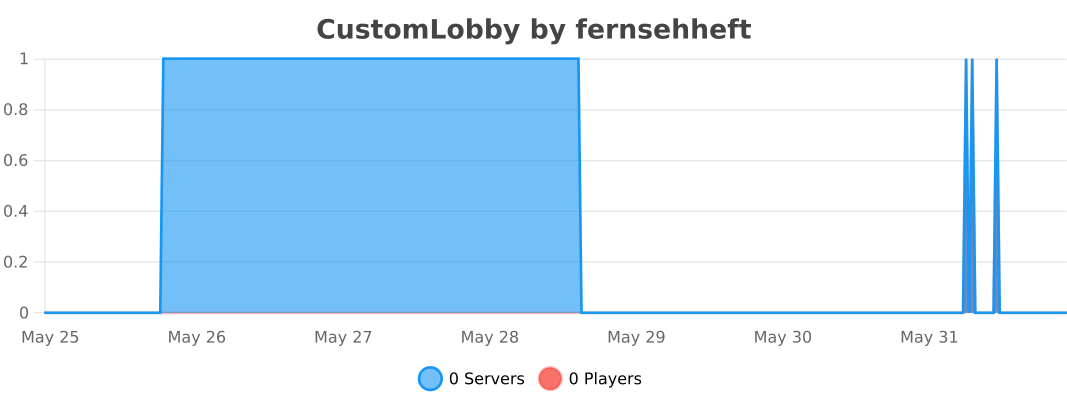
To help improve the plugin, CustomLobby shares anonymous server metrics with bStats and FastStats (including world counts, active NPCs, active holograms, database type, and language configuration). You can toggle metrics collection at any time by changing general.metrics: false in the config.yml.
Stats
Sponsor:

Use Code pluginhub for 10% on both EPYC and Ryzen servers
Ченджлог
1.0.0Бета26.1, 26.1.1, 26.1.2 · 25 мая 2026 г.
Changelogs:
Added:
- All Features (First Release)
Fixed:
- Nothing
Removed:
- Nothing
Комментарии
Загружаем…