 Mineforgian
Create: Aeroworks
A collection of addons for Create Aeronautics with blocks such as the gyroscope, joystick, and more!
- Загрузки
- 417K
- Подписчики
- 122
- Обновлён
- 7 августа 2026 г.
- Лицензия
- MIT
Опубликован 24 апреля 2026 г.
Create: Aeroworks

An addon for Create: Aeronautics that adds a suite of various blocks for your airships.
Available blocks:
- Gyroscope
- Joystick
Planned blocks:
- Advanced Gyroscope (allows arbitrary target orientation)
- Mini Gyroscope
- Joystick + Keyboard Input
- Handheld Joystick
- Modular Controller
Keep Your Ship Level
The Gyroscope is a spinning flywheel that stabilizes your ship upwards. Mount one anywhere on your contraption and supply it with rotational energy. The gyroscope stabilization scales with input RPM. Multiple gyroscopes can be used to stabilize larger ships!
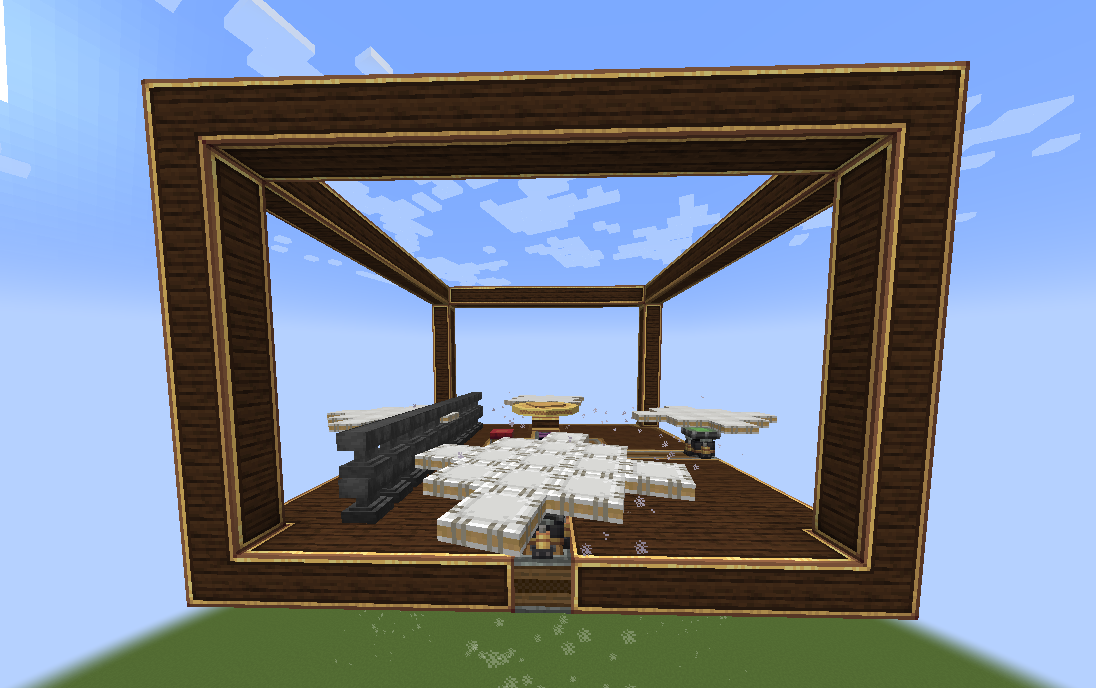
A tooltip is provided to provide insight to the gyroscopic stabilization.
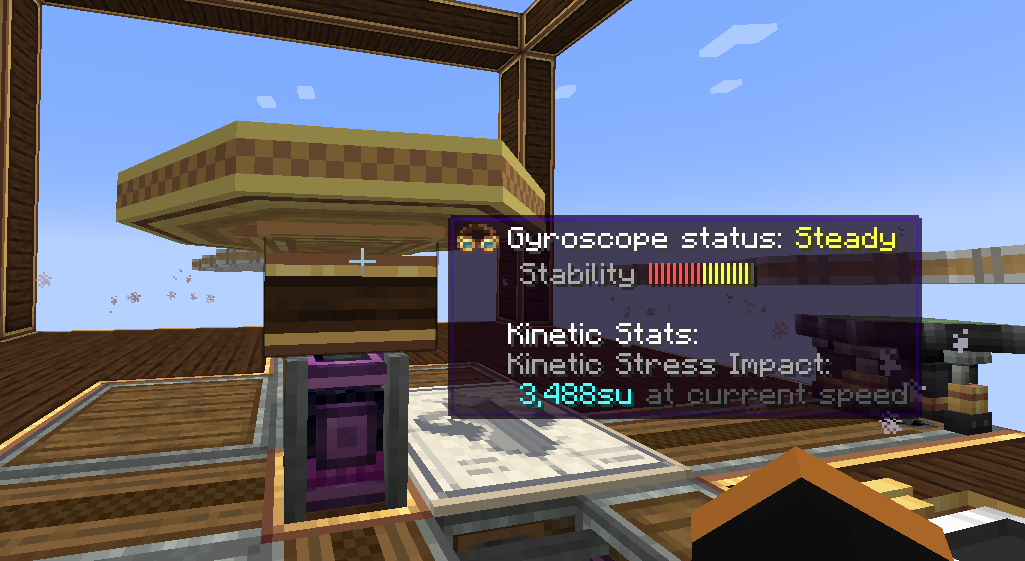
Explanation of Gyroscope status:
- Off -> Self explanatory. The gyroscope is off.
- Unstable -> The gyroscope is unable to stabilize your ship with the input RPM or number of gyroscope
- Steady -> Your ship can be stabilized with the current gyroscope(s) configuration. However, more power or gyroscopes is necessary to make your ship perfectly level.
- Level -> Your ship is level (< 2°) with respect to the world with the current gyroscope(s) configuration.
Configurable axis "stiffness":
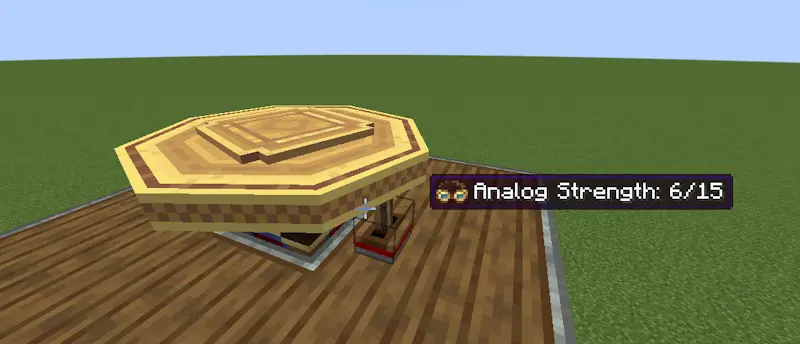
Applying an analog redstone signal to the side of a gyroscope reduces the corrective forces applied by the gyroscope along that axis. The axis is fully unlocked at max redstone strength:
The tooltip is updated to reflect the current corrective force as "stiffness":
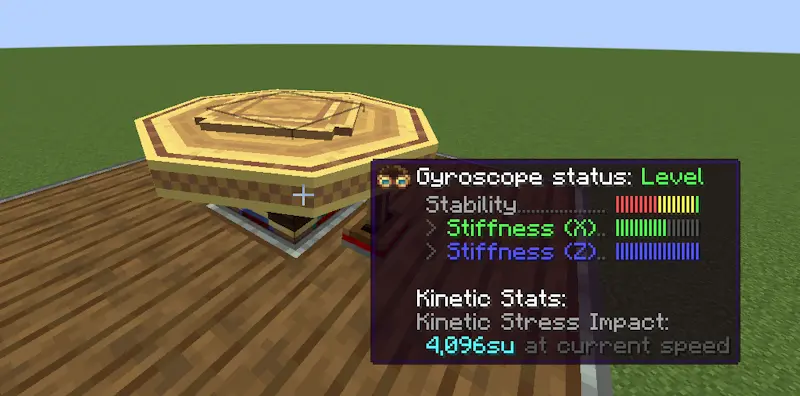
This allows you to roll and pitch your ship but then bring the ship back to level when you're done maneuvering.
Joystick
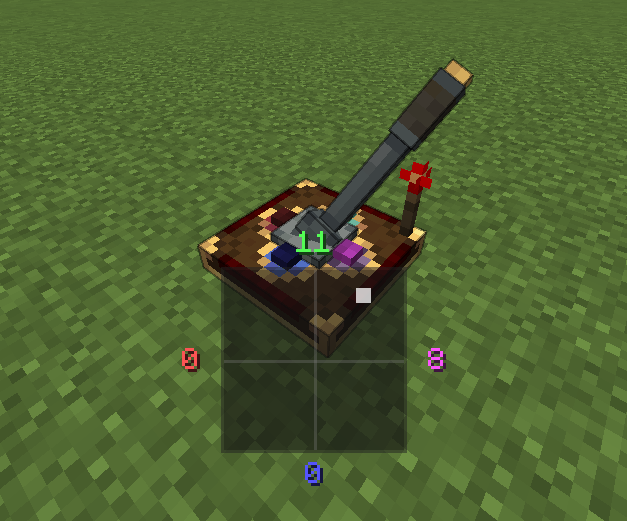
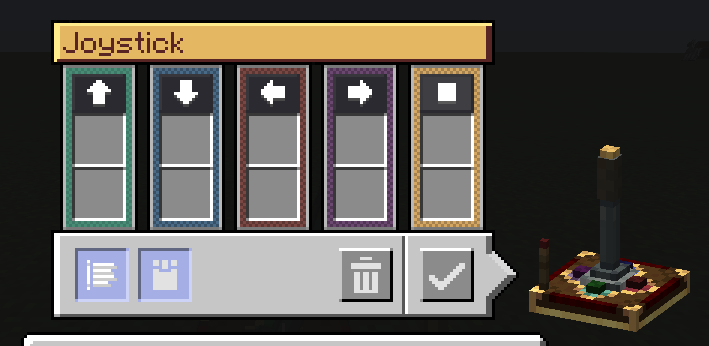
The Joystick allows you to control your ship along 2 axes. A redstone signal (0-15) is output per direction the stick is tilted towards. For simplicity, the joystick outputs the redstone signal on configurable redstone link frequencies. An extra button is provided for extra controllability.
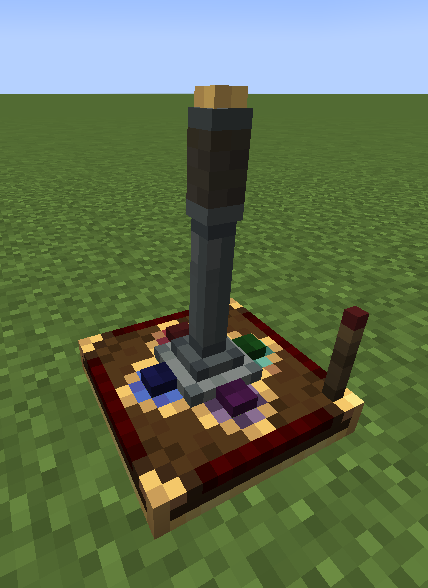
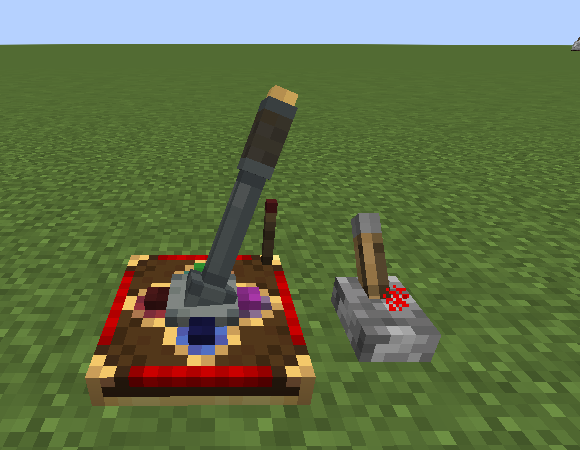
A redstone input can be provided to lock the orientation of the joystick:
An on-screen HUD displays the current Joystick output when being controlled:
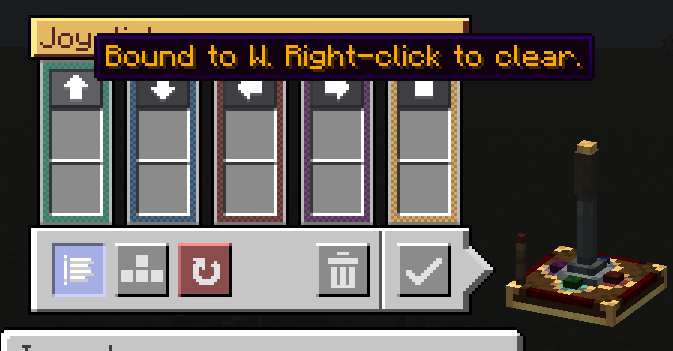
A configurable UI is provided for configuring the redstone link frequencies:
Keyboard mode is also available with a toggleable snapback mode:
Modular Controls
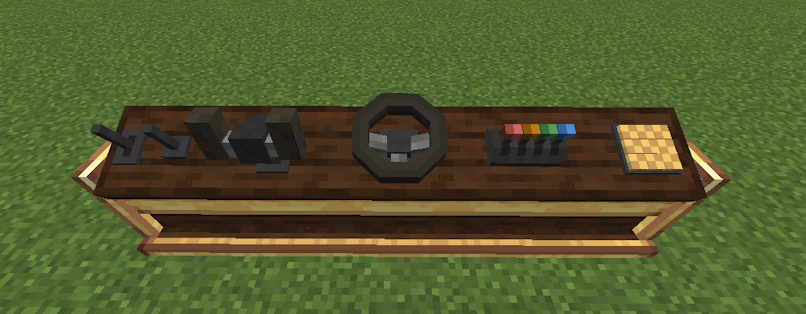
The console desk allows you to mix and match control modules to create the perfect cockpit or helm for your ship.
Current supported control modules:
- Lever
- Joystick
- Button
- Steering Wheel
- Yoke
- Throttle Quadrant
Dependencies
- NeoForge 21.1.225+
- Create 6.0.0+
- Create: Aeronautics 1.0.3+
Ченджлог
1.4.2+mc1.21.1Релиз1.21.1 · 7 августа 2026 г.
Added
- Adds copycat control desk
Changed
- Spring-back Speed now goes up to 2000%
Fixes
- Controllers without a GLFW gamepad mapping (newer gamepads) can now bind buttons
- Controllers now properly output with step size
- Fixes lighting for control desk
1.4.1+mc1.21.1Релиз1.21.1 · 2 августа 2026 г.
Fixes
- Fixes output bug with drive by wire channels
- Restores the 1.3.0 joystick drive by wire channels
1.4.0+mc1.21.1Релиз1.21.1 · 1 августа 2026 г.
Added
- Pedal module and associated sockets on the Control Desk
- New module channel settings: Spring-back delay, Spring-back speed, Step size
- The OG joystick is migrated to the modular controller system. It is now compatible with the Control Desk. NOTE: Latch mode is now similar to other modular controls and under the channel settings now.
- Linked typewriters are supported with the Control Desk multiblock. (Joystick and typewriters can be used together now)
- Modules can be rotated in place from the module settings screen
- Crafting a module by itself resets its settings
1.3.0+mc1.21.1Релиз1.21.1 · 10 июля 2026 г.
Added
- Modular control system. The new Control Desk supports swappable control modules.
- Eight control modules: Lever, Joystick, Button, Button Panel, Button Keypad, Steering Wheel, Throttle Quadrant, and Yoke
- Per-channel configuration with keyboard, mouse, and controller input
- Ponders for the control system
- Chinese localization for the entire mod.
Fixes
- Stepper servos keep their orientation when rotated with a wrench, mirrored, or placed by schematic.
1.2.11+mc1.21.1Релиз1.21.1 · 2 июня 2026 г.
Added
- Adds a mild yaw change dampening to the gyroscope. (The intention is to help ships straighten out their trajectory)
- Please flag if this change adversely affects your contraption!
Fixes
- Fixes redstone signals propagating through servos
1.2.10+mc1.21.1Релиз1.21.1 · 30 мая 2026 г.
Added
- Mechanical servo. A new block that maps analog redstone input to rotational angle.
- Stepper servo. A variant of the mechanical servo that allows for redstone signals to control rotations per direction.
- Ponders for the two new servo blocks.
1.2.9+mc1.21.1Релиз1.21.1 · 11 мая 2026 г.
Added
- Refreshed Joystick model and textures (Glaz_almaz)
- Russian translations for Aeroworks (Glaz_almaz)
- Drive-By-Wire compatibility
1.2.8+mc1.21.1Релиз1.21.1 · 6 мая 2026 г.
1.2.8 Changelog:
- Adds per-axis "stiffness" to the gyroscope.
- Applying an analog redstone signal to a colored side of the gyroscope will weaken the gyroscopic effect along that axis. This allows ships to roll and pitch but also return to level once unpowered.
Full Changelog: https://github.com/mred231/aeroworks/compare/v1.2.7...v1.2.8
Комментарии
Загружаем…