 Mineforgian
CraftUI
An implementation of Dear ImGui on top of Minecraft for in-game editors.
- Загрузки
- 160
- Подписчики
- 3
- Обновлён
- 20 октября 2025 г.
- Лицензия
- LGPL-3.0-or-later
Опубликован 12 сентября 2025 г.
CraftUI
A framework to use Dear ImGui in Minecraft
Over the past few years, I've noticed a growing use of ImGui in utility mods such as Flashback. However, due to technical constraints, none of these mods can be compatible with each other (and if they are, they're extremely jank).
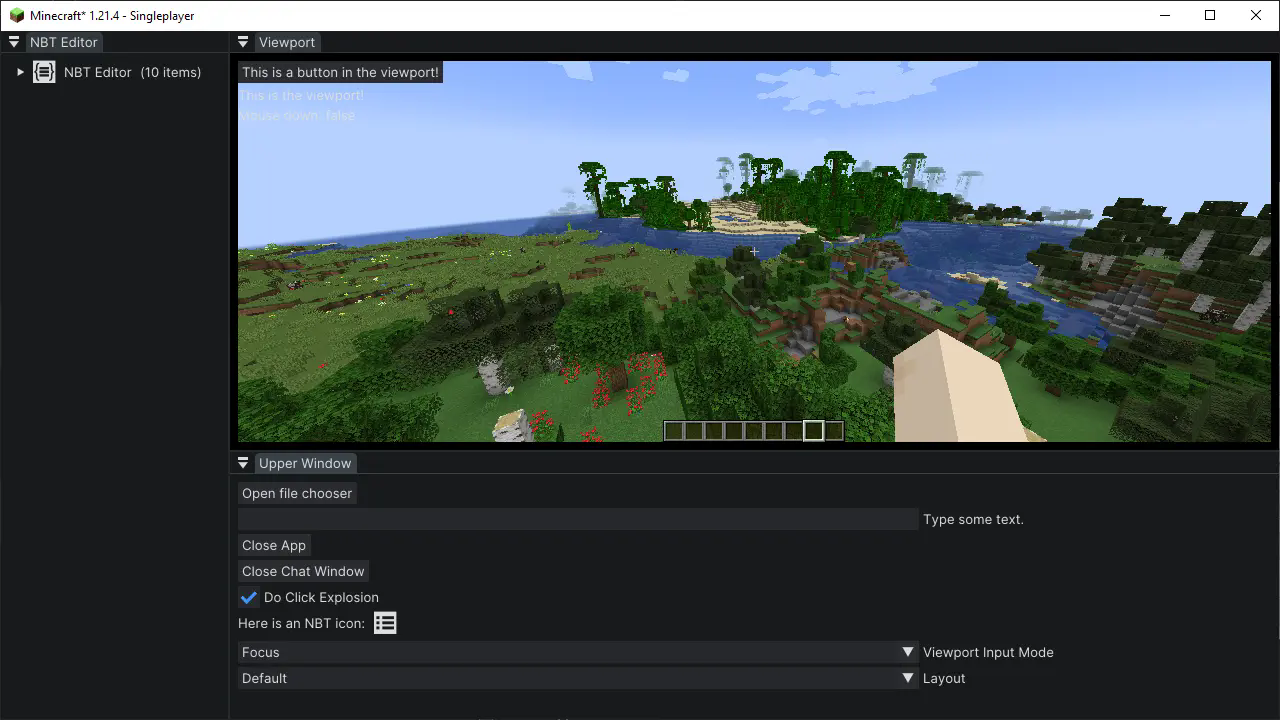
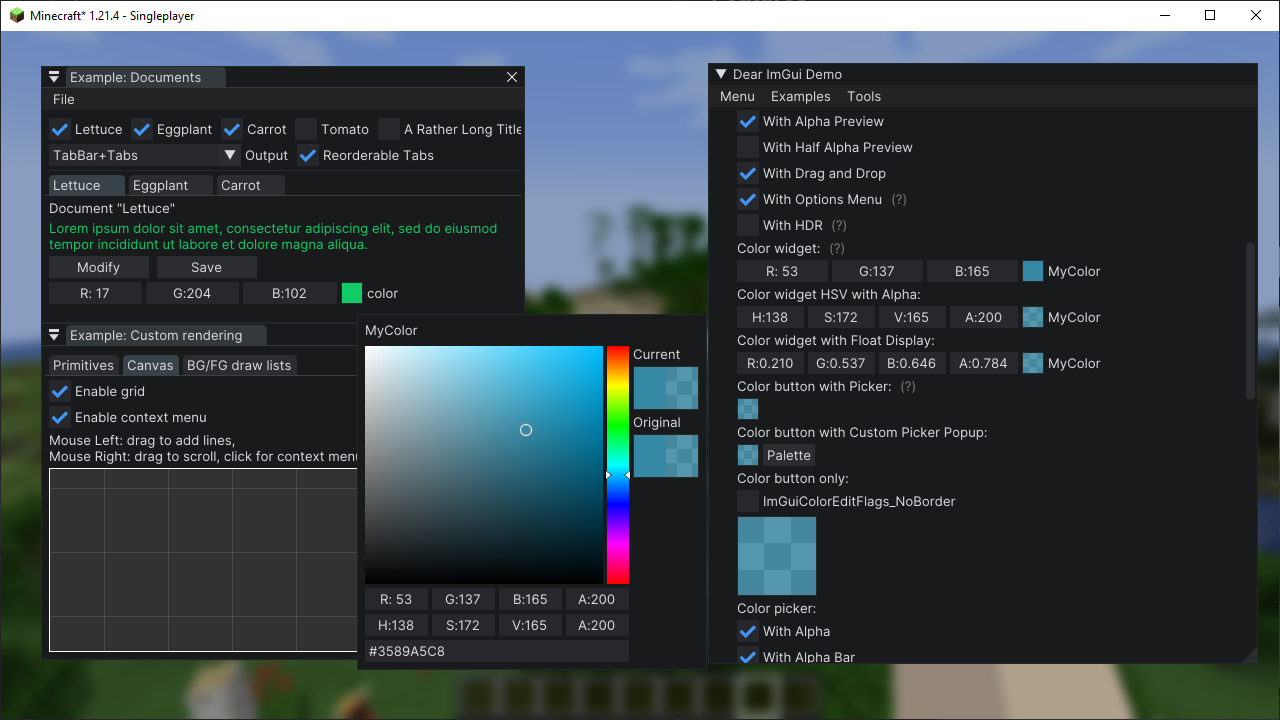
CraftUI is a framework that attempts to fix this. Being a minecraft-specific wrapper for Dear ImGui, it handles mounting and rendering the ImGui native code, cross-mod compatibility, as well as providing a set of extra, Minecraft-specific utility systems.
Note: This framework is still in development, and public API functionality might change. It also doesn't support all Minecraft versions right now.
Examples
Features
CraftUI is built on ImGui Java, and by extension, contains all its features. On top of that, it also includes:
- Resource-pack-based font loading
- User-definable themes (also resource-pack-based)
- Game viewport resizing via dock-space
- Native file browser access
- Other various utilities
Getting Started
To preface, it's important to have a basic understanding of Dear ImGui, and specifically ImGui Java, before using this library. Any questions pertaining ImGui on its own will be redirected there.
With that said, to install, add the following to the repositories section of your buildscript:
repositories {
    // ...
    maven { url = 'https://jitpack.io' }
}
Then, in your dependencies section, add the following, replacing [version] with the desired version:
dependencies {
    // ...
    modImplementation 'com.github.Igrium:CraftUI:[version]'
}
And don't forget to add it as a dependency in fabric.mod.json!
Once you have the framework installed and building, you can create a new UI application by extending CraftApp:
public class ExampleApp extends CraftApp {
    @Override
    protected void render(MinecraftClient client) {
        // ImGui rendering code here
    }
}
Now, to open the UI, call:
AppManager.openApp(new ExampleApp());
The app will now render atop the game until it is closed with exampleApp.close(). See testmod for a more in-depth example.
Important Notes:
- Due to the size of the included native libraries, it is not recommended to bundle the framework itself with your mod.
- The package
com.igrium.craftui.implis not considered part of the public API, and could change without warning!
Ченджлог
0.4.1Релиз1.21.4 · 20 октября 2025 г.
Simple patch to fix some font-related issues
Changes:
- Added check to make sure font was loaded properly before making it accessible to code
- Added user-definable glyph ranges to font config
0.4.0Релиз1.21.4 · 3 октября 2025 г.
This is a minor update with numerous internal fixes. There's only one developer-facing change, that being an update to the json schema used to define styles. That's the only reason this isn't just a patch version; there have been no API changes.
Changes:
- Fixed an issue where the mouse would get improperly locked in a dockspace app if the viewport wasn't visble
- Updated the default style to be more readable
- Changed the style schema to make a bit more sense
- If an app throws an exception, it no longer crashes ImGui along with it, allowing Minecraft to write a proper crash log. (Note that it's still possible to crash ImGui; it just happens less often.)
- Fixed an issue in 1.21.4 where the mouse would appear in the wrong place when unlocked in a dockspace app
- Created an extremely barebones icon to replace the generated one
Full Changelog: https://github.com/Igrium/CraftUI/compare/0.3.0...0.4.0
0.3.0Релиз1.21.4 · 12 сентября 2025 г.
Ah screw it, I'm removing the alpha tag now because I'm putting it on Modrinth.
I've cleaned things up significantly internally and added a number of new features:
- Added file browser test button to settings app
- Made settings accessible without modmenu
- Added layout presets and multi-workspace layout system
- Added style switching system
- Various internal reorganization and cleanup
This build is not backwards-compatible, but that shouldn't matter because no-one's using this yet.
Full Changelog: https://github.com/Igrium/CraftUI/compare/0.2.1...0.3.0
Комментарии
Загружаем…