 Mineforgian
CompassLocator
Displays coordinates, direction, biome and locator bar while holding a compass. Compass ∙ Death Compass ∙ Locator Bar ∙ Lodestone
- Загрузки
- 57
- Подписчики
- 3
- Обновлён
- 20 июня 2026 г.
- Лицензия
- All-Rights-Reserved
Опубликован 27 мая 2026 г.







📌 What is this?
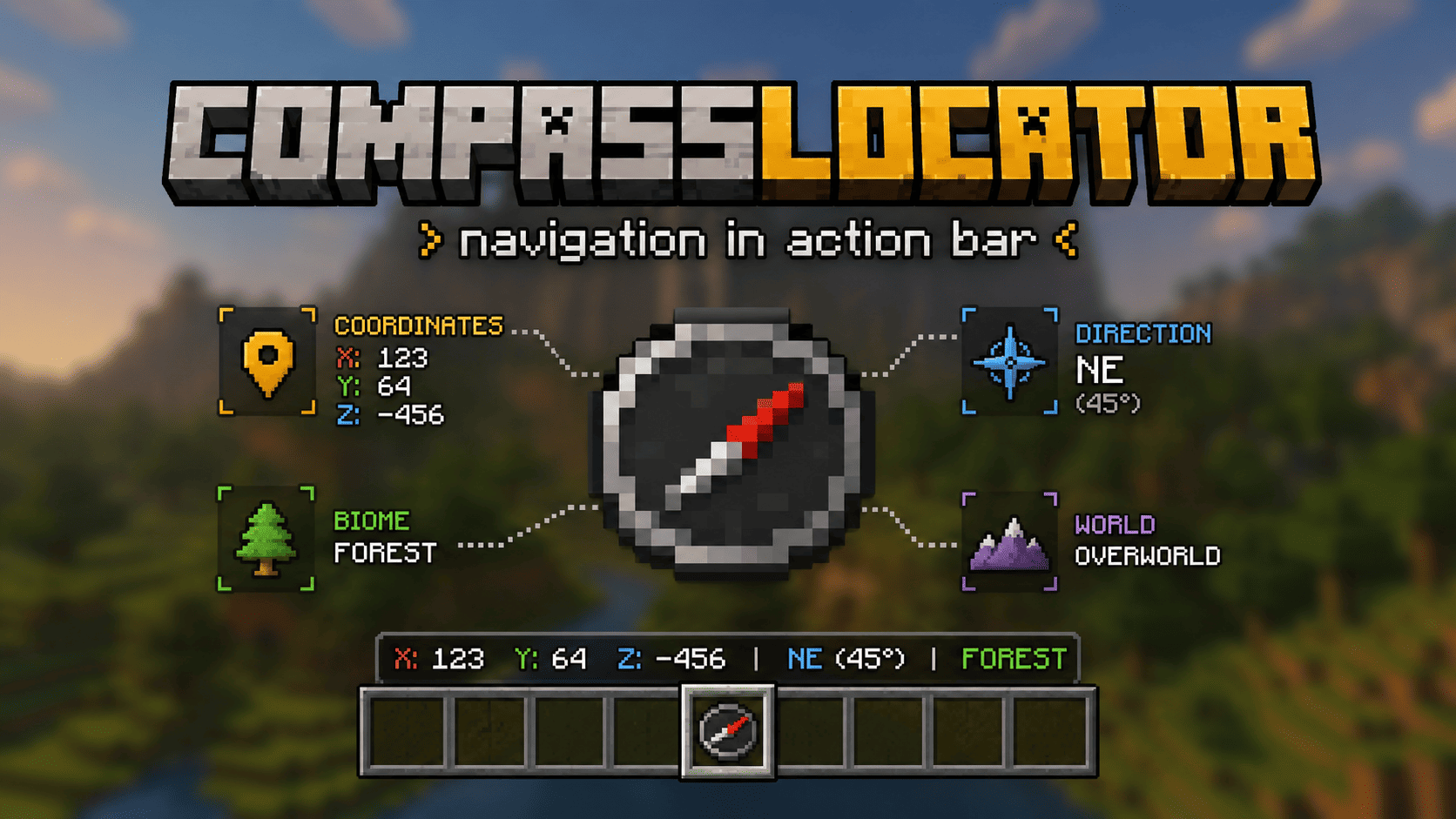
CompassLocator is a client-side mod for Minecraft 1.21.6+ that adds useful compass information directly to the action bar. A port of the CompassLocator plugin, now with even more features and an in-game config GUI.
No more opening F3. Just hold a compass and see:
- where you are
- which direction you're facing
- what biome you're in
- where you died last time
- players around you on the radar
✨ Features
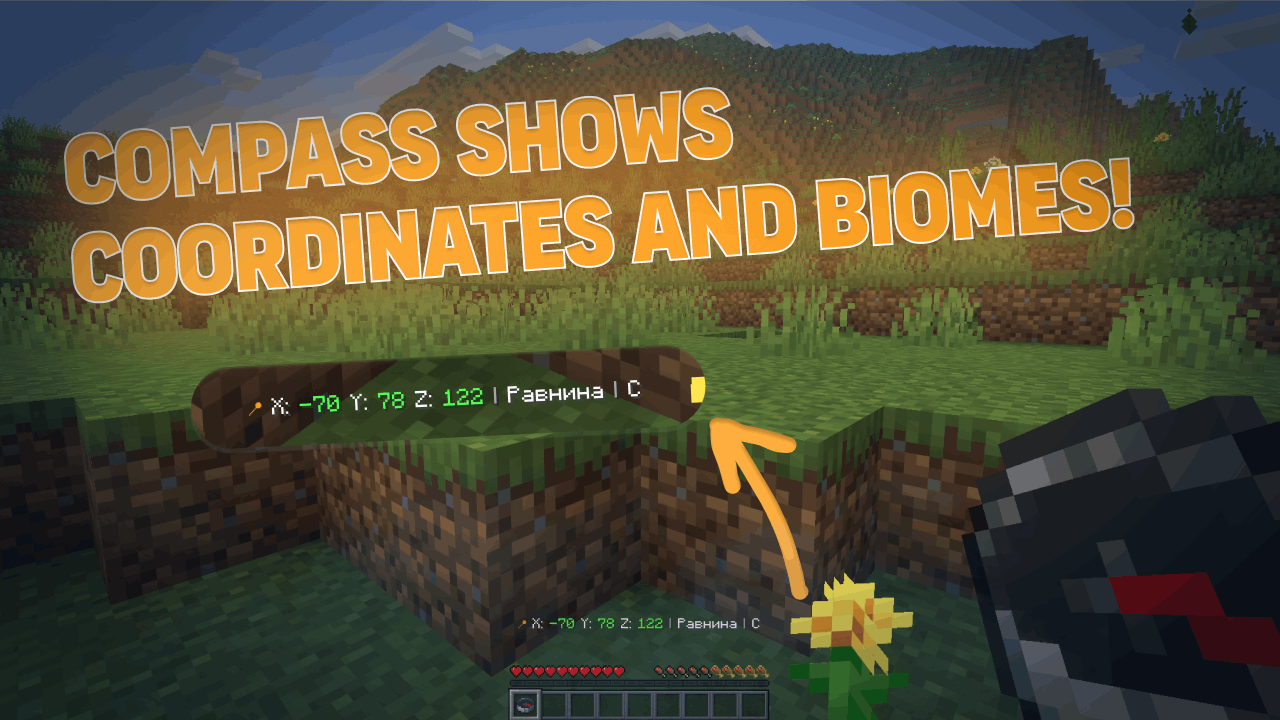
Normal Compass
- Coordinates (adjustable precision — integer or decimal)
- Current biome
- Cardinal direction (North/South or N/S)
- Time of day (optional)
- World name (optional)
- Lodestone support — shows the coordinates your compass is linked to, even if broken (shows last known position)
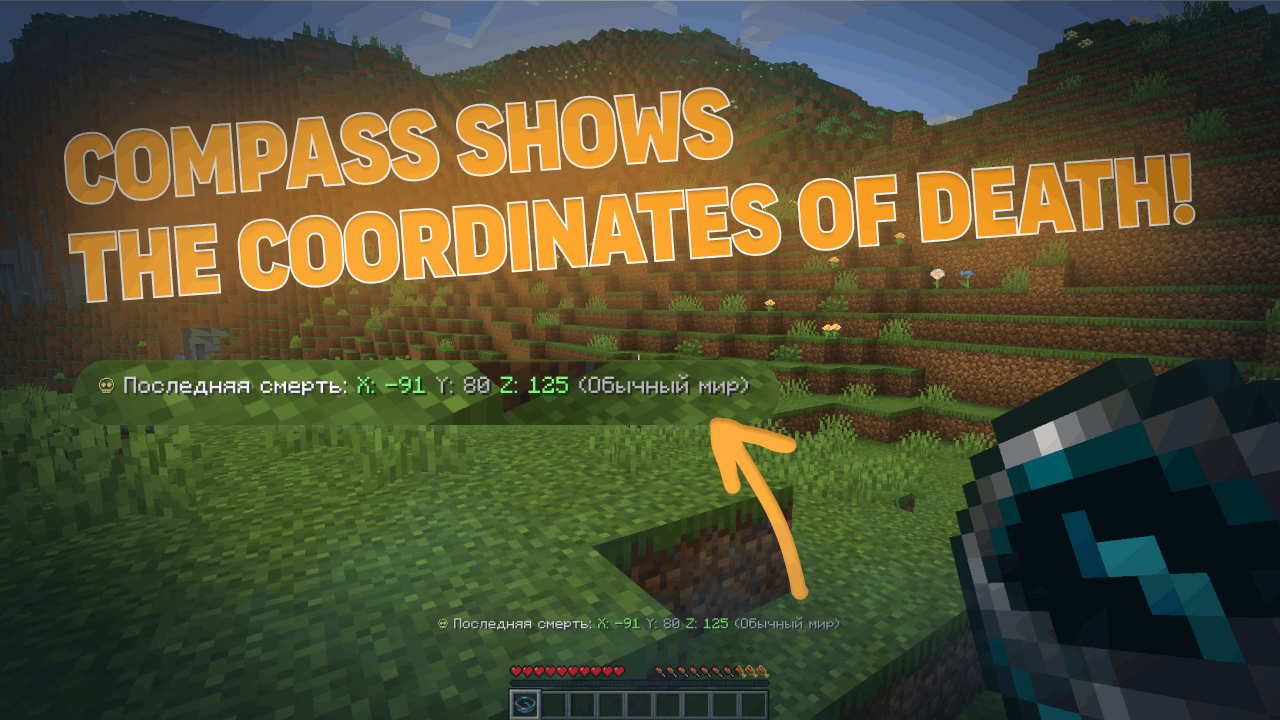
Recovery Compass
- Where you last died (coordinates)
- Which world
- Time since death
- Distance to death location
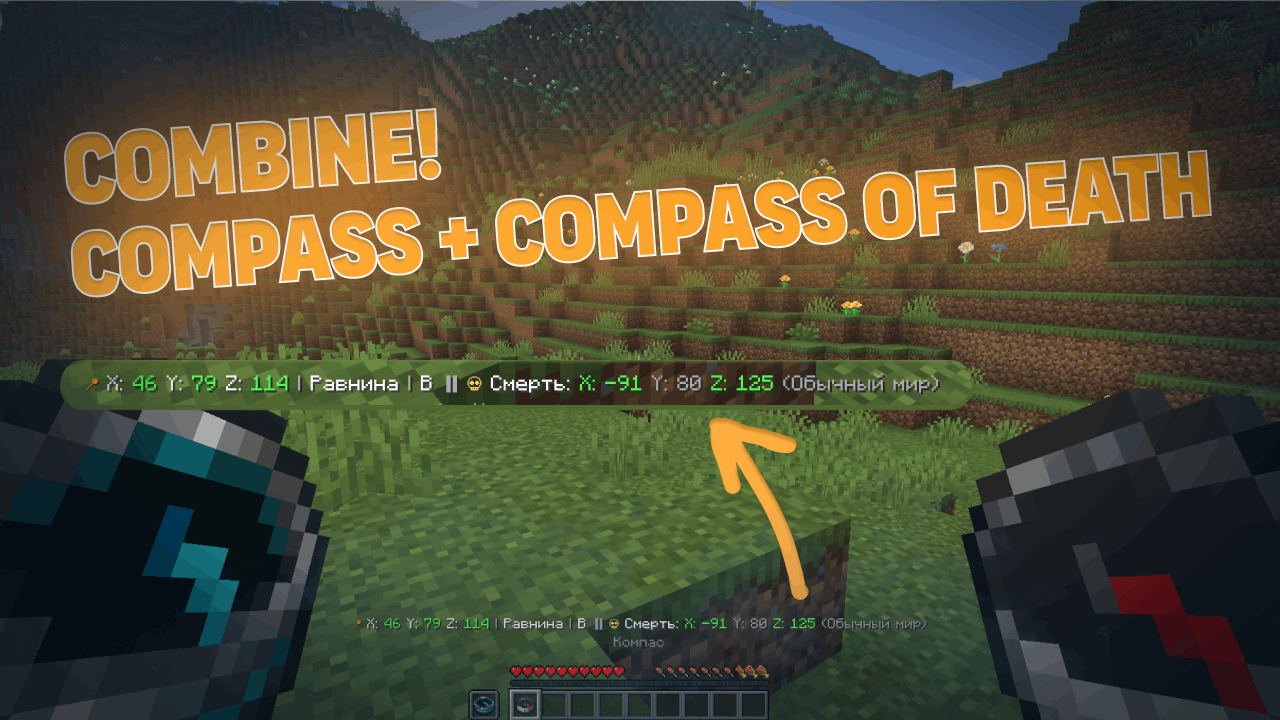
Combined Mode
- Hold a normal compass in one hand and a recovery compass in the other
- The action bar shows information from both at once
PvP/HCF-style Locator Bar
- See nearby players on your radar
- Shows player direction relative to you
- Perfect for competitive gameplay
In-Game Configuration GUI
- Full configuration menu right in your game
- No need to edit files manually (but you still can)
- Changes apply instantly
🖼️ Gallery
| Normal Compass | Recovery Compass | Combined Mode | Locator Bar |
|---|---|---|---|
 |
 |
 |
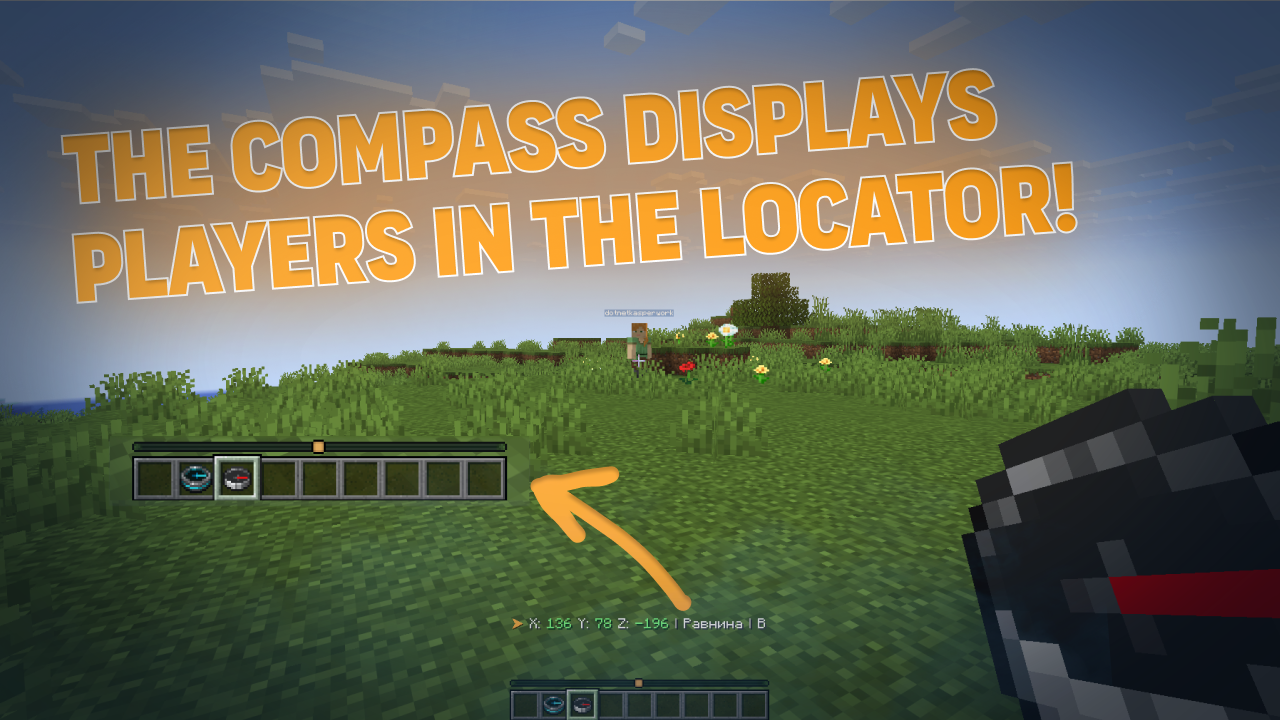 |
| In-Game Config GUI | Lodestone (Working) | Lodestone (Broken) |
|---|---|---|
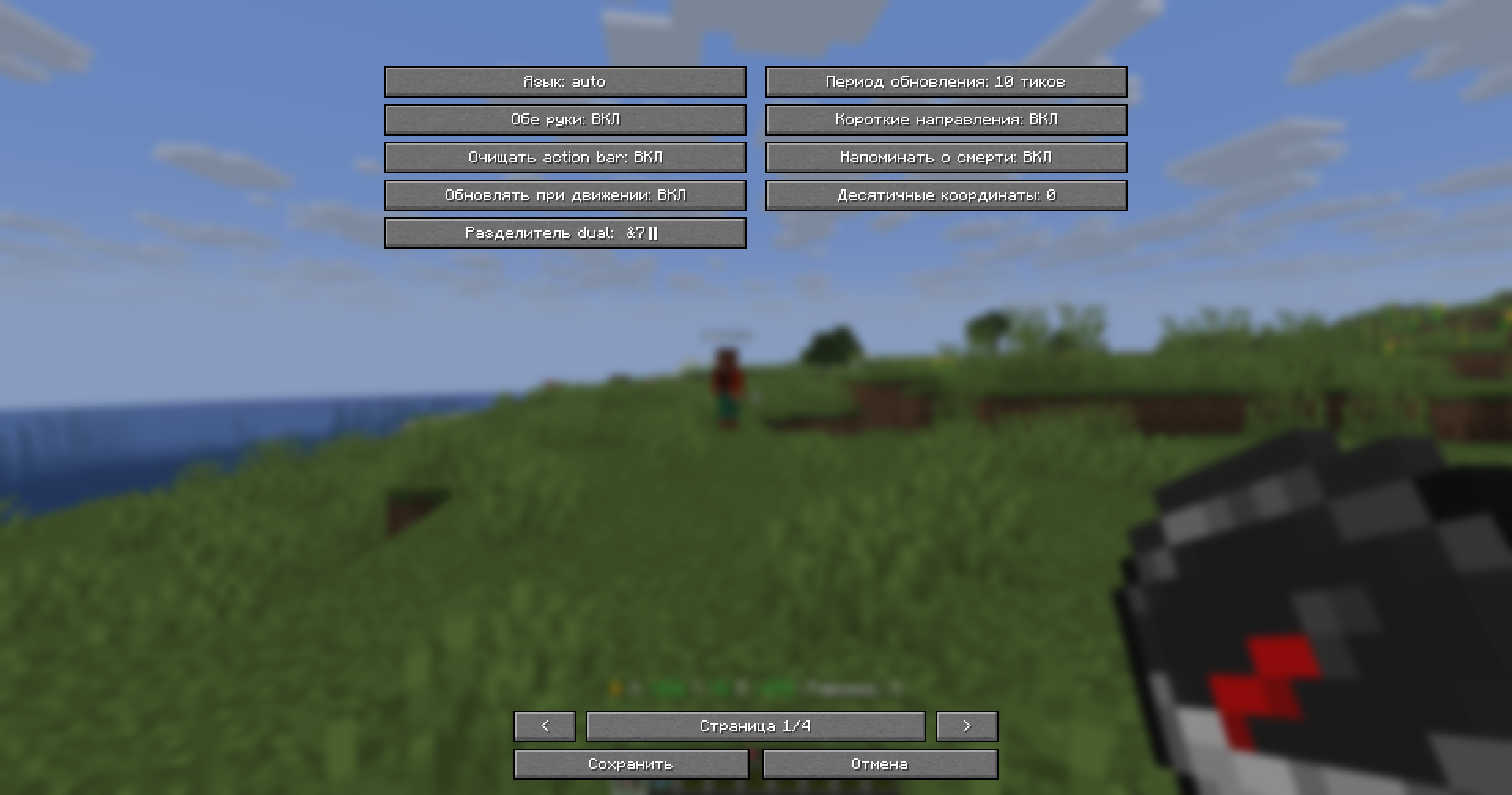 |
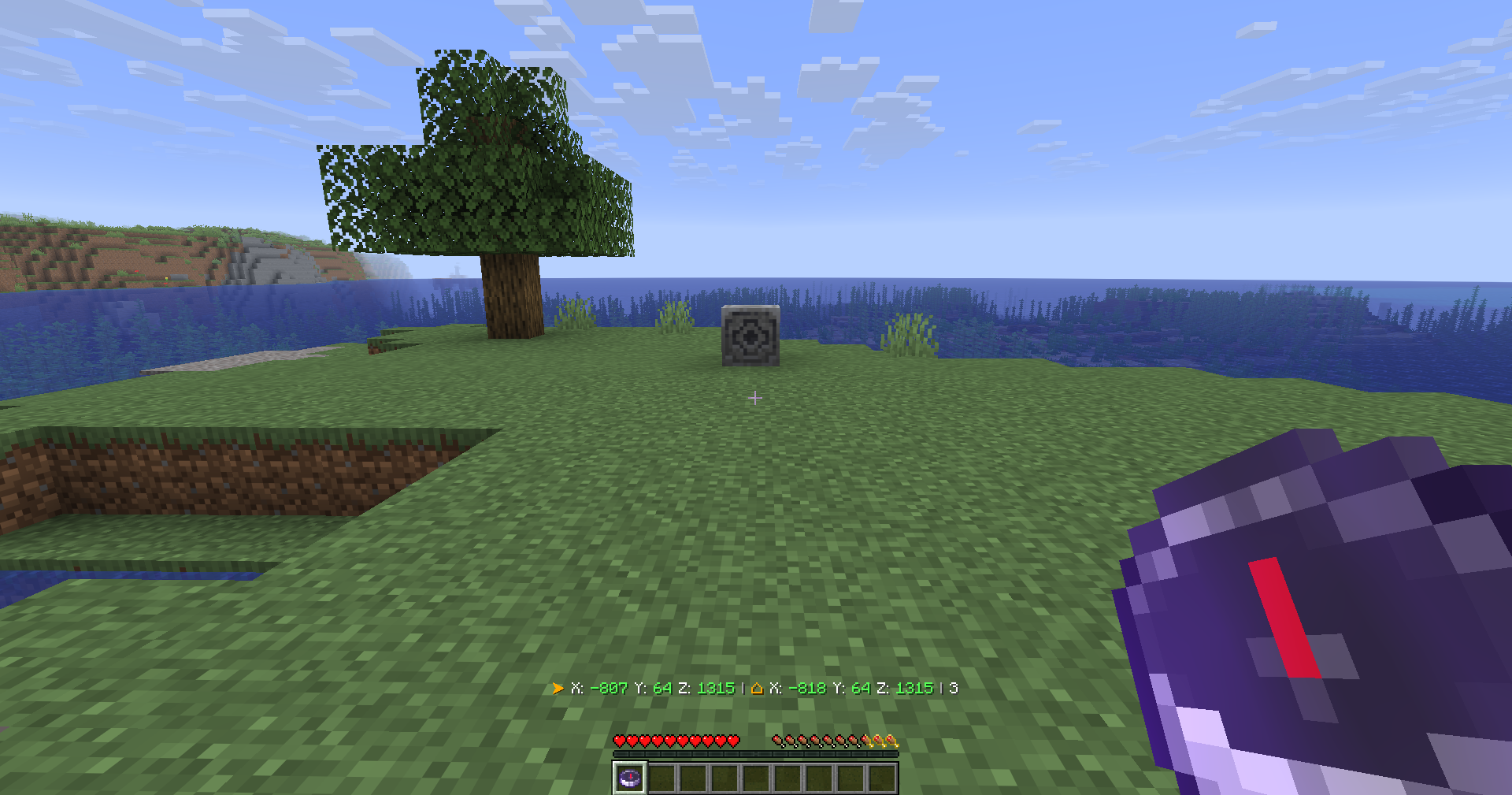 |
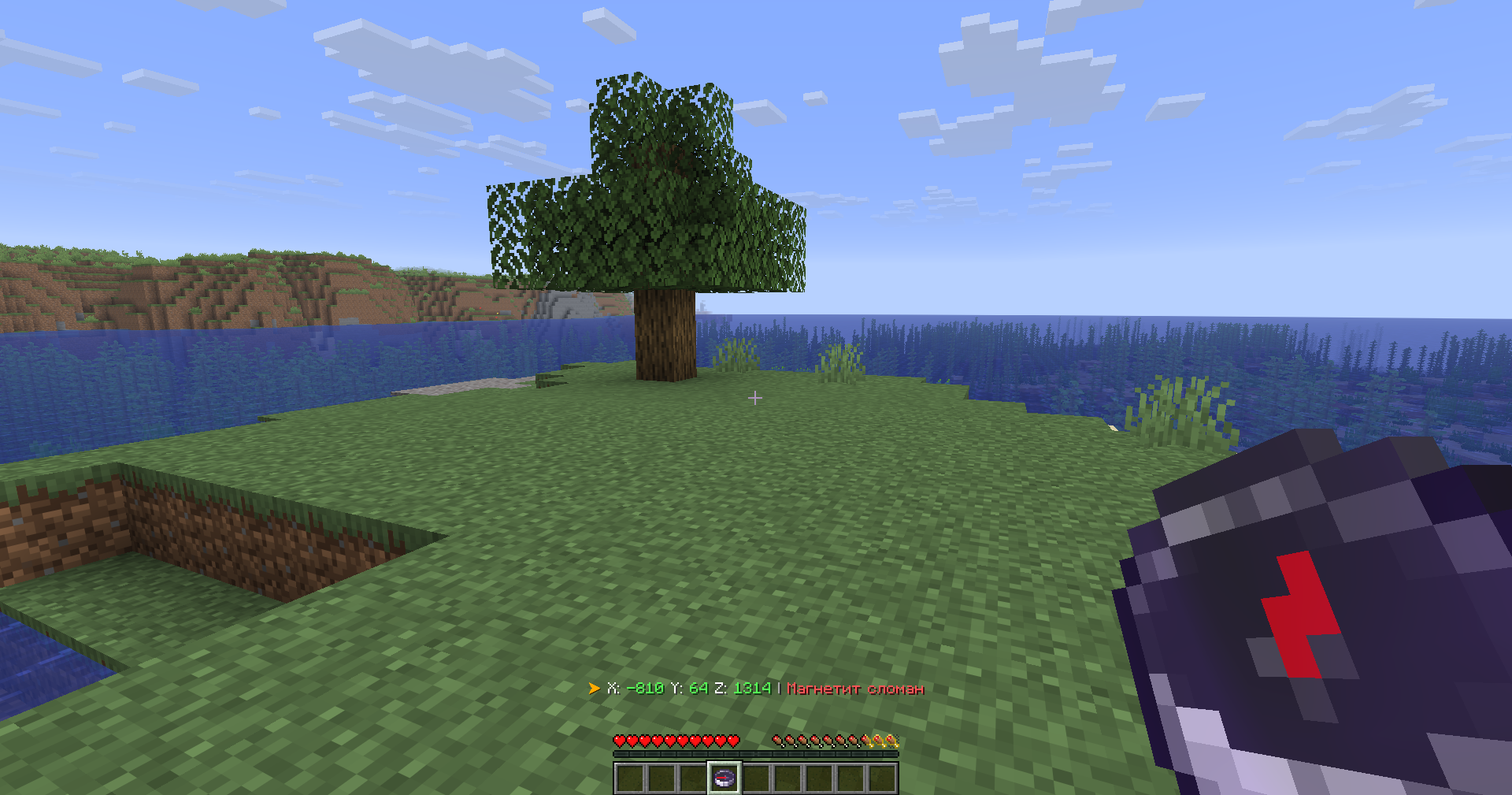 |
🎮 Usage
Simply hold a compass in your hand. That's it.
The mod works with both hands — main hand and offhand.
🛠 Configuration
The mod offers two ways to configure everything:
| Method | What you can do |
|---|---|
| In-Game GUI | Change settings on the fly, see changes immediately |
| YAML Files | config.yml and lang.yml — all original plugin settings preserved |
You can toggle every feature individually, change colors, adjust update frequency, and much more.
📥 Installation
Fabric
- Install Fabric Loader for Minecraft 1.21.6+
- Put Fabric API and CompassLocator in your
mods/folder - Launch the game
Forge
- Install Forge for Minecraft 1.21.6+
- Put CompassLocator in your
mods/folder - Launch the game
📦 Dependencies
Fabric
Required:
- Fabric API
Optional (recommended):
- Mod Menu — for the configuration screen
- Cloth Config API — for advanced config options
Forge
No required dependencies.
⚙️ Requirements
- Minecraft 1.21.6+
- Java 21
🔄 There's also a server plugin version!
A server-side plugin for Paper/Spigot/Purpur on Minecraft 1.21+.
❓ FAQ
Do I need to install anything on the server?
No. This is a client-side mod. It works on any server, even vanilla.Does it work in multiplayer?
Yes. The Locator Bar shows other players even if they don't have the mod installed.What's the difference between the mod and the plugin?
The plugin runs on the server. The mod runs on your client and has access to more features (like the in-game GUI and client-side optimizations).Do I need Mod Menu and Cloth Config?
No, but they're recommended. Without them, you can still edit `config.yml` manually.Does the compass work in both hands?
Yes, you can hold it in either hand. Both are checked.🔗 Links

© 2026 kasperoid — All Rights Reserved
Ченджлог
3.4.1Релиз1.21.10 · 20 июня 2026 г.
v3.4.1
◆ Added
- ➕ Added a configurable separator — the
compass.separatorsymbol andcolors.separatorcolor are now read from the language file, so the{sep}divider can be restyled everywhere at once instead of being hard-coded - ➕ Added an
autovalue for the language option —resolveLanguage(...)now follows the JVM/system language (Locale.getDefault().getLanguage()) and falls back to whichever bundled file actually exists - ➕ Added death-point persistence — recorded death markers are now written to
death-markers.txtand reloaded on startup, so the recovery compass survives a server restart
◆ Changed
- 🔧 Bumped the mod and all bundled configs to 3.4.1
- 🔧 Reworked the waypoint-range attributes —
WAYPOINT_RECEIVE_RANGE/WAYPOINT_TRANSMIT_RANGEare now driven by a transientAttributeModifier(added/removed by id) instead of overwriting the base value, so the mod no longer clobbers other mods' modifiers or leaves a stale range after the compass is unequipped - 🔧 Reworked separator rendering — the filled format is normalized and split on the
{sep}token (legacy<sep-color><symbol>is normalized to{sep}first) and re-joined with the configured separator;{time}and{world}are appended as their own{sep}-joined segments - 🔧 Config reload from the in-game settings screen is now marshalled back onto the server thread via
server.execute(...), soreloadAndRefresh()runs thread-safely
◆ Fixed
- 🐛 Fixed unreliable death capture — death points are now recorded through
LivingDeathEvent→onPlayerDeath(...)(and immediately saved), instead of being missed when the player respawned - 🐛 Fixed coordinate rounding — with
coordinate-decimals: 0,formatCoordinate(...)now usesMath.floor(...)so negative coordinates round down correctly instead of truncating toward zero - 🐛 Fixed the "dead" recovery option not getting a divider — it now appends the
{sep}segment like the other fields - 🐛 Fixed a cross-thread crash when reloading the config from the client screen — the refresh no longer touches server state off-thread
3.5.0Релиз26.1, 26.1.1, 26.1.2 · 28 мая 2026 г.
v3.5.0
◆ Добавлено
➕ Новый режим вывода — оверлей (текст справа от хотбара вместо action bar) — настраивается в конфиге, по умолчанию выключен
➕ Умная работа с магнетитом — показывает направление и координаты магнетита, а не просто взгляд — настраивается, по умолчанию включено
➕ Сохранение координат магнетита после поломки — опция, по умолчанию выключена
➕ Компас смерти можно сохранить после смерти — опция keep-after-death, по умолчанию выключена
➕ Пресеты форматов строк — classic (по умолчанию), compact, minimal
➕ Новый экран настроек — вкладки, предпросмотр, кнопка «Применить», профили на 3 слота, кнопка помощи
➕ Автоопределение языка в интерфейсе настроек
◆ Изменено
🔧 Конфиг дополнен новыми секциями
◆ Исправлено
🐛 Компас смерти больше не пропадает после смерти (если опция keep-after-death включена)
🐛 Магнетит показывает правильное направление
🐛 Оверлей не съезжает при переносе строк
3.4.0Релиз26.1, 26.1.1, 26.1.2 · 27 мая 2026 г.
26.1-26.1.2 Fabric
3.4.0Релиз1.21.11 · 27 мая 2026 г.
1.21.11 Fabric
3.4.0Релиз1.21.10 · 27 мая 2026 г.
1.21.10 Forge
3.4.0Релиз1.21.9 · 27 мая 2026 г.
1.21.9 Forge
3.4.0Релиз1.21.8 · 27 мая 2026 г.
1.21.8 Forge
3.4.0Релиз1.21.7 · 27 мая 2026 г.
1.21.7 Forge
Комментарии
Загружаем…