 Mineforgian
ColorTooltips
ColorTooltips is a mod that provides a tip box style.It has two characteristics: brilliance and flexibility.
- Загрузки
- 16K
- Подписчики
- 7
- Обновлён
- 11 июля 2026 г.
- Лицензия
- GPL-3.0-or-later
Опубликован 1 апреля 2026 г.
ColorTooltips
ColorTooltips is a mod that provides custom tooltip styling. It features two main characteristics: highly customizable and buttery smooth.
Integration
This mod no longer requires RarityCore to be installed since version 2.0.
If RarityCore is installed alongside, you can select styles based on an item's RarityCore rarity.
Of course, without RarityCore, you can still select styles based on an item's vanilla rarity.
Buttery Smooth
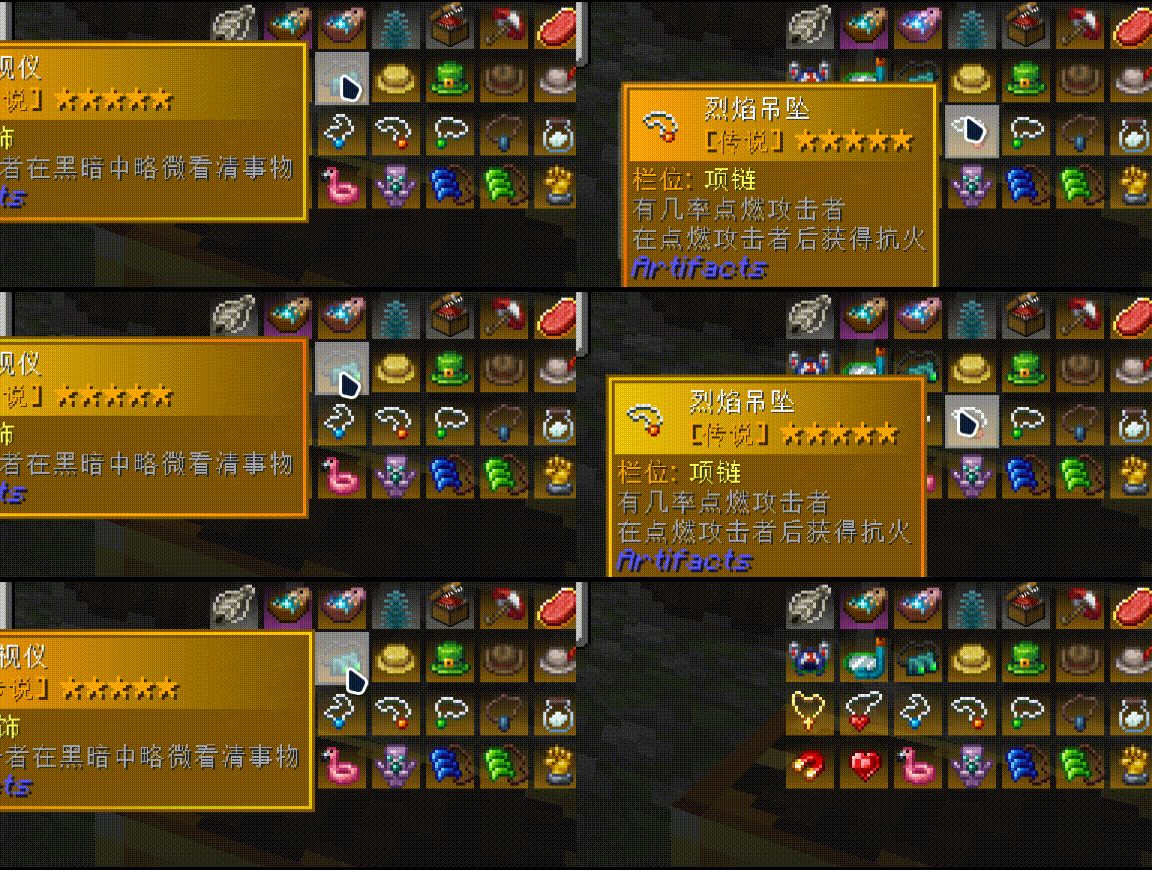
ColorTooltips' animations never cut corners — every single effect can be toggled and adjusted independently:
- Fade In/Out — Tooltips appear smoothly and disappear gracefully. Delay and duration are both adjustable. You can also disable it for instant popping.
- Position Easing — Non-linear transitions when following the mouse. When jumping from the right side to the left, it slides over naturally. Speed multiplier is up to you.
- Size Transition — Smooth scaling when the tooltip size changes, with no abrupt jumps.
- Color Flow — Colors along the border and title bar flow continuously. Speed, direction, and enabling/disabling are all up to you.
- Item Model Animation — Icons scale from a starting size to normal size. Enter and switch animations have independent starting scale values.
- Switch Glow — When hovering over a different item, a customizable colored light streak travels along the border. Glow color and length are configurable.
Preview
| 1 | 2 | 3 |
|---|---|---|
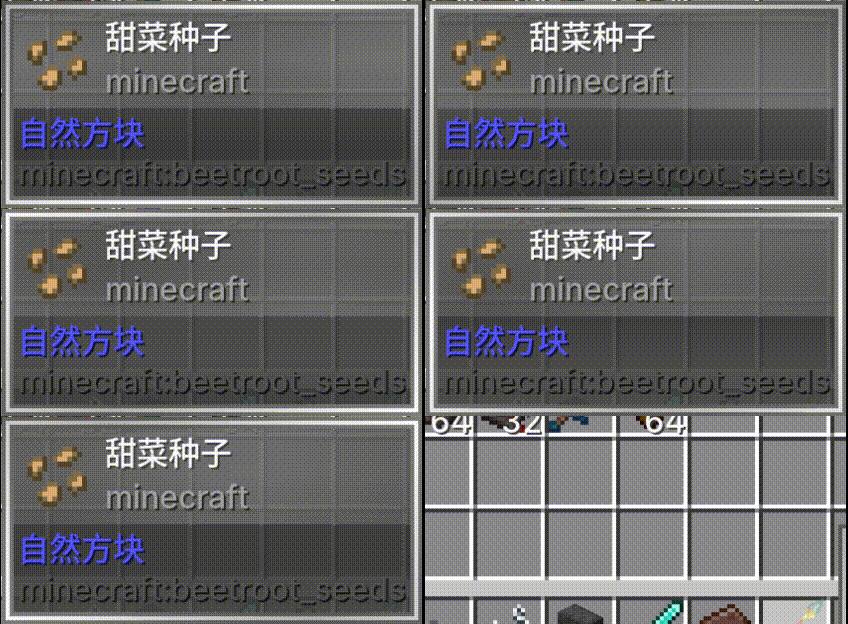 |
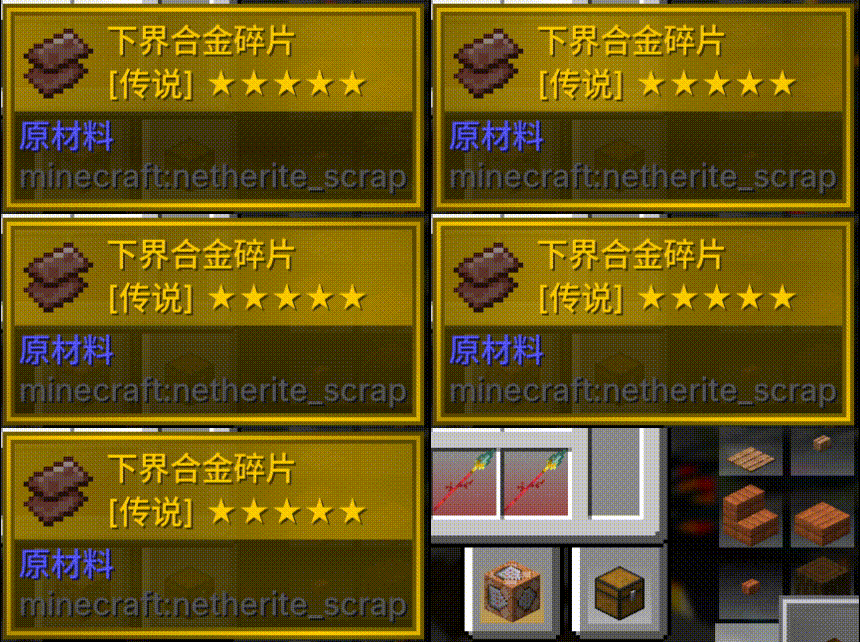 |
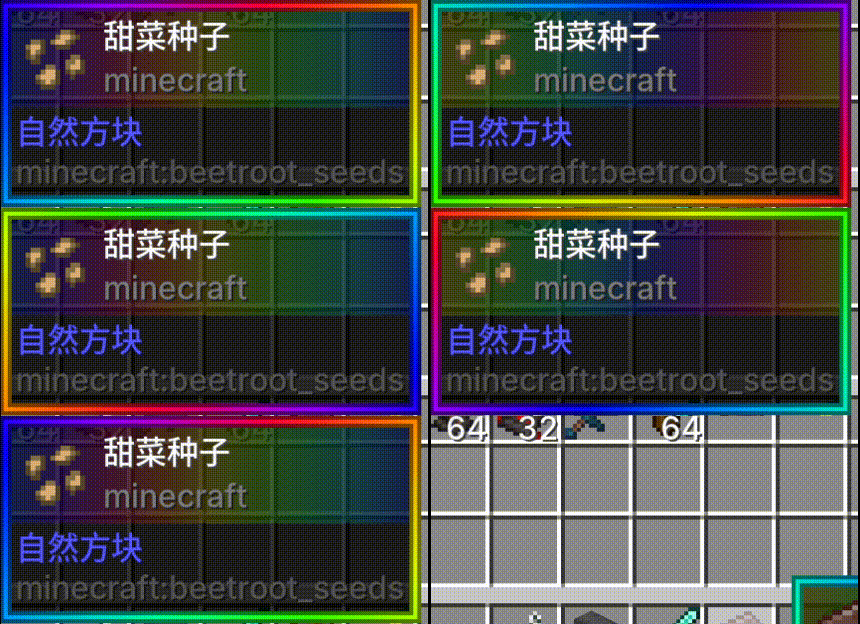 |
| 1 | 2 |
|---|---|
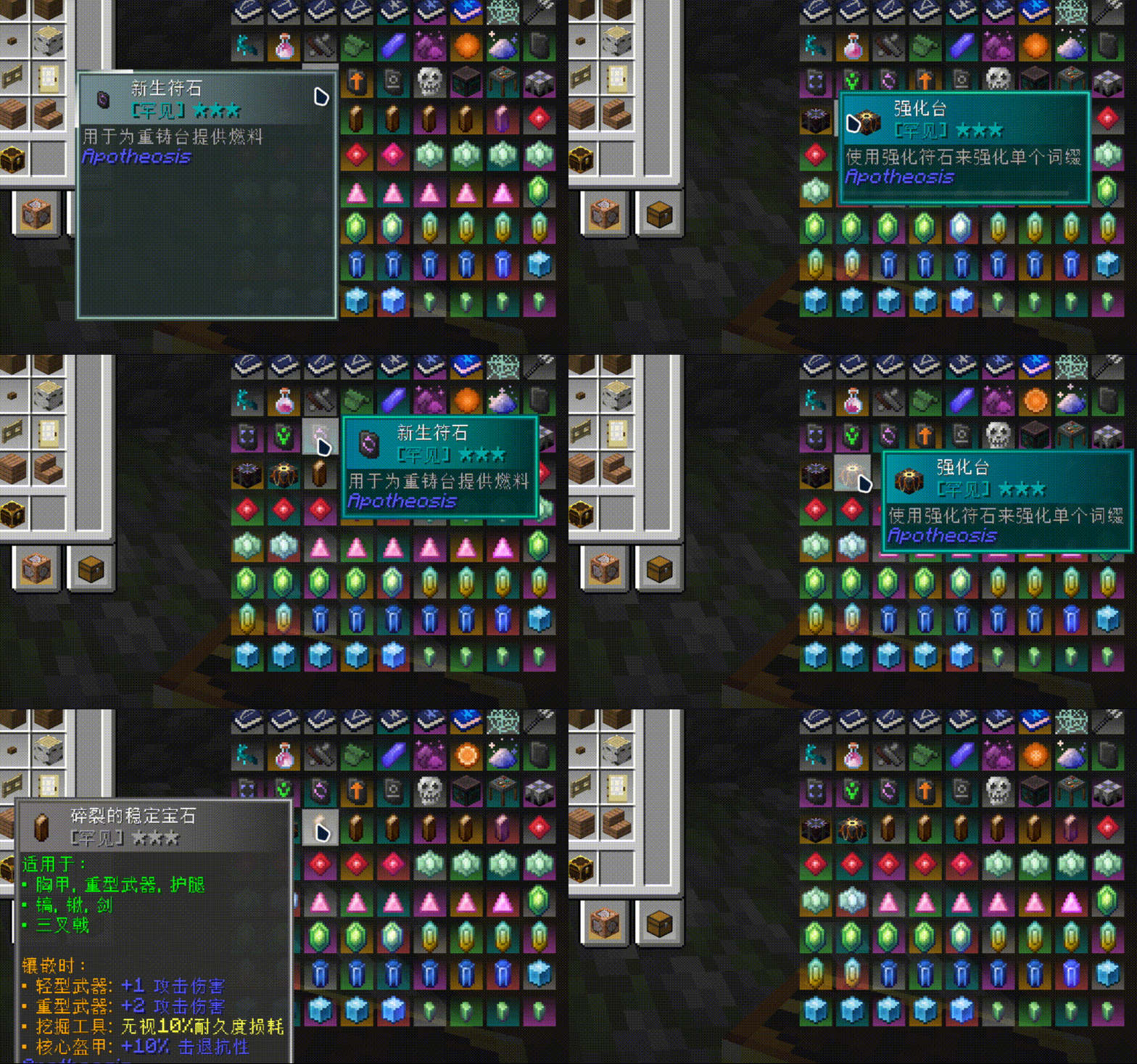 |
 |
Highly Configurable
Everything is configurable, down to every component, every color, and every animation:
- Freedom of Color — Use rarity theme colors, any hex color of your choice, or fine-tune with brightness and saturation adjustments.
- Zone-Based Control — Borders, backgrounds, and title bars are configured independently without interfering with each other. Each zone can have its own color list, transparency, flow direction, and speed.
- Style Selector — Different items and different rarities can automatically match different style files. Common items have one look, rare items have another, and specific items can be individually assigned.
- Hot Reload — Edit your JSON in-game, type
/colortooltips reload, and preview changes instantly — no restart required.
Your first style begins here: Style Configuration Guide.
Preset Styles
Four preset styles are ready to use out of the box: Vanilla (minimal white), VanillaRarity (rarity colors), RarityCoreStyles (RarityCore), and RGB (rainbow gradient).
Functionality
You can hold down Shift and scroll the mouse wheel to move the tooltip up and down, allowing you to view content that extends beyond the screen.
Compatibility
Compatible with SearchCarefully!
Incompatible with mods that modify tooltip styles, but compatible with mods that add content to them.
Get Started
Here's the Wiki you're looking for.
FAQ
Q: Why do tooltip animations sometimes disappear in certain places? A: This means multiple tooltips are being rendered on screen at the same time. This is a decision made for compatibility reasons.
Q: What happened to my color transition animation? A: Unfortunately, it will part ways with you in version 3.0.
Ченджлог
1211.3.4Релиз1.21.1 · 11 июля 2026 г.
bugfix
1211.3.3Релиз1.21.1 · 10 июля 2026 г.
Possibly fixed an issue with tooltip display anomalies.
1211.3.2Релиз1.21.1 · 3 июля 2026 г.
Fix raritycore
1201.3.1Релиз1.20.1 · 9 июня 2026 г.
Fixed compatibility issues.
1201.3.0Релиз1.20.1 · 23 мая 2026 г.
ColorTooltips Ver.3 — Configuration System Completely Refactored
Everything is configurable, down to every single component and every single animation:
Freedom of Color: You can use the rarity theme color, or any hex color of your choice, with additional brightness and saturation fine-tuning.
Zone-Based Control: Borders, backgrounds, and title bars are configured independently without interfering with each other. Each zone can have its own color list, transparency, flow direction, and speed.
Style Selector: Different items and different rarities can automatically match different style files. Common items look one way, rare items look another, and specific items can be individually assigned.
Hot Reload: Edit your JSON and preview changes instantly — no restart required.
Four preset styles are also included, ready to use out of the box.
Other changes:
- Fully compatible with multi-tooltip scenarios — no more glitches in Apotheosis GUIs.
- No longer reminds players to install RarityCore.
- Side effect: Color transition animations are dead.
1201.2.1Релиз1.20.1 · 16 мая 2026 г.
Now uses the latest API of RarityCore to adapt to its newest features and resolve some issues.
1201.2.0Релиз1.20.1 · 25 апреля 2026 г.
ColorTooltips 2.0 - A Complete Refactor
Independence
RarityCore is no longer a required dependency, but an optional one. You can now use ColorTooltips without installing RarityCore, and all animations will still work (though the visual style will be somewhat reduced)!
However, I still recommend installing RarityCore alongside it!
Animation
Completely refactored the previously over-coupled animation system. It now uses a "target" + "state" approach to manage animations. Animations now have true full-scene coverage with fewer compatibility issues.
Compatibility
The tooltip now supports text-only scenarios.
Feature
Added tooltip offset functionality. While holding an item, you can hold Shift and scroll the mouse wheel to move the tooltip up or down.
Miscellaneous
- Added more configuration options for adjusting animation parameters
- Fixed the tooltip misalignment issue in Apotheosis's reforging table
Комментарии
Загружаем…