 Mineforgian
Civilians
A mod that brings active, customizable NPCs to your world in a fun way!
- Загрузки
- 12K
- Подписчики
- 74
- Обновлён
- 20 октября 2025 г.
- Лицензия
- MIT
Опубликован 30 декабря 2024 г.


🧍♂️ WHAT IS THE CIVILIANS MOD?
Civilians brings life and realism to your Minecraft world! Whether you’re building a city, town, or village, Civilians fills your creations with interactive NPCs that look and act like real players.
Just like villagers in Minecraft villages — but far more customizable — Civilians walk around, go in and out of buildings, chat with you, and make your world feel alive.
Perfect for builders, roleplayers, and survival players who want to make their worlds feel populated and immersive!
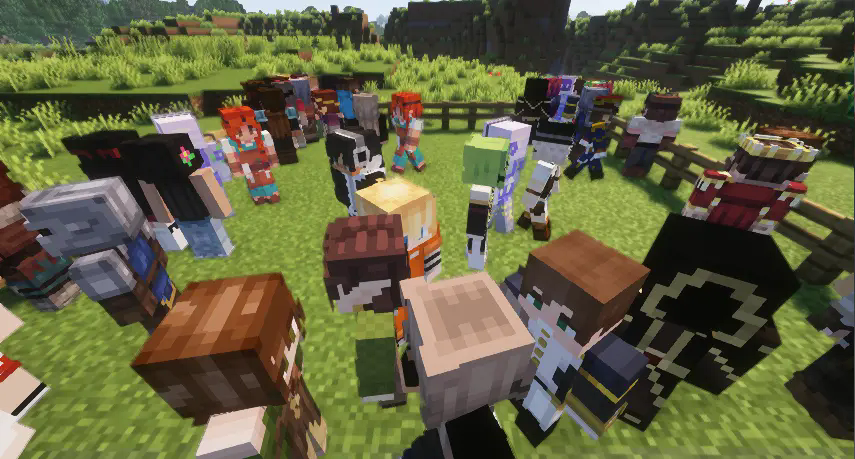
⚙️ How It Works
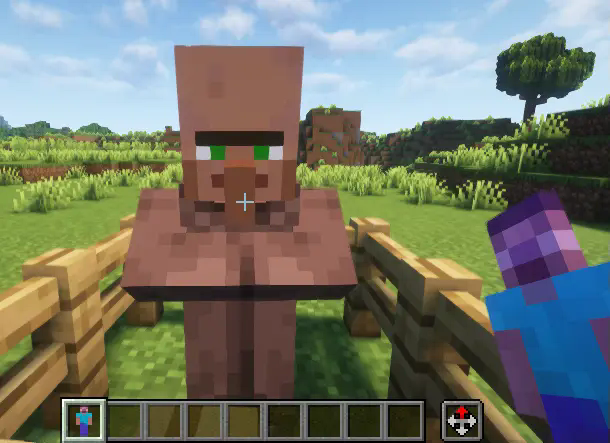
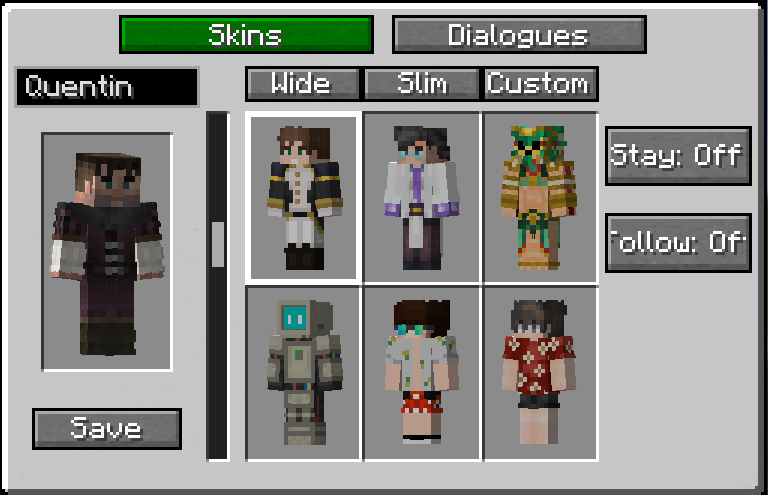
Everything starts with the ‘NPC Totem’. Craft the Totem and use it on an unassigned villager to convert them into a Civilian NPC. If you don’t like their default look, sneak + right-click the NPC to open a customization GUI, where you can rename them and browse through a wide range of skin variations — or even upload your own!
🧩 WHAT CAN THE NPC DO?
Right now, Civilians are designed to add life and atmosphere — not to trade or farm like villagers. (Though this is an upcoming feature!) Their main purpose is to make your creations feel lived-in and alive!
Here’s what they can do:
-🚶 Walk around your world
-🏠 Enter and exit buildings
-💬 Talk to you when right-clicked
-💢 Say different dialogue when hurt
-🎭 Be renamed and reskinned for your theme
-🧶 Be attached to a lead for moving them around
-📍 Stay in place or follow you
-🗨️ Have custom dialogue unique to each NPC
🎨 HOW TO UPLOAD CUSTOM SKINS FOR YOUR NPC
Open the Customization GUI and click on the ‘Custom’ tab.
Two buttons will appear: ↑Wide and ↑Slim
↑Wide → for skins with 4px arms (standard)
↑Slim → for skins with 3px arms (Alex-style)
Drop your .png skin files into the correct folder.
Click the refresh button in the top-right corner of the GUI.
Your custom skins will now appear in the GUI, ready to apply to any NPC!
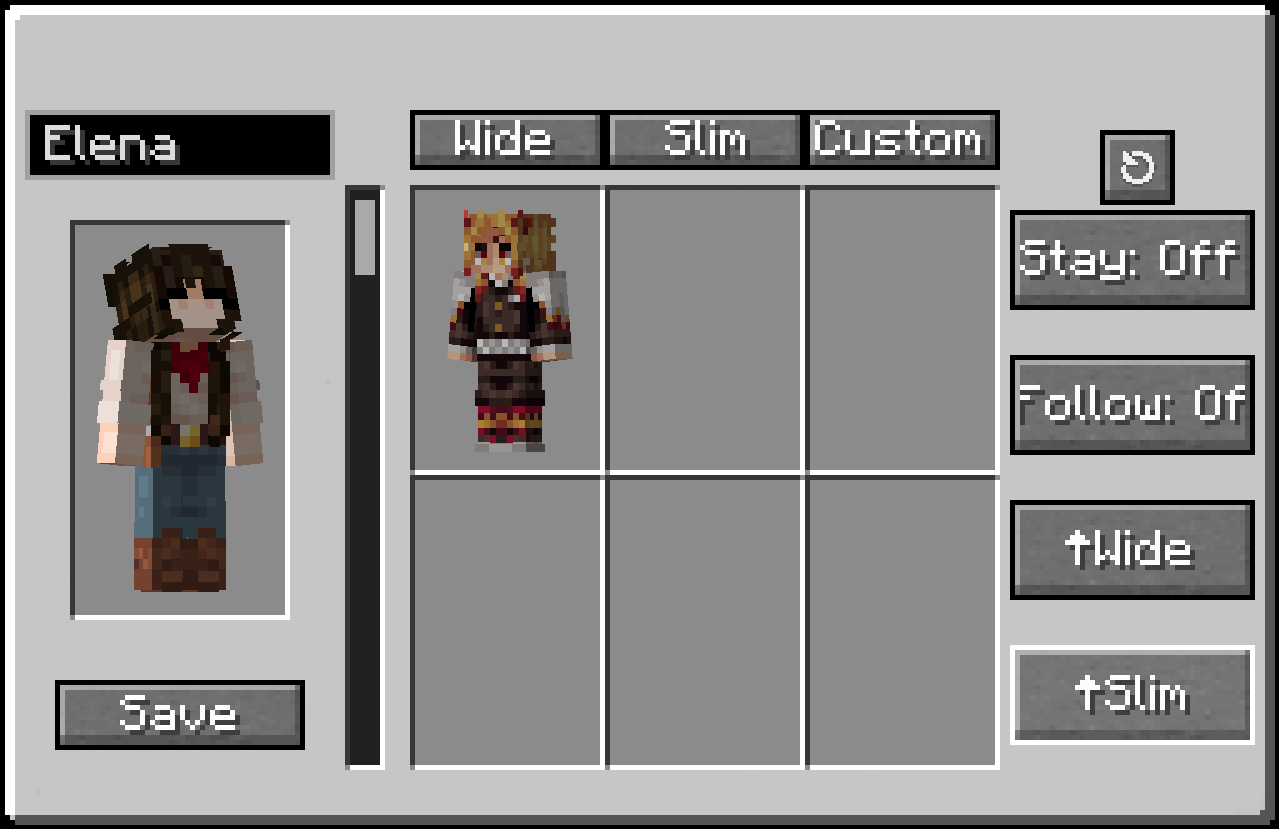
This example was uploaded in the ↑Wide folder because it has 4px arms.
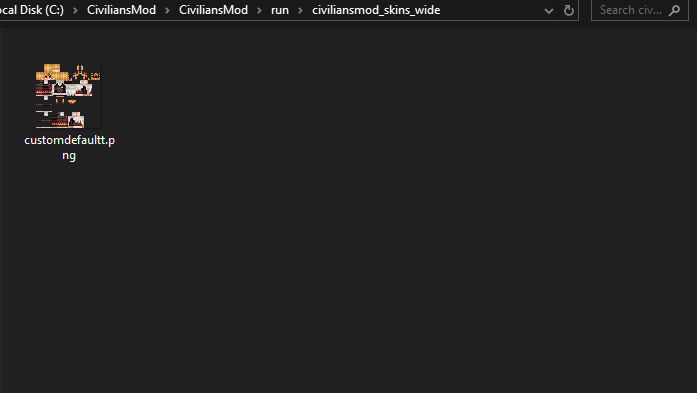
🪄 HOW TO BRING A CIVILIAN INTO YOUR WORLD
- Craft an NPC Totem
You’ll need 8 Redstone Dust and 1 Amethyst Shard
Place the Amethyst in the center and Redstone all around in a crafting table
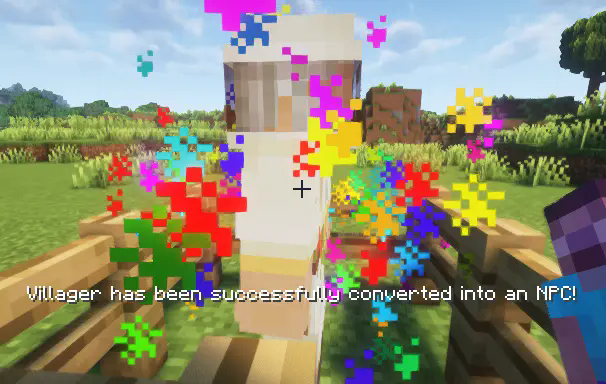
Right-click an unassigned villager with the Totem
The villager will instantly transform into a Civilian NPC — it’s that easy!
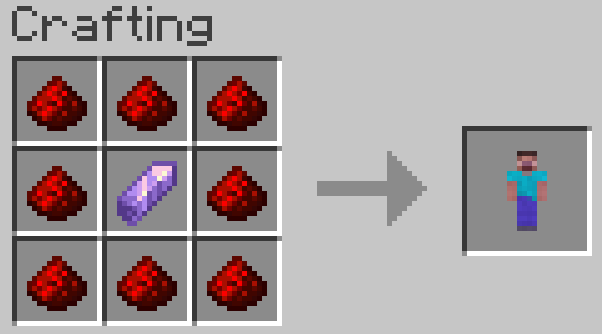
 !
!
Sneak + Right Click on Civilian to open
🌆 WHY USE CIVILIANS?
If your world feels empty, Civilians Mod fills it with life. It’s perfect for:
-Builders creating cities and towns
-Roleplay or adventure maps
-Immersive survival bases
Your creations deserve to feel alive — and Civilians make that possible.
💡 FUTURE PLANS
✅ Fighting Companion ✅ Improved AI pathfinding ✅ Preset Trades ✅ ...And more!
Ченджлог
v1.4.2Релиз1.21.5 · 20 октября 2025 г.
More bug fixes!
BIGGER UPDATE COMING SOON!
v1.4.2Релиз1.21.4 · 20 октября 2025 г.
More Bug Fixes!
BIGGER UPDATE COMING SOON
v1.4.2Релиз1.21.1 · 20 октября 2025 г.
More bug fixes!
NEW BIGGER UPDATE COMING SOON
v1.4Релиз1.21.5 · 7 сентября 2025 г.
Bug Fixes
v1.4Релиз1.21.4 · 7 сентября 2025 г.
Bug Fixes
v1.4Релиз1.21.1 · 3 сентября 2025 г.
Bug Fixes
v1.3Релиз1.21.5 · 15 июля 2025 г.
Release for 1.21.5
v1.3Релиз1.21.4 · 6 июля 2025 г.
CUSTOM DIALOGUE IS HERE!
- Change dialogue to each civilian to fit whatever theme or character you have them as!
- Bug fixes
- Updated Fabric Api
- Fixed networking issues for multiplayer
Комментарии
Загружаем…