 Mineforgian
CC:DirectGPU
High quality resolution for cc "monitors" "Fabric Version has been DISCONTINUED due to difficulty in maintaining both version's, Please use Forge or Neoforge version."
- Загрузки
- 6K
- Подписчики
- 18
- Обновлён
- 16 августа 2026 г.
- Лицензия
- All-Rights-Reserved
Опубликован 26 октября 2025 г.
CC:DirectGPU , VS Compatible "1.20.1 "abandoned", Sable/Create Aeronautics Compat "1.21.1 Neoforge"
Next-gen graphics for ComputerCraft.
Unlock true 24-bit colour, GPU-level performance, and real-time interactivity on your ComputerCraft monitors — all inside Minecraft.
💬 Join the Discord • 📦 GitHub Repository
[Reddit Community] (https://www.reddit.com/r/CCDirectGPU/)
Recommended Version of CC:T for this mod is: 1.116.1 "forge 1.20.1"
Recommended Version of CC:T for this mod is: 1.117.1+ "Neoforge 1.21.1"
What It Adds
Bring your ComputerCraft displays to life with hardware-accelerated rendering, full RGB graphics, and interactive UIs — all plug-and-play.
- **True RGB pixel graphics: Up to 164×164 pixels per block, or 656×656 with 4× scaling. "as of 1.0.21 neforge"
- Auto monitor detection: Works with any monitor array or orientation — no manual setup.
- Fast drawing primitives: Draw pixels, lines, and shapes at GPU-like speeds.
- JPEG + PNG + GIF image support: Decode and render images in milliseconds (≈5–15 ms typical).
- Smart compression: 90%+ bandwidth savings for streamed or repeating frames.
- Interactive input: Detect clicks, drags, and keyboard input directly on monitors.
- Massive displays: Supports up to 16×16 monitor arrays and 50+ total displays.
- Thread-safe design: Multiple computers can safely update the same screen for smooth visuals.
Why You’ll Want It
Turn basic text monitors into vibrant, dynamic displays.
- Create real-time dashboards, control rooms, or media walls.
- Display pixel art, animations, or live webcam feeds.
- Perfect for builders, modpack creators, and creative coders.
Highlights
- Supports Forge & Neoforge (requires latest CC:Tweaked).
- Orientation-independent arrays: Works in any direction.
- Resolution scaling: Choose between 1×–4× detail depending on performance.
Code Examples
View Example Scripts on GitHub
Interactive Input
Detect mouse clicks, drags, and keyboard events directly on the monitor surface to build custom UIs, dashboards, or drawing boards.
Setup
- Minecraft Java Edition
- Forge or Neoforge
- Latest CC:Tweaked
Supports monitor arrays up to 16×16 blocks with optional 2×–4× resolution scaling.
Larger setups increase pixel count and bandwidth use — plan accordingly.
CC:DirectGPU — because your ComputerCraft screens deserve more than text.
Ченджлог
1.0.23-neoforge-1.21.1Релиз1.21.1 · 16 августа 2026 г.
Fixed 3D Rendering once again.
1.0.22-neoforge-1.21.1Релиз1.21.1 · 3 августа 2026 г.
DirectGPU Peripheral Block is now mineable, and drops as a item.
1.0.21-neoforge-1.21.1Релиз1.21.1 · 9 июля 2026 г.
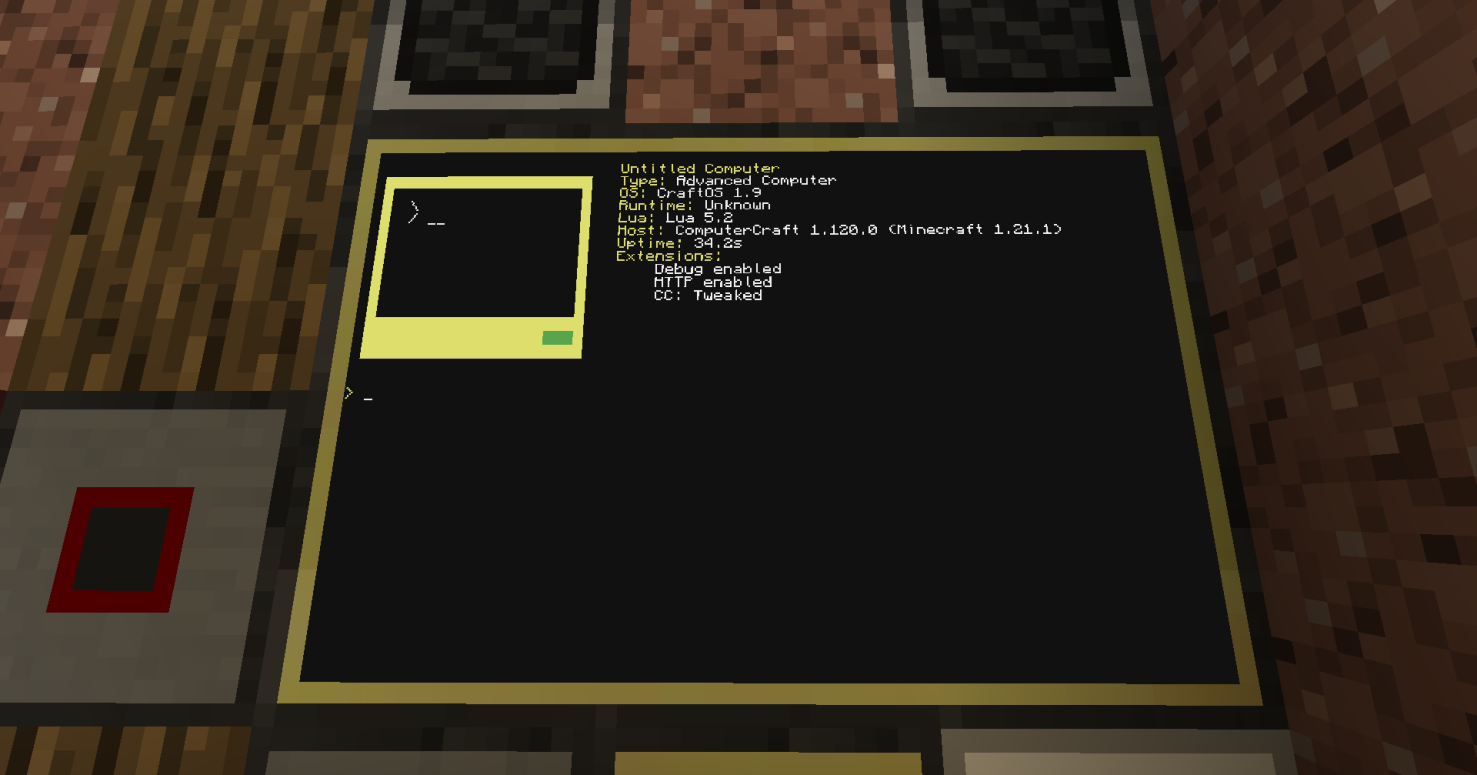
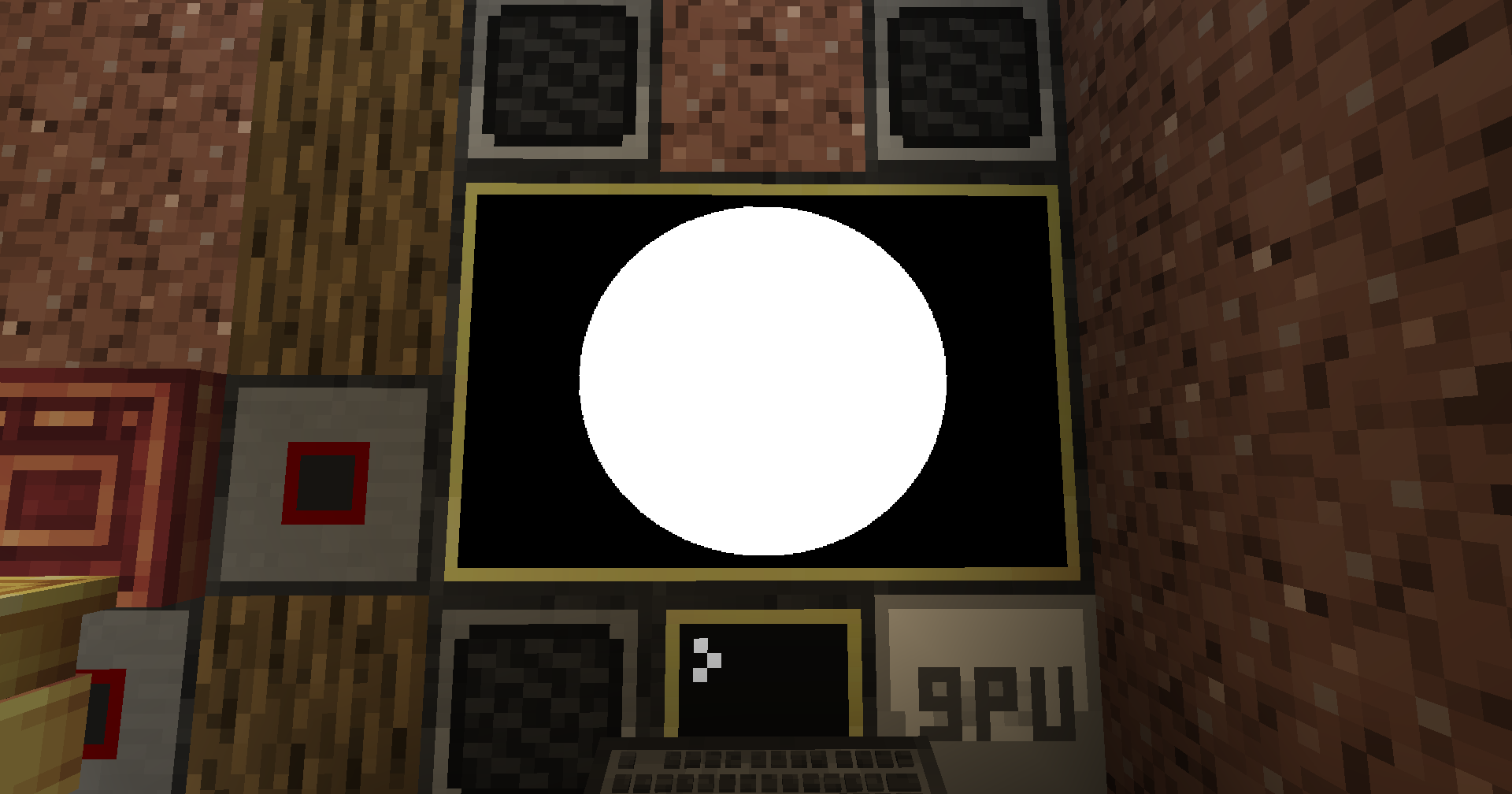
changed 1x1 to 164x164 instead of 164x81, so no more 'taller than wide' pixel, and drawCircle display's as a circle now instead of an oval.
1.0.20-neoforge-1.21.1Релиз1.21.1 · 16 июня 2026 г.
DirectGPU 1.0.20 for NeoForge 1.21.1 is built on CC:Tweaked 1.117.1.
DirectGPU displays work on Create entities, Create Aeronautics contraptions, and Elevator entities. Sable/ Create Aeronautics support means DirectGPU displays work on them.
Term redirect style support is available through gpu.run / termRender.
The controller API has been removed from DirectGPU since it has been made into its own mod: CC-Gamepads. https://github.com/tiktop101/CC-Gamepads
CC-Gamepads uses cc_event events and supports up to 4 bound gamepads.
There will probably be bugs I have not noticed or found yet, so let me know in my Discord server or as a GitHub issue. Suggestions can also go in either the Discord server or as a GitHub issue.
createDisplay("gui", pixelWidth, pixelHeight) creates a GUI on the computer used and on the front texture of the computer createDisplay("gui", pixelWidth, pixelHeight, [resolutionMultiplier]) same as "creates a GUI on the computer used and on the front texture of the computer" but with the optional arg to use the resolution multiplier.
Manual display creation also supports relative positions from the DirectGPU block.
createDisplay(x, y, z, facing, width, height, true) creates a display at a relative block offset from the DirectGPU block. createDisplay(x, y, z, facing, width, height, scale, true) does the same but with the optional scale arg.
Example: gpu.createDisplay(1, 0, 0, "north", 2, 1, true) gpu.createDisplay(1, 0, 0, "north", 2, 1, 1.0, true)
Example Term Redirect* script.
local gpu = peripheral.wrap("directgpu_1") or peripheral.find("directgpu") local id = gpu.autoDetectAndCreateDisplay(1)
gpu.run(id, "clear") gpu.run(id, "multishell")
Monitor anchor example
local gpu = peripheral.wrap("directgpu_1") or peripheral.find("directgpu")
local x, y, z = gpu.autoDetectMonitor("top") local displayId = gpu.createDisplayAt(x, y, z)
gpu.setOpacity(displayId, 100) gpu.setBackgroundOpacity(displayId, 0)
CC:Advanced Math Quaternion model rotation example
local gpu = peripheral.wrap("directgpu_1") or peripheral.find("directgpu") local displayId = gpu.autoDetectAndCreateDisplay(1)
local modelData = [[ v -0.5 -0.5 0 v 0.5 -0.5 0 v 0 0.5 0 f 1 2 3 ]]
local modelId = gpu.load3DModel(modelData)
gpu.setupCamera(displayId, 50, 0.05, 100) gpu.setCameraPosition(displayId, 0, 0, -4) gpu.lookAt(displayId, 0, 0, 0)
local angle = math.rad(90) local half = angle / 2
local qx = 0 local qy = math.sin(half) local qz = 0 local qw = math.cos(half)
gpu.clear(displayId, 0, 0, 0) gpu.clearZBuffer(displayId) gpu.draw3DModel(displayId, modelId, 0, 0, 0, 0, 0, 0, 1, 255, 255, 255, qx, qy, qz, qw)
if gpu.updateDisplay then gpu.updateDisplay(displayId) end
Textured quaternion model example
local gpu = peripheral.wrap("directgpu_1") or peripheral.find("directgpu") local displayId = gpu.autoDetectAndCreateDisplay(1)
local modelData = [[ v -0.5 -0.5 0 v 0.5 -0.5 0 v 0 0.5 0 vt 0 1 vt 1 1 vt 0.5 0 f 1/1 2/2 3/3 ]]
local textureData = "base64_png_here"
local modelId = gpu.load3DModel(modelData) local textureId = gpu.loadTexture(textureData)
gpu.setupCamera(displayId, 50, 0.05, 100) gpu.setCameraPosition(displayId, 0, 0, -4) gpu.lookAt(displayId, 0, 0, 0)
local angle = os.clock() local half = angle / 2
local qx = 0 local qy = math.sin(half) local qz = 0 local qw = math.cos(half)
gpu.clear(displayId, 0, 0, 0) gpu.clearZBuffer(displayId) gpu.draw3DModelTextured(displayId, modelId, textureId, 0, 0, 0, 0, 0, 0, 1, 255, 255, 255, qx, qy, qz, qw)
if gpu.updateDisplay then gpu.updateDisplay(displayId) end
DirectGPU Peripheral (gpu)
autoDetectAndCreateDisplay([resolutionMultiplier]) -> number autoDetectAndCreateDisplays([maxCount, resolutionMultiplier]) -> table autoDetectMonitor([nameOrSide]) -> x, y, z autoDetectMonitors([maxCount]) -> table createDisplay(x, y, z, facing, width, height, [relative]) -> number createDisplay(x, y, z, facing, width, height, [scale, relative]) -> number createDisplayAt(x, y, z, [relative]) -> number createDisplayAt(x, y, z, facing, width, height, [scale, relative]) -> number createDisplayWithResolution(x, y, z, facing, width, height, [resolutionMultiplier, relative]) -> number mirrorDisplay(sourceDisplayId, targetDisplayIds) -> table getDisplayPosition(displayId) -> table setDisplayPosition(displayId, x, y, z) getRotation(displayId) -> table setRotation(displayId, pitch, yaw) moveDisplay(displayId, targetX, targetY, targetZ, [speed, ...]) stopDisplayMovement(displayId) enableDeltaMode(displayId) getDisplayFrameJpeg(displayId, [quality]) -> string setOpacity(displayId, opacity) setBackgroundOpacity(displayId, opacity)
loadPNGFullscreen(displayId, base64PngData) loadPNGRegion(displayId, pngBinaryData, x, y, w, h) loadPNGRegionBytes(displayId, base64PngData, x, y, w, h) decodePNG(base64PngData) -> table decodeAndScalePNG(base64PngData, targetWidth, targetHeight) -> table getPNGDimensions(base64PngData) -> table
loadGIFFullscreen(displayId, gifData) loadGIFRegion(displayId, gifBinaryData, x, y, w, h) loadGIFRegionBytes(displayId, base64GifData, x, y, w, h) loadGIFFrame(displayId, gifData, frameIndex, x, y, w, h) stopGIF(displayId) decodeGIF(base64GifData) -> table decodeAndScaleGIF(base64GifData, targetWidth, targetHeight) -> table getGIFDimensions(base64GifData) -> table getGIFFrameInfo(base64GifData) -> table
loadImageFullscreen(displayId, base64ImageData) loadImageRegionBytes(displayId, base64ImageData, x, y, w, h) decodeImage(base64ImageData) -> table decodeAndScaleImage(base64ImageData, targetWidth, targetHeight) -> table getImageDimensions(base64ImageData) -> table detectImageFormat(base64ImageData) -> string
load3DModel(objData) -> number unload3DModel(modelId) draw3DModel(displayId, modelId, x, y, z, rotX, rotY, rotZ, scale, r, g, b, [qx, qy, qz, qw]) draw3DModel(displayId, modelId, x, y, z, rotX, rotY, rotZ, scale, r, g, b, [quaternion]) loadTexture(base64ImageData) -> number unloadTexture(textureId) draw3DModelTextured(displayId, modelId, textureId, x, y, z, rotX, rotY, rotZ, scale, r, g, b, [qx, qy, qz, qw]) draw3DModelTextured(displayId, modelId, textureId, x, y, z, rotX, rotY, rotZ, scale, r, g, b, [quaternion])
termRender(displayId, lines, ...) -> MethodResult run(displayId, program, ...) -> MethodResult
3D model quaternion args
draw3DModel still supports rotX, rotY, rotZ.
Quaternion rotation can be passed using qx, qy, qz, qw after the color args.
draw3DModel(displayId, modelId, x, y, z, 0, 0, 0, scale, r, g, b, qx, qy, qz, qw)
draw3DModel can also accept a quaternion object/table as the final arg.
draw3DModel(displayId, modelId, x, y, z, 0, 0, 0, scale, r, g, b, pose.orientation)
draw3DModelTextured supports the same optional quaternion args.
draw3DModelTextured(displayId, modelId, textureId, x, y, z, 0, 0, 0, scale, r, g, b, qx, qy, qz, qw)
draw3DModelTextured(displayId, modelId, textureId, x, y, z, 0, 0, 0, scale, r, g, b, pose.orientation)
Opacity
setOpacity(displayId, opacity) changes anything drawn to the display. setBackgroundOpacity(displayId, opacity) only changes the display background.
opacity is 0-100.
0 = invisible / fully transparent 100 = fully visible / fully opaque
"also now if directgpu and cc:gamepads is installed it makes one single tab instead of 2 separate tabs."
1.0.19Релиз1.20.1 · 14 февраля 2026 г.
New features in this release include full support for GIFs and transparent PNGs along with the addition of double buffering to prevent program flickering. A moveDisplay function has been added to allow for manual repositioning of displays. This update also introduces the map reader peripheral block for viewing Minecraft maps, Players can also now interact with inventory and Minecraft GUIs while looking at a DirectGPU display.
Technical fixes ensure that displays are cleared when a computer shuts down or a GPU block is broken. Display IDs now restart from zero and are tied to the specific GPU block that created them, meaning only that block can clear them. The 3D renderer and setupCamera functions have been fully fixed, and display rotation for pitch and yaw is now smooth.
Stability and compatibility improvements include full support for dedicated servers and Valkyrien Skies 2, specifically allowing autoDetectMonitor to work on ships. The right-click interaction on the GPU block was removed to stop reported crashes, and JPEGs were updated to properly account for blockUUIDs.
1.0.18Релиз1.20.1 · 15 января 2026 г.
REMAKE, since first 1.0.18 fcked packets up with display.
Changelog, AutoDetectMonitor fully working, as far as i know since im on linux so lmk if it works for u in my discord server.
Controller Scanning every 5 seconds ish since it only did it once when you launched minecraft.
added a config .toml to either enable or disable logging, disabled by default.
added metaballs sorta function cuz it looks cool on displays as a sorta screensaver thing.
1.0.17Релиз1.20.1 · 1 декабря 2025 г.
optimized JPEG for streaming and watching with other people, managed to optimize JPEG packets so it dont do as many, think i was able to fix Display not clearing for windows but dk if it didnt work make a issue abt it.
1.0.16Релиз1.20.1 · 26 ноября 2025 г.
Added Player UUID's to controller input so you can have multiplayer support for controllers and etc, shouldve added it when i first added Controller Support but oh well.
Комментарии
Загружаем…