 Mineforgian
BEconomy
BEconomy is a powerful and customizable economy mod designed for Minecraft servers that provides a flexible system for managing currencies, player balances, and economic transactions. Whether you're running a small community server or a large-scale network, BEconomy can be tailored to suit your needs with its easy-to-use commands, flexible configuration options, and support for multiple currencies.
Key Features
- Multiple Currency Support: Create and manage multiple currencies with unique names, lore, materials, and identifiers to suit your server's economy.
- Custom Item Integration: Use Minecraft items with custom model data and lore as physical currency representations.
- Database Integration: Supports MySQL or SQLite databases to store player balances and economic data persistently. Also provides an option for local JSON storage.
- Dynamic Economy System: Set starting balances for new players, manage transactions, and track player balances across currencies.
- Server Console Compatibility: Execute all commands directly from the server console for full administrative control.
- Integrated Permissions: Offers fine-grained permission control to manage player access to specific economy actions.
- Highly Configurable: Customize messages, GUI interfaces, currency settings, and more through an intuitive JSON configuration system.
Commands & Permissions
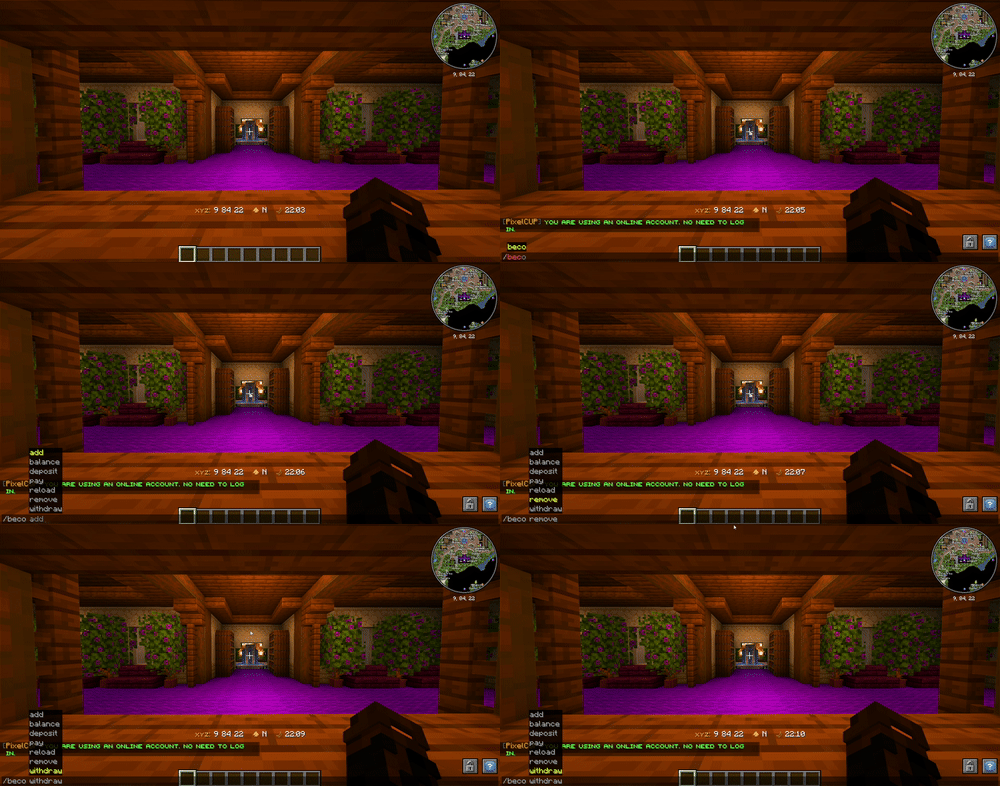
The BEconomy mod provides a range of commands for managing the economy. Below is a list of commands with a brief description and their associated permissions:
Spoiler
/beco balance <currencyType>
- Permission:
beconomy.balance - Displays the player's current balance for the specified currency type.
/beco balance <player> <currencyType>
- Permission:
beconomy.balance.others - Displays another player's balance for the specified currency type.
/beco pay <amount> <player> <currencyType>
- Permission:
beconomy.pay - Transfers a specified amount of currency to another player.
/beco add <amount> <player> <currencyType>
- Permission:
beconomy.add - Adds a specified amount of currency to a player's balance.
/beco remove <amount> <player> <currencyType>
- Permission:
beconomy.remove - Removes a specified amount of currency from a player's balance.
/beco deposit <currencyType>
- Permission:
beconomy.deposit - Converts in-game items representing a currency into balance.
/beco withdraw <amount> <currencyType>
- Permission:
beconomy.withdraw - Withdraws a specified amount of currency as an item stack for trading or holding.
/beco reload
- Permission:
beconomy.reload - Reloads the mod configuration without requiring a server restart.
/beco top
- Permission:
beconomy.top - Displays a leaderboard of players with the highest balances for a specified currency.
/beco set <amount> <currencytype> <player>
- Permission:
beconomy.set - with this command you can set a amount of money for a player.
/beco offline set <amount> <currencytype> <player>
- Permission:
beconomy.offline.set - with this command you can set an amount of money to an offline player.
/beco offline balance <player> <currencytype>
- Permission:
beconomy.offline.balance - with this command you can see the balance from an offline player.
/beco offline add <player> <amount> <currencytype>
- Permission:
beconomy.offline.add - with this command you can add money to an offline player.
/beco offline remove <player> <amount> <currencytype>
- Permission:
beconomy.offline.remove - with this command you can remove a certain amount of money from an offline player.
Configuration
The configuration for BEconomy is highly customizable and can be easily adjusted to fit the needs of your server.
The config file (config/beconomy/config.json) allows you to set up various settings for the economy.
- Define custom currencies with unique settings (name, lore, material, symbol, etc.).
- Set starting balances for each currency.
- Enable or disable features like withdrawals, deposits, and transfers for specific currencies.
- Customize all in-game messages, supporting color codes and placeholders.
- Configure database settings for persistent storage.
Adding New Currencies To add a new currency to the economy system, follow these steps:
Locate the Configuration File: Open the
config/beconomy/config.jsonfile located in your server's config folder.Define a New Currency: Add a new entry in the economy list within the config file.
Each currency entry must include:
- name: The display name of the currency.
- lore: A description or lore for the currency item.
- material: The Minecraft item type that represents the currency (e.g., minecraft:gold_ingot).
- custommodeldata: Custom model data for the item, if applicable.
- currencyType: A unique identifier for the currency (e.g., gold_coin).
- balanceStart: The starting balance for new players for this currency.
- symbol: Symbol to represent the currency (e.g., $).
- isPrimary: Set to true if this is the primary currency.
- transfer: Enable or disable
/beco payfeatures. - withdraw: Enable or disable
/beco withdrawfeatures.
Example:
{
      "name": "&eCobble Coin",
      "lore": [
        "&8This is a &bcurrency",
        "&8Lore 2"
      ],
      "material": "minecraft:paper",
      "custommodeldata": 7381,
      "currencyType": "cobblecoins",
      "balanceStart": 500,
      "symbol": "$",
      "isPrimary": true,
      "transfer": true,
      "withdraw": true
    }
EX: For Sqlite Database
"localSave": false,
  "databaseSave": true,
  "database": {
    "type": "sqlite",
    "host": null,
    "port": null,~~~~
    "databaseName": "economy.db",
    "username": null,
    "password": null
  }
EX: For MySQL/MongoDB/PostgreSQL Database
"localSave": false,
  "databaseSave": true,
  "database": {
    "type": "mysql", // here you set which type of database to use the plugin!
    "host": "localhost",
    "port": 3306,
    "databaseName": "economy",
    "username": "root",
    "password": "password"
  }
- Save and Reload: After adding the new currency, save the config file and use the /beco reload command to apply the changes.
IMG

Ченджлог
1.5.4Релиз1.21.1, 1.21.2, 1.21.3 · 3 января 2026 г.
Changelog for 1.5.4
- I ramake the structure of the mod.
- Now Messages is in the
config/BEconomy/messages.json - I added system for the Banknotes for the economyes
- I ramake the top system.
- Now the GUI's is made better and support multi fillers and other things
- I added new functions in API for the Fisic Money and Balance money to be use on the shops.
1.5.3Релиз1.21.1, 1.21.2, 1.21.3 · 7 июня 2025 г.
Changelog for v1.5.3
- I added 5 new commands.
- I added support for commands for offline users.
- I fixed a problem with balance not showing correct balance from
/balance <player> - I added a way to set it to detect physical coins only by material without needing to have customomodeldata
Commands
/beco set <amount> <currencytype> <player>- with this command you can set a amount of money for a player./beco offline set <amount> <currencytype> <player>- with this command you can set an amount of money to an offline player./beco offline balance <player> <currencytype>- with this command you can see the balance from an offline player./beco offline add <player> <amount> <currencytype>- with this command you can add money to an offline player./beco offline remove <player> <amount> <currencytype>- with this command you can remove a certain amount of money from an offline player.
Permissions
beconomy.setbeconomy.offline.balancebeconomy.offline.addbeconomy.offline.removebeconomy.offline.set
Configs
"matchOnlyMaterial": false -
When this function is set to false, physical coin detection has been working normally so far.
"matchOnlyMaterial": true - When this function is set to true, physical coin detection is done only by material and no longer takes into account custommodeldata/lore/name.
1.5.2Релиз1.21.1, 1.21.2, 1.21.3 · 27 апреля 2025 г.
- I fixed the problem with negative money from pay/add.
- I fixed a problem of reconnecting to databases.
- I modified the balance command and now you can configure it just like normal commands in config.json
- I made some changes to the API.
New functions for API:
    /**
     * Sets the player's balance to a specific amount.
     *
     * This method should be used instead of directly calling `BEconfig.setBalance(...)`,
     * as it also triggers the `onBalanceChanged` event and notifies all registered listeners.
     *
     * @param playerId The UUID of the player whose balance is being updated.
     * @param currencyType The currency type to modify.
     * @param newBalance The exact value to set as the new balance.
     */
    fun updateBalance(playerId: UUID, currencyType: String, newBalance: BigDecimal)

    /**
     * Adds a specified amount to the player's balance.
     *
     * This method updates the balance, triggers the `onBalanceChanged` event,
     * and logs the transaction as a credit. Always use this instead of modifying the balance manually.
     *
     * @param playerId The UUID of the player.
     * @param currencyType The currency to increase.
     * @param amount The amount to add to the current balance.
     */
    fun increaseBalance(playerId: UUID, currencyType: String, amount: BigDecimal)

    /**
     * Subtracts a specified amount from the player's balance.
     *
     * This method checks for sufficient funds before subtracting, triggers the `onBalanceChanged` event,
     * and logs the transaction as a debit. Returns false if the player has insufficient funds.
     *
     * @param playerId The UUID of the player.
     * @param currencyType The currency to subtract from.
     * @param amount The amount to subtract.
     * @return True if the subtraction was successful, false otherwise.
     */
    fun decreaseBalance(playerId: UUID, currencyType: String, amount: BigDecimal): Boolean

    /**
     * Forces a balance sync to the player using packets.
     *
     * This is useful when an external system (like a scoreboard or UI) needs
     * to refresh the display without changing the balance.
     *
     * @param playerId The UUID of the player.
     * @param currencyType The currency type to sync.
     */
    fun syncBalanceToPlayer(playerId: UUID, currencyType: String)

    /**
     * Applies a modification to the player's balance using a safe lambda.
     * Automatically handles balance update and events.
     *
     * Example usage:
     * modifyBalanceSafely(uuid, "pokedollars") { it.multiply(BigDecimal("1.05")) }
     *
     * @param playerId The UUID of the player.
     * @param currencyType The currency type.
     * @param modifier A function that receives the current balance and returns the new one.
     */
    fun modifyBalanceSafely(playerId: UUID, currencyType: String, modifier: (BigDecimal) -> BigDecimal)

    /**
     * Resets a player's balance to the default value defined in config for the currency.
     * Triggers the `onBalanceChanged` event.
     *
     * @param playerId The UUID of the player.
     * @param currencyType The currency type to reset.
     */
    fun resetBalanceToDefault(playerId: UUID, currencyType: String)

    /**
     * Retrieves a map of all balances for a specific player across all currencies.
     *
     * @param playerId The UUID of the player.
     * @return Map of currency type to balance.
     */
    fun getAllPlayerBalances(playerId: UUID): Map<String, BigDecimal>

    /**
     * Retrieves the top players based on their balance for a specific currency.
     * This works across all storage types (local file or database).
     *
     * @param currencyType The type of currency to rank by.
     * @param limit The maximum number of top players to return.
     * @return A list of PlayerBalance objects sorted by balance in descending order.
     */
    fun getTopBalances(currencyType: String, limit: Int): List<PlayerBalance>
1.5.1Релиз1.21.1, 1.21.2, 1.21.3 · 10 апреля 2025 г.
Small Update
- I modified the balance command, now it's no longer
/beco balanceand/balancesimply, the permission is the same - Fixed the problem with Italic text format in
/beco top - You can now use placeholders in lore from the head of
/beco topThe placeholders from the mod are the following:
%beco:<currencyName>_name%
- Show the name from the economy.
%beco:<currencyName>_symbol%
- Show the symbol from the economy.
%beco:<currencyName>_balance%
- Show balance sheets from the economy.
%beco:primary_currency%
- Show balance from primary currency.
%beco:player_name%
- Show the player name.
1.5Релиз1.21.1, 1.21.2, 1.21.3 · 7 марта 2025 г.
Major update!
The mode is now called BEconomy, the Blanket Dev's community no longer exists!
- For all minecraft servers using this mod, please change the name of the configs folder from
blanketeconomytobeconomy, only if you are using this version or later. - And the permissions as well from:
EX:
blanketeconomy.reloadtobeconomy.reload - Any database errors, please let me know on discord!
- Support GTS 2.4.2
1.4.5Релиз1.21.1, 1.21.2, 1.21.3 · 28 января 2025 г.
- i added support for Cobblemon GTS (only v2.4.1 is working)
- i added separators to the balance so that it no longer looks ugly, now from 10000 it shows 10.000
1.4.4Релиз1.21.1, 1.21.2, 1.21.3 · 26 января 2025 г.
New Colo Format!
Overview
This update introduces a custom text parser that supports various formatting tags, gradients, colors, click and hover events, and vanilla-style codes. You can combine tags or nest them for powerful text displays.
Features & Examples
Bold, Italic, Underline, Strikethrough, Obfuscated
<b>Bold text</b><i>Italic text</i><u>Underlined text</u><strike>Strikethrough text</strike><obf>Obfuscated text</obf>
Hex Colors
<#FF0000>This text is red</#><#00FF00>This text is green</#>
Gradient
<gradient:#FF0000:#FFFF00:#00FF00>Hello Gradient!</gradient>- You can use multiple hex colors separated by “:” (e.g.
#FF0000:#0000FF:#00FF00). - The parser will blend colors across the text.
Click Events
<click:run_command:'/say Hello'>Click to run a command</click><click:suggest_command:'/help'>Click to suggest a command in chat</click><click:open_url:'https://example.com'>Click to open a website</click><click:copy_to_clipboard:'Copied!'>Click to copy text</click>- Note:
run_commandis executed as if the player typed it in chat, so it requires permissions.
Hover Events
<hover:show_text:'Hover message here'>Hover over me</hover>
Links
<link:https://google.com>Click to open Google</link>- Equivalent to a
click:open_urlevent.
Reset
<reset>or<r>resets any formatting to default.
Vanilla Formatting Codes
- Use
&followed by a code (e.g.&a,&l,&r):&l= bold&o= italic&n= underline&m= strikethrough&k= obfuscated&r= reset&0-&f= color codes
- Use
1.4.3Релиз1.21.1, 1.21.2, 1.21.3 · 10 декабря 2024 г.
🔥New Changes
- added support for auto arguments to commands
- added a way to disable "/beco pay" for certain types of coins in the config.
"transfer": true/false
- added a way to disable "/beco withdraw" for certain types of coins in the config.
"withdraw": true/false
- added support for new types of color format such as:
Gradient
<gradient:#FF0000,#00FF00,#0000FF>Text</gradient>
Links
<link:https://example.com>Link Click Here</link>
Hex Colors
<#FFA500>Text
Data Save Changes
- From now on you can save data from players using databases How would it be:
- MySQL
- MongoDB (in progress)
- PostgreSQL
- Sqlite
EX For:
- MySQL/MongoDB/PostgreSQL
"localSave": true,
  "databaseSave": false,
  "database": {
    "type": "mysql", // here you set which type of database to use the plugin!
    "host": "localhost",
    "port": 3306,
    "databaseName": "economy",
    "username": "root",
    "password": "password"
  }
EX For:
- Sqlite
"localSave": true,
  "databaseSave": false,
  "database": {
    "type": "Sqlite",
    "host": null,
    "port": null,
    "databaseName": "economy.db",
    "username": null,
    "password": null
  }
Комментарии
Загружаем…