 Mineforgian
Backpacked Up!
Wearable, placeable, dyeable backpacks
- Загрузки
- 145
- Подписчики
- 10
- Обновлён
- 13 августа 2026 г.
- Лицензия
- MIT
Опубликован 2 августа 2026 г.
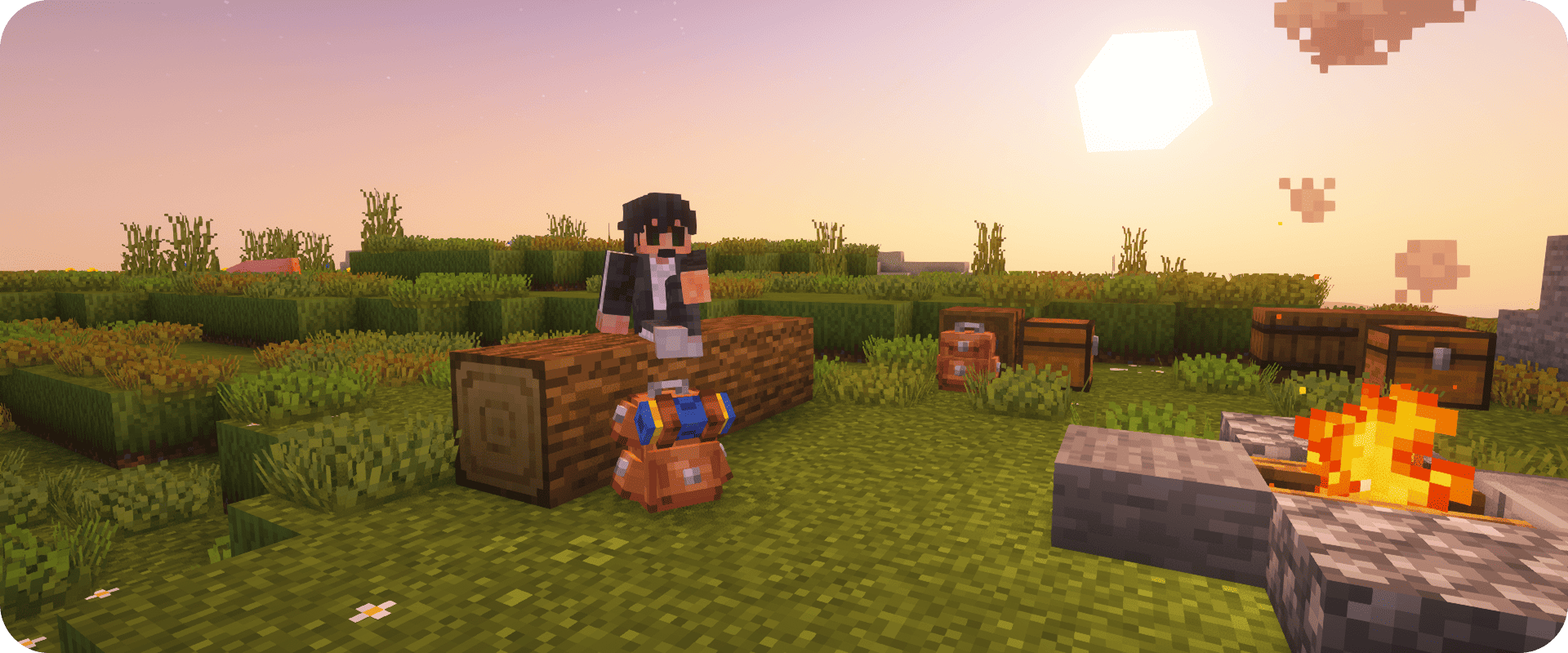
Backpacked Up!



Backpacked Up! provides four levels of backpacks, which can be worn and placed as a block in Minecraft, starting with a Tiny backpack for early game usage and ending with a Large backpack, suitable for hardcore hoarders. Put it on your back, fill it up, and no longer waste time managing inventory.
Features:
- Four levels of backpacks – Tiny (45 slots), Small (54), Medium (63), Large (72)
- Wearable – just put it on your back
- Placeable – place it as a block in the world, pick it up using Shift + right click
- Dyeable – color your backpack using any vanilla dyes
Crafting:
Each level can be crafted from the previous level, requiring leather, wool, planks, chests, and iron.
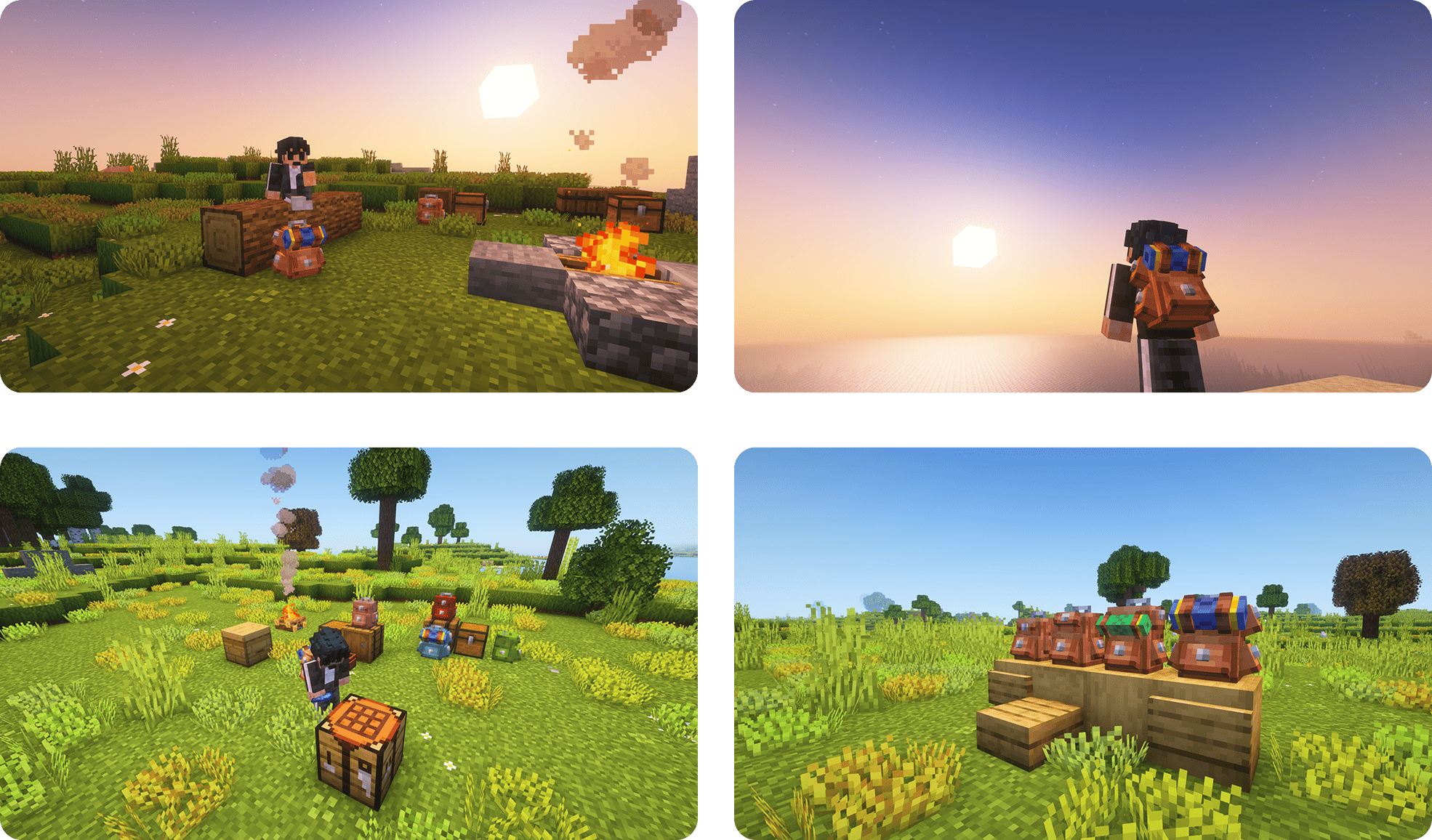
Screenshots
💌 Credits
Made with love, pockets, and always the hope that one day, every creeper will be wearing a backpack, too.
Make the most of the additional slots — don't forget to bring along an extra pumpkin just in case!
Ченджлог
0.9.4Бета1.21.1 · 13 августа 2026 г.
v0.9.4 — Curios integration, five new upgrades, performance
New: optional Curios API integration
When the Curios API mod is installed, backpacks can be equipped in a Curios back slot — no extra mods required, the mod works just as well without Curios.
- Backpacks render on your back in Curios slots, exactly like the vanilla chest-slot look.
- The backpack key (B) and all active upgrade effects now consider backpacks equipped in Curios slots, in priority order after the chest slot and before the offhand.
- The backpack menu stays open while the backpack is equipped in a Curios slot, and soul-bound backpacks keep the Curios drop rule (they never drop on death).
- The Curios dependency is declared
optional, so nothing changes for players who don't use Curios.
New: five craftable upgrades
Five new upgrade scrolls can be crafted in a crafting table:
- Lumber Assistant — automatically stores wood you chop (and leaves) into the backpack.
- Mining Assistant — automatically stores mined ore into the backpack. Uses a mod-defined
oresblock tag that other mods can extend. - Fishing Kit — automatically stores your fishing catch into the backpack.
- Hunter's Trophy — automatically stores mob loot (including ranged kills) into the backpack.
- Farmer's Harvest — automatically stores harvested crops into the backpack.
Block, mob, and fish drops are inserted straight into the backpack that carries the matching upgrade, merging with existing stacks; any items that don't fit stay on the ground.
Improved: performance and efficiency
- The active-upgrade lookup (vacuum + auto-feeding) is now cached per player and re-scanned at most once every 10 ticks instead of every server tick, with a cheap identity check that a backpack is still carried in between.
- Vacuum and feeding backpacks are now found in a single pass over the chest slot, Curios slots, offhand and inventory, instead of scanning once per upgrade.
- Drops are inserted into the backpack with batching — one write per pickup event instead of one per item.
- Placed backpacks copy and save their upgrade slots element-wise, avoiding list reallocation on every save.
Bug fixes
Fixed: Soul-bound backpacks survived logout while still on the death screen. The kept backpacks are now persisted into the player's NBT at death and restored on respawn or on the next login, so you no longer lose them if you log out before respawning.
Fixed: Auto-feeding could eat an item twice or lose the container. The feeding scroll now correctly handles the empty container handed back by Player.eat() (e.g. the bowl of a mushroom stew) — no more double consumption and the bowl is kept.
Fixed: Right-clicking a placed backpack while holding a non-backpack item now opens the backpack instead of trying to use the held item on it.
Fixed: Stale upgrade effects after respawn, login or logout. The per-player upgrade cache is invalidated on respawn, login and logout, so effects never act on a backpack the player no longer carries.
Fixed: Vacuum and feeding no longer act on a backpack that was moved or dropped mid-operation; the cache is refreshed when the backpack is no longer carried.
0.9.3Бета1.21.1 · 11 августа 2026 г.
v0.9.3 — Backpack upgrades
New: backpack upgrades
Backpacks now have an upgrade panel in the inventory screen, with five craftable upgrades (no duplicate upgrades in a single backpack):
- Vacuum Scroll — automatically picks up dropped items within 6 blocks and stores them in the backpack.
- Feeding Scroll — when hunger runs low, automatically eats food stored in the backpack.
- Fireproof Storage — makes the backpack and everything in it fire-resistant; a dropped backpack floats up out of lava instead of burning.
- Soul Binding — the backpack stays with you when you die and is returned to your inventory when you respawn.
- Auto-Sorting — sorts the backpack's contents automatically when you close the screen.
Upgrades are crafted in a crafting table, and placed backpacks keep their upgrades (and fireproof status) when mined.
Bug fixes
Fixed: placed backpacks show the wrong color to other players
When you placed a dyed or carpeted backpack in the world, other players still saw it in its default (undyed) look until they reloaded the chunk. The backpack's color is now properly synced over the network, so everyone sees the correct color right away.
Fixed: placed backpacks showed stale contents to other players
The contents of a placed backpack are now synced whenever they change, so other players always see the correct items (no more waiting for a chunk reload).
Fixed: dyed + carpeted backpacks only showed the dye
A backpack that was both dyed and carpeted was only showing the dye color, and the carpet part was missing. Both the dye and the carpet color now show correctly — in hand, on your back, and in the world.
Fixed: upgrading a backpack lost its dye and custom name
Crafting a Small/Medium/Large backpack from a smaller one now keeps the dye color and custom name of the backpack you used. The carpet color is taken from the carpet you use in the recipe (or kept from the old backpack when there is no carpet).
Fixed: backpack menu stayed open after the backpack was moved
The backpack screen now closes if you drop or move the backpack out of your inventory while it's open.
Fixed: backpack straps flickering/vanishing at the edge of the screen
The backpack model sticks out a bit past its block, so parts of it (like the straps) could disappear when close to the edge of the screen. The render bounds are now larger, so the whole backpack stays visible.
Fixed: sneaking with a backpack in hand opened the wrong one
Sneak-clicking a placed backpack while holding a backpack in your hand used to open the one in your hand instead. Now it opens the placed backpack — and shift-clicking still lets you pick the placed backpack back up.
Fixed: upgrading a backpack lost its contents
Crafting a Small/Medium/Large backpack from a smaller one now keeps all the items stored inside it. Your backpack's contents are transferred to the upgraded backpack instead of being lost.
Комментарии
Загружаем…