 Mineforgian
Axis World Editor
Vanilla WorldEdit: 1 Tool, ∞ Features.
- Загрузки
- 55K
- Подписчики
- 42
- Обновлён
- 20 июля 2026 г.
- Лицензия
- PolyForm-Shield-License-1.0.0
Опубликован 27 ноября 2024 г.


💡 Features
Axis - is all-in-one vanilla toolset for easy and convenient real-time world editing.
⚙️ Performance & Core Algorithms
🛠️ Tools and Commands
Tons of Tools and Commands for speeding up your building process
ℹ️ You will find a complete list of tools and commands, as well as their purposes, in the in-game wiki.
🔧Tools
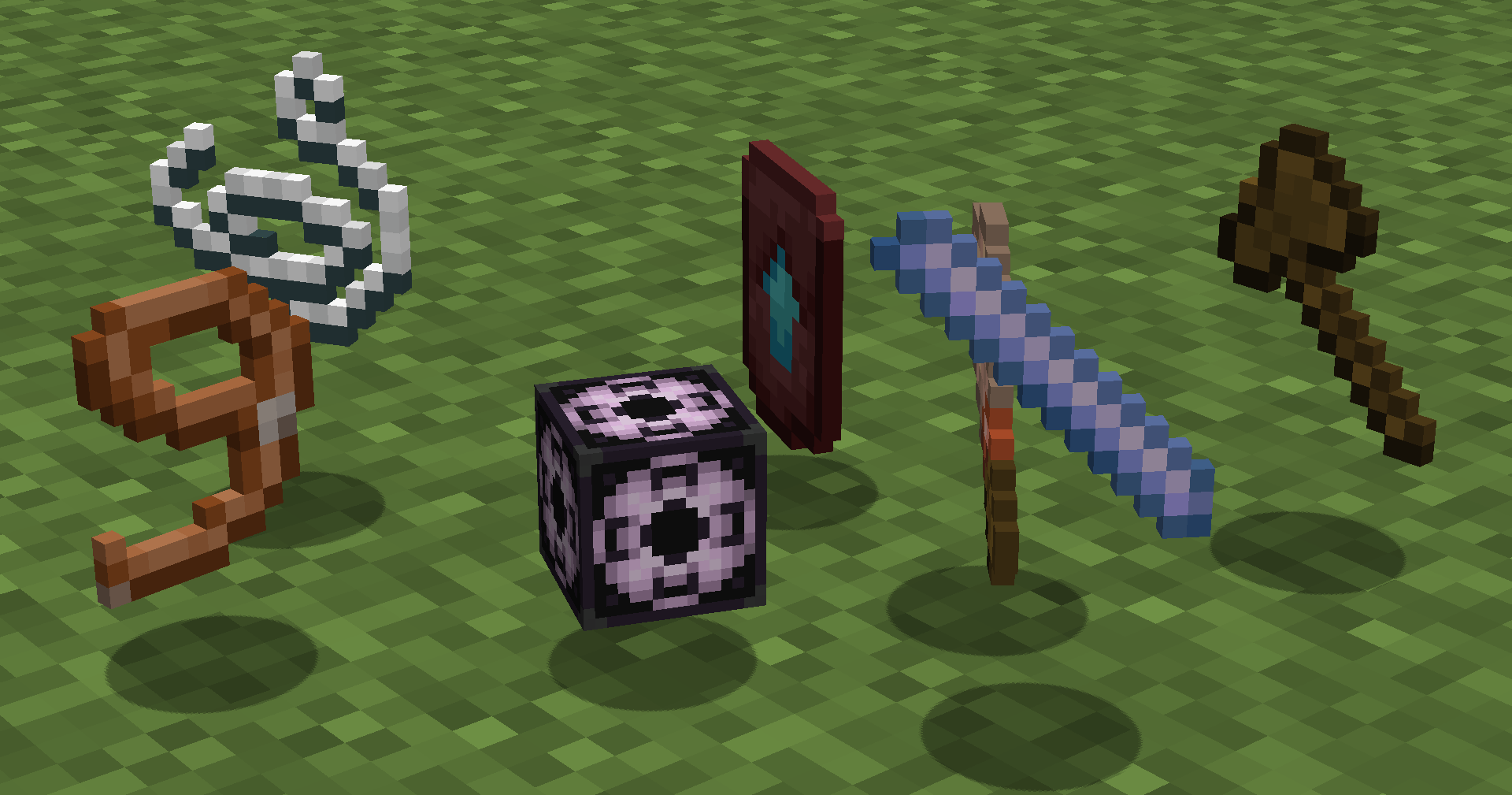 Automatically run functions based on your actions. Each tool has several modes. Throw (default:Q) to change mode, put in offhand (default:F) to change tool.
How to use (X) tool?
Look at the item tooltip, or open the detailed documentation using
Automatically run functions based on your actions. Each tool has several modes. Throw (default:Q) to change mode, put in offhand (default:F) to change tool.
How to use (X) tool?
Look at the item tooltip, or open the detailed documentation using /function we:help.
| Tool | Modes | Description |
|---|---|---|
| Selector (Axe) | Raycast Mid air 15 Mid air 10 Mid air 5 | Left and Right-mouse clicks to set both region corners. |
| Resize | 1 10 Double Lasso | Left and Right-mouse clicks to resize region in the direction you are facing. |
| String | Raycast Mid air 30 Mid air 20 Mid air 10 | Use it to measure distance by clicking LMB and RMB. |
| Paste brush | Fill-paste (10/20/30/Ray) Replace-paste (10/20/30/Ray) | Right-mouse click to paste (clone) selected region to any other place. |
| Block brush | Diameter 1 Diameter 3 Diameter 5 Diameter 7 | Left-mouse click to pick block, Right-mouse click to paint. |
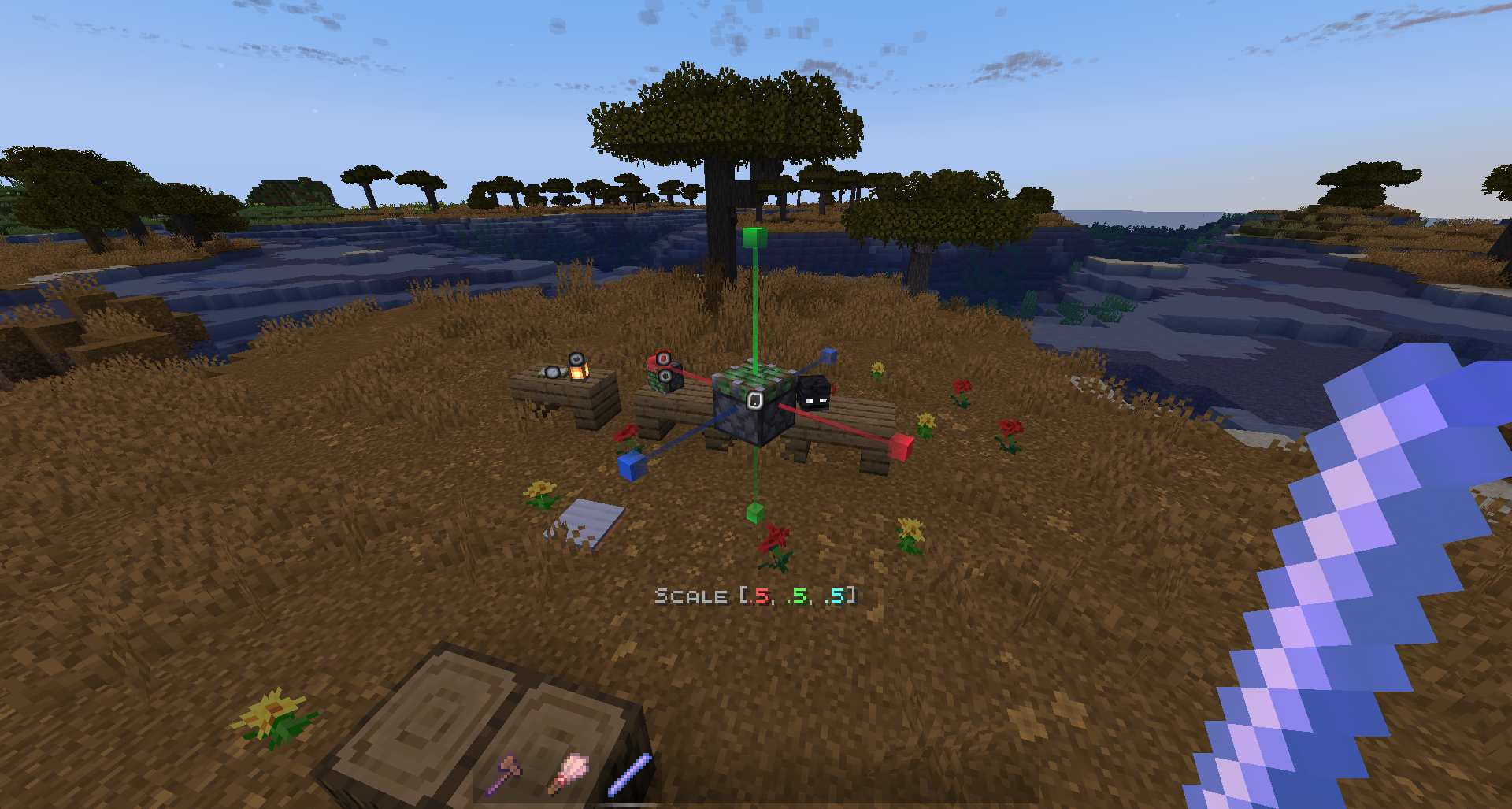
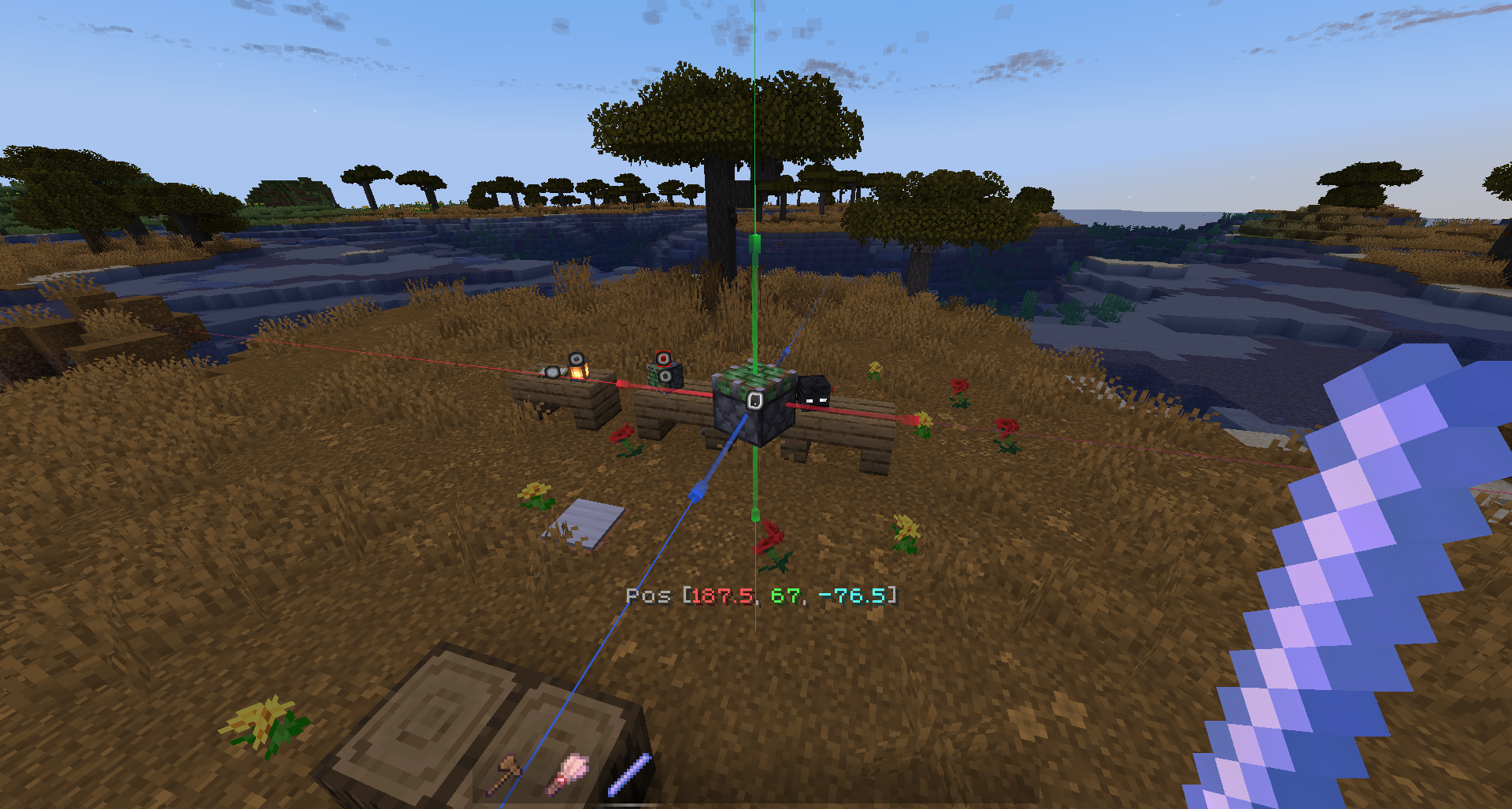
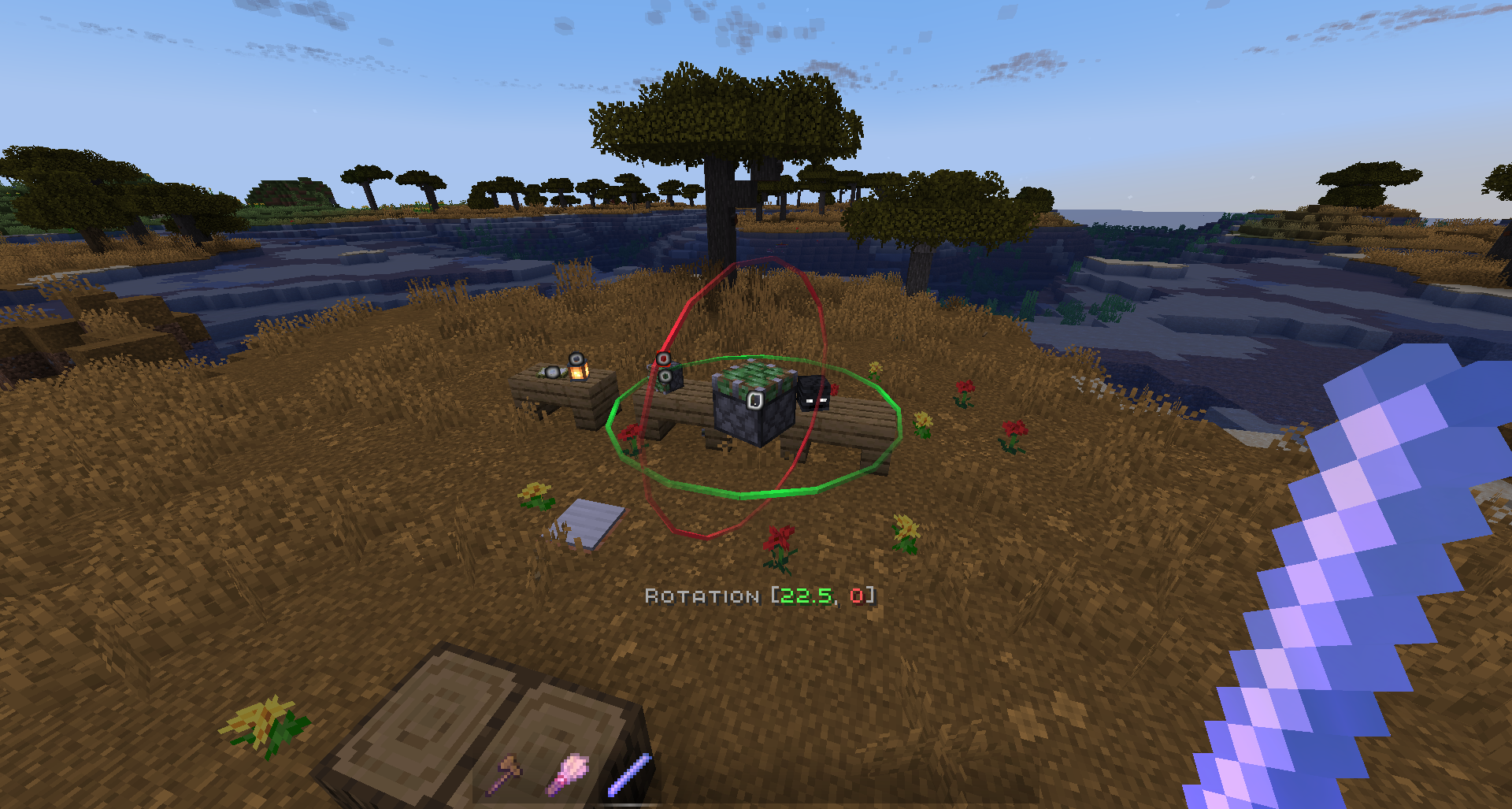
| Display Modification | Scale - 0.5, 0.125, 0.015625 Move - 0.5, 0.125, 0.015625 Rotate - 22.5, 5.625, 1.40625 |
💻 Commands
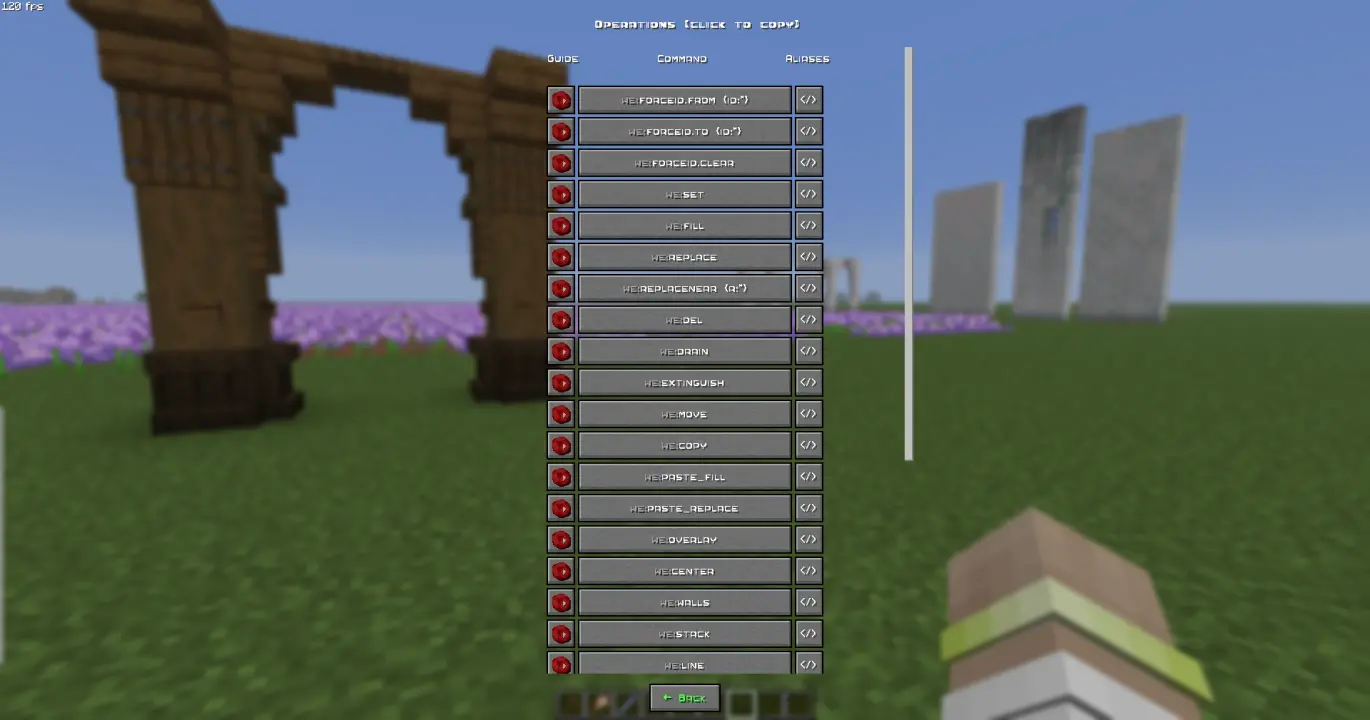 Manual use.
 /function we:help for more info.
How to use (X) command?
All the user commands are available on the path /function we:. To view each command description, run /function we:help. You need OPerator rights in the world where you want to use the datapack.
Basic
| Command | Aliases | Description |
|---|---|---|
| help | h | Opens help page |
| settings | config | Opens settings page |
| wand | w get | Gives you tool for selecting regions. You can take wooden axe from your creative inventory and it will become wand. Click left mouse button to set the first point of the region, Click right mouse button to set the second point of the region. Both points create a region between them. Read tooltips for more info about using tools and modes. |
| uniwand | Opens UI with all the tools for you to choose | |
| flight | Opens the flight settings menu | |
| pin | Allows you to pin up to 10 custom commands above the Axis chat menu, and use them with a mouse click. Format: /function we:pin {slot:2,cmd:'say Hello World!'} <-- "cmd" without backslash (/) | |
| uninstall | unins | Opens the datapack uninstall menu |
Regions
| Command | Aliases | Description |
|---|---|---|
| 1 | Set the first point of the region. Both points create a region between them | |
| 2 | Set the second point of the region. Both points create a region between them | |
| expand | Expands the region by 1 block in the direction you are facing. You can use resize tool unstead | |
| contract | Expands the region by 1 block in the direction you are facing. You can use resize tool unstead | |
| clear | c | Clears all selected points and regions |
Operations
| Command | Aliases | Description |
|---|---|---|
| forceid.from {id:*} | From = the block that is normally taken from the left hand. Allows you to force the block ID, including the blockstate, when executing all commands that require a block ID. | |
| forceid.to {id:*} | To = the block that is normally taken from the right hand. Allows you to force the block ID, including the blockstate, when executing all commands that require a block ID. | |
| forceid.clear | Clear = removes the Force ID from both storages. Allows you to force the block ID, including the blockstate, when executing all commands that require a block ID. | |
| set | Replaces all blocks in the region with the one you are holding in main hand. If you have no blocks in specified slot, it will be considered as air | |
| fill | Fills all air blocks in the region with the one you are holding in main hand. If you have no blocks in specified slot, it will be considered as air | |
| replace | Replaces all blocks in the region from the one you are holding in off hand with the one you are holding in main hand. if you have no blocks in specified slot, it will be considered as air | |
| replacenear | Replaces all blocks in radius ({r:1} or {r:5}, etc.) around player from the one you are holding in off hand with the one you are holding in main hand. if you have no blocks in specified slot, it will be considered as air | |
| delete | del | Deletes everything in the region |
| drain | Removes liquids from the selected region | |
| extinguish | Removes fire from the selected region | |
| move | Moves the region by 1 block in the direction you are facing | |
| copy | Saves selected area to the buffer. Use together with paste. Copying/Pasting buffer differs from clonebrush, as you can do it between dimensions. The build pastes exactly like it was when you used copy. On the other side, clonebrush clones it from place 1 to place 2 in real time |
|
| paste.fill | Pastes saved area from buffer to the player and blends it with blocks/terrain. Use together with 'copy' | |
| paste.replace | Pastes saved area from buffer to the player and deletes all the blocks/terrain on the way. Use together with 'copy' | |
| overlay | Overlays all blocks in your selection with one you are holding in main hand | |
| center | Finds a center of your region and places 1 to 8 blocks of you are holding in main hand. If you have no blocks in specified slot, it will be considered as glass. If there are already solid blocks in the cetnter of the region, only particles will be displayed | |
| walls | Replaces all outline blocks in the region with the one you are holding in main hand. If you have no blocks in specified slot, it will be considered as air | |
| stack | Stacks the region in the direction you are facing | |
| line | Builds a line of block you are holding in main hand from point 1 to point 2. If you have no blocks in specified slot, it will be considered as glass | |
| rotate | Rotates the region by the specified number of degrees. Affects entities | |
| freerotate | Rotates the region without size or angle restrictions (diagonal rotation is possible). Does not affect entities. | |
| flip | Mirrors the selected area in the direction of view. Affects entities | |
| cut | Copies a region to the clipboard and cuts it out | |
| circle | Draws a circle with the specified radius ({r:1} or {r:5}, etc.) | |
| hcircle | Similar to we:circle, but draws a hollow circle instead of a filled one. |
|
| triggerupdates | upd | Triggers updates of all blocks in the selected region |
| setnoise.perlin | Replaces the selected area with Perlin noise. The noise can consist of two blocks: the one you hold in your left and one you hold in your right hand. If one of your hands is empty, the block will be considered as air. | |
| setbiome | Sets the specified biome to the selected region. | |
| fillbiome | Fills the selected region with the specified biome. | |
| regenerate | regen | Reverts everything within the selection box to its original state based on the world seed. |
History
| Command | Aliases | Description |
|---|---|---|
| undo | Cancels previous action | |
| redo | Redoes previous action (use after Undo) | |
| clearhistory | Deletes all previously saved actions and clears history buffers. Clearing history is recommended when you want to make a 'checkpoint' during building, so you don't accidently undo/redo old actions you don't want to |
Brushes
| Command | Aliases | Description |
|---|---|---|
| b/wand | b/w b/get | Gives you brush tool. You can take regular brush from your creative inventory and it will become brush tool. Left-click to choose block, Right-click to paint. Read tooltips for more info about using tools and modes. |
Displays
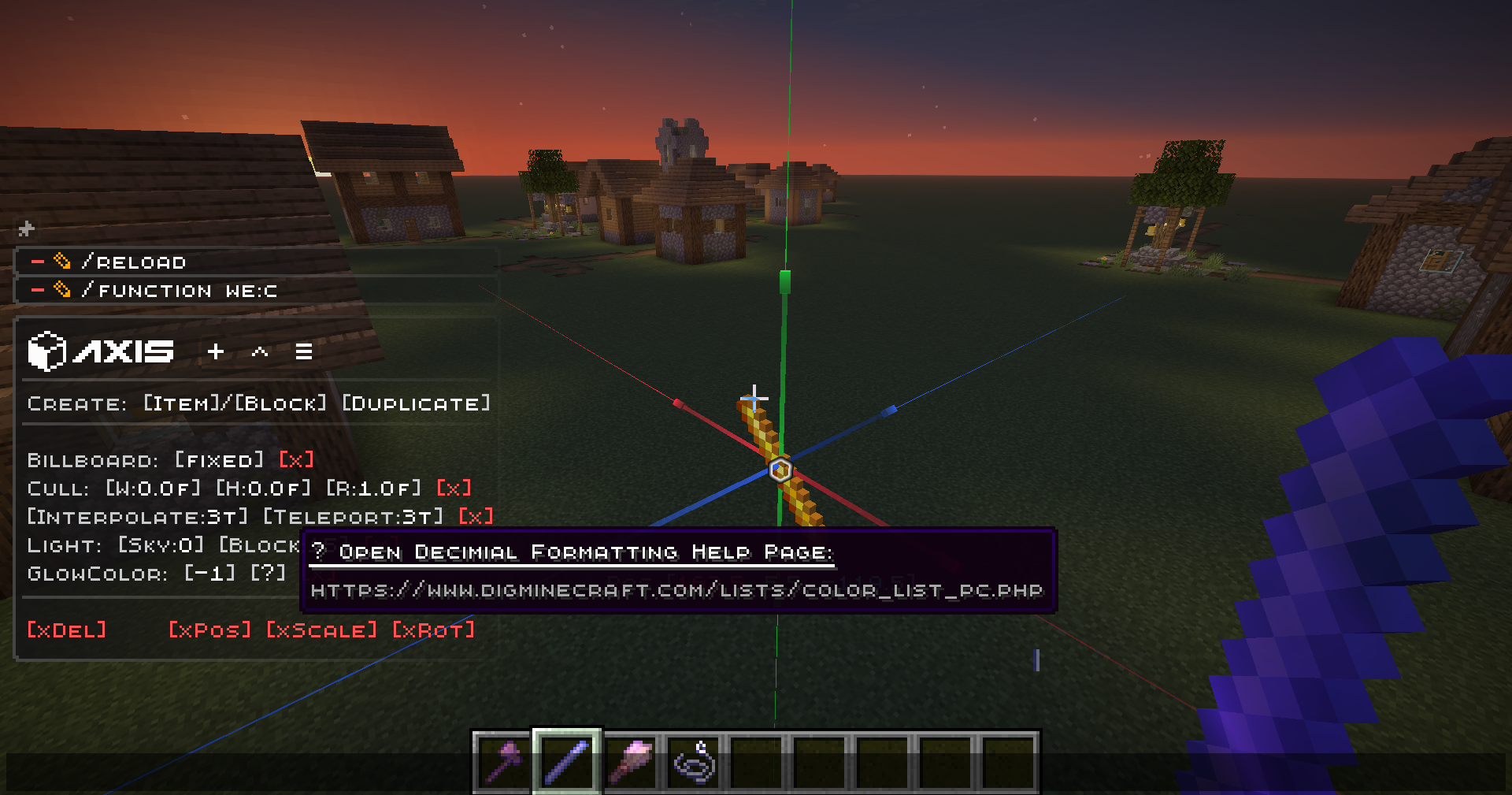
ℹ This is much more convenient to use the quick menu to modify displays than to write these commands manually. To open the menu, take the display modification tool (/function we:d/w) and select the desired display.
| Command | Aliases | Description |
|---|---|---|
| d/wand | d/w | Gives a display modification tool |
| d/create_block_display | Creates a block display entity from the item in your main hand. If the chosen item doesnt have a block state, null display (existing entity with size 0,0 and no visuals) will be summoned | |
| d/create_item_display | Creates an item display entity from the item in your main hand. If the chosen item doesnt have an item state, null display (existing entity with size 0,0 and no visuals) will be summoned | |
| d/duplicate | Creates the exact copy of the selected display entity | |
| d/billboard/center | Display will automatically rotate towards the player on both axes | |
| d/billboard/fixed | Display will NOT automatically rotate towards the player | |
| d/billboard/horizontal | Display will automatically rotate towards the player on X and Z axes | |
| d/billboard/vertical | Display will automatically rotate towards the player on Y axis | |
| d/brightness/block | Sets block brightness (light level) override for display | |
| d/brightness/sky | Sets sky brightness (light level) override for display | |
| d/culling/height | Sets display hitbox height. Setting the culling hitbox allows not to render the display entity if it is outside the border of the screen. For optimization purposes | |
| we:d/culling/width | Sets display hitbox width. Setting the culling hitbox allows not to render the display entity if it is outside the border of the screen. For optimization purposes | |
| we:d/culling/range | Sets the maximum distance from player in proportion to player's entity rendering distance (default=1) at which the entity will be rendered. (Not in blocks! If the player's entity rendering distance = 8 chunks -> the value 1 = 8 chunks, the value 0.5 = 4 chunks, etc.) | |
| d/glow_color | Changes the color of the glow effect outline. Decimial format | |
| d/interpolation_ticks | Sets the amount of ticks needed to interpolate from state1 to state2 in game ticks (State = scale, rotation, etc.) (1 second = 20 game ticks) | |
| d/teleportation_ticks | Sets the amount of ticks needed to interpolate from pos1 to pos2 in game ticks (Pos = xyz position) (1 second = 20 game ticks) | |
| d/reset_brightness | Resets block and sky brightness overrides | |
| d/reset_culling | Resets culling width, height, and view range | |
| d/reset_glow | Resets glow color and removes the glow outline | |
| d/reset_interpolations | Resets interpolation and teleportation duration | |
| d/reset_position | Resets position / snaps entity to the block grid | |
| d/reset_rotation | Resets rotation. (resets only the entity format rotation, not the quaderion format rotation) | |
| d/reset_scale | Resets scale | |
| d/remove | delete | Deletes the selected display entity |
🚀 Smart Forceloading
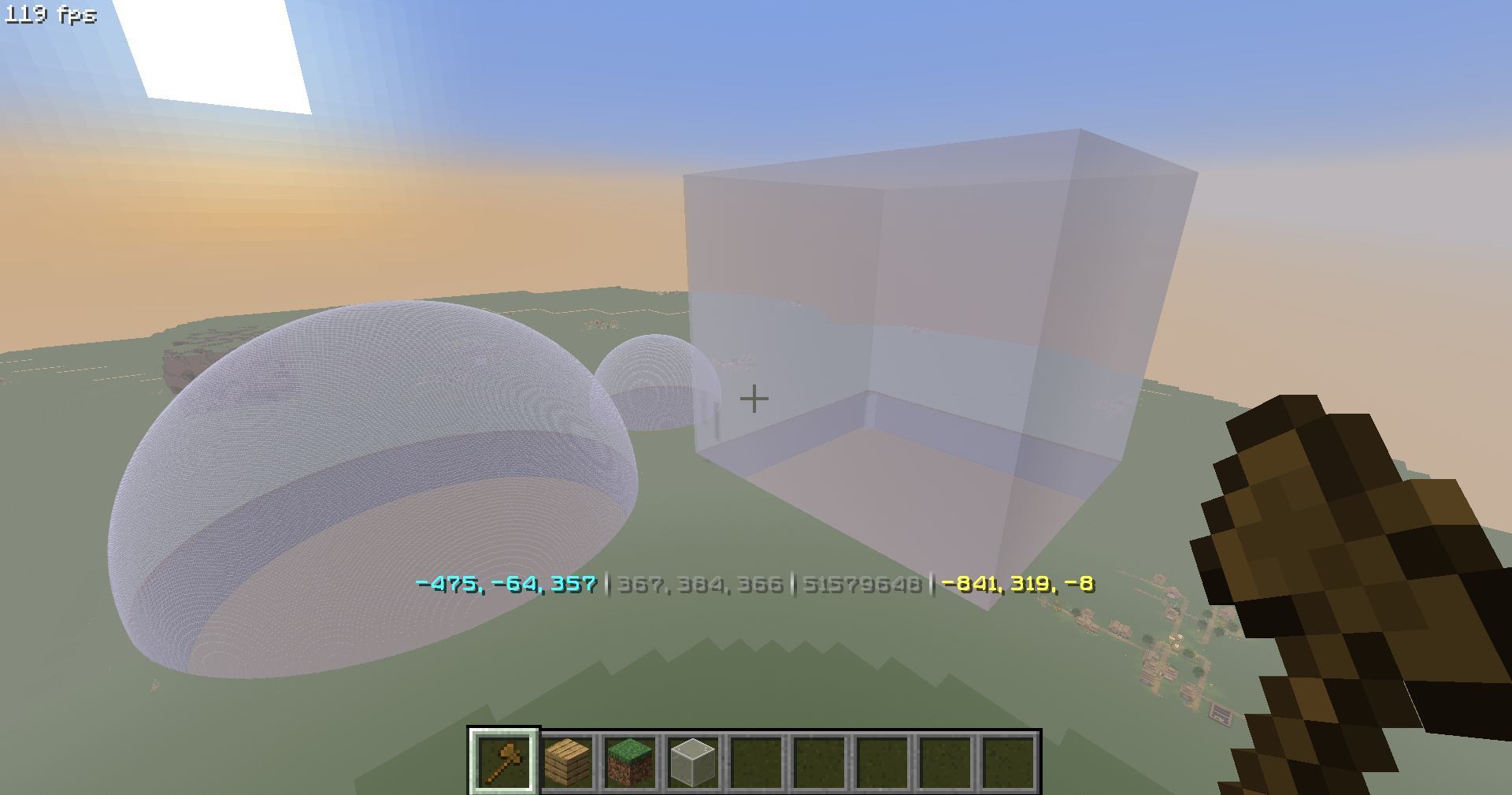
Smart Forceloading - edit millions of blocks even in unloaded chunks safely.
50+ Million blocks successfully replaced (in one go)
📖 Undo / Redo
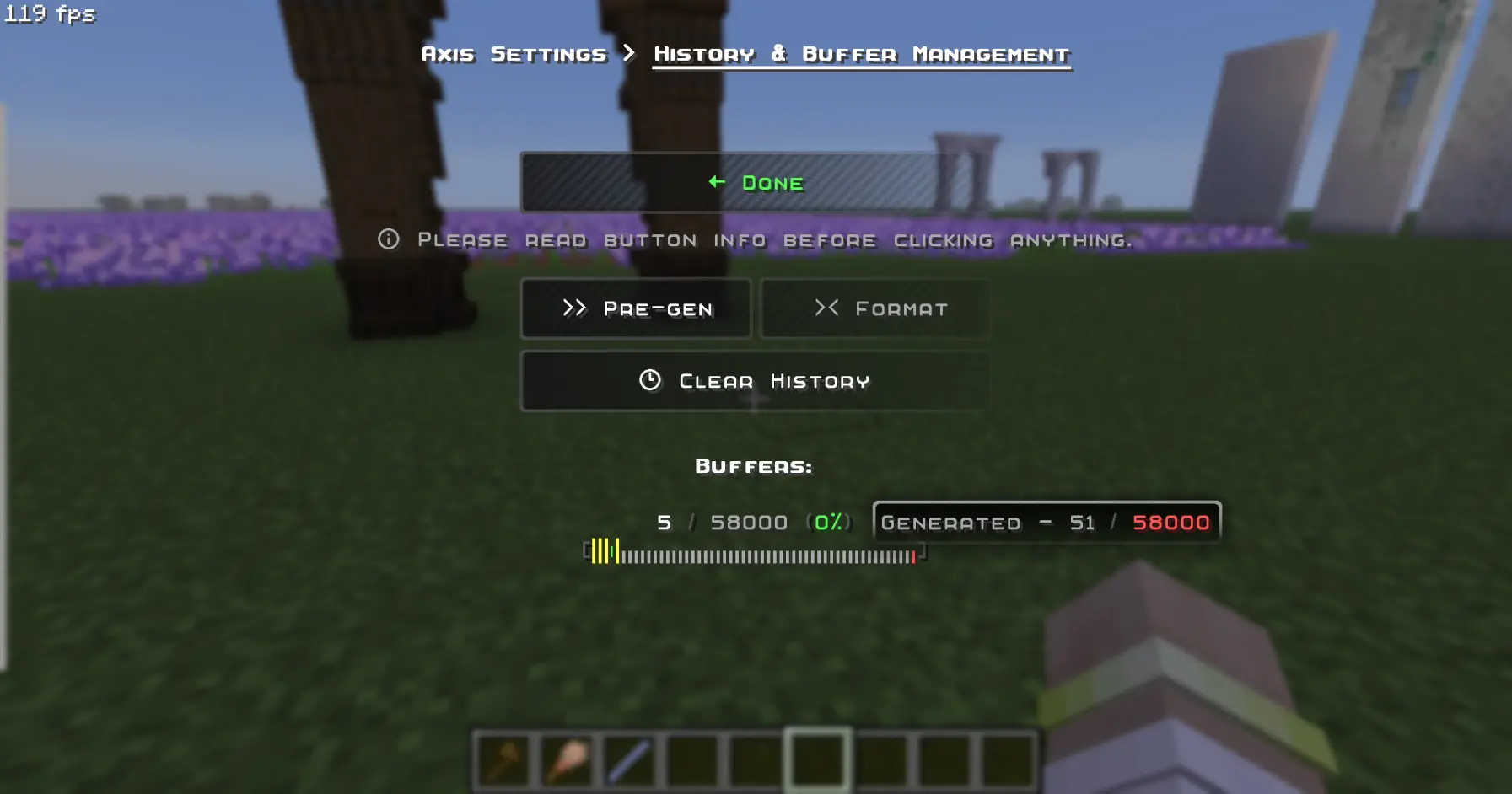
Undo / Redo - so you could revert up to 58.000 actions. (in a row)
🪄 Display-Entity Modification
Display-Entity Modification - Create and edit models directly in-game.
🧩 Custom & Modded Support
Every command Supports Custom & Modded blocks, biomes, and dimensions.
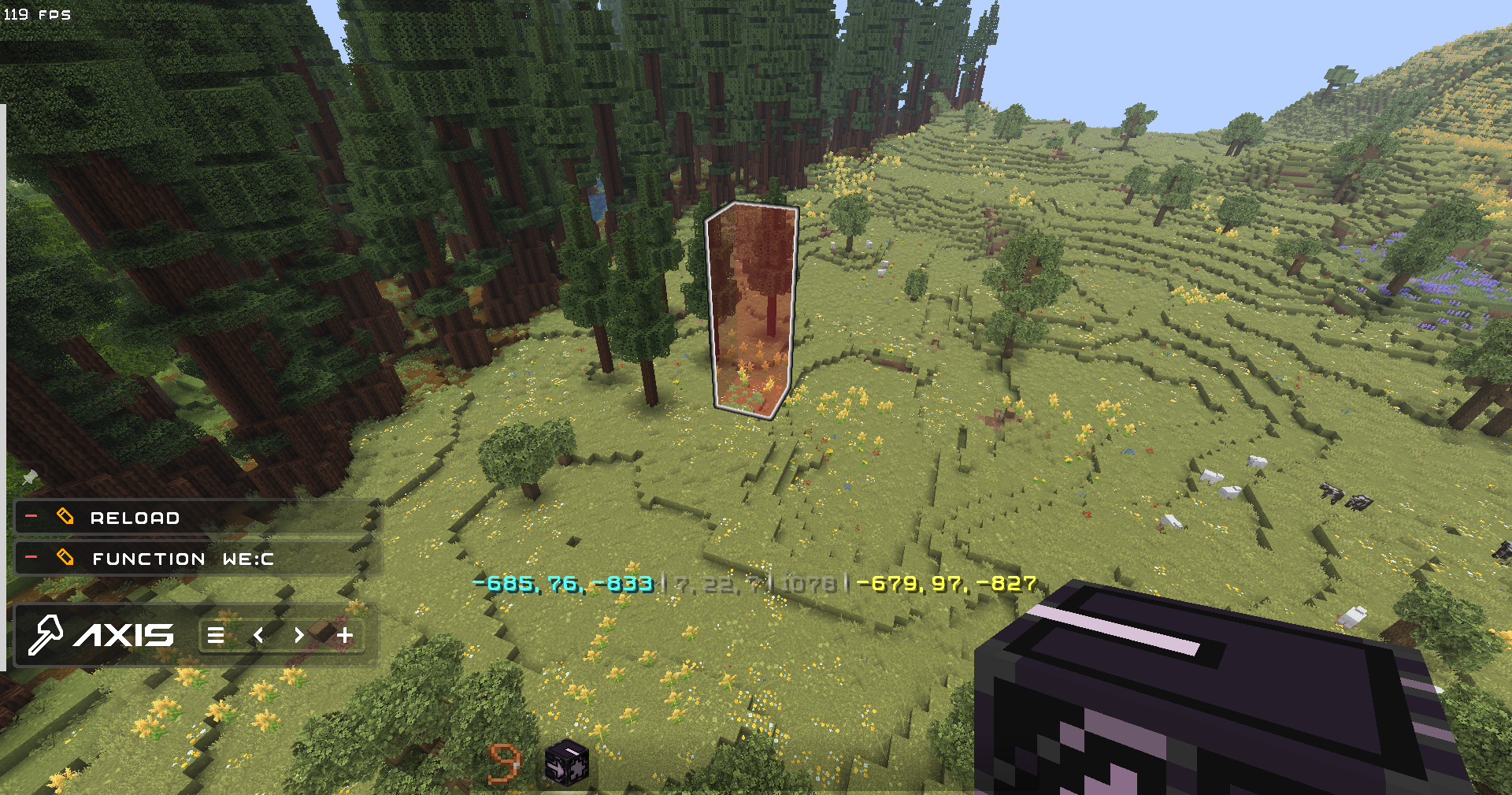
Pasting trees from Biomes O Plenty mod, consisting of modded blocks, using the PasteBrush tool:
✨ QOL
- Settings to disable all the features you don't like, and Help Menu containing descriptions for every feature and command in the datapack
- Ghost-Flight and Boost-Flight creative abilities
- Pinning Commands to the chat for further use in 1 click!
- Fast-Typing via chat-menu - you don't have to write "/function:we" every time - just click 1 button!
- Multi-Hotbar - quickly swap 9 independent hotbars
- Hot-Reload - Press key combination for instant /reload: useful for datapackers and mapmakers
🎨 Visuals & Sounds
- Color-Themes - Customize the interface appearance with presets or HEX-code colors
- Highlighting Markers (entities) with text displays
- Nice Sound Effects & Visual Previews for actions
🌐 Localizations
Don't use Google in parallel with building!
- English (en_us) - GamerGoBC
- Deutsch (de_de) - Corrwinn
- Русский (ru_ru) - GamerGoBC
- More coming soon... join the Discord server if you want to help!
📚 Guides
📦 Installation
Video
Step-by-Step
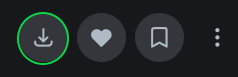
1. Look at the top right corner of the screen and click "Download".
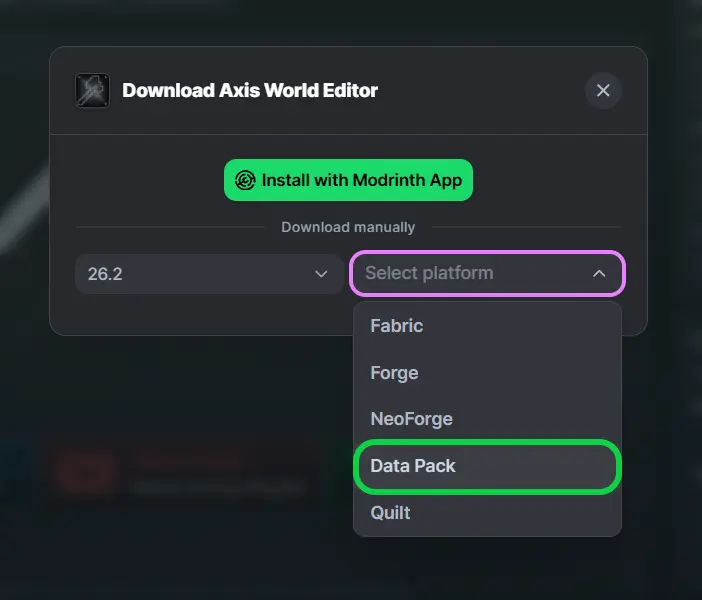
2. Select your game version, and platform "Datapack".
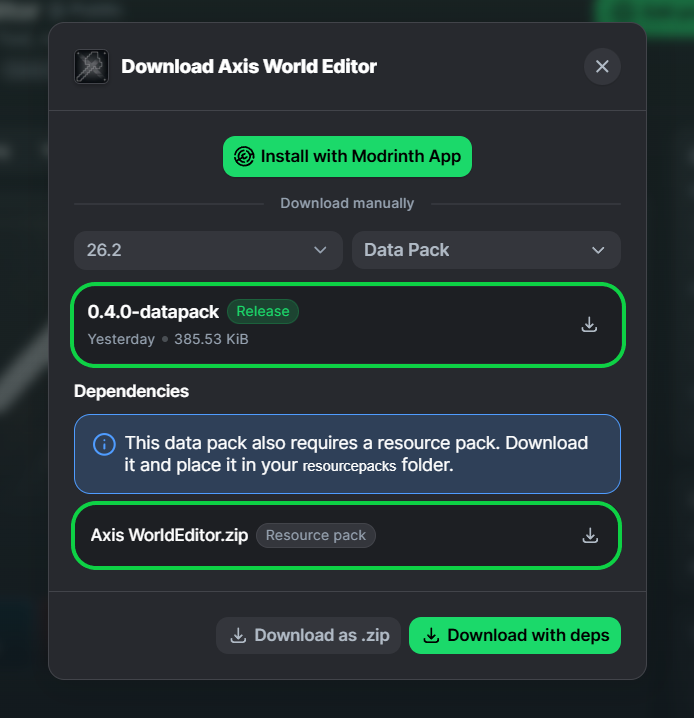
3. You will see two files for downloading: Datapack and Resourcepack - download them.
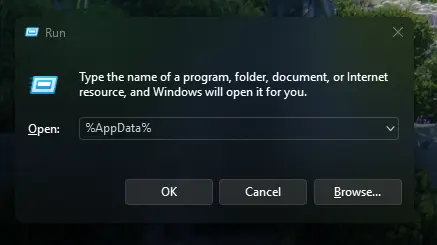
4. Press [Win] + [R] and type %AppData% in the search box and click [OK]
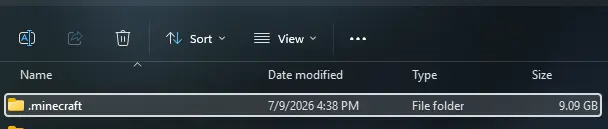
5. Look for the .minecraft folder and open it.
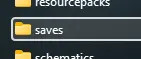
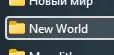
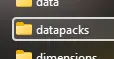
6. Put Datapack in saves\YourWorld\datapacks
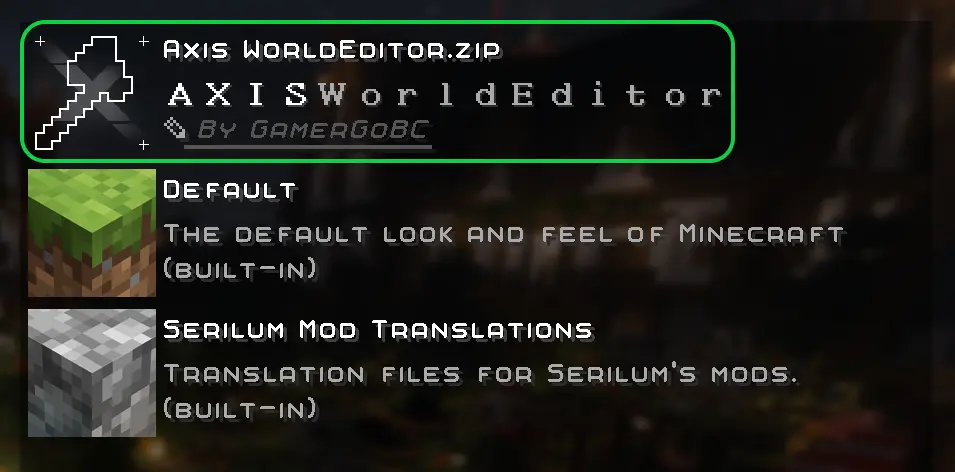
7. Put Resourcepack in resourcepacks and choose it in - game: (ESC>settings>resourcepacks)

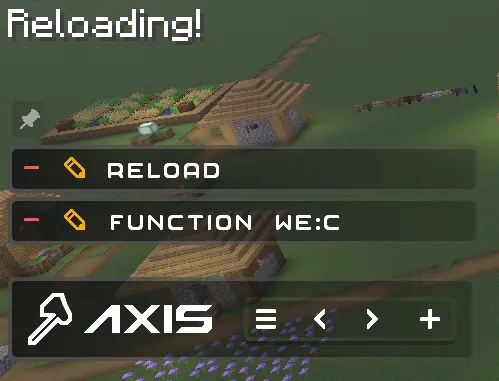
8. Rejoin your world or type /reload in chat

Ченджлог
0.5.0-modРелиз26.2 · 20 июля 2026 г.
📝Developer Notes
- Before updating, It is highly recommended to delete the folder .minecraft/saves/YourWorld/dimensions/xwe <-- this. It will free up a lot of your disk space.
⚙️Technical
- Added "fixliquid {r:*}" command - Levels the entire volume of liquid within a complex-shaped container to the same height.
- Added "sphere {r:}" command. Alias - "sph {r:}" - Creates spheres out of the material held in your main hand. Accepts decimal radius values.
- Added "cylinder" {r:,h:} command. Alias - "cyl {r:,h:}" - Creates cylinder of the material in your main hand. The "h" value is height. Accepts decimal radius values.
- Added "paste" command - which is an alias for "paste.replace"
- Added alias "ch" for command "clearhistory"
- Added alias "rpn" for command "replacenear"
- Commands Fill, Cut, and Walls now support buffer-snapshoting (run x2 faster)
- All commands have been fully migrated to the "smart" chunk loading system and now support operations exceeding 256 chunks in size.
- Command "version" (Alias "v") now also returns time, data version, and guesses a game version.
- Dimensions:
- Removed dimension "buffer"
- Dimensions "limbo/overworld", "limbo/the_end", "limbo/the_nether", "noise/perlin_0-3" now share the folder "cache" and can be deleted any time to free up some disk space.
- All the "perlin_0-3" dimensions now share a new subfolder "cache/noise/perlin"
- Added dimensions "history", "data", "schematics/saved", "schematics/exported", "cache/temp"
- Because of the fact, history is stored in a separate dimension now, you can delete it to clear history without loosing your saved multi-hotbar and some other data
- All the debug logs now return local time
- Toasts have been added for some of the missing commands.
- Instead of the single "Region not loaded" error message that appeared in any ambiguous situation, there are now several errors displayed as toasts:
- Axis Works Only in Creative mode.
- Too Many Players.
- Version Denied.
- Rejoin to Complete Installation.
- Another Task is Still Running.
- Missing 1st Region Corner.
- Missing 2nd Region Corner.
- Region is Too Big.
- Region verification now uses a json predicate instead of a macro.
- Removed even more legacy PNGs and custom font links.
👁️Visual
- Axis resourcepack was renamed from "Axis WorldEditor" to "Axis Resourcepack", to match "Axis Datapack"
- Loading bar is now HD too
- The texture resolution of region corners has been increased.
- Most fonts have been de-shadowed so the text looks clearer
- Chat-menu visuals have been slightly tweaked
- Spacing between chat-menu buttons has been unified
🛠️Fixes
- Error toasts were never displayed.
- Fixed the display of all toasts that were broken in the previous version, as promised.
- "Vertical Divider" UI element wasn't pixel-perfectly aligned.
- Using any of the Rotate or Flip commands cleared the selection area.
- Commands using temporary region markers would return a buffer-saving error if they intersected the world border (now they correctly shift inside the border and execute without error).
- Clearing the history caused two chat menus to appear stacked one above the other.
- After using the "freerotate" command, the region's visual bounding box shifted.
- Some commands still used the legacy forceload system, so trying to operate a region bigger than 256 chunks caused a silent error
- Some commands didn't un-load the forceloaded area in a technical dimension, causing a slight memory leak, until the next command was used.
0.5.0-datapackРелиз26.2 · 20 июля 2026 г.
📝Developer Notes
- Before updating, It is highly recommended to delete the folder .minecraft/saves/YourWorld/dimensions/xwe <-- this. It will free up a lot of your disk space.
⚙️Technical
- Added "fixliquid {r:*}" command - Levels the entire volume of liquid within a complex-shaped container to the same height.
- Added "sphere {r:}" command. Alias - "sph {r:}" - Creates spheres out of the material held in your main hand. Accepts decimal radius values.
- Added "cylinder" {r:,h:} command. Alias - "cyl {r:,h:}" - Creates cylinder of the material in your main hand. The "h" value is height. Accepts decimal radius values.
- Added "paste" command - which is an alias for "paste.replace"
- Added alias "ch" for command "clearhistory"
- Added alias "rpn" for command "replacenear"
- Commands Fill, Cut, and Walls now support buffer-snapshoting (run x2 faster)
- All commands have been fully migrated to the "smart" chunk loading system and now support operations exceeding 256 chunks in size.
- Command "version" (Alias "v") now also returns time, data version, and guesses a game version.
- Dimensions:
- Removed dimension "buffer"
- Dimensions "limbo/overworld", "limbo/the_end", "limbo/the_nether", "noise/perlin_0-3" now share the folder "cache" and can be deleted any time to free up some disk space.
- All the "perlin_0-3" dimensions now share a new subfolder "cache/noise/perlin"
- Added dimensions "history", "data", "schematics/saved", "schematics/exported", "cache/temp"
- Because of the fact, history is stored in a separate dimension now, you can delete it to clear history without loosing your saved multi-hotbar and some other data
- All the debug logs now return local time
- Toasts have been added for some of the missing commands.
- Instead of the single "Region not loaded" error message that appeared in any ambiguous situation, there are now several errors displayed as toasts:
- Axis Works Only in Creative mode.
- Too Many Players.
- Version Denied.
- Rejoin to Complete Installation.
- Another Task is Still Running.
- Missing 1st Region Corner.
- Missing 2nd Region Corner.
- Region is Too Big.
- Region verification now uses a json predicate instead of a macro.
- Removed even more legacy PNGs and custom font links.
👁️Visual
- Axis resourcepack was renamed from "Axis WorldEditor" to "Axis Resourcepack", to match "Axis Datapack"
- Loading bar is now HD too
- The texture resolution of region corners has been increased.
- Most fonts have been de-shadowed so the text looks clearer
- Chat-menu visuals have been slightly tweaked
- Spacing between chat-menu buttons has been unified
🛠️Fixes
- Error toasts were never displayed.
- Fixed the display of all toasts that were broken in the previous version, as promised.
- "Vertical Divider" UI element wasn't pixel-perfectly aligned.
- Using any of the Rotate or Flip commands cleared the selection area.
- Commands using temporary region markers would return a buffer-saving error if they intersected the world border (now they correctly shift inside the border and execute without error).
- Clearing the history caused two chat menus to appear stacked one above the other.
- After using the "freerotate" command, the region's visual bounding box shifted.
- Some commands still used the legacy forceload system, so trying to operate a region bigger than 256 chunks caused a silent error
- Some commands didn't un-load the forceloaded area in a technical dimension, causing a slight memory leak, until the next command was used.
0.4.0-modРелиз26.2 · 9 июля 2026 г.
📝Developer Notes
- Known issue: Some toasts are not rendered. Will be fixed in the next release, alongside the addition of all the missing toasts for all commands.
⚙️Technical
- German localization by Corrwinn!
- New "Regen(erate)" command - allows you to revert everything within the selection box to its original state based on the world seed!
- Boost-flight in all six directions (+up, +down)
- Zoom by pressing CTRL while holding "Axe","Resize","Paintbrush","Pastebrush","String" tools in your hand. (Togglable in Settings>Utility>Zoom)
- A reinstall button has been added to the new uninstallation menu.
- Added alias "we:unins" for command "we:uninstall"
- Added alias "del" for command "delete"
- The accuracy of the axe's raycast has been increased fivefold compared to the previous value.
- Macro-driven toasts, tooltips, and new dialogs
- The range of negative characters in the resource pack has been reduced: previously -8192 to +8192, now -200 to -1. As a result, performance and loading speed have improved, and the resource pack's file size has decreased.
- Removed a lot of clutter (outdated commented-out commands) from functions left over from previous versions.
- Removed fonts "axis_higher" axis "axis_half_higher"
- Removed several unused PNGs
- De-scaled some empty/transparent textures so they take up less disk space
👁️Visual
- Full UI and Font rework: now HD, and with custom tooltips!
- The selection box now appears by smoothly expanding, rather than simply popping into view.
- The selection box now smoothly shrinks along with the region corners when using the 'clear' command, instead of simply vanishing abruptly.
- Redesigned the datapack uninstallation menu
- The styling and positioning of toasts have been modified: instead of the top-right corner, they now appear in the area between the HUD and the action bar.
- Some buttons in the chat menu have been rearranged to be more ergonomic.
- All Axis fonts now use (kinda) ClearType technology
- The visual switches in the settings were also moved to a tooltip so they remain visible, even if the expanded description covers the button.
- The main menu banners have been updated to match the thickness and style of the new interface.
- The sound for the toast appearing and disappearing is now also centered and follows the player.
- A "Libraries used" section has been added to the Creators page.
🛠️Fixes
- Fixed constant spam of mathematical operations while the player is holding any axe. (Passive performance significantly improved.)
- Fixed an old bug where the region's visual box would stretch from the zero coordinates if the region's second corner had not yet been set.
- Selection box could go past world height limit if you used Resize tool
- The position-setting sound played twice if the position was set via a command.
- The axe on the square logo had been mirrored incorrectly the whole time.
- Fixed a single missing pixel from the Axis logo in the main menu
- Fixed the issue where sound was not muffled when the region corner was set below ground.
- Resetting settings on the Visuals and Color theme pages played a sound, even if all settings already matched the defaults.
- The history was cleared anyway, even if it was already empty.
🙏Special Thanks to
- Corrwinn
- MrPingouin
0.4.0-datapackРелиз26.2 · 9 июля 2026 г.
📝Developer Notes
- Known issue: Some toasts are not rendered. Will be fixed in the next release, alongside the addition of all the missing toasts for all commands.
⚙️Technical
- German localization by Corrwinn!
- New "Regen(erate)" command - allows you to revert everything within the selection box to its original state based on the world seed!
- Boost-flight in all six directions (+up, +down)
- Zoom by pressing CTRL while holding "Axe","Resize","Paintbrush","Pastebrush","String" tools in your hand. (Togglable in Settings>Utility>Zoom)
- A reinstall button has been added to the new uninstallation menu.
- Added alias "we:unins" for command "we:uninstall"
- Added alias "del" for command "delete"
- The accuracy of the axe's raycast has been increased fivefold compared to the previous value.
- Macro-driven toasts, tooltips, and new dialogs
- The range of negative characters in the resource pack has been reduced: previously -8192 to +8192, now -200 to -1. As a result, performance and loading speed have improved, and the resource pack's file size has decreased.
- Removed a lot of clutter (outdated commented-out commands) from functions left over from previous versions.
- Removed fonts "axis_higher" axis "axis_half_higher"
- Removed several unused PNGs
- De-scaled some empty/transparent textures so they take up less disk space
👁️Visual
- Full UI and Font rework: now HD, and with custom tooltips!
- The selection box now appears by smoothly expanding, rather than simply popping into view.
- The selection box now smoothly shrinks along with the region corners when using the 'clear' command, instead of simply vanishing abruptly.
- Redesigned the datapack uninstallation menu
- The styling and positioning of toasts have been modified: instead of the top-right corner, they now appear in the area between the HUD and the action bar.
- Some buttons in the chat menu have been rearranged to be more ergonomic.
- All Axis fonts now use (kinda) ClearType technology
- The visual switches in the settings were also moved to a tooltip so they remain visible, even if the expanded description covers the button.
- The main menu banners have been updated to match the thickness and style of the new interface.
- The sound for the toast appearing and disappearing is now also centered and follows the player.
- A "Libraries used" section has been added to the Creators page.
🛠️Fixes
- Fixed constant spam of mathematical operations while the player is holding any axe. (Passive performance significantly improved.)
- Fixed an old bug where the region's visual box would stretch from the zero coordinates if the region's second corner had not yet been set.
- Selection box could go past world height limit if you used Resize tool
- The position-setting sound played twice if the position was set via a command.
- The axe on the square logo had been mirrored incorrectly the whole time.
- Fixed a single missing pixel from the Axis logo in the main menu
- Fixed the issue where sound was not muffled when the region corner was set below ground.
- Resetting settings on the Visuals and Color theme pages played a sound, even if all settings already matched the defaults.
- The history was cleared anyway, even if it was already empty.
🙏Special Thanks to
- Corrwinn
- MrPingouin
0.3.1-modРелиз26.3-snapshot-1, 26.3-snapshot-2, 26.3-snapshot-3 · 23 июня 2026 г.
⚙️Technical
- Updated to 26.3
0.3.1-datapackРелиз26.3-snapshot-1, 26.3-snapshot-2, 26.3-snapshot-3 · 23 июня 2026 г.
⚙️Technical
- Updated to 26.3
0.3.0-modРелиз26.2-rc-1, 26.2-rc-2, 26.2 · 11 июня 2026 г.
⚙️Technical
- Updated to 26.2
- Some optimization of selectors
- New, Dynamic History-control panel
- More intuitive and visually clear
- Can render the status of all 58000 buffers as a bar, in real time! (automatically expands when you generate new ones)
👁️Visual
- The axe click sound has been replaced with the vanilla MC sound. The old click sound has been completely removed from the resource pack, as it was from an unknown source and could have lead to a potential copyright issue.
🛠️Fixes
- Text displays above markers were not actually removed (as entity) after being fully zoomed out in distance
- "Generated buffers" counter was not updated immediately after clearing history
0.3.0-datapackРелиз26.2-rc-1, 26.2-rc-2, 26.2 · 11 июня 2026 г.
⚙️Technical
- Updated to 26.2
- Some optimization of selectors
- New, Dynamic History-control panel
- More intuitive and visually clear
- Can render the status of all 58000 buffers as a bar, in real time! (automatically expands when you generate new ones)
👁️Visual
- The axe click sound has been replaced with the vanilla MC sound. The old click sound has been completely removed from the resource pack, as it was from an unknown source and could have lead to a potential copyright issue.
🛠️Fixes
- Text displays above markers were not actually removed (as entity) after being fully zoomed out in distance
- "Generated buffers" counter was not updated immediately after clearing history
Комментарии
Загружаем…