 Mineforgian
Customizable Pearl Cooldown
Make the Ender Pearl's cooldown longer.
How to use
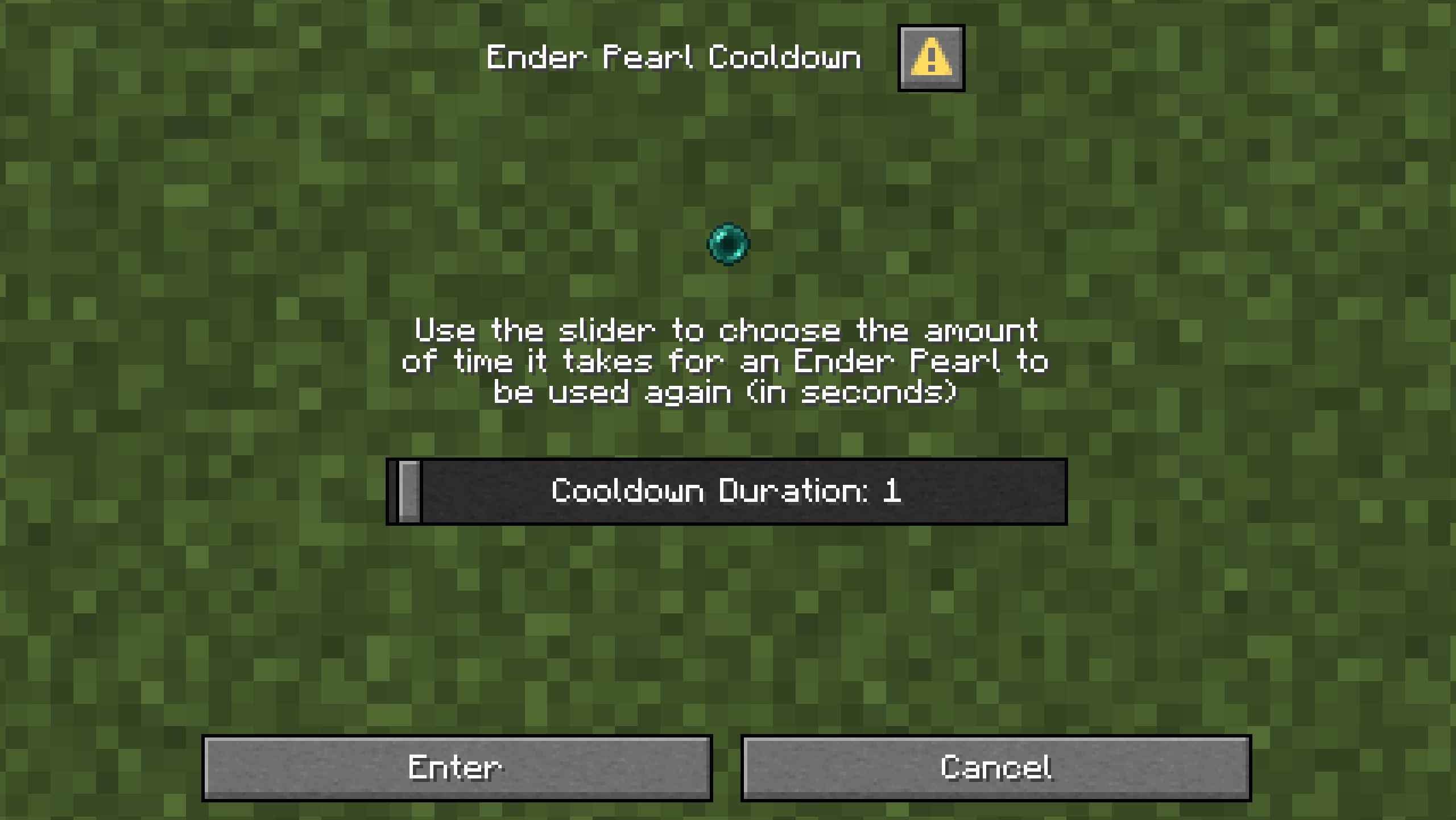
Enter /function pearl_cooldown:config
You can now use the slider to enter the amount of time (in seconds) that you want the pearl cooldown to be.
Notes
The cooldown can only be from 1 to 60 seconds.
You might have issues with the pearls not stacking when entering your inventory when dropped from an Enderman or when trading with a cleric villager, but they will stack correctly when they are moved around in your inventory.
Installation
Server Installation (Datapack)
Go in the main server file
Open world -> datapacks
Upload the datapack in the datapacks folder
World Installation (Datapack)
Press Win + R and enter %appdata%
Open .minecraft -> saves -> -> datapacks
Upload the datapack in the datapacks folder
(Note that if you are using a launcher like Modrinth App or Prism Launcher, you'll need to go on your instance on the launcher and click on Open Folder.)
Server Installation (Mod)
Go in the main server file
Open mods
Upload the mod in the mods folder
Ченджлог
1.1+modРелиз26.1.1, 26.1.2, 26.2 · 26 июня 2025 г.
- Added support for 1.21.6
- Changed the config screen to be a dialog instead of chat messages
- Changed project name from "Adjustable Pearl Cooldown" to "Customizable Pearl Cooldown"
1.1Релиз26.1.1, 26.1.2, 26.2 · 26 июня 2025 г.
- Added support for 1.21.6
- Changed the config screen to be a dialog instead of chat messages
- Changed project name from "Adjustable Pearl Cooldown" to "Customizable Pearl Cooldown"
1.0.1Релиз1.21.5 · 13 апреля 2025 г.
- Added support for 1.21.5
1.0Релиз1.21.2, 1.21.3, 1.21.4 · 28 ноября 2024 г.
Original Version
Комментарии
Загружаем…