 Mineforgian
Death Chest
Safely store your inventory in a death barrel with precise coordinate logging.
- Загрузки
- 615
- Подписчики
- 1
- Обновлён
- 26 июня 2026 г.
- Лицензия
- All-Rights-Reserved
Опубликован 18 июня 2026 г.
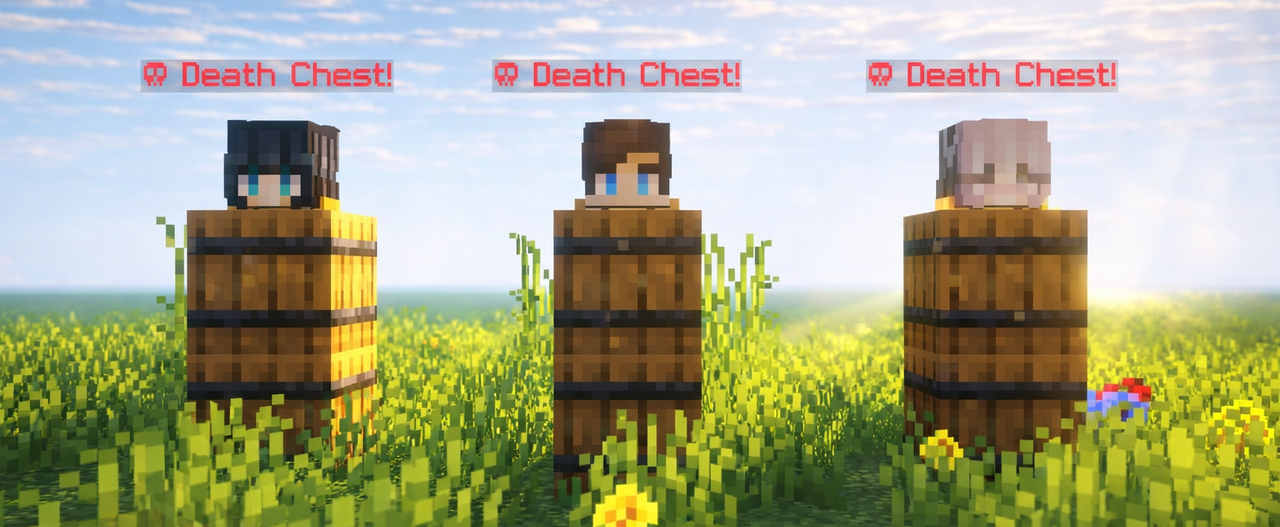


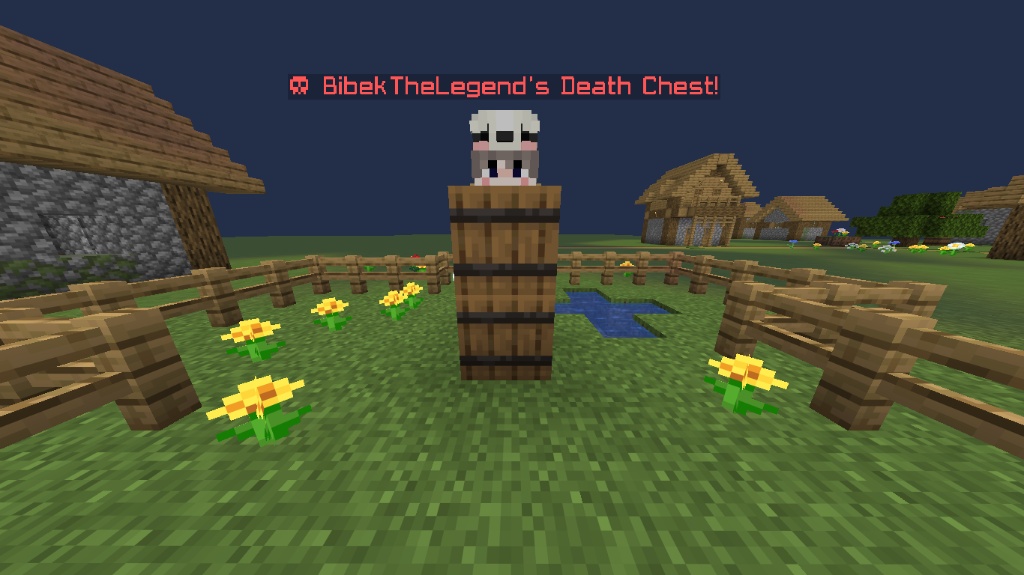
Death Chest is a lightweight, ultra-performance-optimized system that securely preserves your inventory inside a localized barrel container upon death. It instantly captures your exact coordinates and handles data dynamically to prevent clashing or server strain. Built for seamless multiplayer scaling, it provides clear chat logging to guide you right back to your lost gear.

- Fast, stable, and secure item storage Automatically stores your items inside a barrel when you die, keeping your inventory safe.
- Barrel-based storage system Uses barrels instead of chests for easier access and reduced server lag.
- Blacklist system Prevent abuse by blocking specific players from using the death chest system
/tag <player_name> add death_chest_blacklisted. - Death chest tracking compass Easily locate your death chest using a compass.
- Death location notification Sends your death coordinates directly to you in chat.
- Collectible death items Stores the player's head on death inside the hotbar barrel.
- Smart overflow handling Automatically separates stored items across multiple barrels:
- One barrel stores your hotbar and crafting inventory.
- Another barrel stores the rest of your inventory.


What does Death Chest do?
Death Chest automatically saves your items when you die by storing them safely inside barrels, preventing you from losing your inventory.Why does it use barrels instead of chests?
Barrels provide easier access and help keep the system lightweight by avoiding unnecessary chest usage.What happens if my inventory is full?
The system automatically handles overflow by splitting your items between multiple barrels. Hotbar + crafting inventory are stored in one barrel. Remaining inventory items are stored in another barrel.How do I find my Death Chest?
After dying, you will receive your death coordinates in chat and can use the tracking compass to locate your Death Chest.Can players abuse the Death Chest system?
No. The built-in blacklist system allows server owners to block specific players from using Death Chest if they abuse the system.Does it support multiplayer servers?
Yes. Death Chest is designed for multiplayer environments and supports multiple players at the same time.Will this create server lag?
The datapack is optimized to be lightweight and uses barrels instead of large chest systems to reduce unnecessary lag and more.Are my armor and offhand items saved?
Yes. Your equipment and inventory items are safely stored when the Death Chest is created.What happens to the player's head?
The player's head is stored as a collectible item inside the hotbar barrel after death.Does it support modded inventories?
Partially. It supports modded items inside the standard inventory. Entirely new slots (like Curios API) are unrecognized by vanilla commands. This means those items won't be saved to the block, but they are completely safe from being cleared and will stay with the player.Are experience levels saved?
No, unfortunately. The mod/datapack is designed to stay as close to vanilla Minecraft as possible, keeping the original death system while preventing the frustration of permanently losing your items.

Datapack (Singleplayer / Server)
- Download the datapack.
- Place it in your world's datapacks folder.
- Exit and rejoin the world. Search on YouTube ↗
- Tip: Use
/datapack listto verify that it is installed correctly.

Mod Version (Client / Server)
- Install the mod file into your
modsfolder. - Launch the game or server with a compatible mod loader.
- No additional setup required. Search on YouTube ↗
- Tip: It will appear in the mod menu if installed correctly.
Ченджлог
0.2+modРелиз1.21.2, 1.21.3, 1.21.4 · 26 июня 2026 г.
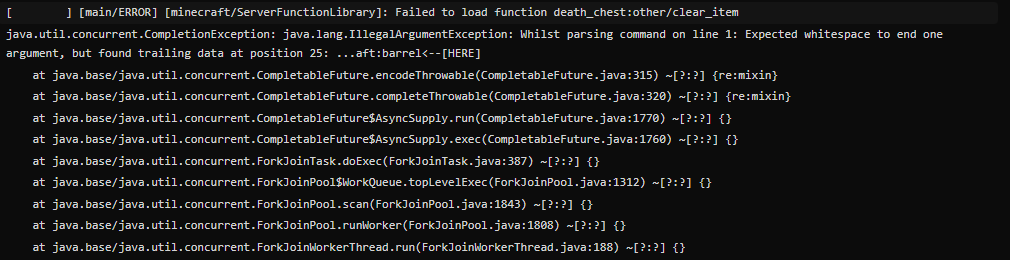
- Fixed the clear command syntax.
- Fixed an issue where barrels were being summoned twice.
0.2Релиз1.21.2, 1.21.3, 1.21.4 · 25 июня 2026 г.
- Fixed the clear command syntax.
- Fixed an issue where barrels were being summoned twice.
0.2+modАльфа26.1.1, 26.1.2, 26.2 · 24 июня 2026 г.
🛑 Experimental Feature Notice
Supported Versions: Minecraft 1.21.1+ only
This feature uses advanced Minecraft mechanics that are still being actively tested and improved. While it may provide a unique experience, you might encounter unexpected behavior, bugs, or compatibility issues in future updates.
Older versions (below 1.21.1) are not supported and may cause this feature to malfunction or break completely.
Recommended for testing and advanced users: If you are running a public server or looking for the most reliable experience, we recommend using the latest Stable Version instead.
0.2Альфа26.1.1, 26.1.2, 26.2 · 24 июня 2026 г.
🛑 Experimental Feature Notice
Supported Versions: Minecraft 1.21.1+ only
This feature uses advanced Minecraft mechanics that are still being actively tested and improved. While it may provide a unique experience, you might encounter unexpected behavior, bugs, or compatibility issues in future updates.
Older versions (below 1.21.1) are not supported and may cause this feature to malfunction or break completely.
Recommended for testing and advanced users: If you are running a public server or looking for the most reliable experience, we recommend using the latest Stable Version instead.
0.2+modРелиз26.2-rc-1, 26.2-rc-2, 26.2 · 20 июня 2026 г.
- Fixed boots getting lost when the player dies!
- Improved the blacklist system!
- Added a copy of the license inside the datapack folder.
0.2+modРелиз1.21.9, 1.21.10, 1.21.11 · 20 июня 2026 г.
- Fixed boots getting lost when the player dies!
- Improved the blacklist system!
- Added a copy of the license inside the datapack folder.
0.2+modРелиз1.20.4, 1.20.5, 1.20.6 · 20 июня 2026 г.
- Fixed boots getting lost when the player dies!
- Improved the blacklist system!
- Added a copy of the license inside the datapack folder.
0.2Релиз1.20.4, 1.20.5, 1.20.6 · 19 июня 2026 г.
- Fixed boots getting lost when the player dies!
- Improved the blacklist system!
- Added a copy of the license inside the datapack folder.
Комментарии
Загружаем…