 Mineforgian
A library for map making that add powerfull 3d UI elements
The core of this library are buttons that player can interact with and all of these can be rotated 360°
Each buttons need just one command to summon it and no more to be fonctional
Sliders and Binary Switch are linked to scoreboard and Click To Action execute command
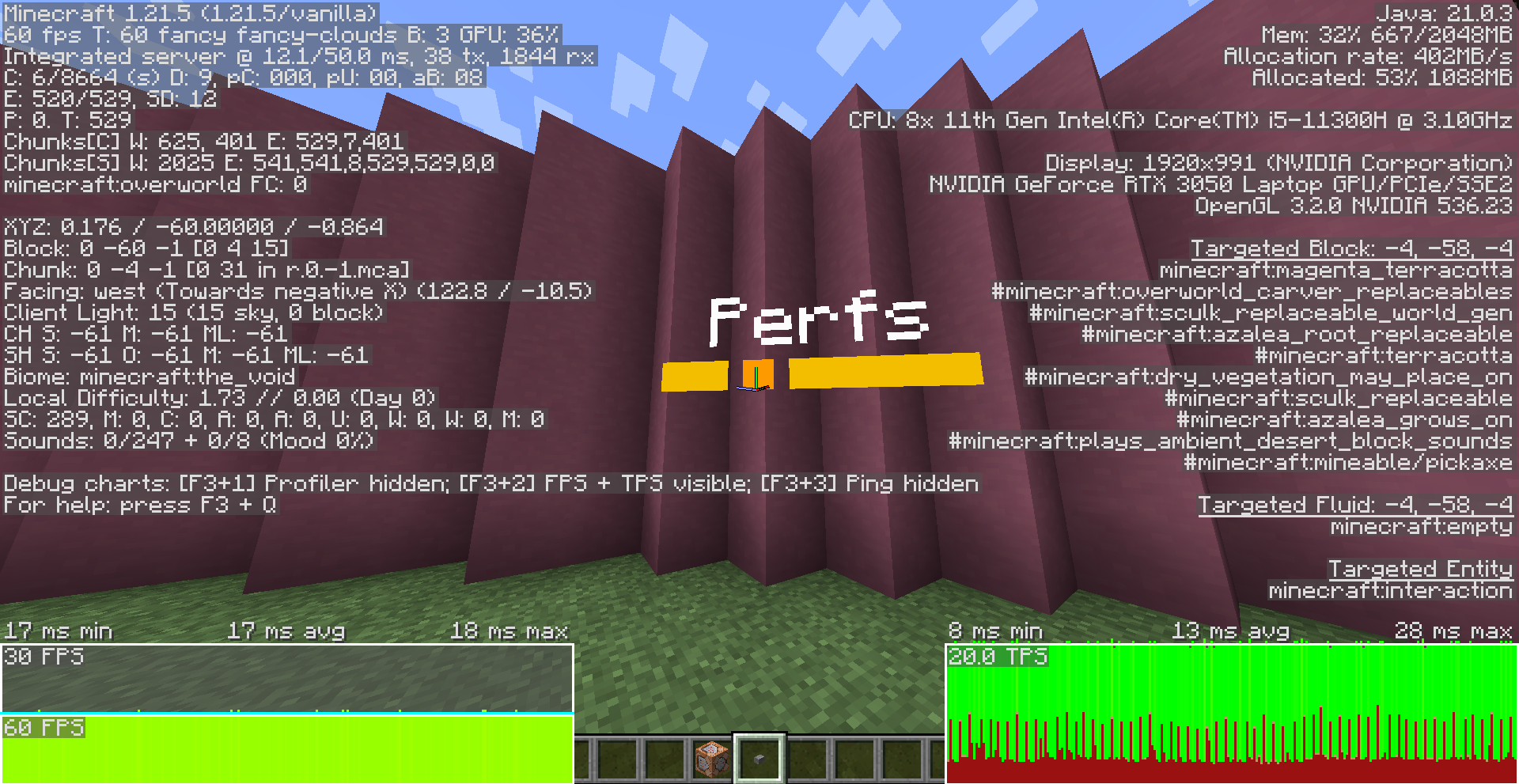
Performances of a crash test with 80 slider in the same place in interaction (worst case) and no optimisation mod
Demo Video
Ченджлог
1.1.1Релиз1.21.6, 1.21.7, 1.21.8 · 21 августа 2025 г.
Bugs Fixed
Slider now correctly display
Debug messages removed
1.1.0Релиз1.21.5 · 24 апреля 2025 г.
commands
GUI
A new element, a 3d Gui, it's dimensions, size and color can be defined
require a ressource pack
function buttons:gui/open
- fields
dist : {Double} Distance beetween the player head and the summoned gui
dim : {Array of 2 int} dimensions of the gui
color : {RGB float array} color of the gui background
text_box
- text: {Json text} label of the gui
- size: {float} size scalar of the label
- dx: {float} offset of the label
Tags : {string array} custom tags added
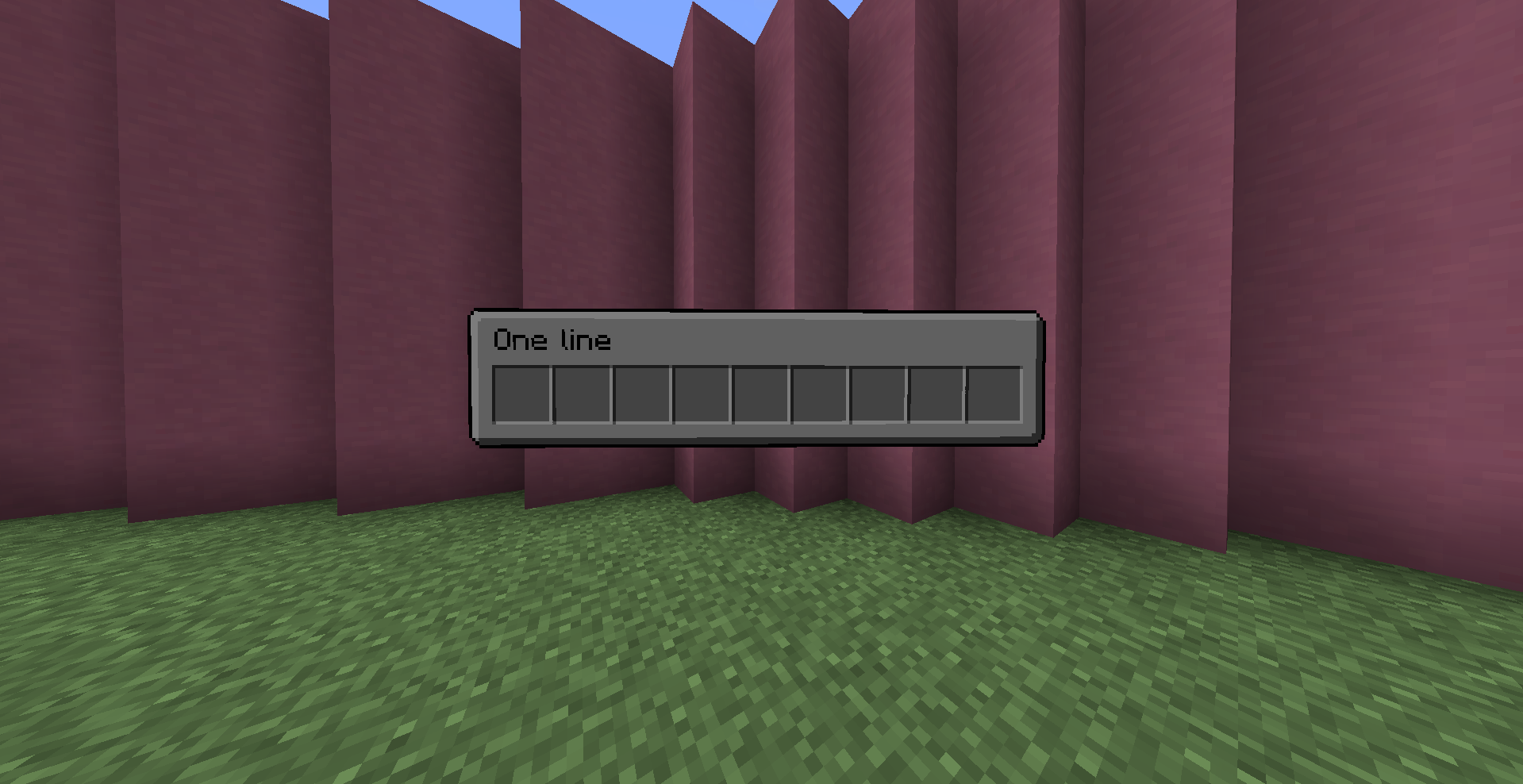
ex: /function buttons:gui/open {dist:1,dim:[9,1],color:[1,1,1],size:0.2,text_box:{text:{text:"One line",color:"black"},dx:-0.7},Tags:[]}
function buttons:gui/update
executed by a GUI, that update himself
executed by a player, that update one of his open Gui
- fields
- Items : {Array of Minecraft Item Json} Items in the gui
- id : {minecraft item id}
- count: {int} count of the item
- Slot/slot: {byte/int} slot of the item
- components: item components
- command: {string} command executed when the owner of the gui click on this item by and at the gui
- color: {RGB float array} color of the gui
- Items : {Array of Minecraft Item Json} Items in the gui
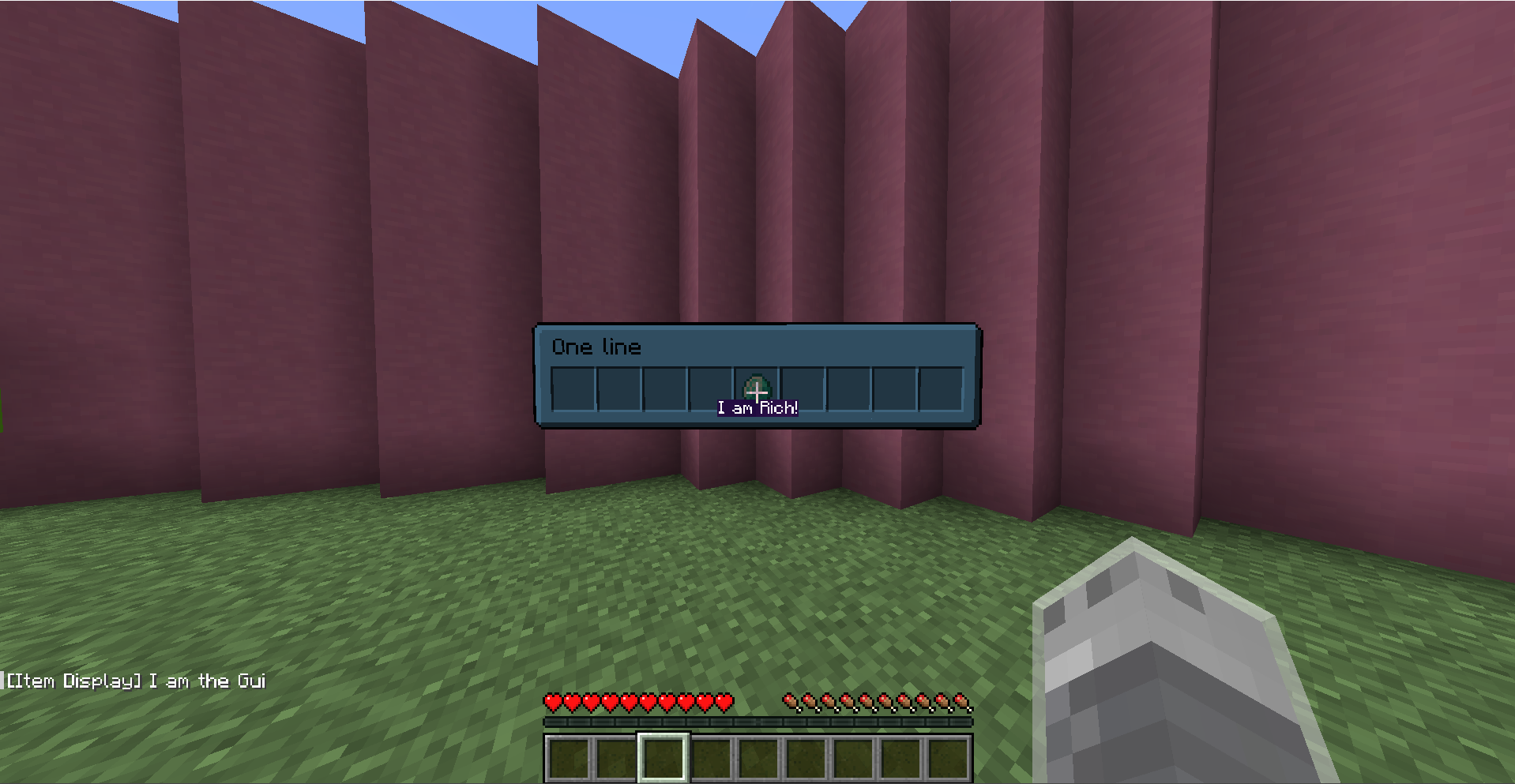
ex: /function buttons:gui/update {Items:[{id:"diamond",slot:4,components:{"minecraft:item_name":"I am Rich!"}, command: "say I am the Gui" }],color:[0.5,0.8,1]}
function buttons:gui/close
executed by a GUI, that close himself
executed by a player, that close one of his open Gui
User Tag
When a player use click to action or gui, he have temporary the tag button.user
Bugs Fixed
If multiple UI elements are superposed, the interaction will be on the first element in crosshair (considere not the coord of each elements but the size and the plane)
1.0.1Релиз1.21.5 · 12 апреля 2025 г.
Bugs Fixed:
-slider cursor now correctly centered
1.0.0Релиз1.21.5 · 11 апреля 2025 г.
commands:
Update
function buttons:update
update the display of button
Remove
function buttons:remove
remove the button
Slider
function buttons:summon/slider
- fields
score
- name : {string} name of the score linked to the slider
- objective : {string} objective of the score linked to the slider
- min: {int} minimum value of the score
- max: {int} maximum value of the score
- inc: {int} incrementation value of the score
bc_box
- width: {float}: width of the slider
- height: {float}: height of the slider
- cursor_width: {float}: width of the slider's cursor
- style: {string:"block", "flat"} display's type of the button, flat is a rgba 2d display and block a 3d block display
- block: {string} block id of main display (if style == "block")
- cursor_block: {string} block id of cursor display (if style == "block")
- color: {int: rgba int} color of main display (if style == "flat")
- cursor_color: {int: rgba int} color of cursor display (if style == "flat")
text_box
- text: {Json text} label of the slider
- size: {float} size scalar of the label
Tags : {string array} custom tags added
ex: execute rotated 110 0 run function buttons:summon/slider {score:{name:"leaves.limit",objective:"settings",min:0,max:4,inc:1},bc_box:{style:"flat",color:-495519092,cursor_color:-491520833,width:1.0,height:0.1},text_box:{text:{text:"foliage",color:"green"}},Tags:[]}
CTA
function buttons:summon/cta
- fields
command: {string} command executed when button is clicked
bc_box
- width: {float}: width of the cta
- height: {float}: height of the cta
- style: {string:"block", "flat"} display's type of the button, flat is a rgba 2d display and block a 3d block display
- block: {string} block id of main display (if style == "block")
- color: {int: rgba int} color of main display (if style == "flat")
text_box
- text: {Json text} label of the cta
- size: {float} size scalar of the label
animation {string: "none", "v_squash", "h_squash", "rotation", "super_rotation"} define the animation when button is clicked
Tags : {string array} custom tags added
ex: execute rotated 0 0 run function buttons:summon/cta {command:'say hey',bc_box:{style:"block",block:"white_stained_glass",width:1.0,height:1.0},text_box:{size:0.5,text:{text:"Hello",color:"black"}},Tags:[],animation:"h_squash"}
Binary Switch
function buttons:summon/binary_switch
- fields
score
- name : {string} name of the score linked to the binary switch
- objective : {string} objective of the score linked to the binary switch
bc_box
- size: {float}: size of the binary switch
- block: {string} block id of main display
- on
- type : {string: "item", "text"} type of display
- item : {Json item} item displayed (if type == "item")
- text : {Json text} text displayed (if type == "text")
- off
- type : {string: "item", "text"} type of display
- item : {Json item} item displayed (if type == "item")
- text : {Json text} text displayed (if type == "text")
text_box
- text: {Json text} label of the binary switch
- size: {float} size scalar of the label
Tags : {string array} custom tags added
ex: execute rotated -150 0 run function buttons:summon/binary_switch {score:{name:"switch.block",objective:"settings"},bc_box:{block:"white_concrete",size:0.5,on:{type:"item",item:{id:"lime_concrete",count:1}},off:{type:"item",item:{id:"red_concrete",count:1}}},text_box:{text:{text:"Block",color:"red"}},Tags:["block_switch"]}
demo video
Комментарии
Загружаем…